Database Connection to Python Using MySQL
Establishing a connection between a Python application and a database is an essential step when developing database-driven applications. Python provides several libraries that make database connectivity easier, and mysql.connector is one of the commonly used modules for connecting Python applications with MySQL databases.
With Python and MySQL connectivity, developers can execute SQL queries, retrieve records, insert new data, update existing information, and manage database operations directly from a Python program. In this tutorial, we will learn how to connect Python with MySQL step by step, create a cursor object, execute SQL queries, and follow important database connection practices.
Database Connection to Python Applications
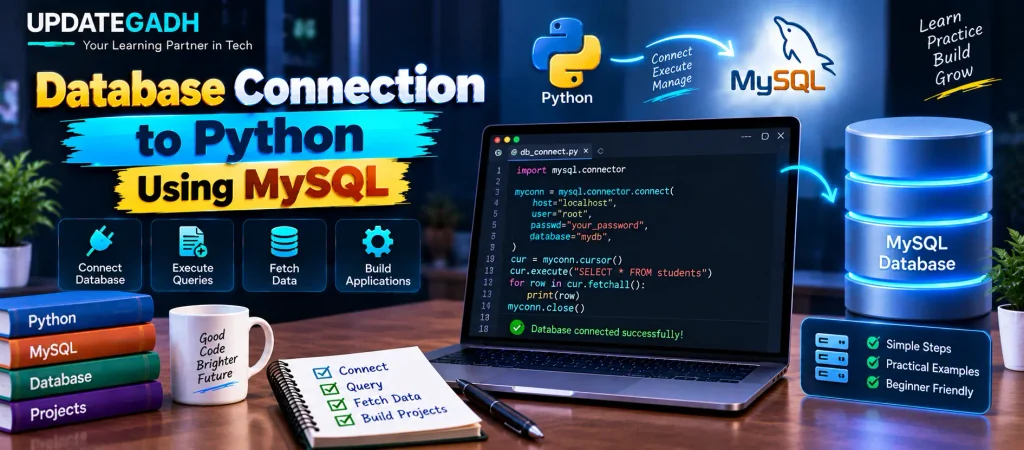
The basic process of connecting a Python application to a MySQL database involves a few important steps. First, the MySQL Connector/Python package must be installed. After that, a connection object is created using the MySQL server credentials. A cursor is then created to execute SQL statements through the established connection.
Steps to Connect Python with MySQL Database
- Import the mysql.connector module.
- Create the connection object.
- Create the cursor object.
- Execute SQL queries.
- Fetch the required database results.
- Close the cursor and database connection after completing the operation.
1. Importing mysql.connector
The first step is to install and import the mysql.connector module. This module allows a Python program to communicate with a MySQL database.
If the connector is not already installed, open the terminal or command prompt and run the following command:
pip install mysql-connector-pythonAfter successful installation, import the module into your Python program:
import mysql.connectorThe imported module provides the connect() method that can be used to establish communication between Python and MySQL.
2. Creating the Connection Object
The connect() method is used to create a connection between the Python application and the MySQL server. It requires database connection information such as the host, username, and password.
Syntax
connection_object = mysql.connector.connect(
    host=<host-name>,
    user=<username>,
    passwd=<password>
)
A database name can also be specified when you want to connect directly to a particular MySQL database.
Example 1: Connecting Without Specifying a Database
import mysql.connector

# Create the connection object
myconn = mysql.connector.connect(
    host="localhost",
    user="root",
    passwd="google"
)

# Print the connection object
print(myconn)
Output
<mysql.connector.connection.MySQLConnection object at 0x7fb142edd780>The memory address shown in the output can be different on different systems. The important part is that a MySQLConnection object has been created.
Example 2: Connecting While Specifying a Database
If you already have a MySQL database such as mydb, you can specify its name while creating the connection.
import mysql.connector

# Create the connection object with a database
myconn = mysql.connector.connect(
    host="localhost",
    user="root",
    passwd="google",
    database="mydb"
)

# Print the connection object
print(myconn)
Output
<mysql.connector.connection.MySQLConnection object at 0x7ff64aa3d7b8>Always make sure that the host, username, password, and database name are correct. Incorrect credentials or database information can prevent the Python application from establishing a successful connection.
3. Creating a Cursor Object
After creating a database connection, the next step is to create a cursor object. A cursor provides an interface for executing SQL statements from the Python application.
The cursor is created by calling the cursor() method of the connection object.
Syntax
cursor_object = connection_object.cursor()Example
import mysql.connector

# Create the connection object
myconn = mysql.connector.connect(
    host="localhost",
    user="root",
    passwd="google",
    database="mydb"
)

# Print the connection object
print(myconn)

# Create the cursor object
cur = myconn.cursor()

# Print the cursor object
print(cur)
Output
<mysql.connector.connection.MySQLConnection object at 0x7faa17a15748>
MySQLCursor: (Nothing executed yet)
The output indicates that the cursor has been successfully created. The message Nothing executed yet means that no SQL statement has been executed through this cursor so far.
4. Executing SQL Queries
Once the cursor object has been created, SQL queries can be executed using the cursor’s execute() method.
For example, suppose there is a table named students in the selected database. The following code can be used to retrieve all records from that table:
cur.execute("SELECT * FROM students")

# Fetch and print the results
for row in cur.fetchall():
    print(row)
Here, execute() sends the SQL statement to MySQL, while fetchall() retrieves all rows returned by the query.
The same connection and cursor can be used for different SQL operations such as SELECT, INSERT, and UPDATE, depending on the requirements of the Python application.
Complete Database Connection Example
The following example combines the major steps involved in connecting Python with MySQL and retrieving records from a table:
import mysql.connector

try:
    # Create the connection
    myconn = mysql.connector.connect(
        host="localhost",
        user="root",
        passwd="google",
        database="mydb"
    )

    print("Database connection successful")

    # Create cursor
    cur = myconn.cursor()

    # Execute SQL query
    cur.execute("SELECT * FROM students")

    # Fetch and display records
    for row in cur.fetchall():
        print(row)

    # Close cursor and connection
    cur.close()
    myconn.close()

except mysql.connector.Error as err:
    print(f"Error: {err}")
This example also uses a try-except block so that MySQL-related errors can be handled more gracefully.
Best Practices for Database Connections
1. Handle Exceptions
Database connections can fail for several reasons, such as incorrect login credentials, unavailable MySQL services, or an incorrect database name. Using exception handling makes it easier to identify and handle these errors.
try:
    myconn = mysql.connector.connect(
        host="localhost",
        user="root",
        passwd="google",
        database="mydb"
    )
except mysql.connector.Error as err:
    print(f"Error: {err}")
2. Close Connections
After finishing database operations, the cursor and connection should be closed properly. This helps release the resources being used by the application.
cur.close()
myconn.close()
3. Protect Database Credentials
Avoid placing sensitive database credentials directly in production source code. Environment variables or secure configuration methods can be used to manage usernames, passwords, and other connection information.
4. Verify Connection Details
Complete Advance AI Topics: Click Here
SQL Tutorial: Click Here
YT:- DecodeIT
Before running a Python database application, verify that the MySQL server is running and that the host, username, password, and database name are correct.
Frequently Asked Questions
1. What is mysql.connector in Python?
mysql.connector is a Python module that allows applications to connect and communicate with MySQL databases.
2. How can I install MySQL Connector for Python?
You can install it using the following command:
pip install mysql-connector-python3. Which method is used to connect Python with MySQL?
The mysql.connector.connect() method is used to establish a connection between Python and a MySQL database.
4. What is the purpose of a cursor object?
A cursor object is used to execute SQL statements and retrieve query results from the MySQL database.
5. How do you execute an SQL query in Python?
An SQL query can be executed using the cursor’s execute() method.
6. How can query results be retrieved?
Methods such as fetchall() can be used to retrieve multiple records returned by a query.
7. Why should we close the database connection?
Closing the cursor and database connection after completing the operation helps release the resources used by the application.
8. Can Python connect to MySQL without specifying a database?
Yes. A connection can initially be created without specifying the database name. A database can then be selected or specified according to the application’s requirements.
Conclusion
Connecting Python with MySQL is an important skill for developing database-driven applications. Using mysql.connector, a Python program can establish a connection with MySQL, create a cursor, execute SQL queries, and retrieve database records.
The basic workflow is simple: install the MySQL connector, import the module, create a connection object, create a cursor, execute SQL queries, process the results, and finally close the database resources. Proper exception handling and secure management of database credentials can make Python applications more reliable and easier to maintain
Keywords: Database Connection To Python, database connectivity in Python with MySQL, mysql connector Python, Database Connection To Python Applications, how to install mysql connector in Python, pip install mysql-connector-python, SQL database connection using Python, database connection to Python example, Python MySQL connectivity, Python database connection