Exploring Python IDEs
An Integrated Development Environment (IDE) is a software application that brings several programming tools together in one place. It can support important stages of the Software Development Life Cycle (SDLC), including writing, running, testing, and debugging programs.
For Python developers, different IDEs are available for different requirements. Some are designed for general-purpose development, while others focus on data science, scientific computing, education, or web development. Choosing a suitable Python IDE can make coding more organized and improve the overall development workflow.
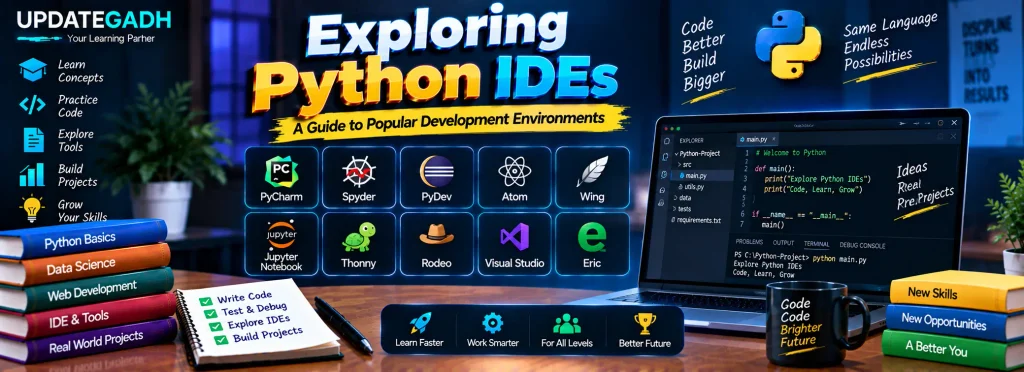
1. PyCharm
PyCharm, developed by JetBrains, is a cross-platform Python IDE designed for professional and everyday Python development. It is available in free and paid editions and provides tools for writing, debugging, testing, and navigating Python projects.
Features of PyCharm
- Intelligent code navigation and auto-completion
- Real-time error detection and quick fixes
- Strong debugging and testing support
- Support for web development technologies and frameworks such as Django and JavaScript
2. Spyder
Spyder, which stands for Scientific Python Development Environment, is an open-source IDE commonly used for scientific computing, research, and data science. It provides useful tools for examining variables, editing code, and working with interactive Python environments.
Features of Spyder
- Syntax highlighting and code completion
- Integration with the IPython console
- Support for multi-language editing
- Useful support for scientific libraries such as NumPy and SciPy
3. PyDev
PyDev is a Python development plugin for Eclipse. It can be a suitable option for developers who already work with the Eclipse environment, particularly those with experience in Java development.
Features of PyDev
- Refactoring, debugging, and code analysis tools
- Support for virtual environments and Python linters such as PyLint
- Django integration
- Support for remote debugging
Download New Real Time Projects: Click here
4. Atom
Atom is an open-source text editor developed by GitHub. It is built using the Electron framework and supports Python along with many other programming languages. Its plugin-based architecture allows developers to customize the editor according to their requirements.
Features of Atom
- Cross-platform support for Windows, macOS, and Linux
- Markdown preview through available plugins
- Extensive customization options
- Git and GitHub integration
5. Wing
Wing is a Python-focused IDE that provides a range of development features. It supports cross-platform development and offers different editions, including free and paid options.
Features of Wing
- Customizable interface and plugin support
- Support for test-driven development and unit testing
- Remote development capabilities
6. Jupyter Notebook
Jupyter Notebook is a web-based development environment widely associated with data science and interactive programming. It allows developers to combine executable code with explanatory text, visualizations, and documentation inside notebook documents.
Features of Jupyter Notebook
- Markdown support for notes and documentation
- Interactive and beginner-friendly environment
- Useful for data visualization and exploration
- Well suited to data science workflows
7. Thonny
Thonny is a lightweight, open-source Python IDE created with beginners in mind. Its simple interface and straightforward debugging features make it useful for people who are learning Python programming.
Features of Thonny
- Simple and easy-to-use debugger
- Beginner-friendly interface
- Syntax error highlighting
- Code completion support
- Designed for teaching and learning programming
8. Rodeo
Rodeo is a Python IDE focused on data science tasks. It provides features for working with data, creating visualizations, and exploring information collected from different sources.
Features of Rodeo
- Data comparison and plotting tools
- Code auto-completion
- Syntax highlighting
- Visual file navigation for inspecting data
9. Microsoft Visual Studio
Microsoft Visual Studio is a comprehensive development environment traditionally associated with technologies such as C++ and C#. It can also be configured for Python development through Python-specific extensions and tools.
Features of Microsoft Visual Studio
- Free and paid versions
- Git integration
- Extensive debugging capabilities
- Marketplace containing Python-related extensions and plugins
10. Eric
Eric is an open-source Python IDE that can be used for both professional and personal development projects. Its plugin architecture allows developers to extend and customize the environment based on their requirements.
Features of Eric
- Customizable editor with source code folding
- Version control and task management tools
- Built-in debugger
- Project management capabilities
- Plugin support for extending functionality
Choosing a Python IDE
Different Python IDEs provide different development experiences. An IDE such as PyCharm provides extensive tools for general Python and web development, while Spyder, Jupyter Notebook, and Rodeo are particularly useful for data-focused workflows. Thonny provides a simpler environment for learners, while PyDev can be useful for developers already familiar with Eclipse.
The appropriate choice depends on the type of Python development being performed, the tools required, and the developer’s experience level.
Complete Advance AI Topics: Click Here
SQL Tutorial: Click Here
YT:- DecodeIT
Conclusion
Python developers have access to a wide range of IDEs, each offering its own collection of development features. PyCharm, Spyder, PyDev, Atom, Wing, Jupyter Notebook, Thonny, Rodeo, Microsoft Visual Studio, and Eric provide different approaches to writing, testing, debugging, and managing Python programs.
Understanding the capabilities of these environments can help developers select a workspace that matches their programming requirements and makes their Python development process more convenient.
FAQs
1. What is a Python IDE?
A Python IDE is a development environment that combines tools for writing, running, testing, and debugging Python programs.
2. Which Python IDE is designed for beginners?
Thonny is designed with beginners in mind and provides a simple interface, debugging tools, and programming features suitable for learning Python.
3. Which Python IDE is useful for data science?
Spyder, Jupyter Notebook, and Rodeo provide features that are useful for data science, scientific computing, data exploration, and visualization.
4. What is PyDev?
PyDev is a Python development plugin for the Eclipse IDE that provides features such as debugging, refactoring, code analysis, and Django integration.
Keywords: Exploring Python IDEs, PyCharm, best Python IDE for beginners, free Python IDE, Python IDE online, best Python IDE for Windows, best free IDE for Python, Python IDE download, best Python IDE for Mac, Python IDEs for beginners