Comprehensive Guide to Using the Gmail API in Python
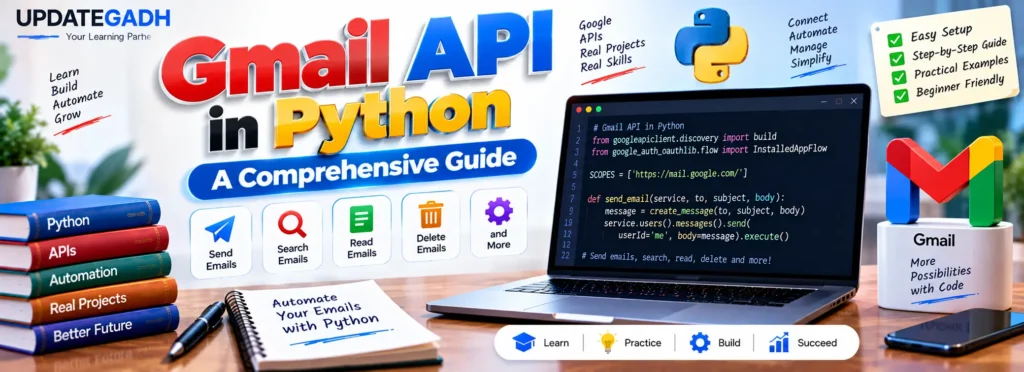
The Gmail API in Python allows developers to interact with Gmail programmatically and perform different email-related operations. Instead of manually managing messages through the Gmail interface, Python applications can use the API to send emails, search messages, read email content, delete messages, and update email status.
In this tutorial, we will learn the basics of the Gmail API, understand its prerequisites, install the required Python libraries, configure Google Cloud, set up OAuth credentials, and create a Python program for sending emails through Gmail.
What is Gmail API?
Gmail is one of the most widely use to email services for personal or business communication. Developers can connect applications with Gmail programmatically through the Gmail API, which is part of Google’s REST API services.
With Python and the required Google API libraries, developers can access Gmail functionality from their applications. This makes the Gmail API useful for automation tools, email-management applications, notification systems, and other Python projects that need Gmail integration.
Prerequisites for Using Gmail API in Python
Before working with the Gmail API, make sure you have the following requirements:
- Python Installed: Python should be installed on your system.
- Gmail Account: You need Google account with Gmail enabled.
- Required Libraries: Install packages such as
google-api-python-client,google-auth-httplib2, andgoogle-auth-oauthlib. - Basic Knowledge: A basic understanding of Python, OAuth authentication, and Google APIs is helpful.
Installing Required Python Libraries
Before writing the program, install the required Google API packages. Open your terminal, Command Prompt, PowerShell, or VS Code terminal and run:
pip install --upgrade google-api-python-client google-auth-httplib2 google-auth-oauthlibAfter the installation completes, the required modules can be imported into your Python project.
Enabling the Gmail API
Before your Python program can access Gmail, you need to configure a project in Google Cloud and enable the Gmail API.
Step 1: Create a Google Cloud Project
- Open the Google Cloud Console and sign with your Google account.
- Select New Project to create a project.
- You can also select an existing project if you already have one.
Step 2: Enable Gmail API
- Open APIs & Services from your project dashboard.
- Select Enable APIs and Services.
- Search for Gmail API.
- Open the Gmail API page and enable it for your project.
Step 3: Configure OAuth Consent Screen
- Open the OAuth Consent Screen section.
- Provide the required application information.
- Save the configuration.
OAuth is required because the application needs permission to access the Gmail account on behalf of the authenticated user.
Step 4: Create OAuth Credentials
- Open the Credentials section.
- Select Create Credentials.
- Choose OAuth Client ID.
- Select Desktop Application as the application type.
- Create the credentials and download the JSON file.
- Save the downloaded file as
credentials.jsoninside your Python project folder.
Python Implementation of Gmail API
After installing the libraries and configuring the Google Cloud project, we can create a Python program to authenticate with Gmail.
Step 1: Authenticate with Gmail API
import os
import pickle

from googleapiclient.discovery import build
from google_auth_oauthlib.flow import InstalledAppFlow
from google.auth.transport.requests import Request

# Define the required Gmail API scope
SCOPES = ['https://mail.google.com/']


def authenticate_gmail_api():
    creds = None

    # Check whether saved credentials exist
    if os.path.exists("token.pickle"):
        with open("token.pickle", "rb") as token:
            creds = pickle.load(token)

    # Check whether credentials are valid
    if not creds or not creds.valid:

        if creds and creds.expired and creds.refresh_token:
            creds.refresh(Request())

        else:
            flow = InstalledAppFlow.from_client_secrets_file(
                'credentials.json',
                SCOPES
            )

            creds = flow.run_local_server(port=0)

        # Save credentials for future use
        with open("token.pickle", "wb") as token:
            pickle.dump(creds, token)

    return build('gmail', 'v1', credentials=creds)


# Authenticate and initialize Gmail API service
service = authenticate_gmail_api()
How Authentication Works
The program first checks whether a previously saved token.pickle file exists. If valid credentials are available, they can be reused.
If the credentials have expired but contain a refresh token, the program attempts to refresh them. Otherwise, credentials.json is used to start the OAuth authentication process.
After successful authentication, the credentials are saved in token.pickle so they can be reused later.
Finally, the build() function creates the Gmail API service object:
service = authenticate_gmail_api()Step 2: Sending an Email Using Gmail API
Once authentication is complete, you can use the Gmail service object to send an email.
from base64 import urlsafe_b64encode
from email.mime.text import MIMEText


def create_email(to, subject, body):
    message = MIMEText(body)

    message['to'] = to
    message['from'] = 'YourEmail@gmail.com'
    message['subject'] = subject

    return {
        'raw': urlsafe_b64encode(
            message.as_bytes()
        ).decode()
    }


def send_email(service, to, subject, body):
    email = create_email(to, subject, body)

    service.users().messages().send(
        userId='me',
        body=email
    ).execute()


# Example usage
send_email(
    service,
    "recipient@gmail.com",
    "Hello from Python!",
    "This is a test email sent using Gmail API."
)
Understanding the Email Code
The MIMEText class is used to create the email message. The recipient, sender, subject, and message body are then added to the email.
Gmail API expects the email content in an encoded format. Therefore, urlsafe_b64encode() converts the email message into the required encoded representation.
The send_email() function then sends the prepared message through:
service.users().messages().send(
    userId='me',
    body=email
).execute()
Here, userId='me' represents the currently authenticated Gmail account.
Other Operations with Gmail API
The Gmail API can be used for several operations beyond sending messages. Some of the operations covered by the API include:
- Searching Emails: Retrieve messages that match specific search criteria.
- Reading Emails: Access email messages and their contents programmatically.
- Deleting Emails: Remove unwanted messages through API operations.
- Marking Emails as Read or Unread: Update the status of Gmail messages.
These operations can be implemented by working with the appropriate Gmail API resources and methods.
Complete Advance AI Topics: Click Here
SQL Tutorial: Click Here
YT:- DecodeIT
Frequently Asked Questions
1. What is Gmail API in Python?
Gmail API in Python allows applications to communicate with Gmail programmatically and perform operations such as sending, reading, searching, and managing emails.
2. Which Python libraries are required for Gmail API?
The tutorial uses google-api-python-client, google-auth-httplib2, and google-auth-oauthlib.
3. What is credentials.json?
credentials.json contains the OAuth client information created for the Google Cloud project and is used during the authentication process.
4. What is token.pickle used for?
The example uses token.pickle to store the authenticated credentials so that they can be reused in later executions.
5. How can Python send an email using Gmail API?
You can create a MIME email, encode it using Base64, and send it through the Gmail API’s users().messages().send() method.
6. Can Gmail API read emails?
Yes. The Gmail API provides functionality for retrieving and working with email messages.
7. Can Gmail API search emails?
Yes. Gmail API resources can be used to retrieve messages according to search criteria.
8. Can Python delete Gmail messages using the API?
Yes. Gmail API provides operations for managing and deleting messages programmatically.
Conclusion
The Gmail API in Python provides a powerful way to connect Python applications with Gmail. In this guide, we covered the basic requirements, installation of the necessary libraries, Gmail API activation, OAuth configuration, authentication, and email sending.
We also explored other operations that can be performed through the Gmail API, including searching, reading, deleting, and changing the status of emails. With these concepts, you can begin developing Python applications that interact with Gmail programmatically.
Keywords: Guide to Using the Gmail API in Python,Gmail API in Python, python gmail API send email, python gmail API read email, Gmail API Python documentation, Gmail API Python GitHub, Gmail API Python quickstart, Python Gmail read email, Gmail API documentation, Gmail API send email Python, Gmail API authentication Python, Gmail API OAuth Python, send email using Gmail API, Gmail API Python example,Guide to Using the Gmail API in Python, Gmail API in Python