Database Operations
Managing records in a database requires more than simply adding and reading information. Applications also need to modify existing records and remove data that is no longer required. In MySQL, the UPDATE and DELETE statements are commonly used for these tasks.
Python applications can execute these SQL operations through the mysql.connector package. In this guide, we will see how to update and delete MySQL records from Python while using parameterized queries, transactions, error handling, and proper connection management.
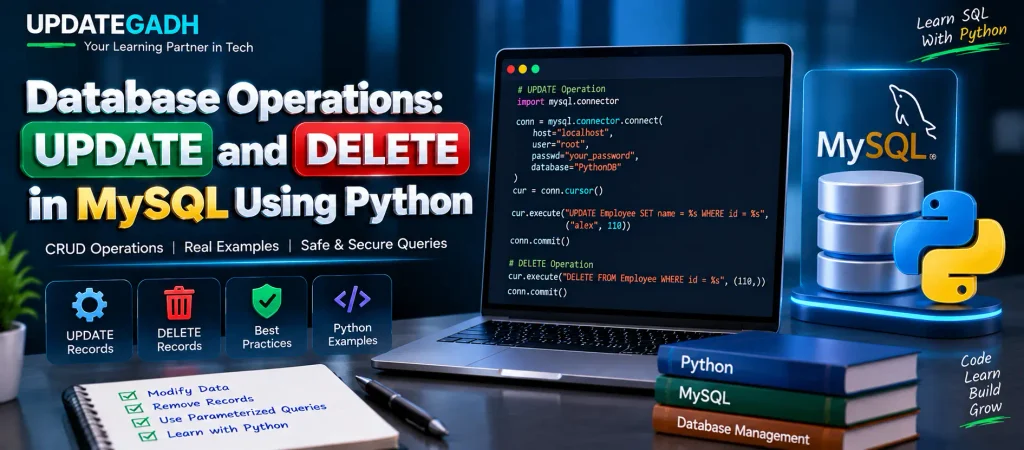
UPDATE Operation in MySQL
The UPDATE statement is used when an existing database record needs to be changed. You can modify one or more columns by specifying the new values along with a condition.
A WHERE condition is extremely important because it identifies the records that should be modified. If the condition is omitted, the statement can affect every row in the table.
SQL UPDATE Example
UPDATE Employee
SET name = 'alex'
WHERE id = 110;
The above query changes the name of the employee whose ID is 110.
Performing UPDATE Using Python
Python can send an UPDATE query to MySQL through a database cursor. In the following example, placeholders are used instead of directly placing user-provided values inside the SQL statement.
import mysql.connector

conn = mysql.connector.connect(
    host="localhost",
    user="root",
    passwd="your_password",
    database="PythonDB"
)

cur = conn.cursor()

try:
    cur.execute(
        "UPDATE Employee SET name = %s WHERE id = %s",
        ("alex", 110)
    )

    conn.commit()

    print(f"{cur.rowcount} record(s) updated")

except Exception as e:
    conn.rollback()
    print("Error:", e)

finally:
    conn.close()
After executing the query, commit() saves the modification. The rowcount property can be used to determine how many records were affected. If an exception occurs, rollback() reverses the pending database changes.
DELETE Operation in MySQL
The DELETE statement removes existing records from a database table. Similar to UPDATE, it should normally be used with a WHERE condition when only particular records need to be removed.
SQL DELETE Example
DELETE FROM Employee
WHERE id = 110;
This query removes the employee record whose ID is 110.
Performing DELETE Using Python
The following Python example connects to MySQL and removes a specific employee record using a parameterized DELETE query.
import mysql.connector

conn = mysql.connector.connect(
    host="localhost",
    user="root",
    passwd="your_password",
    database="PythonDB"
)

cur = conn.cursor()

try:
    cur.execute(
        "DELETE FROM Employee WHERE id = %s",
        (110,)
    )

    conn.commit()

    print(f"{cur.rowcount} record(s) deleted")

except Exception as e:
    conn.rollback()
    print("Error:", e)

finally:
    conn.close()
Here, the employee with ID 110 is targeted for deletion. If the operation succeeds, the transaction is committed. If something goes wrong, the changes are rolled back and the error is displayed.
Best Practices for UPDATE and DELETE
1. Always Use a WHERE Clause
Before executing UPDATE or DELETE, make sure the query contains an appropriate WHERE condition. Without it, the operation may modify or remove every record in the table.
2. Prefer Parameterized Queries
Use placeholders such as %s when passing values to SQL statements. Parameterized queries provide a safer way to handle values supplied to database operations and help reduce SQL injection risks.
3. Create a Backup Before Bulk Changes
For large-scale UPDATE or DELETE operations, keeping a suitable database backup can provide a recovery option if the operation does not produce the expected result.
4. Commit Successful Operations
After a successful modification, call commit() so the intended changes are saved to the database.
5. Roll Back Failed Operations
If an exception occurs during the database operation, use rollback() where appropriate to prevent incomplete changes from being committed.
6. Test Changes Before Production
It is useful to test UPDATE and DELETE statements in a development or staging environment before applying them to important production data.
7. Use Transactions for Related Operations
When several database statements must succeed together, transaction handling can help maintain consistency by committing successful work or rolling it back when an error occurs.
Preview Records Before Deleting
When deleting a record, it is helpful to check the matching data first. A SELECT query can be used to confirm which rows will be affected.
# Check the record before deleting
cur.execute(
    "SELECT * FROM Employee WHERE id = %s",
    (110,)
)

print(cur.fetchall())
This approach allows you to inspect the selected record before executing the DELETE operation.
UPDATE vs DELETE
| Operation | Purpose | Effect |
|---|---|---|
UPDATE | Changes existing data | Modifies selected column values |
DELETE | Removes existing records | Deletes selected rows |
Conclusion
The UPDATE and DELETE statements are important database operations for maintaining MySQL records through Python applications. UPDATE allows existing information to be changed, while DELETE removes records that are no longer needed.
When working with these operations, always pay attention to the WHERE condition and use parameterized queries for supplied values. Combining try-except handling with commit(), rollback(), and close() also provides a structured approach to database management.
Complete Advance AI Topics: Click Here
SQL Tutorial: Click Here
YT:- DecodeIT
FAQs
1. What is UPDATE in MySQL?
The UPDATE statement changes existing values in one or more rows of a MySQL table.
2. What is DELETE used for in MySQL?
The DELETE statement removes selected rows from a database table.
3. Why is WHERE important in UPDATE and DELETE?
The WHERE clause specifies which records should be affected. Without it, the operation can apply to all rows.
4. Why use %s in Python MySQL queries?
The %s placeholder is used with parameterized queries to pass values separately from the SQL statement.
5. What does rollback() do?
rollback() cancels pending database changes when an operation needs to be reversed, such as after an error.
Keywords: database operations sql, database operations in mysql, Database Operations,database operations in python, python mysql update, python mysql delete, crud python mysql, parameterized queries python, database operations crud, MySQL UPDATE Python, MySQL DELETE Python, update query in Python, delete query in Python, mysql.connector update example, mysql.connector delete example,Database Operations