Python Multiprocessing
Modern computers commonly have multiple CPU cores, and using those cores effectively can improve the performance of applications. Python provides the built-in multiprocessing module, which makes it possible to execute multiple processes independently and perform tasks in parallel.
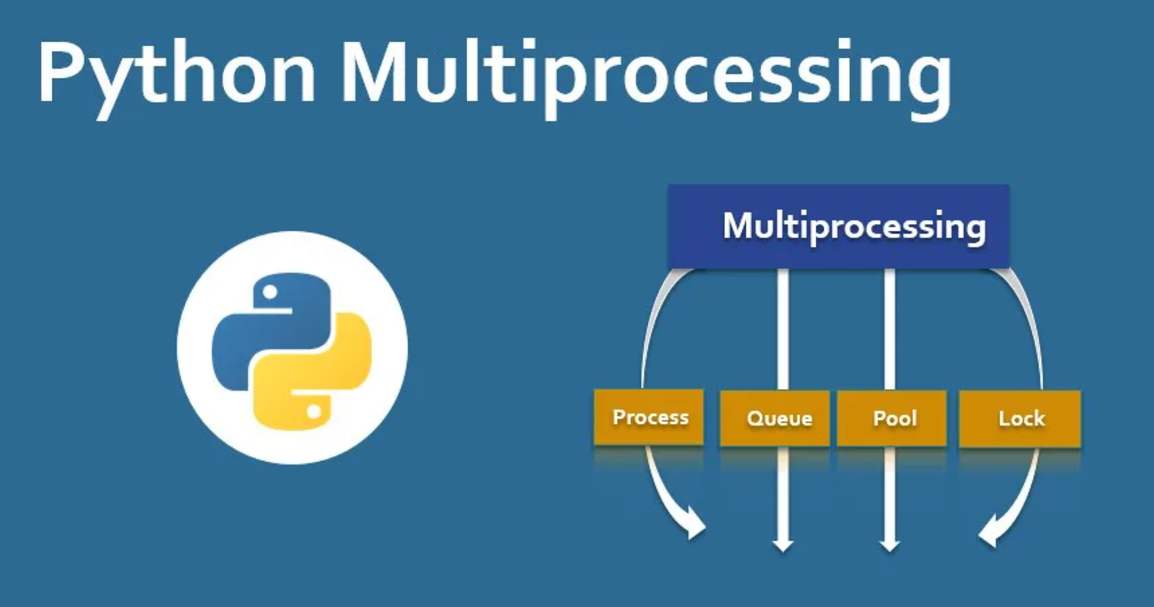
In this tutorial, we will learn what multiprocessing is, why it is useful, how to create processes in Python, and how advanced features such as Queue, Lock, and Pool can be used in multiprocessing programs.

What is Multiprocessing in Python?
Multiprocessing refers to running multiple processes at the same time. A process can execute independently, and multiple processes can use different CPU cores when the operating system schedules them accordingly.
Python’s multiprocessing module provides an easy-to-use API for creating and managing processes. It is particularly useful for tasks that can benefit from parallel execution.
Key Features of Multiprocessing
- Multiple processes can execute independently.
- Tasks can be distributed across available CPU cores.
- The operating system manages process scheduling.
- Processes can communicate and coordinate using multiprocessing tools.
Simple Analogy of Multiprocessing
Imagine a kitchen where one chef is responsible for chopping vegetables, cooking food, and cleaning. The chef must switch between different tasks, which can take more time.
Now imagine several chefs working together. One chef can chop vegetables, another can prepare the food, and another can handle cleaning. Because different tasks can be handled at the same time, the overall work can progress more efficiently.
Multiprocessing follows a similar idea by allowing multiple processes to work independently.
Why Use Multiprocessing?
When a program performs tasks one after another, some operations may take significant time. Multiprocessing allows suitable tasks to be divided among multiple processes.
Some benefits include:
- Improved execution efficiency for suitable workloads.
- Better utilization of multiple CPU cores.
- Reduced execution time for tasks that can run in parallel.
- Easier management of independent tasks.
Multiprocessing Module in Python
Python’s multiprocessing module provides classes and functions for creating, starting, and managing processes. One of the most important classes is Process.
Basic Multiprocessing Example
The following example creates a new process that executes the greet() function.
from multiprocessing import Process

def greet():
    print("Hello! Welcome to Python Multiprocessing!")

if __name__ == "__main__":
    p = Process(target=greet)

    p.start()
    p.join()
Output
Hello! Welcome to Python Multiprocessing!Explanation
Processcreates a new process.targetspecifies the function that the process should execute.start()starts the process.join()waits until the process has completed.
The if __name__ == "__main__": condition is especially important when working with multiprocessing because it prevents unintended process creation when the program is started on platforms that use the spawn method.
Multiprocessing with Arguments
Arguments can be passed to a process using the args parameter. The following example creates two processes that calculate the square and cube of the same number.
import multiprocessing

def calculate_square(n):
    print(f"The square of {n} is {n * n}")

def calculate_cube(n):
    print(f"The cube of {n} is {n * n * n}")

if __name__ == "__main__":
    process1 = multiprocessing.Process(
        target=calculate_square,
        args=(4,)
    )

    process2 = multiprocessing.Process(
        target=calculate_cube,
        args=(4,)
    )

    process1.start()
    process2.start()

    process1.join()
    process2.join()

    print("Both processes are completed.")
Output
The square of 4 is 16
The cube of 4 is 64
Both processes are completed.
Key Points
argsis used to pass arguments to the target function.- The two processes can execute independently.
join()ensures the main program waits for both processes to finish.
Advanced Multiprocessing Features
The multiprocessing module provides additional classes that help processes communicate, coordinate their work, and execute groups of tasks.
1. Queue Class
The Queue class can be used to exchange data between processes. Items can be added using put() and retrieved using get().
from multiprocessing import Queue

queue = Queue()

# Adding items
for item in ["Apple", "Orange", "Banana"]:
    queue.put(item)

# Removing items
while not queue.empty():
    print(queue.get())
Output
Apple
Orange
Banana
A queue is useful when processes need a mechanism for passing data between one another.
2. Lock Class
The Lock class helps control access to a shared or critical section of code. It ensures that only one process at a time enters the protected section.
from multiprocessing import Lock, Process

def print_message(lock, message):
    with lock:
        print(message)

if __name__ == "__main__":
    lock = Lock()

    messages = ["Task 1", "Task 2", "Task 3"]

    processes = [
        Process(
            target=print_message,
            args=(lock, msg)
        )
        for msg in messages
    ]

    for p in processes:
        p.start()

    for p in processes:
        p.join()
Output
Task 1
Task 2
Task 3
The with lock: block ensures that the protected operation is accessed by one process at a time.
3. Pool Class
The Pool class makes it easier to manage multiple worker processes. It is useful when the same function needs to be applied to multiple pieces of data.
Example 1: Distributing Tasks
from multiprocessing import Pool

def square(n):
    return n * n

if __name__ == "__main__":
    with Pool(4) as pool:
        results = pool.map(square, [1, 2, 3, 4])

    print(results)
Output
[1, 4, 9, 16]Here, Pool(4) creates a pool with four worker processes, and map() applies the square() function to each item in the list.
Example 2: Simulating Multiple Tasks
from multiprocessing import Pool
import time

def task(name):
    print(f"Task {name} started.")
    time.sleep(2)
    print(f"Task {name} completed.")

if __name__ == "__main__":
    with Pool(2) as pool:
        pool.map(task, ["A", "B", "C", "D"])
Output
Task A started.
Task B started.
Task A completed.
Task B completed.
Task C started.
Task D started.
Task C completed.
Task D completed.
With a pool containing two workers, tasks can be processed in groups according to the available workers.
Complete Advance AI Topics: Click Here
SQL Tutorial: Click Here
YT:- DecodeIT
Common Multiprocessing Functions and Classes
| Function/Class | Description |
|---|---|
cpu_count() | Returns the number of CPUs available to the system. |
Process() | Creates a new process. |
start() | Starts a process. |
join() | Waits for a process to finish. |
Queue() | Provides a mechanism for exchanging data between processes. |
Lock() | Controls access to a critical section. |
Pool() | Manages a group of worker processes. |
Frequently Asked Questions
1. What is multiprocessing in Python?
Multiprocessing allows multiple processes to execute independently and can make use of multiple CPU cores.
2. Which module is used for multiprocessing in Python?
Python provides the built-in multiprocessing module for creating and managing processes.
3. What is the use of Process()?
Process() creates a new process that can execute a specified target function.
4. What does join() do in multiprocessing?
join() makes the calling program wait until the selected process has completed.
5. What is multiprocessing Queue?
Queue provides a way for processes to exchange data by placing items into and retrieving items from a queue.
6. Why is Lock used in multiprocessing?
A Lock helps prevent multiple processes from entering a protected critical section at the same time.
7. What is multiprocessing Pool?
Pool manages a group of worker processes and can distribute tasks among them using methods such as map().
8. What is the difference between multiprocessing and multithreading?
Multiprocessing uses separate processes, while multithreading uses multiple threads within processes. The appropriate approach depends on the type of workload and how the program needs to execute its tasks.
Conclusion
Python multiprocessing provides useful tools for executing independent tasks through multiple processes. In this tutorial, we explored the basic Process class along with arguments, Queue, Lock, and Pool.
Understanding these features helps developers build Python programs that can divide suitable workloads into separate processes and coordinate their execution. Multiprocessing is especially important when working with applications where parallel execution across CPU cores can improve performance.
Keywords: Python Multiprocessing, python multiprocessing tutorial, python multiprocessing example, python multiprocessing pool, python multiprocessing pool example, python multiprocessing queue, python multiprocessing lock, python multiprocessing vs multithreading, python multiprocessing return value, python multiprocessing for loop, Python multithreading, Python multiprocessing module