Vehicle Service Management System Using Django and SQLite
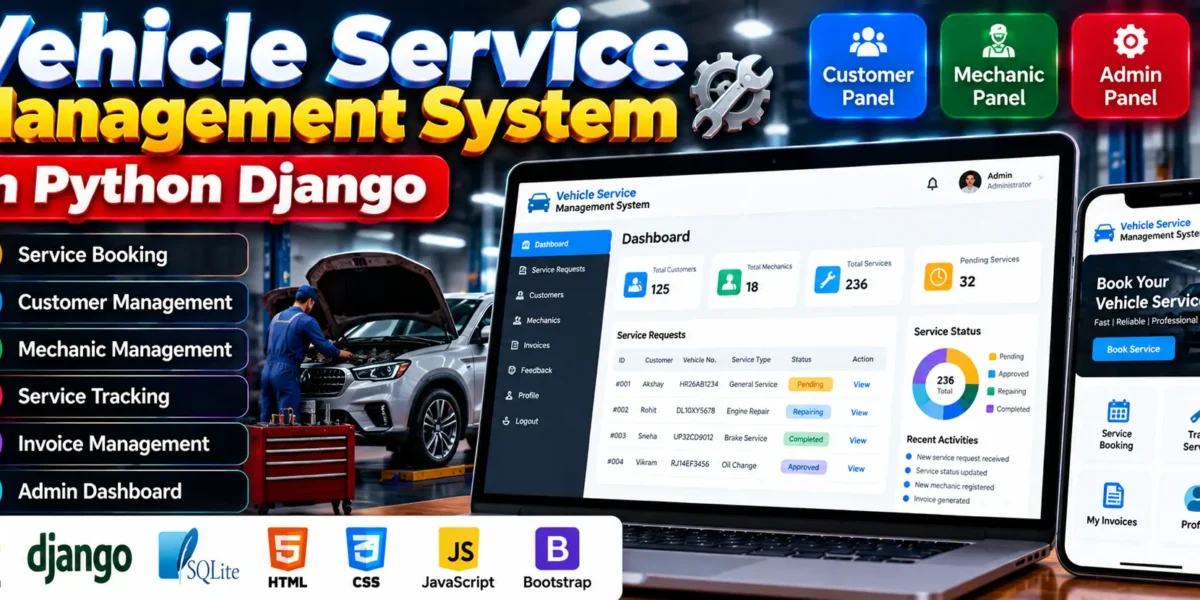
The Vehicle Service Management System is a web application developed using Python, Django, and SQLite to simplify vehicle servicing operations. It allows customers to submit service requests, mechanics to manage assigned repair tasks, and administrators to oversee customers, mechanics, invoices, and service workflows through separate panels.
The project provides a structured approach to managing vehicle maintenance, from booking a service request to updating repair progress and viewing invoices. It also includes role-based functionality, profile management, feedback, and mechanic application approval. This project is suitable for BCA, MCA, and computer science students who want practical experience with Django web development and database management.
Complete Advance AI Topics: Click Here
Real Time Projects on YouTube:- DecodeIT
What Is a Vehicle Service Management System?
A Vehicle Service Management System is a web application that helps customers, mechanics, and administrators manage vehicle repair and maintenance activities. It organizes service bookings, repair assignments, status updates, and invoices in a centralized application.
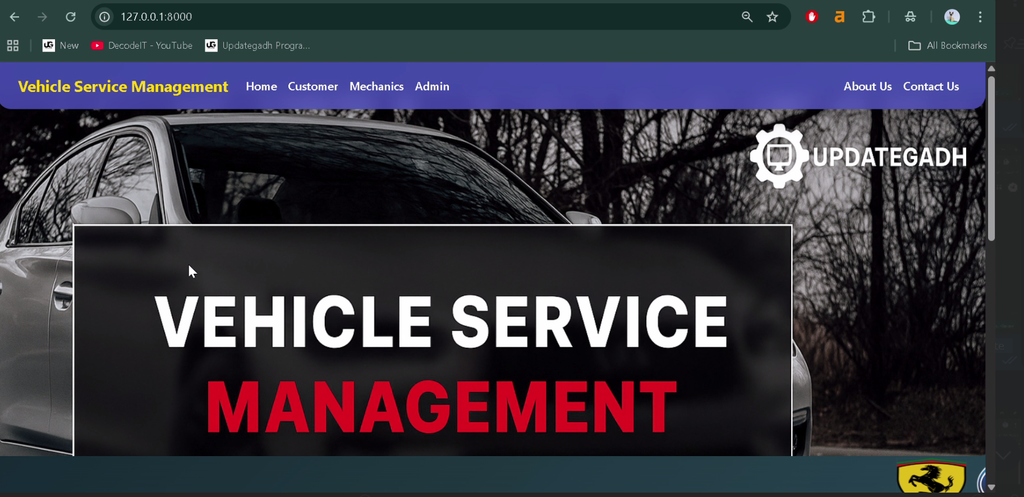
This Django-based project provides separate customer, mechanic, and admin panels. Each panel offers functionality according to the user’s role, helping organize service requests and track vehicle repairs throughout the servicing process.
What Are the Project Details?
The project uses Django for backend development and SQLite for database storage. Its interface uses HTML and CSS to provide the pages required for customer, mechanic, and administrative operations.
| Project Information | Details |
|---|---|
| Project Name | Vehicle Service Management System |
| Programming Language | Python |
| Framework | Django 3.0.5 |
| Frontend Technologies | HTML, CSS |
| Recommended Python Version | Python 3.7.6 |
| Database | SQLite |
| Project Type | Web Application |
What Are the Main Features of This Project?
The system includes separate panels for customers, mechanics, and administrators. These panels support service request management, repair tracking, invoice access, profile updates, and administrative control.
What Can Customers Do in the Customer Panel?
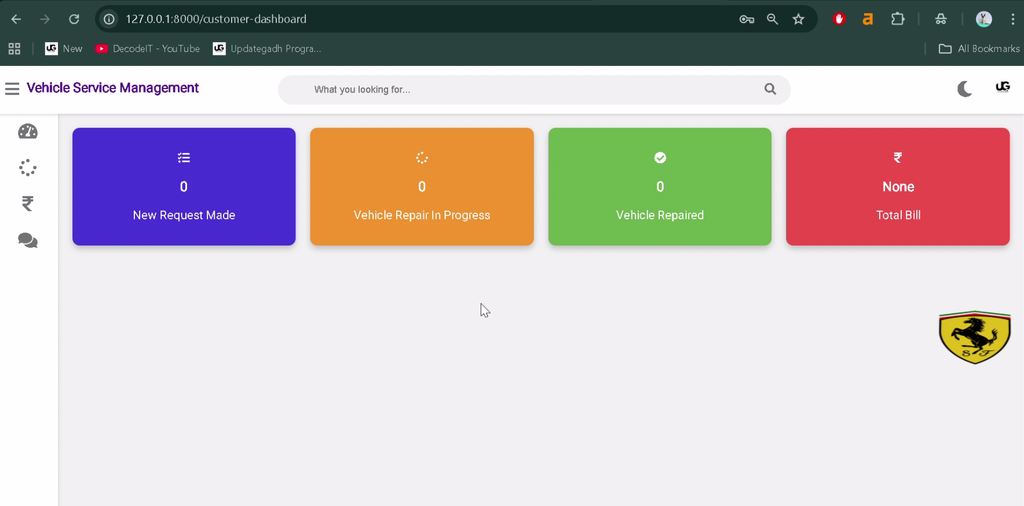
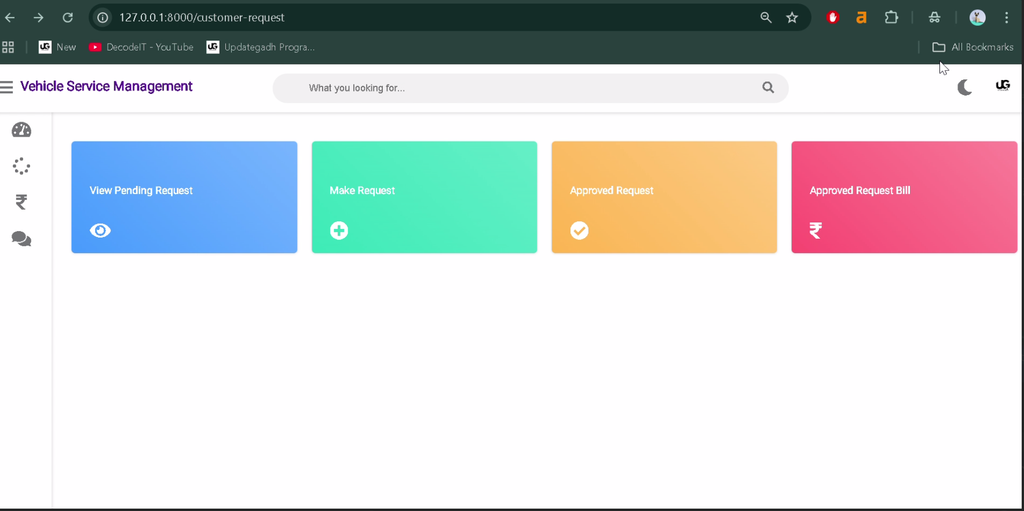
The customer panel allows users to manage their accounts, submit vehicle service requests, and follow the progress of repairs.
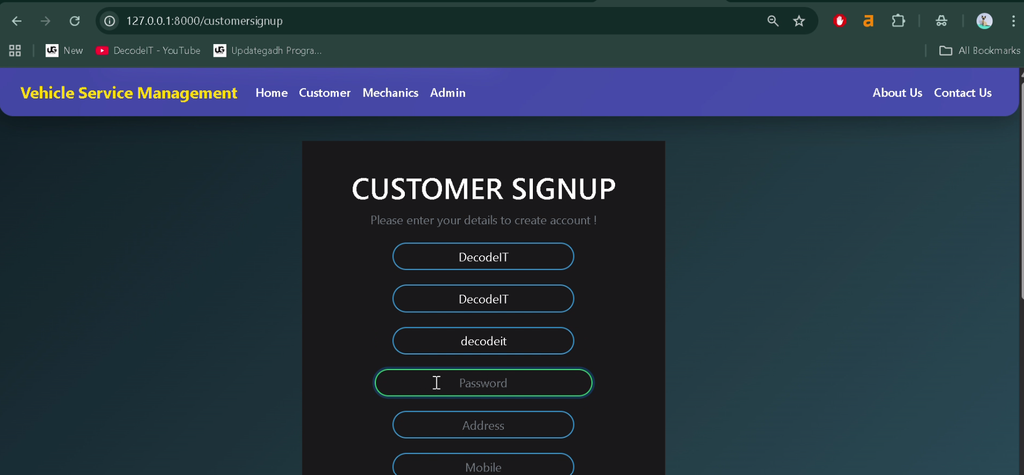
- Signup and Login: Register an account and log in to access customer functionality.
- Create Service Requests: Submit vehicle details, including vehicle number, model, and reported issues.
- Track Service Status: View stages such as Pending, Approved, Repairing, Repairing Done, and Released.
- Cancel Pending Requests: Cancel eligible requests that have not yet been approved or processed.
- View Invoices: Access invoices for repaired vehicles.
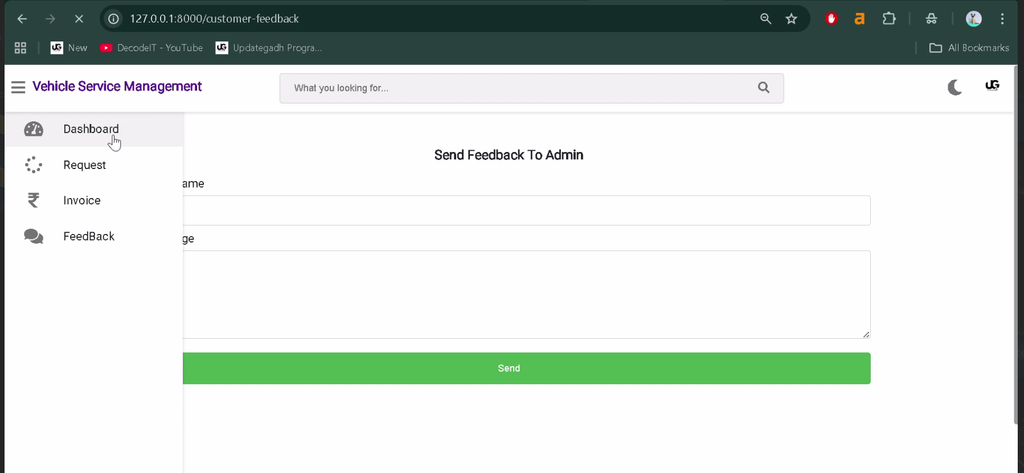
- Submit Feedback: Send feedback to the administrator about the service experience.
- Manage Profile: Update personal information and contact details.
How Does the Mechanic Panel Work?
The mechanic panel helps service staff manage their assigned vehicles, update repair progress, and maintain their professional information.
- Mechanic Application: Submit application details, including skills, experience, and contact information.
- Admin Approval: Wait for administrative approval before account activation.
- View Assigned Vehicles: Access assigned repair tasks and related customer and vehicle details.
- Update Repair Status: Mark work as Repairing or Repairing Done.
- View Completed Repairs: Monitor the number of vehicles repaired.
- View Salary Details: Review available salary or compensation information.
- Submit Feedback: Communicate operational feedback to the administrator.
- Edit Profile: Update personal and professional details after logging in.
What Can Administrators Manage?
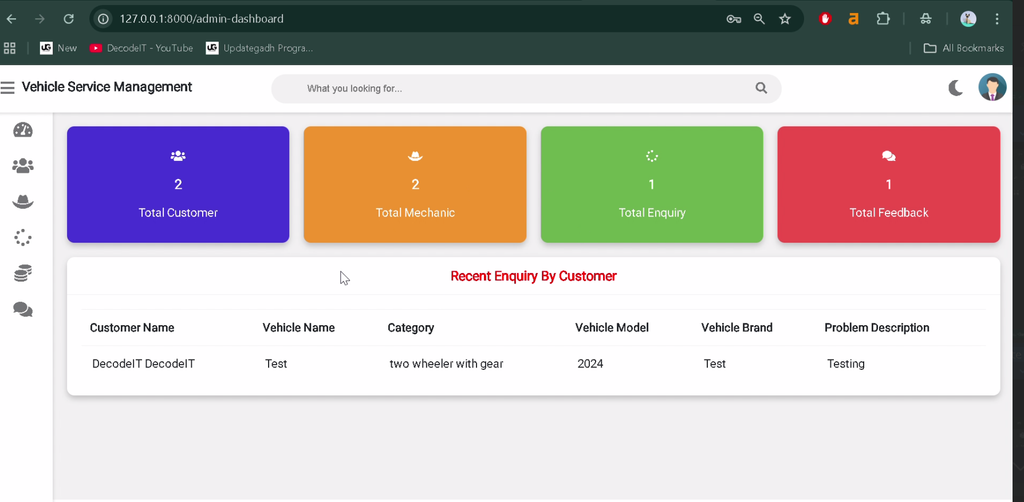
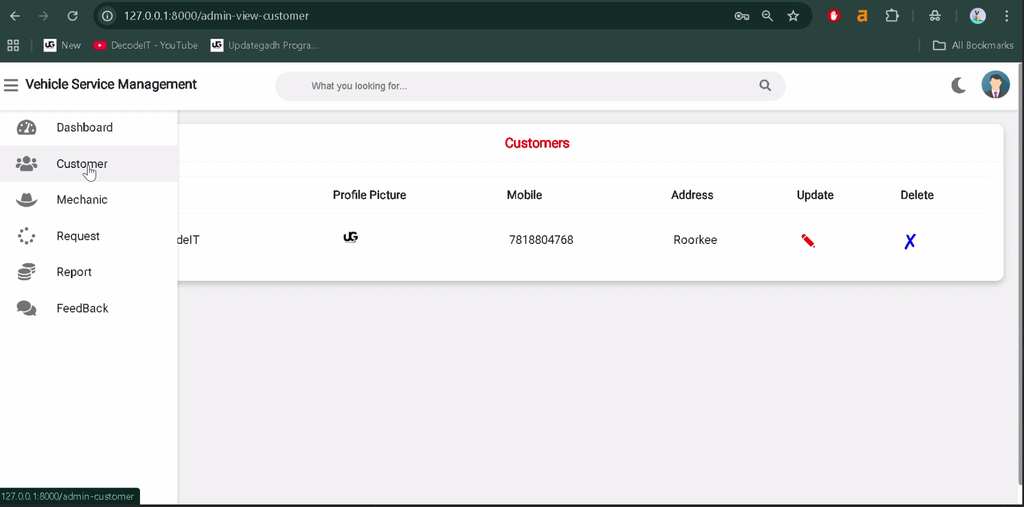
The admin panel provides centralized controls for managing customers, mechanics, service requests, invoices, and other servicing activities.
- Superuser Setup: Create a Django superuser using the command line.
- Dashboard Statistics: View statistics for customers, mechanics, and service orders.
- Customer Management: Add, update, and delete customer records.
- Invoice Management: View invoice summaries and customer invoice history.
- Mechanic Management: Add, update, and delete mechanic records.
- Mechanic Approval: Review applications and approve suitable mechanics based on their skills.
- Salary Management: Track mechanic salary and payment information.
- Service Request Management: View, update, or delete service requests.
- Mechanic Assignment: Approve customer requests and assign repair tasks to mechanics.
- Walk-In Requests: Create service requests manually for customers visiting the service center.
- Service Costs and Pending Orders: Review service costs and pending work.
- Feedback Management: Review feedback submitted by customers and mechanics.
How Does the Vehicle Service Workflow Work?
The service workflow starts when a customer submits a vehicle service request. The administrator reviews the request, approves it where appropriate, and assigns it to a mechanic. The mechanic updates the repair status as work progresses.
Customers can follow the available status updates and view invoices for repaired vehicles. The workflow connects customer requests, mechanic assignments, and administrative oversight in one application.
Which Technologies Are Used in the Project?
The project combines a Python web framework with a lightweight database and standard frontend technologies.
- Python: Implements the application’s backend logic.
- Django 3.0.5: Provides routing, request handling, and application development tools.
- SQLite: Stores application records in a database.
- HTML: Structures the web pages.
- CSS: Styles the user interface.
What Software Is Required to Run the Project?
You need a compatible Python installation, Django dependencies, a code editor, and a web browser to run the application locally. The project specifies Python 3.7.6 as the recommended version and Django 3.0.5 as its framework version.
- Python 3.7.6, as specified by the project
- Visual Studio Code or another Python editor
- Django and the required project dependencies
- SQLite database support
- A web browser
How to Download
The complete package is available so you can run, study, and submit it with confidence. It includes:
- Full Source Code
- Project Report
- Synopsis
- PPT Presentation
Screenshot
How to Install the Vehicle Service Management System in VS Code?
To install the project, configure a compatible Python environment, install the required dependencies, prepare the database, and start the Django development server.
- Install a Python version compatible with the project.
- Install Visual Studio Code and open the extracted project folder.
- Open a terminal in the project directory.
- Create a virtual environment using
python -m venv venv. - Activate it on Windows using
venv\Scripts\activate. - If the project includes
requirements.txt, install its dependencies usingpip install -r requirements.txt. - Run
python manage.py migrateif database migrations are required. - Create an administrator account using
python manage.py createsuperuserif needed. - Start the server using
python manage.py runserver. - Open
http://127.0.0.1:8000/in your browser.
Note: Follow the supplied project’s configuration and dependency files. Older Django projects may require an older compatible Python environment, and the exact setup steps can vary with the provided source code.
Why Is This Project Useful for Students?
This project helps students practise Django development, database operations, user authentication, role-based access, and CRUD functionality. It also demonstrates how to organize service requests and coordinate activities among customers, mechanics, and administrators.
For BCA, MCA, and computer science students, the application provides a practical example of applying web development concepts to vehicle maintenance operations.
Conclusion
The Vehicle Service Management System is a practical Django project for learning how to build a database-driven service management application. Its customer, mechanic, and admin panels demonstrate how service bookings, repair progress, invoices, and staff assignments can be organized in one system.
Frequently Asked Questions
1. Which framework is used in the Vehicle Service Management System?
The project uses Django 3.0.5, a web framework built with Python.
2. Which database is used in this project?
The project uses SQLite for storing application data.
3. What are the main user panels in the system?
The application includes separate customer, mechanic, and admin panels.
4. Can customers track vehicle repair status?
Yes, customers can view status updates such as Pending, Approved, Repairing, Repairing Done, and Released.
5. Can administrators assign service requests to mechanics?
Yes, the admin panel supports approving customer requests and assigning them to mechanics.
Keywords: Vehicle Service Management System, Vehicle Service Management System using Django, vehicle service management system project in Python, vehicle service management system source code, vehicle service management system project report, Django vehicle service application, vehicle repair management system, vehicle service booking system, vehicle service management project