Top 10 Most Popular ChatGPT Tools
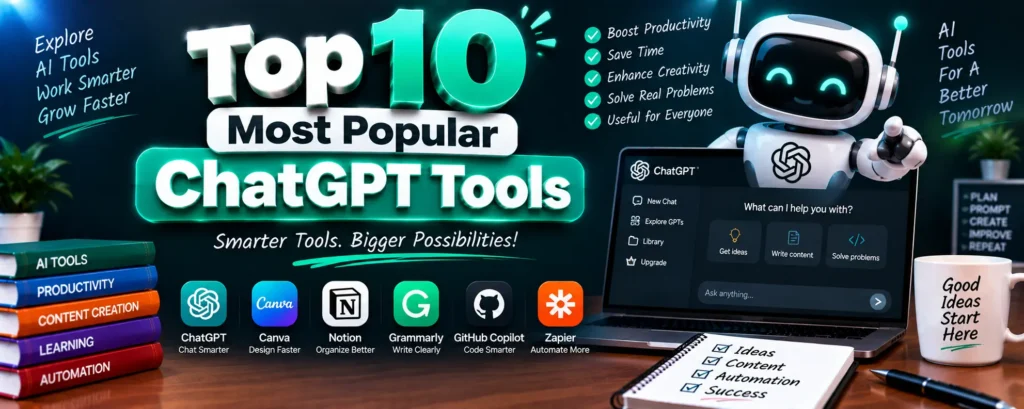
ChatGPT tools have expanded well beyond the chatbot itself — official OpenAI features, GPT Store add-ons, and complementary AI apps now cover everything from coding to design to research. For students and professionals figuring out what’s actually worth using, here are 10 real, verifiable tools built around or alongside ChatGPT.
Complete Advance AI Topics: Click Here
SQL Tutorial: Click Here
Each entry below covers what the tool is for, who it suits best, and where it fits into a typical student or developer workflow.
| # | Tool | Category | Best For |
|---|---|---|---|
| 1 | Custom GPTs (GPT Store) | Official ChatGPT Feature | Task-specific assistants |
| 2 | Code Interpreter / Data Analysis | Official ChatGPT Feature | Running code, analyzing data |
| 3 | Native Image Generation | Official ChatGPT Feature | Visuals inside ChatGPT |
| 4 | GitHub Copilot | Coding Assistant | In-editor code generation |
| 5 | Zapier AI | Automation | Connecting apps and workflows |
| 6 | Wolfram GPT | Custom GPT | Math & computation |
| 7 | Canva GPT | Custom GPT | Quick design generation |
| 8 | Perplexity AI | AI Search | Sourced, real-time research |
| 9 | Notion AI | Productivity | Notes, docs, writing |
| 10 | Grammarly | Writing Assistant | Grammar, tone, clarity |
1. Custom GPTs (GPT Store)
Custom GPTs are purpose-built versions of ChatGPT, pre-configured with specific instructions, files, and sometimes external actions, so you don’t have to re-explain context every time. Instead of writing a long prompt from scratch, you can pick a GPT already tuned for the task — writing, coding, data analysis, and more.
What It’s Best For
- Repeated Tasks: Skip re-writing the same instructions every session
- Specialized Workflows: Thousands of GPTs cover niche use cases
- No Setup Required: Browse and use directly inside ChatGPT
2. Code Interpreter (Advanced Data Analysis)
This built-in ChatGPT feature runs actual Python code in a sandboxed environment — useful for cleaning a messy CSV, generating a quick chart, or testing a small script without leaving the chat window. It’s one of the more genuinely powerful native features rather than a bolt-on plugin.
What It’s Best For
- Data Analysis: Upload a spreadsheet and get instant summaries or charts
- Quick Scripting: Test small code snippets without a local setup
- File Handling: Convert, merge, or clean files on the fly
Want more hands-on practice with data projects? Browse ready-made project source code here.
3. Native Image Generation
ChatGPT’s built-in image generation has improved significantly and now handles most everyday visual needs directly in the chat — diagrams, mockups, illustrations — without switching to a separate tool. For high-end creative or commercial artwork, dedicated tools still generally produce stronger results.
What It’s Best For
- Quick Visuals: Diagrams, icons, and illustrations on demand
- Iterative Edits: Refine an image through follow-up prompts
- No Extra Tool Needed: Stays inside the same conversation
4. GitHub Copilot
Copilot is the most widely adopted AI coding assistant, built on OpenAI’s models and integrated directly into editors like VS Code. It suggests completions as you type and can generate whole functions from a comment, making it a genuinely practical daily tool for student and professional developers alike.
What It’s Best For
- In-Editor Suggestions: Completions appear as you code
- Boilerplate Generation: Turn a comment into working code
- Wide Language Support: Works across most major languages
5. Zapier AI
Zapier connects ChatGPT and other AI tools to thousands of apps, letting you automate multi-step workflows — for example, turning a form submission into a task, a summary, and a notification without touching each app manually.
What It’s Best For
- Cross-App Automation: Connects AI tools to your existing apps
- No-Code Workflows: Build automations without writing scripts
- Time Savings: Removes repetitive manual steps
6. Wolfram GPT
For anything involving real computation — equations, unit conversions, statistics, or symbolic math — Wolfram GPT hands the problem to Wolfram Alpha’s computational engine, which is considerably more reliable for exact math than ChatGPT’s own generated answers.
What It’s Best For
- Precise Calculations: Accurate math, not estimated math
- Step-by-Step Solutions: Useful for coursework and verification
- Unit & Data Conversions: Handles technical conversions cleanly
7. Canva GPT
Canva’s GPT integration lets you describe a design — a poster, a presentation slide, a social post — and get an editable Canva draft back, skipping the blank-canvas starting point.
What It’s Best For
- Fast First Drafts: Describe it, get an editable design
- Presentation Assets: Slides, thumbnails, and posters
- No Design Skill Needed: Templates handle the heavy lifting
8. Perplexity AI
Perplexity isn’t part of ChatGPT, but it’s commonly used alongside it for a reason: it searches the live web on every query and cites its sources, which makes it noticeably more reliable than asking a chat model to answer current-events or fact-heavy questions from memory.
What It’s Best For
- Sourced Research: Every answer links back to its source
- Current Information: Searches live, not from a training snapshot
- Fact-Checking: Good for verifying claims before citing them
9. Notion AI
Notion AI works inside your existing notes and docs, drafting, summarizing, or reformatting content without needing to copy text back and forth from a separate chat window. For students already using Notion for coursework, it’s a natural fit.
What It’s Best For
- In-Context Writing: Drafts and edits directly inside your notes
- Summarization: Condenses long pages into key points
- Organization: Helps structure messy notes into usable docs
10. Grammarly
Grammarly remains one of the most widely used AI writing tools for catching grammar, tone, and clarity issues in real time — useful for polishing assignments, emails, and reports before submission, independent of which chatbot drafted the original text.
What It’s Best For
- Grammar & Clarity: Real-time corrections as you type
- Tone Adjustment: Matches formal or casual writing needs
- Works Everywhere: Browser extension covers most writing surfaces
Which Tools Should You Start With?
If you’re a student balancing coursework, Code Interpreter and Wolfram GPT cover most technical assignments, while Grammarly and Notion AI handle the writing side. If you’re building projects, GitHub Copilot is worth learning early — it’s one of the more transferable skills for internships and placements. Perplexity is worth keeping open alongside ChatGPT any time accuracy on current information actually matters.
Want Hands-On Practice Building With AI?
If you’d rather apply these tools to a real build than just read about them, source code and documentation for several AI-integrated projects are available in our library.
WhatsApp: +91 79834 34684
Watch AI Tool Walkthroughs on YouTube
See several of these tools in action, applied to real student projects, on our channel.
Subscribe to DecodeIT2 on YouTube
Frequently Asked Questions
Are all these tools free to use?
Most offer a usable free tier — Perplexity, Notion AI, and Grammarly included — though advanced features on several of them sit behind a paid plan.
Do I need ChatGPT Plus to use Custom GPTs?
Basic GPT Store browsing is available to free users, but creating and using most Custom GPTs at scale generally requires a paid ChatGPT plan.
Which tool is best for coding assignments?
GitHub Copilot for in-editor help, and ChatGPT’s Code Interpreter for testing logic or analyzing data without a local setup.
Is Perplexity better than ChatGPT for research?
For anything requiring current, sourced information, yes — Perplexity searches the live web on every query, while ChatGPT’s base knowledge has a fixed cutoff unless browsing is explicitly enabled.