Java Coding Questions
Java is widely used for application development, backend systems, enterprise software, and many other programming tasks. Solving coding problems regularly is one of the most effective ways to improve logical thinking and become comfortable with Java syntax.
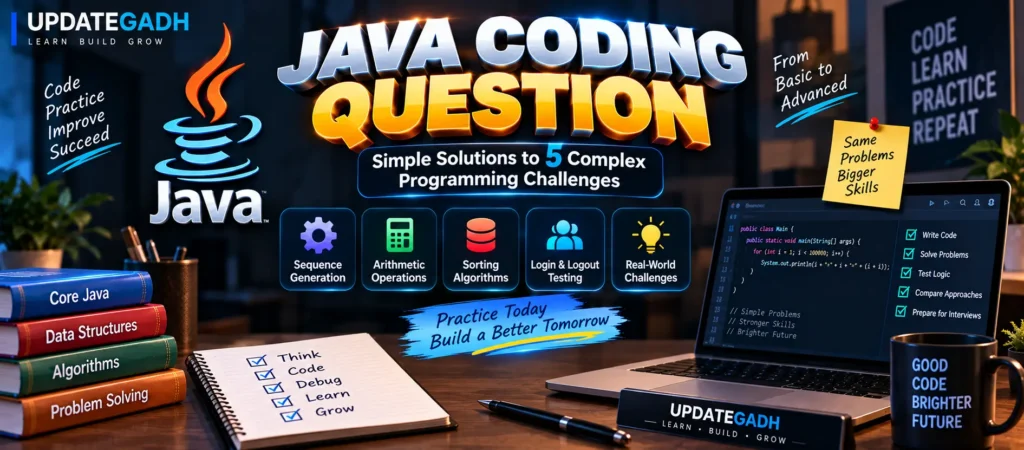
In this tutorial, we will work through five different Java programming challenges. The examples cover loops, arithmetic operations, sorting algorithms, and automated testing. We will also look at several larger programming tasks that developers may encounter in real-world projects.
YT:- DecodeIT
1. Generate a Number Sequence Using a Loop
Loop-based sequence generation is a useful exercise for understanding repetition, conditions, counters, and arithmetic expressions. Suppose we want to display values such as 1+1=2, 2+2=4, 3+3=6, continuing until the calculated result reaches 10000.
Java Solution
public class SequenceGeneration {
    public static void main(String[] args) {
        int a = 1;
        int iterations = 0;

        while (a + a < 10000) {
            int result = a + a;

            System.out.println(a + "+" + a + "=" + result);

            a++;
            iterations++;
        }

        System.out.println("Total iterations: " + iterations);
    }
}
The variable a begins at 1 and increases after every loop cycle. The condition checks whether a + a is still below 10000. The counter records how many times the loop executes.
2. Find the Result of 2 × 2
Basic arithmetic programs are useful for practicing variables, operators, and output statements. In this example, the number 2 is multiplied by itself.
Java Solution
public class MultiplyByTwo {
    public static void main(String[] args) {
        int base = 2;
        int result = base * base;

        System.out.println("2 * 2 = " + result);
    }
}
Here, base stores the value 2. The multiplication operator calculates the square of that value, producing 4.
3. Sort an Array Using Bubble Sort and Quick Sort
Sorting is a common programming requirement, and Java developers should understand how different sorting techniques work. Bubble Sort is easy to understand but becomes inefficient as the input grows. Quick Sort generally provides better average performance by dividing the array around a pivot.
Java Solution
import java.util.Arrays;

public class ArraySorting {

    public static void main(String[] args) {
        int[] array = {5, 2, 8, 1, 3};

        int[] bubbleSortedArray = bubbleSort(array.clone());
        System.out.println(
            "Bubble Sorted: " + Arrays.toString(bubbleSortedArray)
        );

        int[] quickSortedArray = array.clone();
        quickSort(quickSortedArray, 0, quickSortedArray.length - 1);

        System.out.println(
            "Quick Sorted: " + Arrays.toString(quickSortedArray)
        );
    }

    public static int[] bubbleSort(int[] array) {
        int n = array.length;
        boolean swapped;

        for (int i = 0; i < n - 1; i++) {
            swapped = false;

            for (int j = 0; j < n - 1 - i; j++) {
                if (array[j] > array[j + 1]) {
                    int temp = array[j];
                    array[j] = array[j + 1];
                    array[j + 1] = temp;
                    swapped = true;
                }
            }

            if (!swapped) {
                break;
            }
        }

        return array;
    }

    public static void quickSort(int[] array, int low, int high) {
        if (low < high) {
            int pi = partition(array, low, high);

            quickSort(array, low, pi - 1);
            quickSort(array, pi + 1, high);
        }
    }

    public static int partition(int[] array, int low, int high) {
        int pivot = array[high];
        int i = low - 1;

        for (int j = low; j < high; j++) {
            if (array[j] <= pivot) {
                i++;

                int temp = array[i];
                array[i] = array[j];
                array[j] = temp;
            }
        }

        int temp = array[i + 1];
        array[i + 1] = array[high];
        array[high] = temp;

        return i + 1;
    }
}
Bubble Sort vs Quick Sort
| Algorithm | Average Time | Worst Case | Approach |
|---|---|---|---|
| Bubble Sort | O(n²) | O(n²) | Repeatedly compares neighboring elements |
| Quick Sort | O(n log n) | O(n²) | Partitions data around a pivot |
Bubble Sort is useful for learning sorting fundamentals and working with small datasets. Quick Sort is commonly studied when learning more efficient divide-and-conquer techniques.
4. Add a Number to Itself
Another simple coding exercise is calculating n + n. Although the operation is basic, it demonstrates how Java accepts a value, performs an expression, and displays the result.
Java Solution
public class SumNAndN {
    public static void main(String[] args) {
        int n = 5;
        int result = n + n;

        System.out.println(n + " + " + n + " = " + result);
    }
}
With n set to 5, the program produces 10. You can replace the value of n with another integer to test different inputs.
5. Test Login and Logout Functionality
Testing is an important part of application development. Instead of checking authentication manually every time, automated tests can verify whether expected behavior continues to work.
JUnit Test Example
import static org.junit.Assert.assertTrue;
import static org.junit.Assert.assertFalse;
import org.junit.Test;

public class AuthenticationTest {

    @Test
    public void testLoginLogout() {
        AuthenticationService authService =
            new AuthenticationService();

        boolean loginResult =
            authService.login("user", "password");

        assertTrue(
            "Login should succeed with correct credentials",
            loginResult
        );

        loginResult =
            authService.login("user", "wrongPassword");

        assertFalse(
            "Login should fail with incorrect credentials",
            loginResult
        );

        authService.logout();

        assertFalse(
            "User should be logged out",
            authService.isLoggedIn()
        );
    }
}

class AuthenticationService {

    private boolean loggedIn = false;

    public boolean login(String username, String password) {
        if ("user".equals(username)
                && "password".equals(password)) {
            loggedIn = true;
            return true;
        }

        return false;
    }

    public void logout() {
        loggedIn = false;
    }

    public boolean isLoggedIn() {
        return loggedIn;
    }
}
The test checks three situations: valid login credentials, invalid login credentials, and logout behavior. JUnit assertions determine whether the actual result matches the expected result.
Real-World Java Coding Challenges
Java development often involves problems that are much larger than individual coding exercises. Some examples include:
- Real-Time Chat Application: Creating communication features with WebSockets and handling messages between connected users.
- Multi-Threaded File Processing: Processing large collections of files concurrently to improve throughput.
- Custom Caching System: Keeping frequently requested information in memory to reduce unnecessary database operations.
- Legacy Application Migration: Moving an older application toward a modern architecture while protecting existing data and services.
- API Gateway: Routing and controlling requests that pass between clients and multiple backend services.
- Recommendation Engine: Developing logic that produces personalized suggestions based on available user or product data.
- Payment Integration: Connecting an application with an external payment service while handling failures and security requirements.
- Reporting Platform: Building reports with filtering, calculations, and data visualization features.
- CI/CD Pipeline: Automating software testing, building, and deployment processes.
- Database Optimization: Improving database structures and queries when applications need to work with large amounts of data.
Final Thoughts
Java coding practice does not always have to begin with highly complicated applications. Small exercises involving loops, arithmetic, sorting, and testing can build the foundation needed for larger programming challenges.
As your skills improve, try combining these concepts with databases, APIs, multithreading, testing frameworks, and application architecture. Regular hands-on practice will help you understand not only how Java syntax works, but also how programming concepts are applied when developing real software.
Complete Advance AI Topics: Click Here
SQL Tutorial: Click Here
Frequently Asked Questions
1. Is Java good for practicing coding questions?
Yes. Java provides a clear syntax and supports many programming concepts, making it suitable for practicing algorithms, data structures, object-oriented programming, and application development.
2. Which sorting algorithm is easier for beginners?
Bubble Sort is generally easier to understand because its logic is based on repeatedly comparing neighboring elements.
3. What is the average complexity of Quick Sort?
Quick Sort has an average time complexity of O(n log n), although its worst-case complexity can reach O(n²).
4. Why is JUnit used in Java?
JUnit is a testing framework that allows developers to create automated tests for Java applications and verify expected program behavior.
5. How can I improve my Java coding skills?
Practice problems regularly, understand the logic behind each solution, work with different data structures, and gradually build complete Java applications.
Keywords: Java coding questions, Java coding questions interview, Java coding practice, Java programming questions, Java coding problems, Java coding challenges, Java programs for beginners, Java sorting programs, Java JUnit testing, Java interview coding questions