Online Food Ordering & Table Booking Website in PHP MySQL
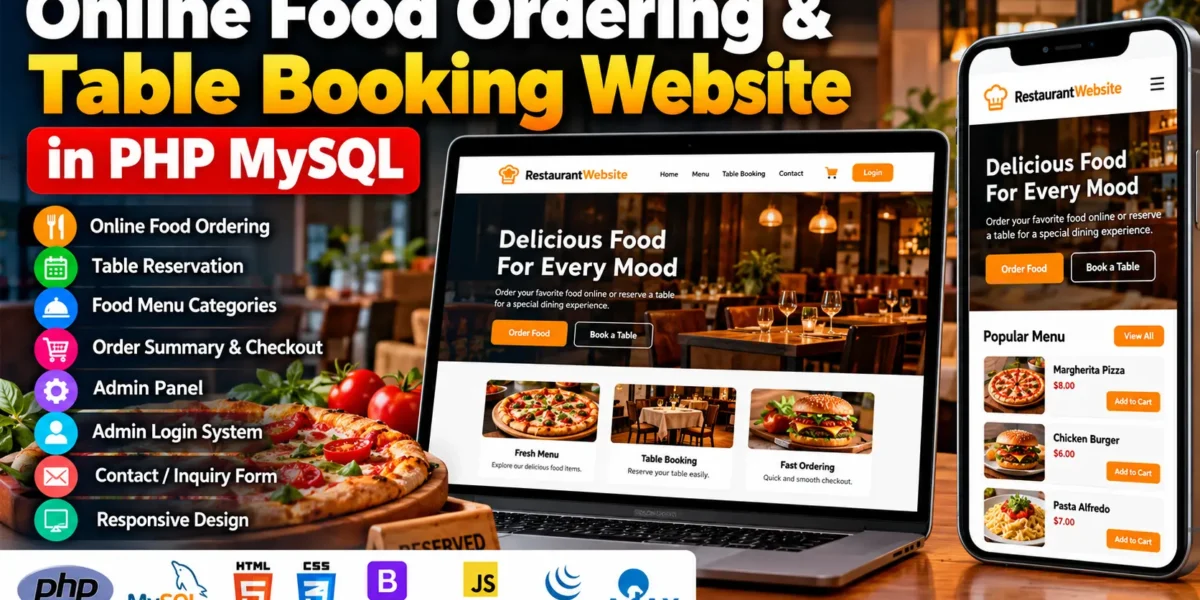
The Online Food Ordering & Table Booking Website is a restaurant web application developed using PHP and MySQL. It allows customers to browse food menu categories, place online food orders, review order summaries, and reserve restaurant tables. The application also includes an admin panel for managing food items and reservations.
This project combines backend programming with frontend technologies such as HTML, CSS, Bootstrap, JavaScript, jQuery, and Ajax. It provides a practical example of how food ordering and table reservation functionality can be implemented in a web application. The project is suitable for students and developers who want to understand PHP-based restaurant website development.
Complete Advance AI Topics: Click Here
Real Time Projects on YouTube:- DecodeIT
What Is an Online Food Ordering & Table Booking Website?
An Online Food Ordering & Table Booking Website is a web application that enables customers to interact with a restaurant online. It combines food ordering and table reservation functionality in one platform, helping customers access restaurant services through a website.
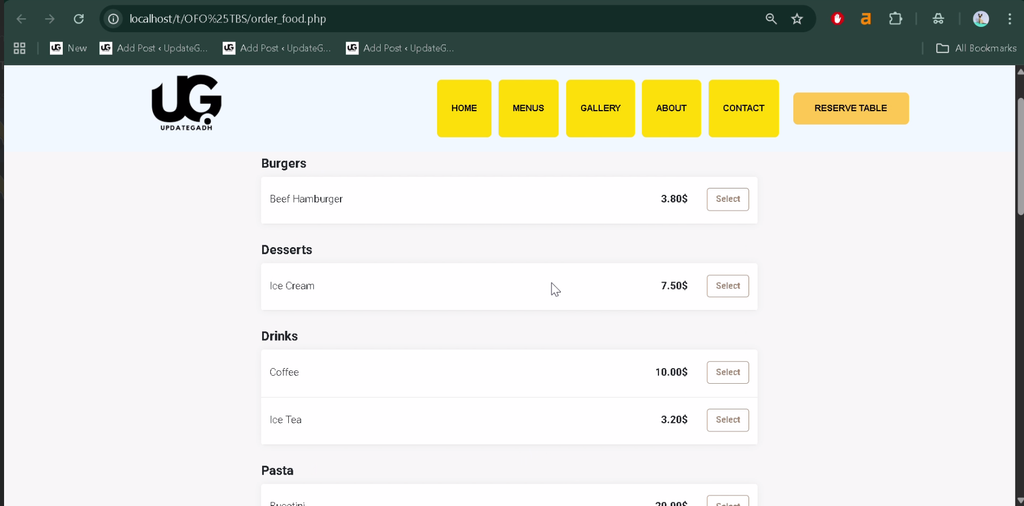
The RestaurantWebsite project provides menu categories, online ordering functionality, an order summary, checkout functionality, and table reservations. It also includes administrative tools that allow authorized administrators to manage food items and reservations.
What Are the Project Details?
The project uses PHP for server-side functionality and MySQL for storing application data. Its frontend combines standard web technologies to create the website interface and support interactive features.
| Project Information | Details |
|---|---|
| Project Name | RestaurantWebsite |
| Languages and Technologies | PHP, HTML, CSS, Bootstrap, JavaScript, jQuery, Ajax |
| PHP Version | 5.6.3, 7.4.12 (Recommended) |
| Database | MySQL |
| Project Type | Web Application |
What Are the Main Features of This Project?
The project includes the main features required for a restaurant website that supports online food ordering and table reservations. It also provides an administrative interface for managing food items and reservation records.
- Online Food Ordering: Allows customers to place food orders through the website.
- Table Reservation System: Provides functionality for reserving restaurant tables.
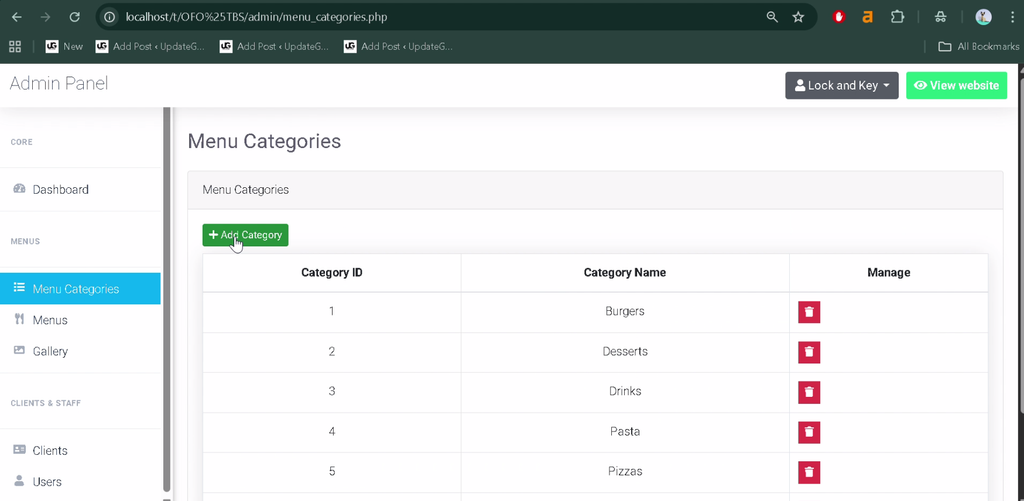
- Food Menu Categories: Organizes food items into categories for easier browsing.
- Order Summary and Checkout: Provides an order summary and checkout functionality.
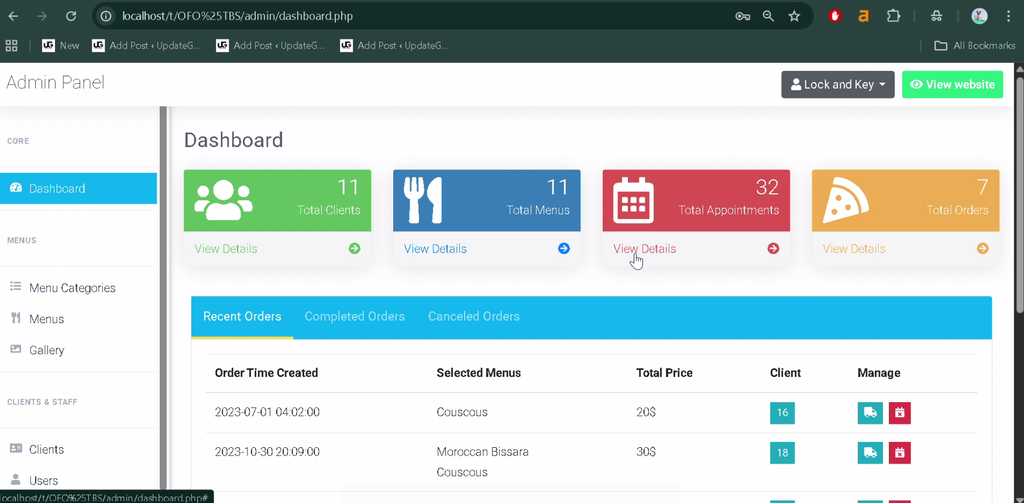
- Admin Panel: Supports administrative management of food items and reservations.
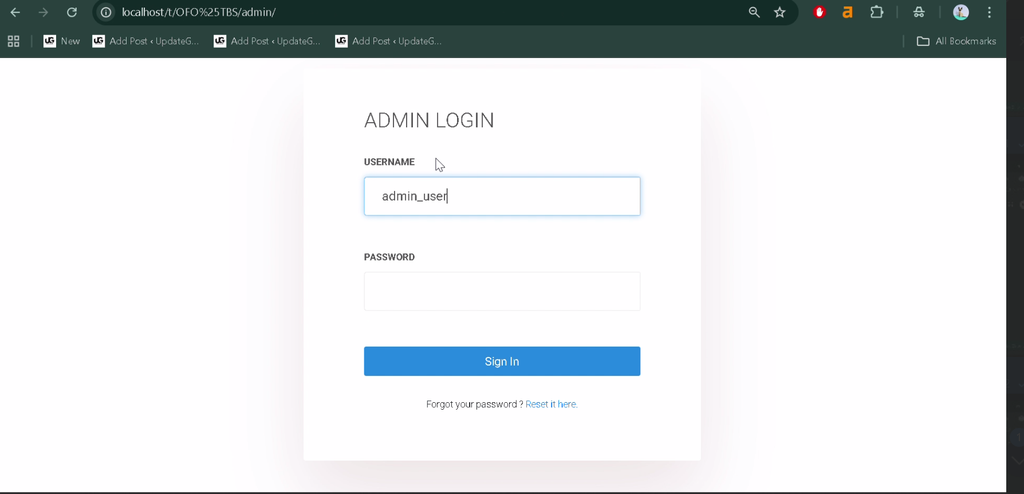
- Admin Login System: Provides login functionality for administrative access.
- Contact and Inquiry Form: Allows visitors to submit inquiries through the website.
- Interactive User Interface: Uses Bootstrap and Ajax to support a smooth browsing experience.
How Does the Online Food Ordering System Work?
The online food ordering system allows customers to browse the available food menu, select food items, and proceed through the ordering process. The order summary and checkout functionality helps customers review their selections before completing the checkout process.
The food menu categories help organize available items, making the browsing experience easier to navigate. The exact ordering steps and payment options depend on the functionality implemented in the supplied project source code.
How Does the Table Booking System Work?
The table booking system provides functionality for customers to reserve restaurant tables online. It brings the reservation process into the website instead of requiring every reservation to be handled through an in-person interaction.
The administrative panel also supports reservation management. Specific booking fields, availability rules, confirmation messages, and cancellation options should only be described if they are implemented in the actual project.
Which Technologies Are Used in the Project?
The application combines PHP, MySQL, and frontend technologies to deliver its food ordering and reservation features. Each technology serves a different purpose in the website.
- PHP: Handles server-side application functionality.
- MySQL: Stores the application’s data.
- HTML: Defines the structure of website pages.
- CSS: Controls the appearance and styling of the interface.
- Bootstrap: Helps create responsive page layouts.
- JavaScript: Supports client-side interactions.
- jQuery: Simplifies common JavaScript operations.
- Ajax: Supports asynchronous interactions between the interface and server.
What Software Is Required to Run the Project?
You need a PHP-compatible development environment, a MySQL database, a code editor, and a web browser to run the project locally. XAMPP provides a convenient environment for running PHP and MySQL applications on a local computer.
- XAMPP: For the local Apache server and MySQL database service.
- Visual Studio Code: For editing PHP, HTML, CSS, and JavaScript files.
- Web Browser: For accessing and testing the application.
- Project Files: Including the PHP source code and supplied SQL database file.
How to Download
The complete package is available so you can run, study, and submit it with confidence. It includes:
- Full Source Code
Screenshot
How to Install the Online Food Ordering Website in XAMPP?
To install the project, set up XAMPP, place the source files in the web server directory, import the supplied SQL file, and configure the database connection in connect.php.
- Download and install XAMPP on your computer.
- Open the XAMPP Control Panel and start Apache and MySQL.
- Copy the project folder into the
htdocsdirectory inside your XAMPP installation. - Open
http://localhost/phpmyadmin/in your browser. - Create the database required by the project.
- Select the database and import the SQL file supplied with the project.
- Open
connect.phpin Visual Studio Code. - Update the database name, username, and password according to your local MySQL configuration.
- Save the changes and open
http://localhost/your-project-folder/in your browser.
Replace your-project-folder with the actual project directory name. Confirm the expected database name and connection variable names from the supplied source files before configuring the connection.
How Can You Use the Restaurant Website?
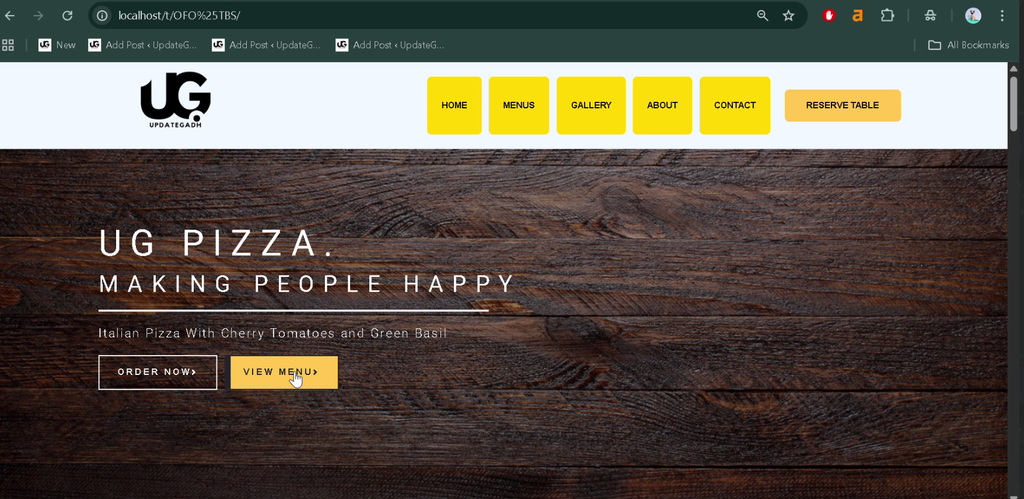
Customers can use the website to explore food menu categories, place food orders, review their order summaries, and access the table reservation functionality. Visitors can also use the contact and inquiry form to communicate with the restaurant.
Administrators can log in through the admin login system and use the administrative panel to manage food items and reservations. The exact permissions and available management operations depend on the project’s implementation.
Why Is This Project Useful for Students?
This project helps students understand how a database-driven website works in a practical scenario. It demonstrates the relationship between PHP backend code, MySQL database operations, frontend interfaces, and form-based interactions.
BCA, MCA, and computer science students can study the project to practise PHP programming, database connectivity, responsive interface development, and the organization of a web application. They can also examine how customer-facing functionality and administrative operations work together.
Conclusion
The Online Food Ordering & Table Booking Website is a useful learning project for understanding restaurant web application development with PHP and MySQL. Its online food ordering, menu categories, table reservation, order summary, and admin management features demonstrate common website workflows.
Frequently Asked Questions
1. Which technologies are used in this project?
The project uses PHP, MySQL, HTML, CSS, Bootstrap, JavaScript, jQuery, and Ajax.
2. Does the website support online food ordering?
Yes, the listed features include online food ordering, an order summary, and checkout functionality.
3. Can customers reserve tables through the website?
Yes, the project includes a table reservation system for restaurant table bookings.
4. How can I install the project on my computer?
Install XAMPP, place the project in htdocs, import the supplied SQL file into MySQL, configure connect.php, and open the project through localhost.
5. What can administrators manage in this project?
The listed admin panel features support the management of food items and reservations.
Keywords: Online Food Ordering & Table Booking Website, Online Food Ordering & Table Booking Website in PHP MySQL, food ordering system using PHP and MySQL, restaurant table booking system, restaurant reservation system project, PHP restaurant website, online food ordering system project in PHP, RestaurantWebsite