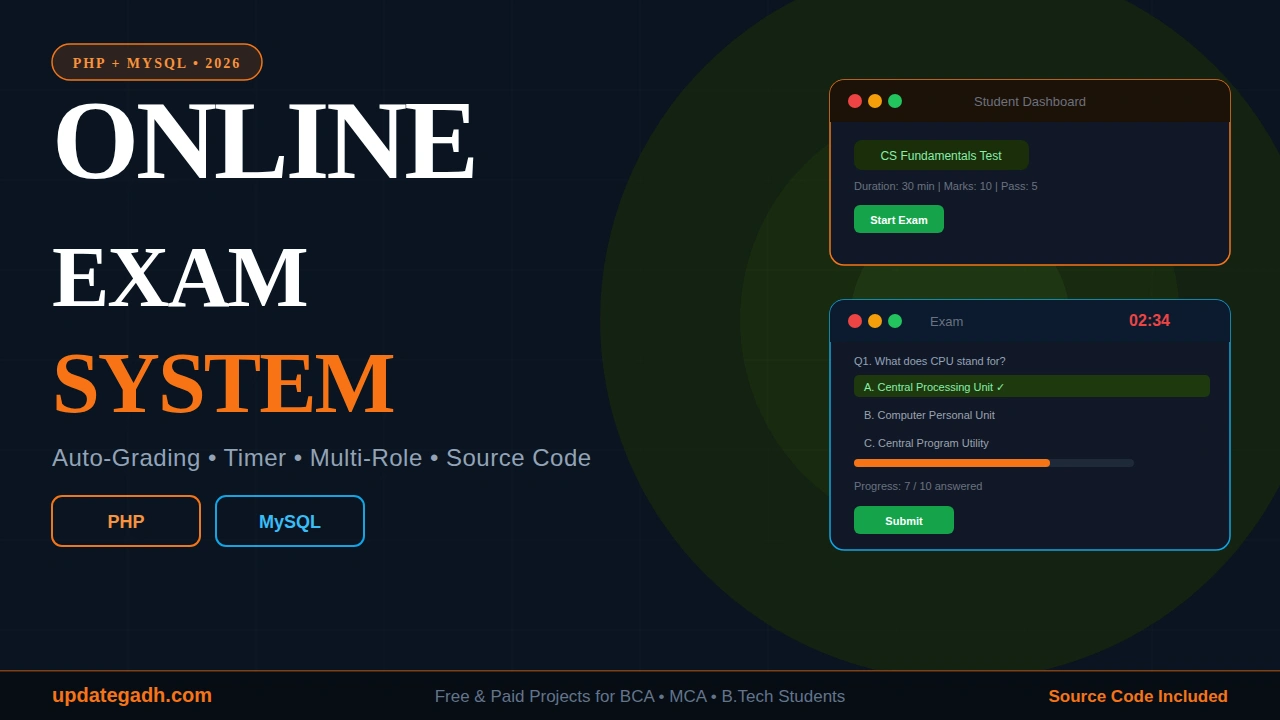
Looking for an Online Examination System in PHP with Source Code? This complete final year project for BCA, MCA, B.Tech, and M.Tech students comes with full PHP source code, MySQL database, project report, PPT, and step-by-step setup guide. Perfect for college submissions, viva presentations, and learning modern web development with PHP and MySQL.
Online Examination System in PHP with Source Code
Project Overview
| Project Name | Online Examination System |
| Language Used | PHP 7.4+ |
| Database | MySQL 8.0 |
| Frontend | HTML5, CSS3, JavaScript |
| Type | Web Application |
| Server | XAMPP / WAMP / LAMP |
| Developer | Updategadh |
| Updates | Available |
About the Online Examination System
The Online Examination System in PHP is a complete web-based platform designed to automate the entire process of conducting exams online. It replaces traditional pen-and-paper tests with a secure, fast, and user-friendly digital solution that works for schools, colleges, coaching institutes, and certification bodies.
This project is built using core PHP, MySQL, and vanilla JavaScript no heavy frameworks making it lightweight, fast, and easy to understand for final year students. The system includes two complete panels: an Admin Panel to manage exams, questions, and students, and a Student Panel where students can take exams, view results, and review their answers.
Whether you are a BCA, MCA, B.Tech, or M.Tech student looking for a complete final year project with proper documentation, this Online Examination System offers everything you need clean source code, working database, auto-grading logic, and session-based authentication.
Key Features of Online Examination System
- Dual Panel System Separate dashboards for Admin and Students
- Admin Management Add/edit/delete exams, questions, students, and results
- MCQ Questions Multiple Choice Questions with 4 options (A/B/C/D)
- Live Countdown Timer Auto-submit when time runs out
- Progress Bar Students can track their progress while answering
- Auto-Grading System Instant pass/fail result generation
- Answer Review Detailed review with correct/wrong highlights
- Session-Based Authentication Secure login for Admin and Students
- Responsive Design Works on mobile, tablet, and desktop
- Clean Commented Code Easy to understand and modify
Technology Used
Backend
- PHP 7.4 or higher
- Session-based authentication
- MySQLi for database operations
Frontend
- HTML5 for structure
- CSS3 for styling and responsive design
- Vanilla JavaScript for timer, progress bar, and form validation
Database
- MySQL 8.0
- phpMyAdmin for database management
Tools Required
- XAMPP / WAMP / LAMP server
- Any code editor (VS Code recommended)
- Web browser (Chrome, Firefox, Edge)
Project Modules
1. Admin Module
The Admin Module is the control center of the system. Administrators can create new exams, add or remove MCQ questions, manage student accounts, and view all exam results. The admin dashboard provides a complete overview of all activities on the platform.
2. Student Module
Students log in through the Student Panel where they can view available exams, start tests, see a live countdown timer, track their progress with a visual progress bar, and submit answers. Once completed, they get instant results.
3. Exam Module
The exam-taking interface presents questions one at a time with four options. A live timer ensures exams are completed within the given duration. If time expires, the exam auto-submits with whatever answers the student has provided.
4. Result & Review Module
After submission, students get automatic grading with pass/fail status. A detailed review page shows every question with the student’s answer, the correct answer, and highlights indicating right and wrong responses.
Default Login Credentials
| Role | Password | |
| Admin | admin@exam.com | admin123 |
| Student | student@exam.com | student123 |
Project Demo Video
Watch the complete walkthrough of the Online Examination System below:
Project Screenshots
Here’s a preview of the Online Examination System interface:
How to Run Online Examination System
- Step 1: Download the project ZIP file from the link below
- Step 2: Extract the ZIP file to your desired location
- Step 3: Install and start XAMPP start both Apache and MySQL services
- Step 4: Open phpMyAdmin in your browser ()
- Step 5: Create a new database named
online_exam_db - Step 6: Import the
db.sqlfile into the database - Step 7: Copy the project folder to
htdocs/online-exam/ - Step 8: Open browser and visit
- Step 9: Login using the default credentials provided above
Download Online Examination System Source Code + Report + PPT
Get the complete Online Examination System project with everything you need for your final year submission:
- Full Source Code Clean, commented PHP code
- PPT Presentation Ready-to-present slides for viva
- Project Report Complete documentation in academic format
- Database File Pre-configured MySQL database (db.sql)
- Setup Guide Step-by-step installation instructions
- WhatsApp Support Direct help until your project runs
- Remote Setup Available AnyDesk / Zoom support (499 extra, optional)
Frequently Asked Questions
Is Online Examination System in PHP suitable for BCA/MCA final year?
Yes, this Online Examination System is specifically designed for BCA, MCA, B.Tech, and M.Tech final year students. It includes complete documentation, PPT presentation, and project report in the standard academic format required for college submissions.
Will I get the complete source code?
Yes, you get the complete source code including all PHP files, database (SQL file), CSS, JavaScript, and HTML. The code is clean, well-commented, and easy to understand and modify for your requirements.
Do you provide installation support for this project?
Yes, we provide free WhatsApp support to help you set up the project. If you need remote installation via AnyDesk or Zoom, that’s available for an additional 499 (optional).
How long does delivery take after payment?
You will receive the complete Online Examination System project within 24 hours of payment confirmation. Delivery is done via WhatsApp and Email with all files and documentation.
Can I customize this Online Examination System?
Yes, we offer full customization based on your requirements adding new features, changing the design, modifying modules, or branding changes. Customization charges depend on the scope of changes.
What are the minimum system requirements to run this project?
You need XAMPP (or WAMP/LAMP), PHP 7.4 or higher, MySQL 8.0, and any modern web browser like Chrome or Firefox. Works on Windows, Linux, and Mac operating systems.
Related Project :