Course and Institute Management System Using PHP and MySQL
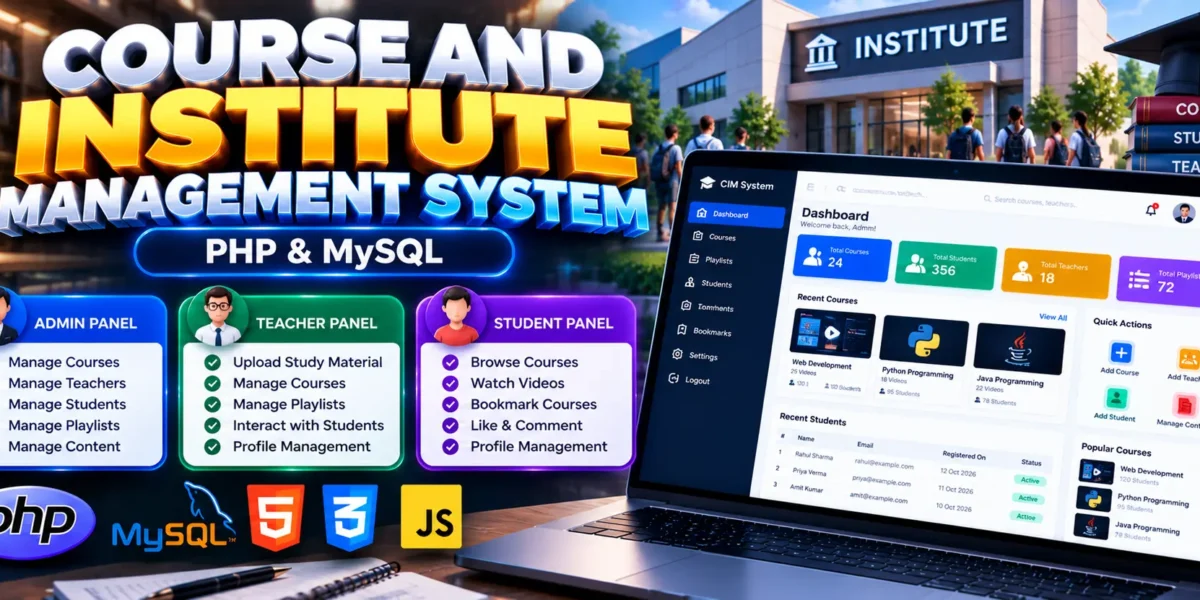
The Course and Institute Management System Using PHP and MySQL is a web-based application designed to simplify the management of courses, teachers, students, playlists, and educational content. It provides separate modules for administrators, teachers, and students, allowing each user to access relevant features through an organized interface.
Built using PHP, MySQL, and Bootstrap, this project demonstrates how database-driven applications can manage educational activities, user authentication, and course-related information. It is a practical learning project for students interested in PHP development, SQL queries, database connectivity, and CRUD operations.
Complete Advance AI Topics: Click Here
Real Time Projects on YouTube:- DecodeIT
What Is a Course and Institute Management System?
A Course and Institute Management System is an educational platform that helps manage course information and learning materials. Administrators can manage courses and users, teachers can upload and organize study content, and students can browse courses, access learning materials, and interact with content.
The MySQL database, supplied as course_db.sql, stores information such as user details, courses, comments, likes, and other activities.
Course and Institute Management System Project Overview
| Project Details | Description |
|---|---|
| Project Name | Course and Institute Management System |
| Language/s Used | PHP |
| PHP Version (Recommended) | 5.6.3, 7.4.12 |
| Database | MySQL |
| Type | Web Application |
What Are the Available Features?
The project provides separate admin, teacher, and student modules for managing courses, educational content, and user activities.
1. Admin Panel
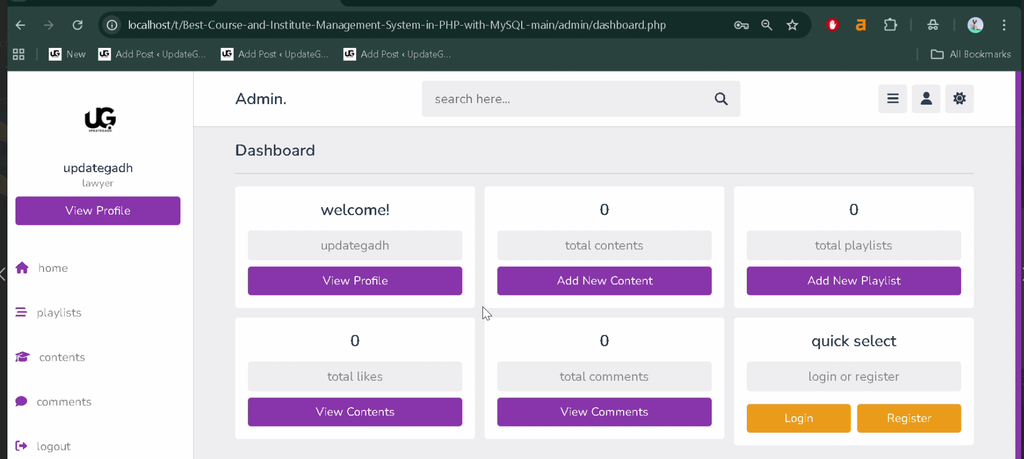
The admin panel provides centralized control over course information, playlists, and registered users.
- Admin login and registration.
- Dashboard displaying an overview of the system.
- Add, edit, update, and delete courses.
- Manage course playlists and educational content.
- Handle comments and content interactions.
- Monitor registered teachers and students.
- Manage user profiles and authentication.
2. Teacher Module
The teacher module helps teachers manage their profiles and organize educational materials for students.
- Teacher login and profile management.
- Manage assigned courses or subjects.
- Upload videos, notes, and study materials.
- Organize playlists and update course content.
- Interact with students through comments.
3. Student Module
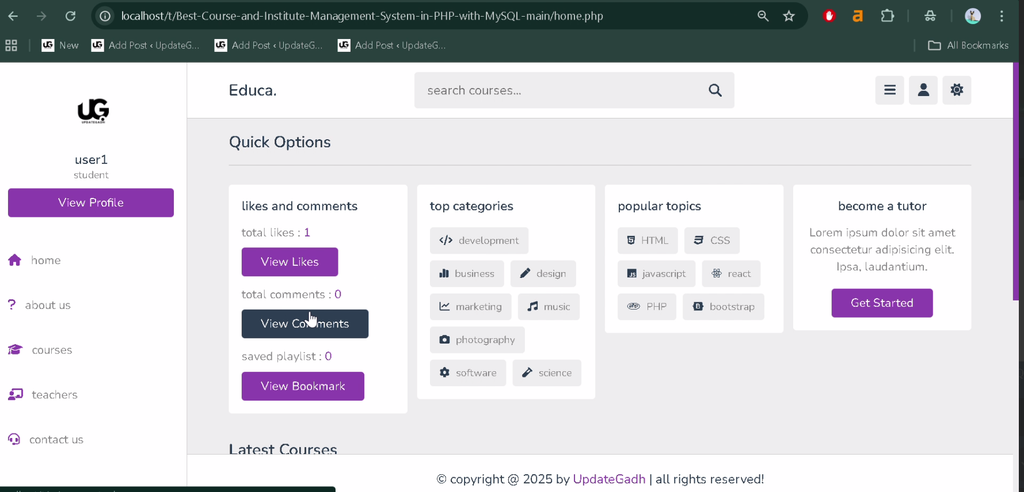
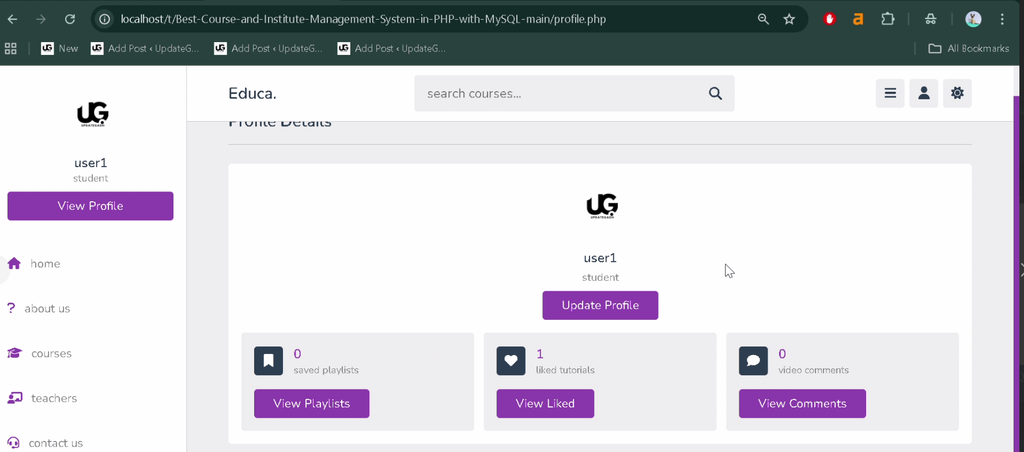
The student module allows learners to explore available courses and access educational content.
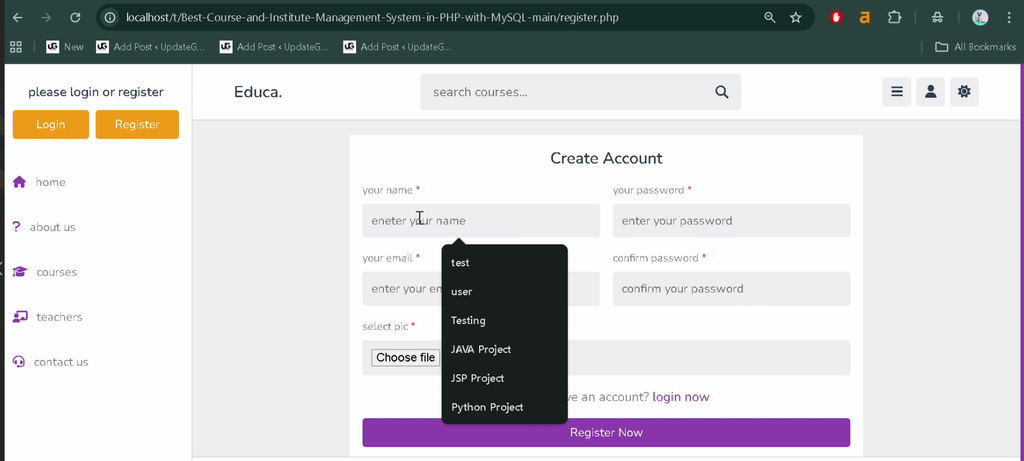
- Student registration, signup, and login.
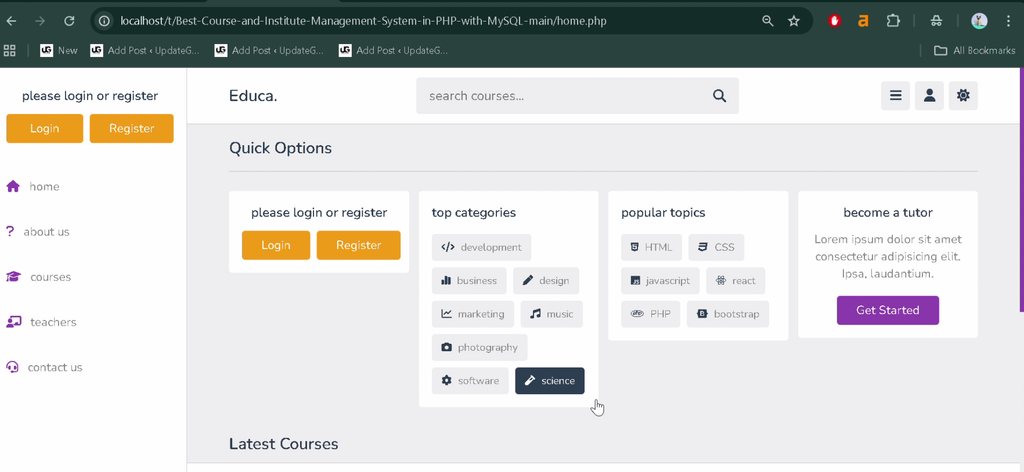
- Browse available courses and teachers.
- Access course playlists and watch uploaded videos.
- Bookmark favorite courses or content.
- Like and comment on learning materials.
- Manage personal profile settings.
4. General Features
- Responsive user interface using Bootstrap.
- Navigation between courses, playlists, and teachers.
- Dynamic search for courses and tutors.
- Separate CSS and JavaScript files for frontend functionality.
- Structured MySQL database for users, courses, and activities.
Which Technologies Are Used in This Project?
- PHP: Handles server-side application logic.
- MySQL: Stores user details, courses, comments, likes, and other application data.
- Bootstrap: Supports responsive interface design.
- CSS: Styles application pages.
- JavaScript: Supports frontend interactions.
- HTML: Structures the web pages.
What Software Is Required?
- XAMPP: Provides Apache, PHP, and MySQL for local development.
- Visual Studio Code: Used to view and edit project files.
- Web Browser: Used to access the running application.
How to Download
The complete package is available so you can run, study, and submit it with confidence. It includes:
- Full Source Code
Screenshot
How to Install the Course and Institute Management System in VS Code
Follow these steps to configure and run the project locally using XAMPP.
- Install XAMPP: Install XAMPP and open the XAMPP Control Panel.
- Start Services: Start Apache and MySQL.
- Extract the Project: Copy the extracted
CIM-Project-mainfolder into the XAMPPhtdocsdirectory. For example:C:\xampp\htdocs\CIM-Project-main. - Open phpMyAdmin: Visit
http://localhost/phpmyadmin/in your browser. - Create the Database: Create a database named
course_db. - Import the SQL File: Select the database and import
course_db.sqlfrom the project folder. - Open the Project in VS Code: Open the extracted project folder in Visual Studio Code.
- Configure the Database: Locate
components/connect.phpand verify the database host, username, password, and database name. - Run the Project: Open
http://localhost/CIM-Project-main/in your browser. If your folder has a different name, replace it in the URL.
How to Use the System
Administrator
Log in to manage courses, playlists, educational content, registered teachers, students, profiles, and comments.
Teacher
Log in to manage assigned courses, upload learning materials, organize playlists, update content, and communicate with students through comments.
Student
Register or log in to browse courses and teachers, watch available videos, bookmark content, and interact with learning materials through likes and comments.
Why Is This Project Useful for Students?
This project helps students understand PHP programming, MySQL database connectivity, authentication, role-based access, and CRUD operations. It also provides practical experience with responsive interface design using Bootstrap and organizing data for an educational web application.
Students can explore the existing modules and customize the application to strengthen their web development skills. Additional functionality can be considered as future enhancements, but features such as payment integration, assignment uploads, and attendance tracking are not listed among the project’s currently available features.
Final Thoughts
The Course and Institute Management System Using PHP and MySQL is a useful academic project for learning how educational platforms manage users, courses, and learning materials. Its separate administrator, teacher, and student modules demonstrate how different user roles work within a database-driven application.
Frequently Asked Questions
1. What is the Course and Institute Management System?
It is a web application for managing courses, teachers, students, playlists, and educational content using PHP and MySQL.
2. Which programming language is used in this project?
PHP is the primary programming language. The interface also uses HTML, CSS, JavaScript, and Bootstrap.
3. Which database does the project use?
The project uses MySQL, with the supplied database file named course_db.sql.
4. What are the main user roles?
The system has three main roles: administrator, teacher, and student. Each role has different features for managing courses and learning content.
5. Can students interact with course content?
Yes. Students can bookmark favorite courses or content and interact with learning materials through likes and comments.
Keywords: Course and Institute Management System Using PHP and MySQL, Course Management System PHP Project, Institute Management System PHP, Online Course Management System Project in PHP, PHP MySQL Education Project, Course Management System Source Code