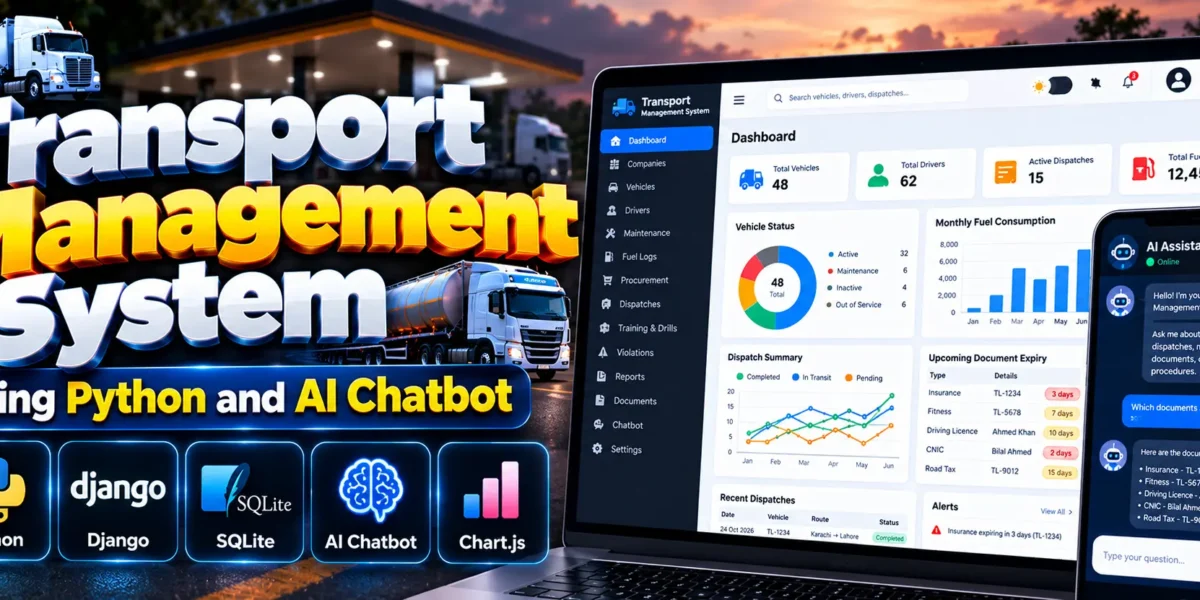
Transport Management System Using Python and AI Chatbot
The Transport Management System Using Python and AI Chatbot is a web-based application developed using Django, Python, SQLite, HTML, CSS, and JavaScript. It is designed to organize transport operations, including vehicle management, driver records, compliance monitoring, maintenance, fuel logs, expenses, procurement, and dispatches.
The project provides a custom administration panel, a read-only user portal, dashboards, reports, CSV import and export, and a machine-learning chatbot. These features help organize transport records, monitor safety requirements, and access operational information from a centralized application.
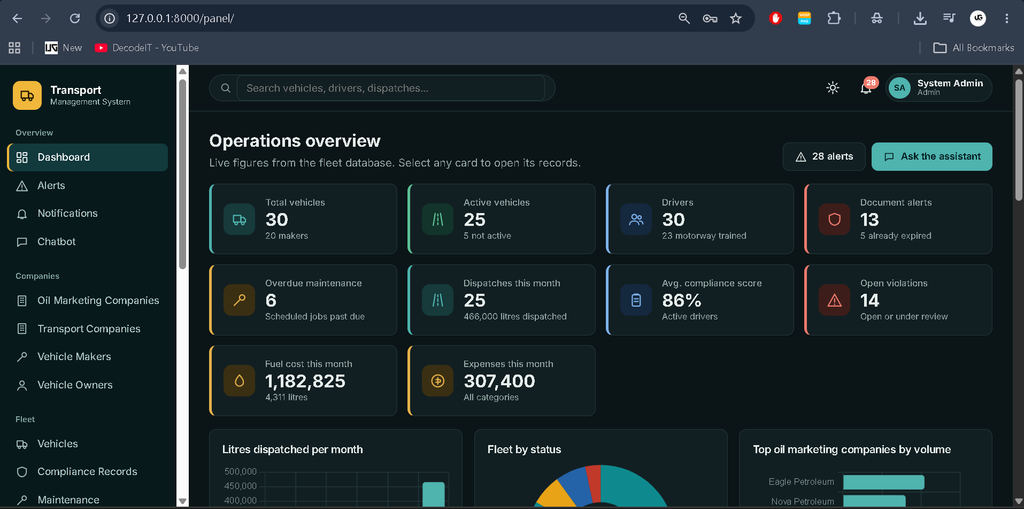
The interface uses the Inter font, a sidebar, a top navigation bar, global search, light and dark modes, and responsive layouts. The project uses SQLite as its configured database.
Complete Advance AI Topics: Click Here
Real Time Projects on YouTube:- DecodeIT
Project Overview
| Project Detail | Description |
|---|---|
| Project Name | Transport Management System Using Python and AI Chatbot |
| Programming Language | Python |
| Framework | Django |
| Database | SQLite |
| Frontend | HTML, CSS, JavaScript |
| Charts | Chart.js |
| Machine Learning | Scikit-learn, TF-IDF, Logistic Regression, NLTK |
| Recommended Python Version | Python 3.10–3.12 |
| Project Type | Web Application |
Features of Transport Management System
1. Custom Admin Panel
The project includes a custom administration panel available at /panel/. It manages transport-related records through a structured interface rather than Django’s built-in admin site.
- Company Management: Manage oil marketing companies and transport companies.
- Vehicle Makers and Owners: Maintain manufacturer, vehicle owner, and lessor records.
- Vehicle Registry: Manage vehicle registration numbers, TL numbers, capacity, chambers, make and model, engine and chassis numbers, leasing information, configuration, and vehicle status.
- Compliance Records: Track insurance, fitness certificates, road tax, permits, registration, dip charts, driving licences, and CNIC records.
- Maintenance Management: Maintain vehicle maintenance records and due dates.
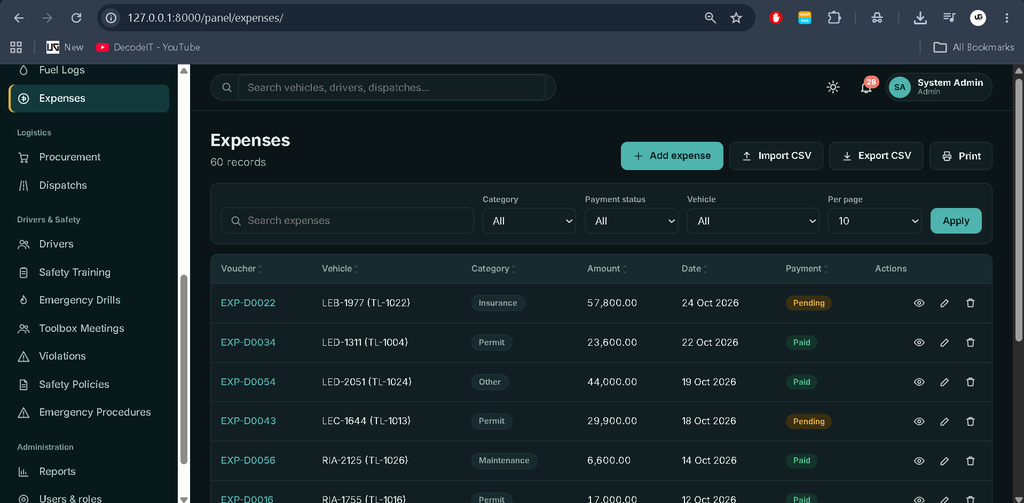
- Fuel Logs and Expenses: Record fuel usage, fuel costs, and operating expenses.
- Procurement and Dispatches: Manage fuel procurement and transport dispatch records.
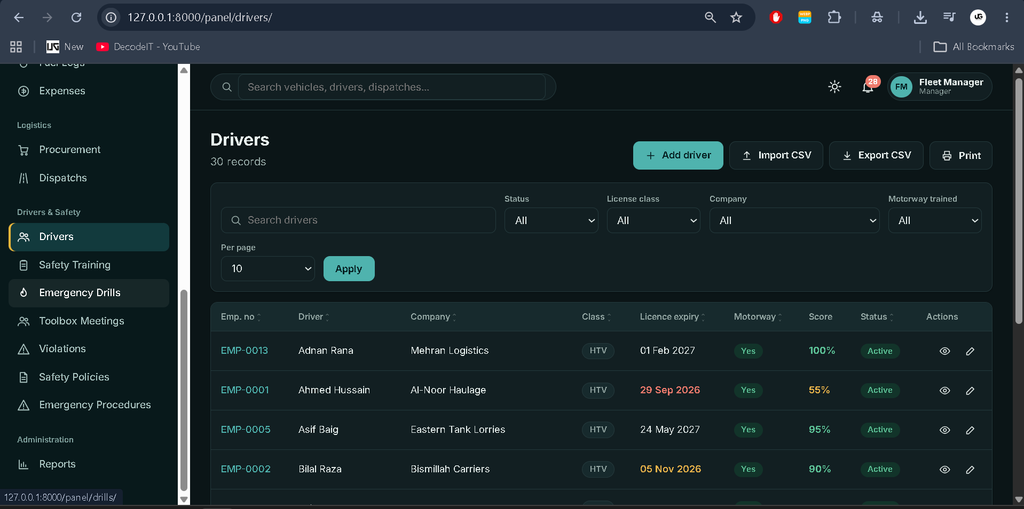
- Driver Management: Maintain driver details, company assignments, licence information, contact details, and training records.
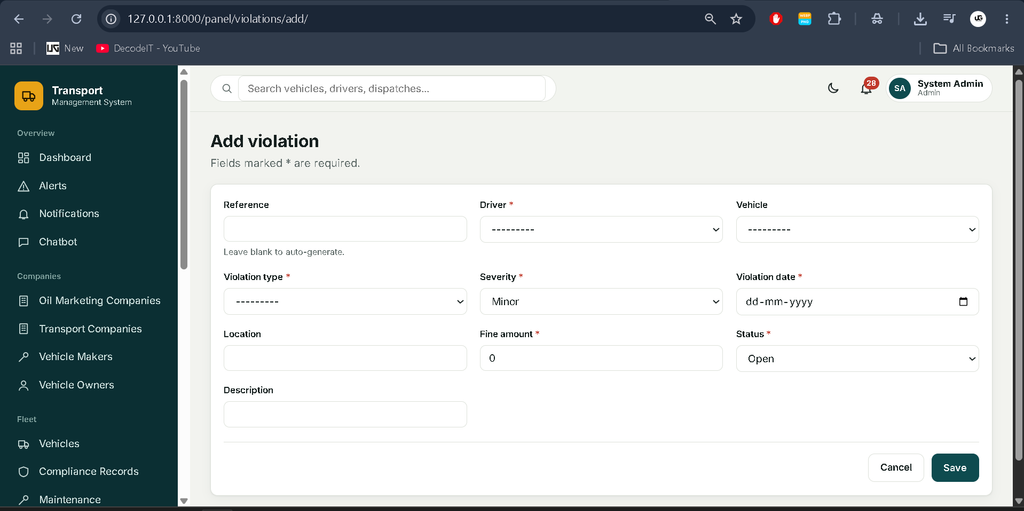
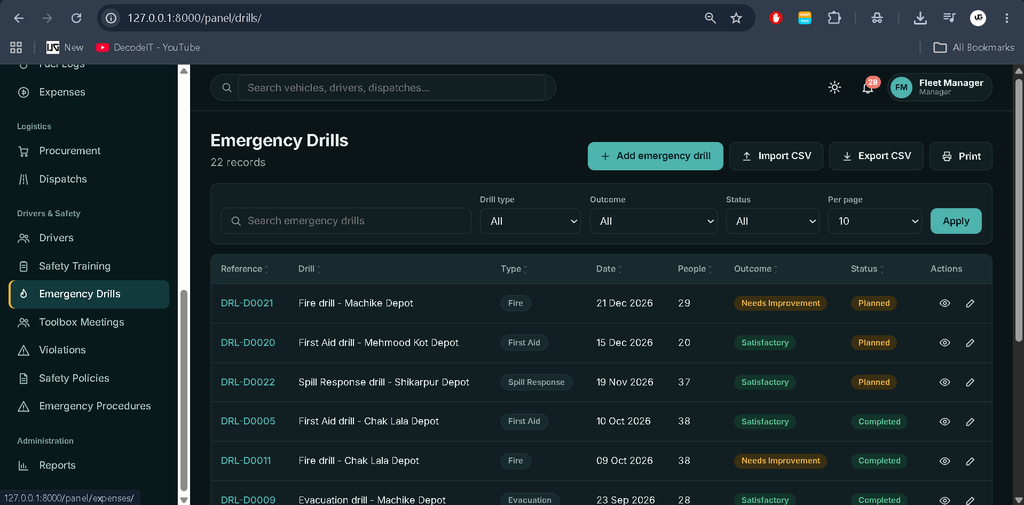
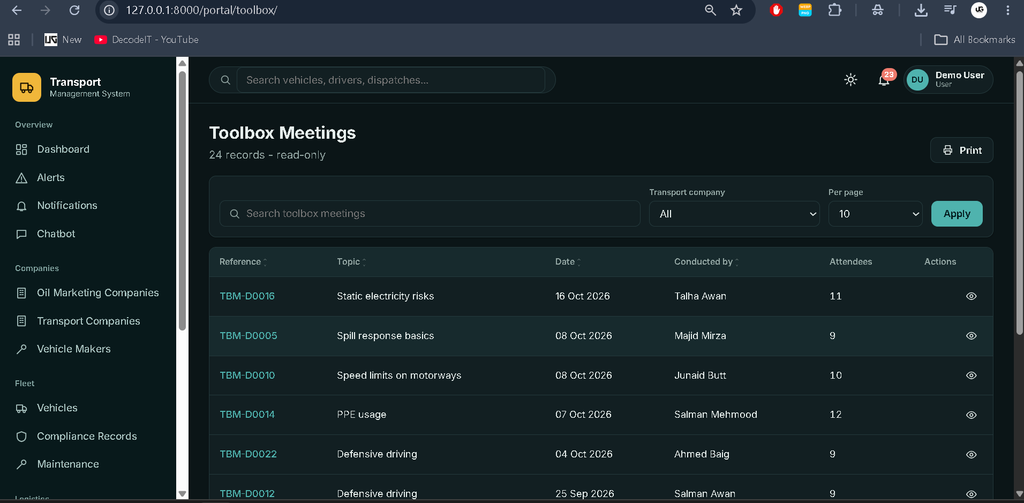
- Safety Management: Manage annual training, emergency drills, toolbox meetings, violations, safety policies, and emergency procedures.
2. Record Management and Data Utilities
The application’s management modules provide common record-handling tools.
- Add, view, edit, and delete records, with confirmation dialogs for deletion.
- Search records and apply filters and sorting.
- Navigate records using pagination.
- Export supported records to CSV files.
- Import records using CSV files and provided templates.
- Print supported record views.
- Validate submitted data on the server.
- Use helper utilities for matching driver IDs, updating driver ages, and importing driver records with images.
3. Dashboard and Charts
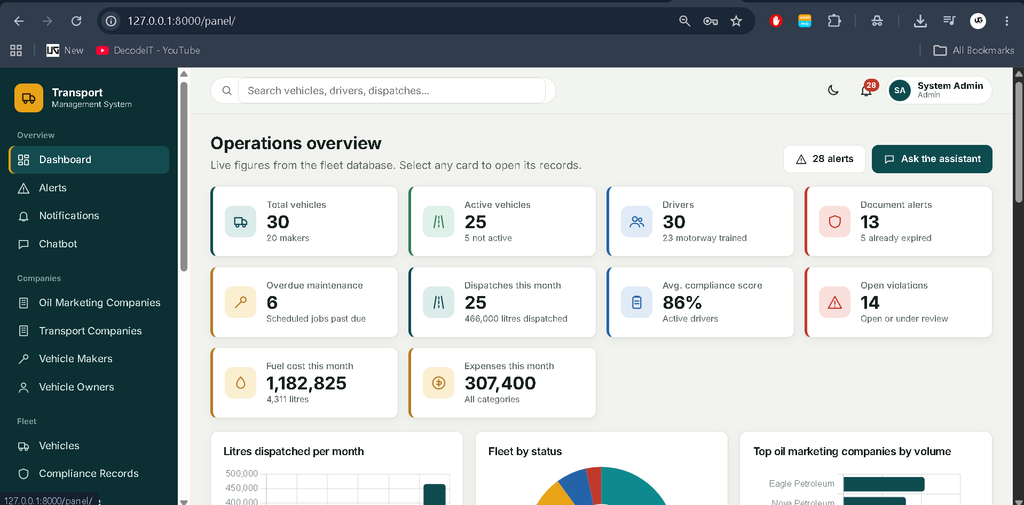
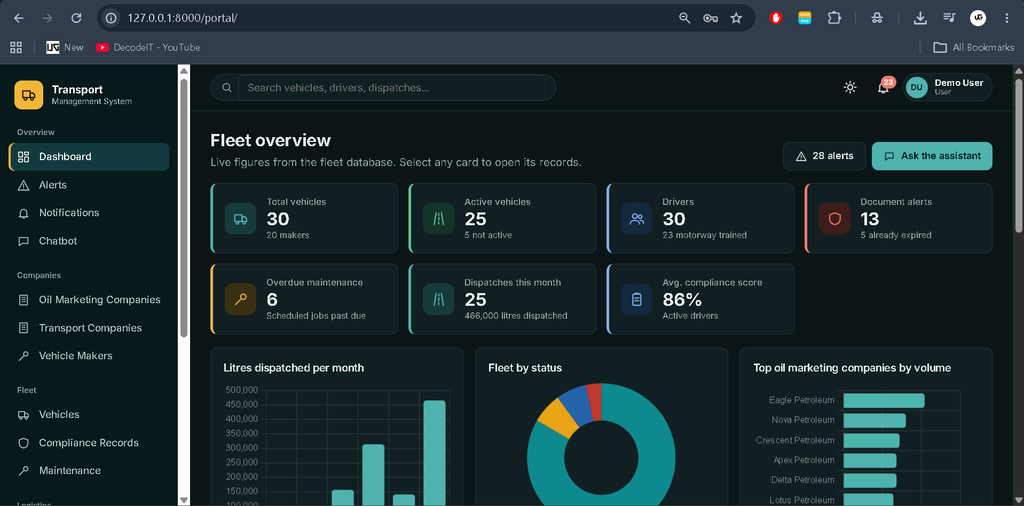
The dashboard displays operational information calculated from the SQLite database.
- Clickable KPI cards.
- Eight Chart.js charts.
- Alerts related to transport and compliance records.
- Latest dispatch information.
4. Alerts and Notifications
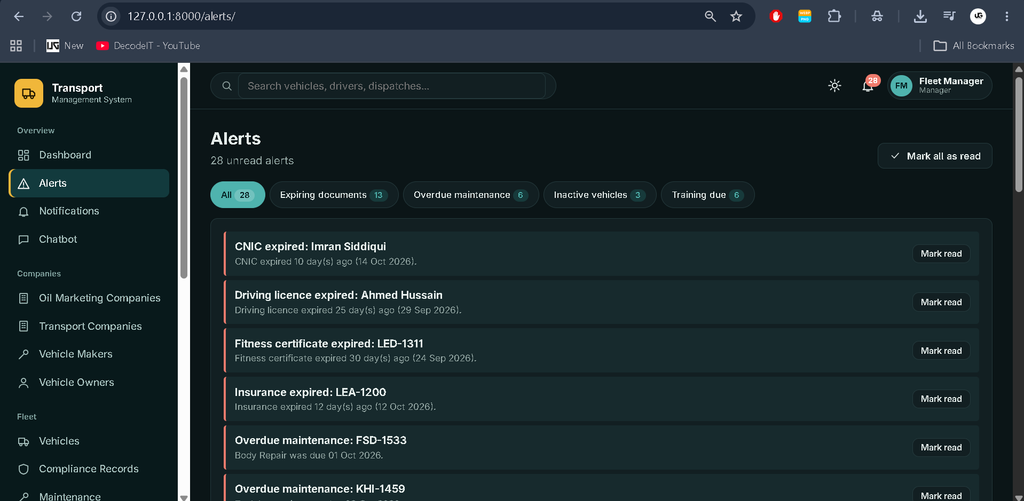
The application identifies important expiry and overdue conditions and provides a notification centre with read and unread status.
- Expired and expiring vehicle insurance, fitness, tax, permit, registration, and dip chart records.
- Driver licence and CNIC expiry alerts.
- Overdue maintenance alerts.
- Inactive vehicle alerts.
- Alerts for drivers without valid annual training.
5. Driver Safety and Compliance
The driver management functionality includes driver profiles and safety-related information.
- Driver profiles with photographs.
- Compliance scores from 0 to 100, with a breakdown.
- Driver training history.
- Violation records.
- Motorway training information.
- Driver licence and CNIC validity tracking.
6. Reports
The system includes seven reports for reviewing transport operations and compliance information.
- Fleet compliance report.
- Driver compliance report.
- Expiring documents report.
- Dispatch summary report.
- Fuel and operating cost report.
- Violations report.
- Maintenance report.
Supported reports include CSV export and print functionality.
7. Role-Based Access
| Role | Access |
|---|---|
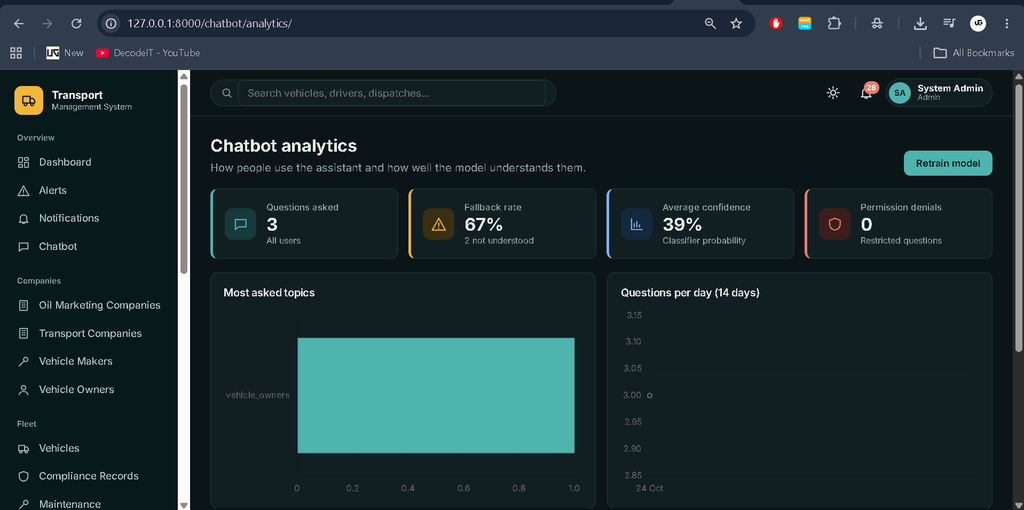
| Admin | Full access, including deletion, user management, and chatbot analytics. |
| Manager | Add, edit, import, and export records; cannot delete records. |
| User | Read-only portal at /portal/, without financial, violation, or CNIC data. |
How Does the AI Chatbot Work?
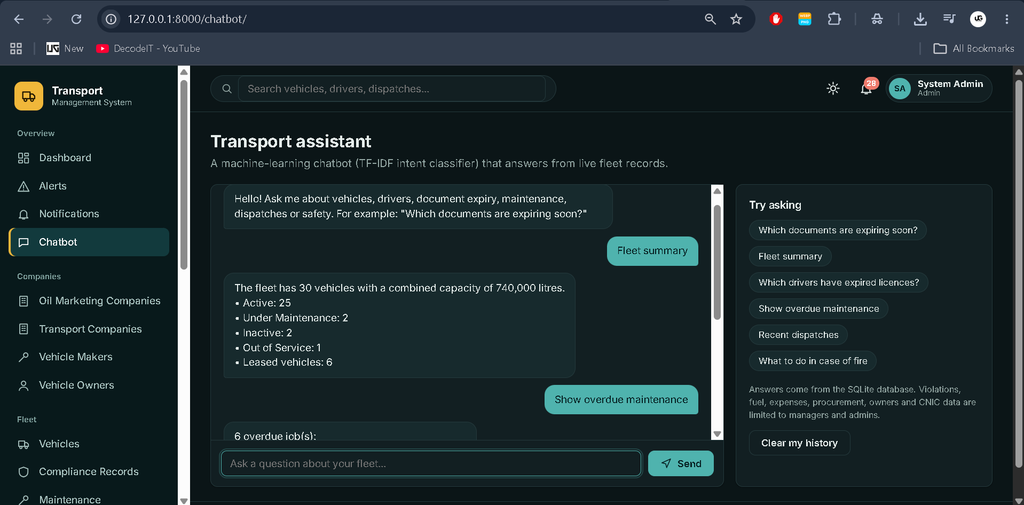
The project includes a machine-learning chatbot available at /chatbot/. It uses natural language processing and an intent classifier to understand supported questions and retrieve answers from live database queries.
- Training Dataset:
chatbot/data/intents.jsoncontains 32 intents and approximately 400 training phrases. - Text Processing: NLTK RegexpTokenizer and PorterStemmer process text, remove stop words, and normalize identifiers.
- Feature Extraction: Scikit-learn’s TF-IDF vectorizer uses one-word and two-word features.
- Intent Classification: Logistic Regression predicts the user’s intent.
- Confidence Fallback: Questions below the configured confidence threshold receive a fallback response and suggestions.
- Conversation History: Chat interactions are stored through the ChatLog model.
- Chatbot Analytics: View analytics, review unanswered questions, and retrain the model.
- Permission Checks: Access to private information is checked according to the user’s role.
Example questions include “Which documents are expiring soon?”, “Show overdue maintenance”, “Recent dispatches”, and “What to do in case of fire”. Managers and administrators can also ask supported questions about expenses, fuel procurement, violations, and expired CNIC records.
How to Download
The complete package is available so you can run, study, and submit it with confidence. It includes:
- Full Source Code
- Project Report
- Synopsis
- PPT Presentation
Screenshot
How to Run the Project in VS Code
Follow these steps to set up and run the project on Windows using PowerShell.
Step 1: Install Python and VS Code
Install Python 3.10–3.12 and Visual Studio Code. Make sure Python is added to PATH.
Step 2: Extract and Open the Project
Extract the ZIP file and open the project folder containing manage.py in VS Code. Select Terminal → New Terminal.
Step 3: Create and Activate a Virtual Environment
python -m venv venv
.\venv\Scripts\Activate.ps1
Step 4: Upgrade pip and Install Dependencies
python -m pip install --upgrade pip
pip install -r requirements.txt
Step 5: Create Database Migrations
python manage.py makemigrations core chatbotStep 6: Apply Database Migrations
python manage.py migrateStep 7: Load Demo Data
python manage.py seed_demoStep 8: Train the Chatbot
python manage.py train_chatbotStep 9: Run the Tests (Optional)
python manage.py testStep 10: Start the Server
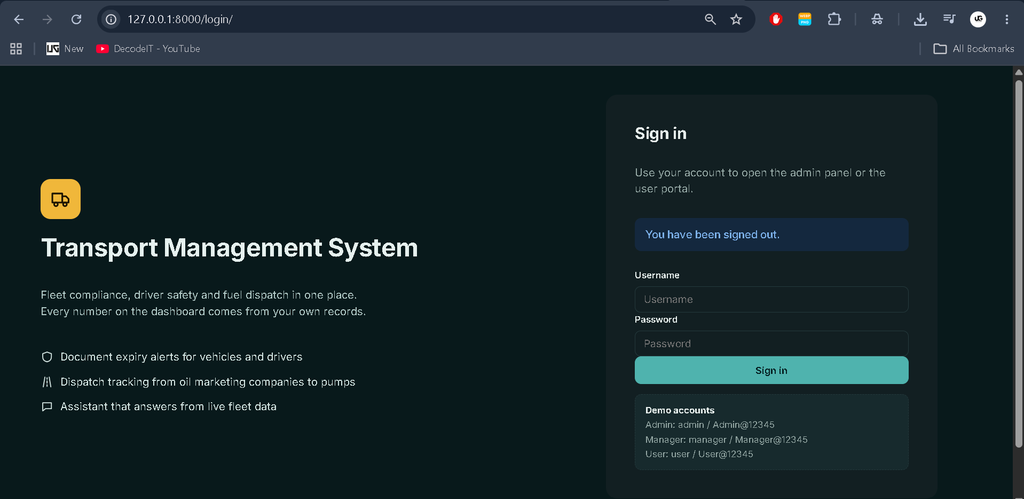
python manage.py runserverOpen the following address in your browser:
http://127.0.0.1:8000/Demo Login Details
| Role | Username | Password |
|---|---|---|
| Admin | admin | Admin@12345 |
| Manager | manager | Manager@12345 |
| User | user | User@12345 |
These are the demo credentials listed in the project README. The seeding command loads demo data and can be run again without creating duplicate demo records.
Frequently Asked Questions (FAQs)
1. What is the Transport Management System Using Python and AI Chatbot?
It is a Django web application for managing transport companies, vehicles, drivers, compliance, maintenance, fuel, expenses, procurement, dispatches, and safety records. It also includes a machine-learning chatbot.
2. Which technologies are used in this project?
The project uses Python, Django, SQLite, HTML, CSS, JavaScript, Chart.js, scikit-learn, NLTK, and Joblib.
3. Which database does the project use?
The supplied project is configured to use SQLite, with the database file created in the project directory when migrations are applied.
4. What are the available user roles?
The system includes Admin, Manager, and User roles. Admins have full access, managers can add, edit, import, and export records without deleting them, and regular users have read-only access to permitted portal information.
5. How can I run the project locally?
Create a virtual environment, install the requirements, generate and apply migrations, run the demo-data and chatbot-training commands, and start the server with python manage.py runserver.
Conclusion
The Transport Management System Using Python and AI Chatbot combines transport record management with compliance monitoring, driver safety, maintenance, fuel and expense tracking, procurement, dispatches, reports, and notifications. Its role-based access and machine-learning chatbot provide additional ways to manage and retrieve information within the application.