
Online Enrollment Management System in PHP and MySQL
The Online Enrollment Management System in PHP and MySQL is a professional web-based application designed to manage the complete student enrollment process digitally. The system allows students to register, log in, manage their profiles, browse available courses, check seat availability, submit enrollment applications, upload required documents, track application status, manage fees, and view enrollment history.
The system also provides a dedicated admin panel through which administrators can manage students, courses, departments, academic years, semesters, enrollment applications, documents, fees, payments, notifications, reports, and system settings. It is developed using PHP, MySQL, HTML, CSS, Bootstrap, and JavaScript with a responsive and user-friendly interface.
Table of Contents
Complete Advance AI Topics: Click Here
Real Time Projects on YouTube:- DecodeIT
Project Overview
| Project Name | Online Enrollment Management System |
|---|---|
| Language/s Used | PHP, HTML, CSS, JavaScript |
| Database | MySQL |
| Framework / UI | Bootstrap |
| Type | Web-Based Education Management System |
About Online Enrollment Management System
An Enrollment Management System helps educational institutions manage student enrollment activities through a centralized web application. The system reduces manual work involved in maintaining student records, course information, enrollment applications, documents, fees, and payment records.
Students can complete the enrollment process online, while administrators can verify applications and documents before approving enrollment. Once an application is approved, the system can generate an enrollment number and update the available seats of the selected course.
Available Features
- Student Registration and Login
- Admin Login
- Role-Based Access
- Student Profile Management
- Password Change
- Course Management
- Department Management
- Academic Year Management
- Semester Management
- Student Management
- Online Course Enrollment
- Enrollment Application Management
- Application Number Generation
- Enrollment Number Generation
- Course Eligibility Checking
- Course Seat Capacity Management
- Available Seat Tracking
- Document Upload
- Document Verification
- Course Fee Management
- Payment Management
- Payment Status
- Payment History
- Receipt Generation
- Enrollment Confirmation
- Search and Filter
- Enrollment History
- Notifications
- Activity Records
- Basic Reports
- System Settings
Student Module
Student Registration and Login
Students can create their accounts by providing the required registration details. After registration, students can securely log in to access their dashboard and enrollment-related features.
Student Dashboard
The student dashboard provides a centralized view of enrollment applications, enrollment status, course information, fees, payments, notifications, and enrollment history.
Profile Management
Students can view and update their personal profile information. The system also provides password change functionality to help students manage their account securely.
Course Browsing and Search
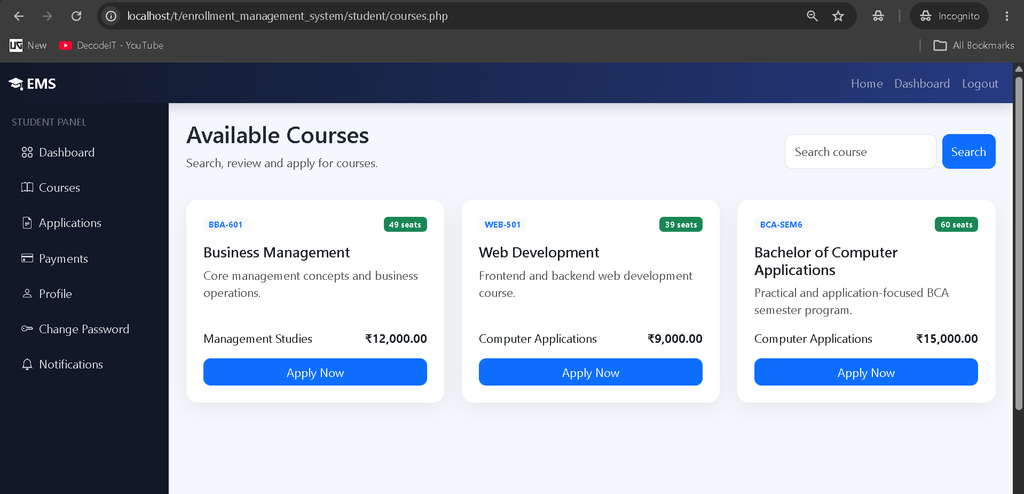
Students can view available courses and search for courses based on their requirements. Course information includes important details such as department, semester, fees, eligibility, capacity, and available seats.
Online Enrollment Application
Students can select an eligible course and complete the enrollment application through an online form. Required information and documents can be submitted along with the application.
Document Upload
The student can upload the required enrollment documents through the document upload interface. Administrators can later verify these documents before approving the application.
Application Status Tracking
Students can track the current status of their enrollment application. The application can move through different stages such as pending, approved, or rejected based on the administrator’s verification.
Fees and Payment
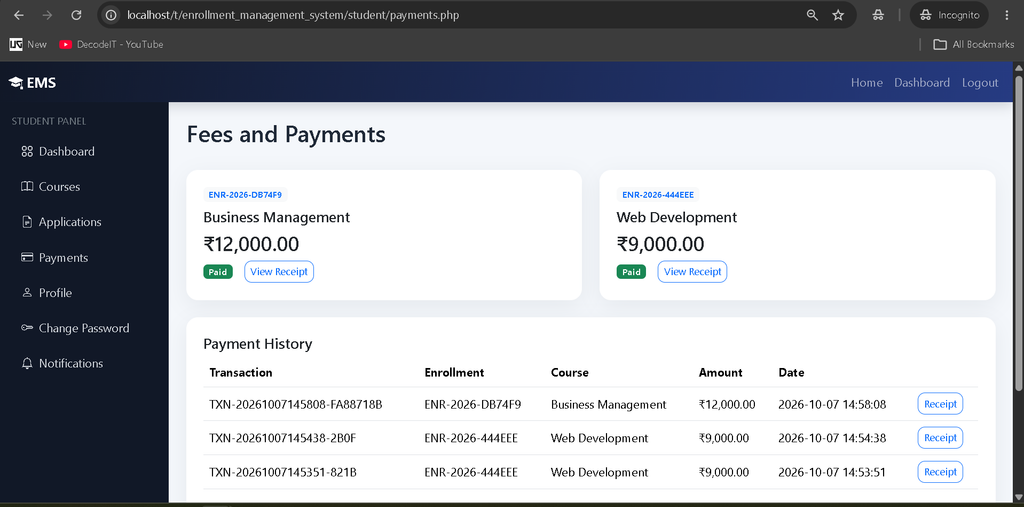
Students can view course fee details and payment information. Payment records are maintained in the system, allowing students to view their payment history and payment status.
Receipt and Enrollment History
After completing the required payment process, students can view and print their payment receipt. Previous enrollment records are also available through the enrollment history section.
How to Download
The complete package is available so you can run, study, and submit it with confidence. It includes:
- Full Source Code
- Project Report
- Synopsis
- PPT Presentation
Screenshot
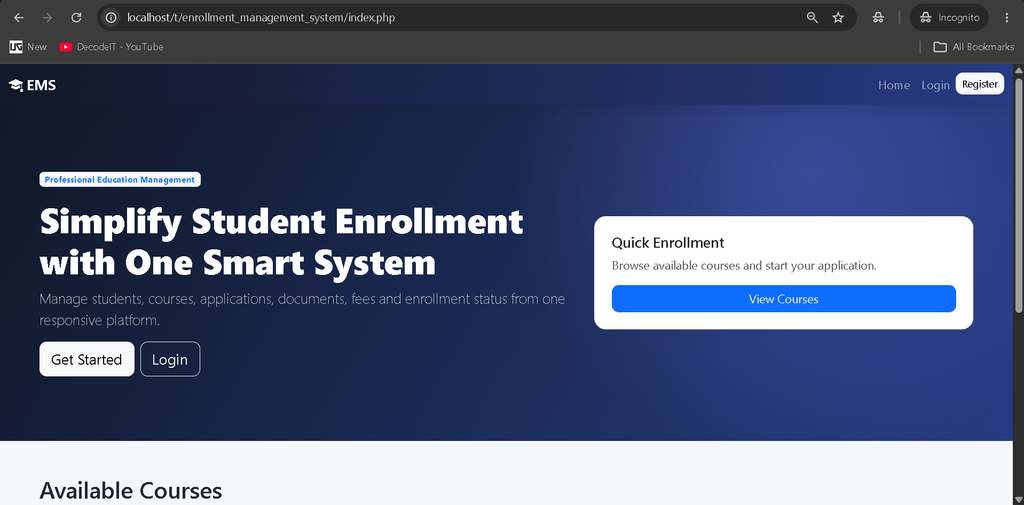
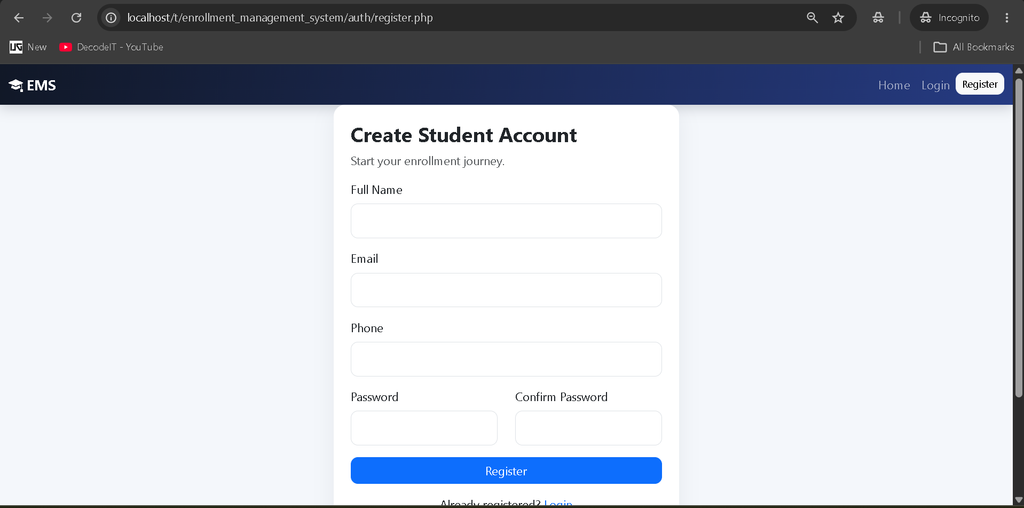
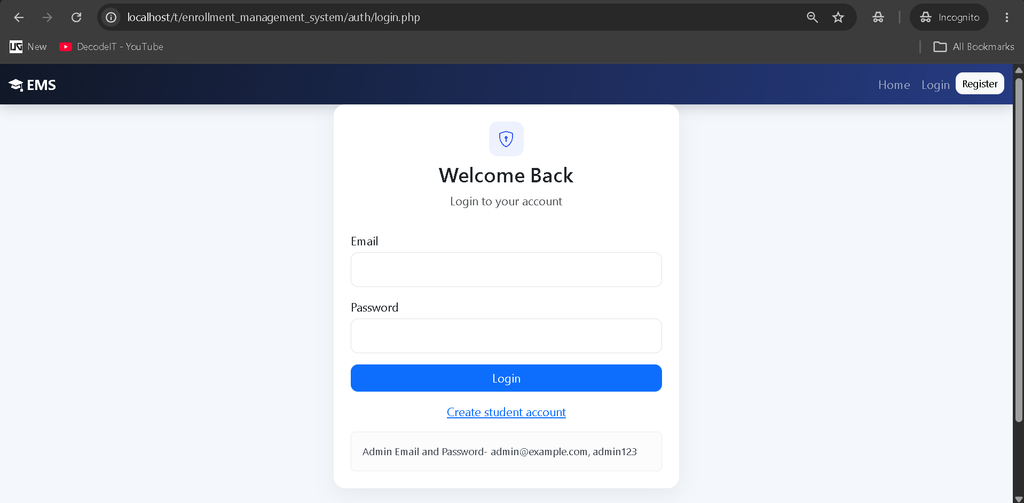
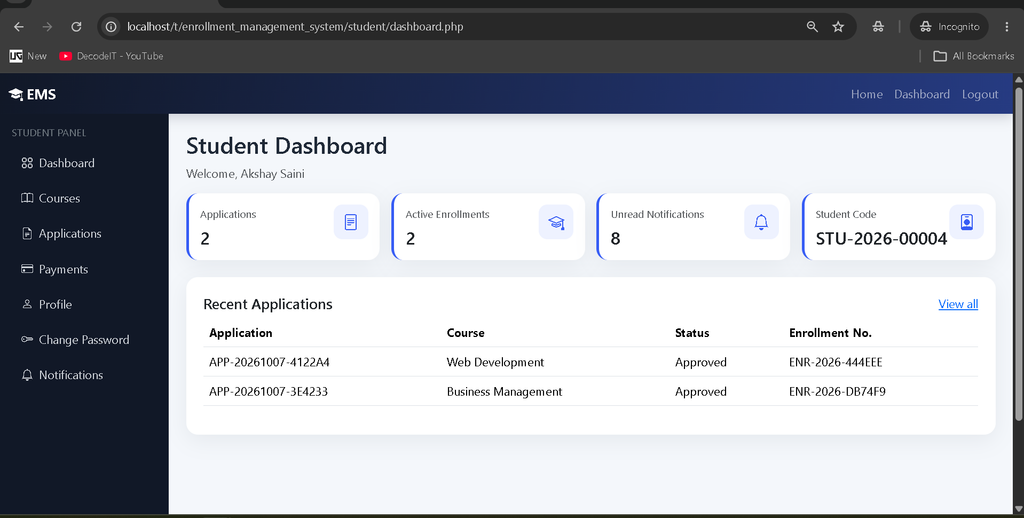
Admin Module
Admin Dashboard
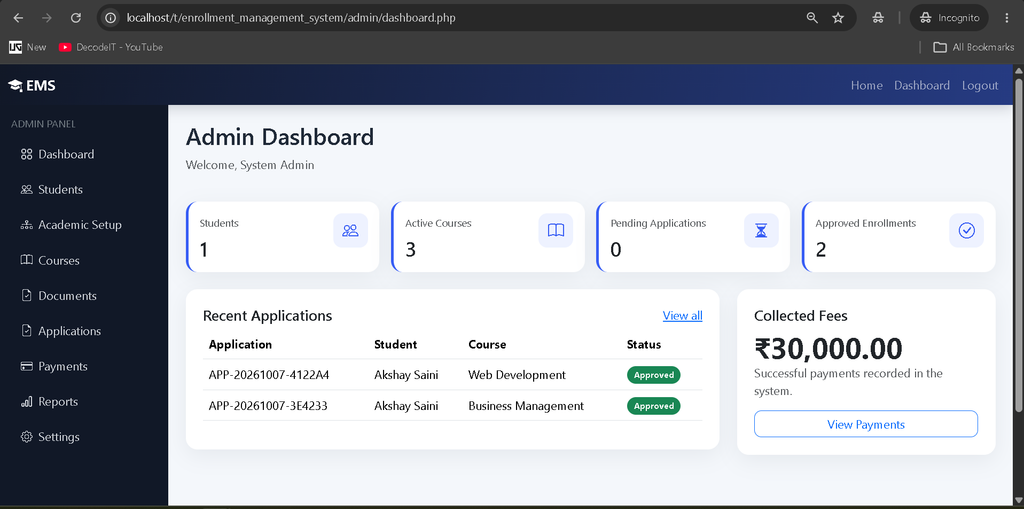
The admin dashboard provides real database statistics related to students, courses, enrollment applications, approved enrollments, payments, and other important system records.
Student Management
Administrators can view and manage registered students. Student records can be searched and reviewed when required.
Course Management
Administrators can add, edit, and manage courses along with course capacity, eligibility information, department, semester, and fee details.
Department Management
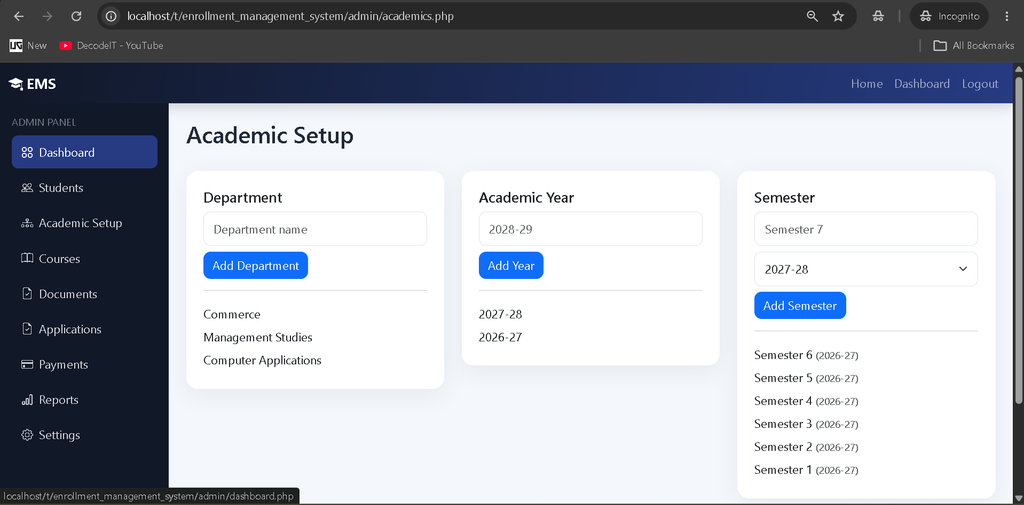
The department module allows administrators to maintain the departments associated with available courses.
Academic Year and Semester Management
Administrators can manage academic years and semesters so that enrollment records can be organized according to the institution’s academic structure.
Enrollment Application Management
Administrators can view submitted enrollment applications and review the information provided by students. Applications can be approved or rejected after verification.
Document Verification
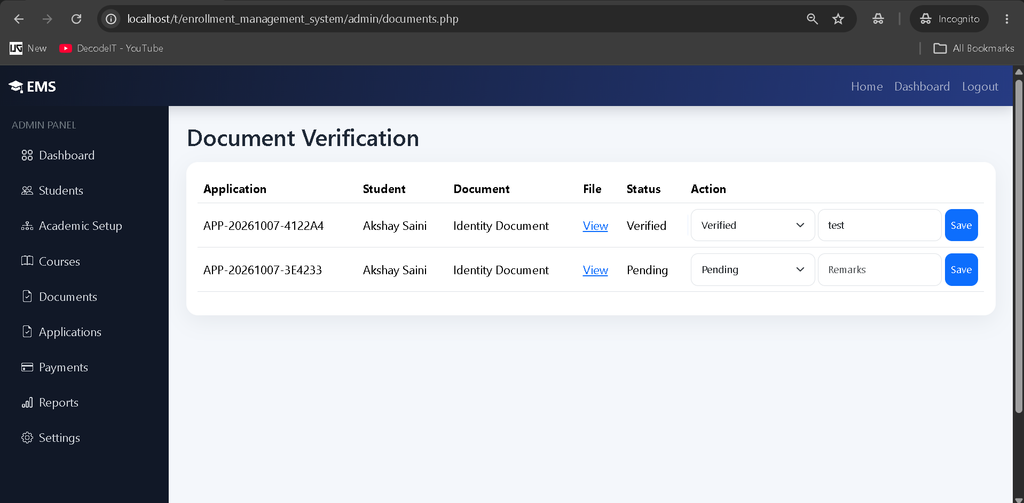
Uploaded student documents can be reviewed and verified by the administrator before completing the enrollment process.
Course Seat Management
The system maintains course capacity and available seats. When an enrollment is approved, the available seat count is automatically updated.
Fee and Payment Management
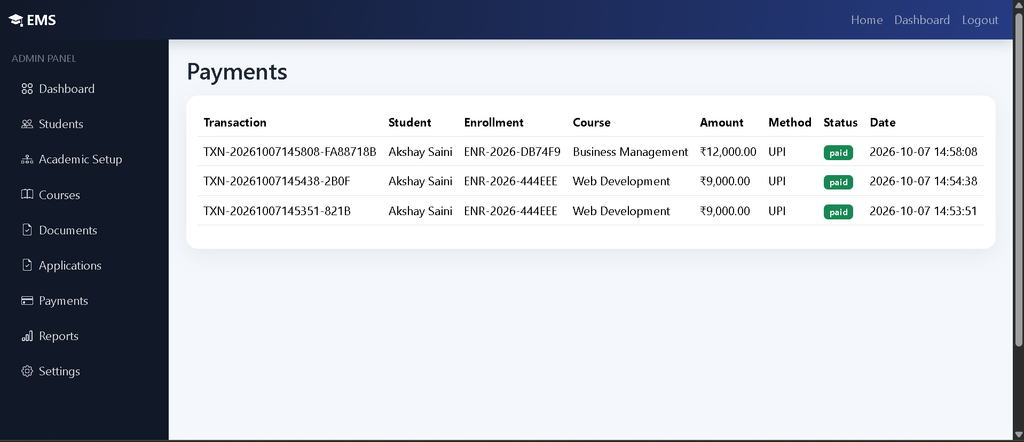
Administrators can manage course fees and view payment records. Payment status and payment history can be maintained for enrollment records.
Notifications
The system provides notifications for important enrollment activities so that students can receive updates regarding their applications and enrollment process.
Reports and Activity Records
Administrators can view basic enrollment-related reports and activity records to keep track of important system operations.
Complete Enrollment Workflow
The system follows a structured enrollment workflow:
- Student Registration
- Student Login
- Browse Available Courses
- Select Eligible Course
- Check Available Seats
- Complete Enrollment Form
- Upload Required Documents
- Submit Enrollment Application
- Admin Reviews Application
- Admin Verifies Documents
- Application Approval or Rejection
- Enrollment Number Generation
- Fee Payment
- Receipt Generation
- Enrollment Confirmation
Database Structure
The system uses MySQL to store and manage application data. Important database tables include:
- Users
- Students
- Admins
- Departments
- Courses
- Academic Years
- Semesters
- Enrollments
- Enrollment Applications
- Documents
- Fees
- Payments
- Notifications
- Activity Logs
Proper relationships, foreign keys, validation, prepared database queries, and session-based authentication are used to maintain the application’s data and security.
Technology Stack
- Frontend: HTML, CSS, Bootstrap, JavaScript
- Backend: PHP
- Database: MySQL
- Server: Apache
- Development Environment: XAMPP
- Code Editor: Visual Studio Code
Installation Guide
Step 1: Install XAMPP
Install XAMPP on your computer and start the Apache and MySQL services from the XAMPP Control Panel.
Step 2: Copy Project
Copy the project folder into the XAMPP htdocs directory.
C:\xampp\htdocs\enrollment_management_systemStep 3: Create Database
Open phpMyAdmin from your browser:
http://localhost/phpmyadmin/Create the required MySQL database and import the SQL file included with the project.
Step 4: Configure Database
Open the database configuration file and update the database name, username, and password according to your local XAMPP configuration.
$host = "localhost";
$username = "root";
$password = "";
$database = "enrollment_management_system";
Step 5: Run the Project
Open the project in your browser:
http://localhost/enrollment_management_system/How to Use the System
Students can register for an account and log in to access the student dashboard. They can browse courses, check eligibility and available seats, submit enrollment applications, upload documents, and track application progress.
Administrators can log in to the admin panel to manage students, courses, departments, academic information, applications, documents, fees, payments, reports, and system settings.
Project Benefits
- Reduces manual enrollment work
- Centralizes student enrollment records
- Provides separate student and admin panels
- Makes course availability easier to manage
- Provides online application tracking
- Organizes student documents
- Maintains fee and payment records
- Improves enrollment record management
- Provides a responsive interface
- Suitable for academic and college-level projects
Final Thoughts
The Online Enrollment Management System in PHP and MySQL provides a complete solution for managing student enrollment activities through a single web-based platform. From student registration and course selection to document verification, application approval, fee management, payment records, and enrollment confirmation, the system covers the major stages of the enrollment process.
Keywords: Online Enrollment Management System in PHP and MySQL, Enrollment Management System, Student Enrollment System, PHP Enrollment Project, Student Management System, Course Enrollment System, PHP MySQL Project,Online Enrollment Management System Online Enrollment Management System online enrollment management system bpsu online registration management system online teacher registration management system online complaint registration & management system using python online course registration management system what is enrollment management online admission management system software online admission management software online admission management system,Online Enrollment Management System in PHP and MySQL,Online Enrollment Management System in PHP