Looking for a railway reservation system in Python that feels like a real booking website and not a console menu? YatraOne is a full web application built with Django. Passengers search trains, pick their own berth on a live seat map, pay, and get a QR e-ticket. Station staff and an administrator keep the whole network running behind the scenes.
It also handles the hard parts most student projects skip: stuck payments, class upgrades, platform and unreserved tickets, and a proper complaint workflow. Below you will find every module, real screenshots, the tech stack, the exact steps to run it, and the viva questions you should prepare for.
| Detail | Information |
|---|---|
| Project Name | YatraOne – Railway Reservation System in Python |
| Language | Python 3.10 or newer |
| Framework | Django 5.2 |
| Database | SQLite (PostgreSQL supported) |
| Project Type | Web Application |
| Category | Booking and Reservation System |
| User Roles | Passenger, Station Staff, Administrator |
| Modules | 11 |
| Difficulty | Intermediate to Advanced |
| Best For | BCA, MCA, B.Tech CS/IT, M.Tech final year projects |
| Developer | Updategadh |
What Is a Railway Reservation System?
A railway reservation system is software that lets passengers check seat availability, book a seat on a specific train and date, pay online, and receive a ticket with a unique PNR. Behind the scenes it stops the same seat from being sold twice, tracks payments and refunds, and gives railway staff tools to verify tickets and manage trains. YatraOne builds all of this in Python with the Django framework.
About This Railway Reservation System in Python
Booking a train ticket sounds simple until something goes wrong: two people grab the same berth, money is debited but no ticket appears, or a complaint is never answered. Most student projects ignore these cases, and that is exactly where viva examiners ask their toughest questions.
YatraOne answers them in working code. A berth can never be sold twice for the same journey segment, every payment is verified before confirmation, late or mismatched payments are recovered or refunded automatically, and complaints follow a fixed five-stage lifecycle. We set it up on a clean Windows computer from the download ZIP and ran all 52 automated tests before writing this post, so the steps below are the ones that actually work.
Key Features of the Railway Reservation System in Python
Passenger Module
- Secure Sign-Up: e-mail OTP verification, account lock after repeated failed logins, password reset and saved passengers.
- Train Search: search by route and date, filter by class and time, and compare trains side by side.
- Live Seat Map: see AVL, RAC and waiting-list status, then auto-allocate or pick your own berth.
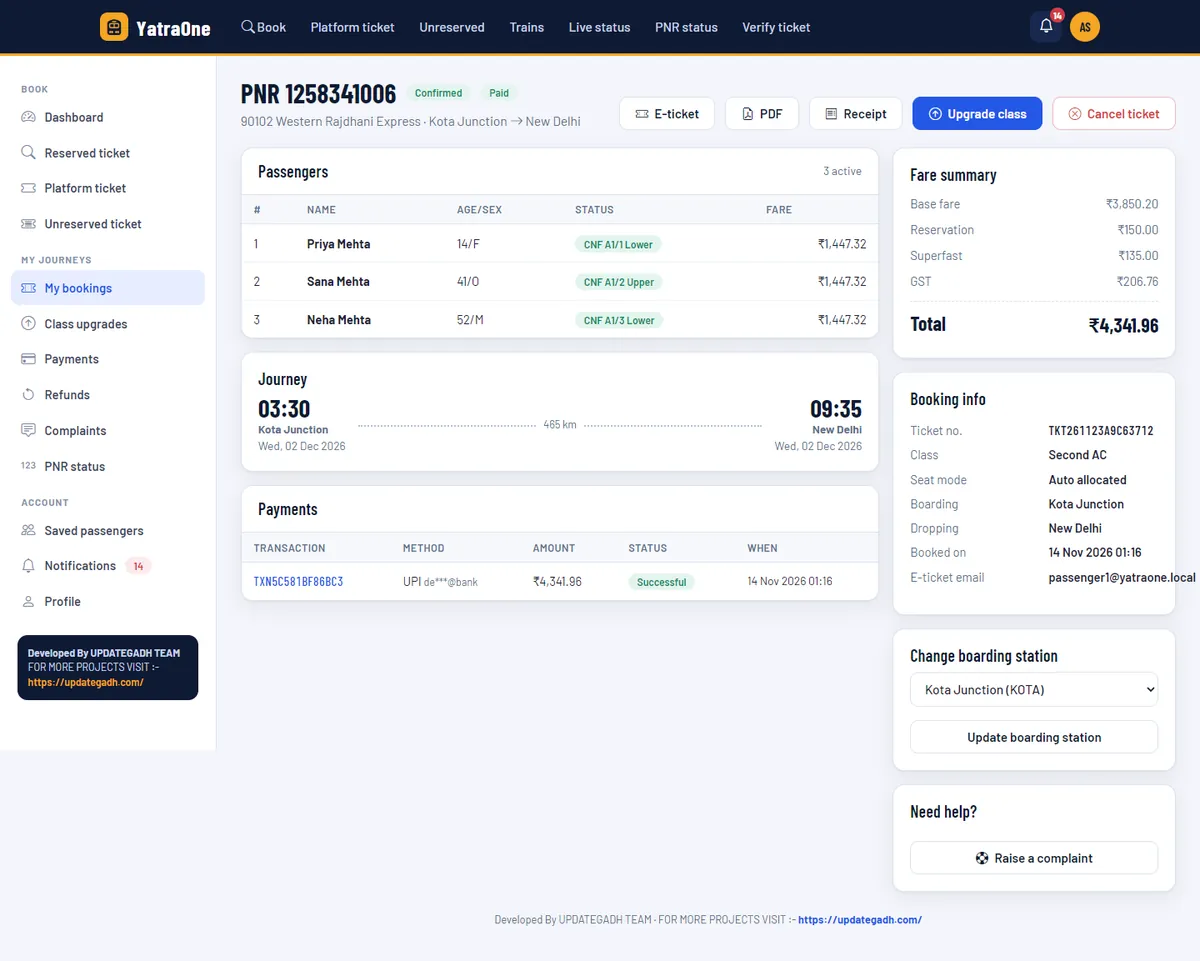
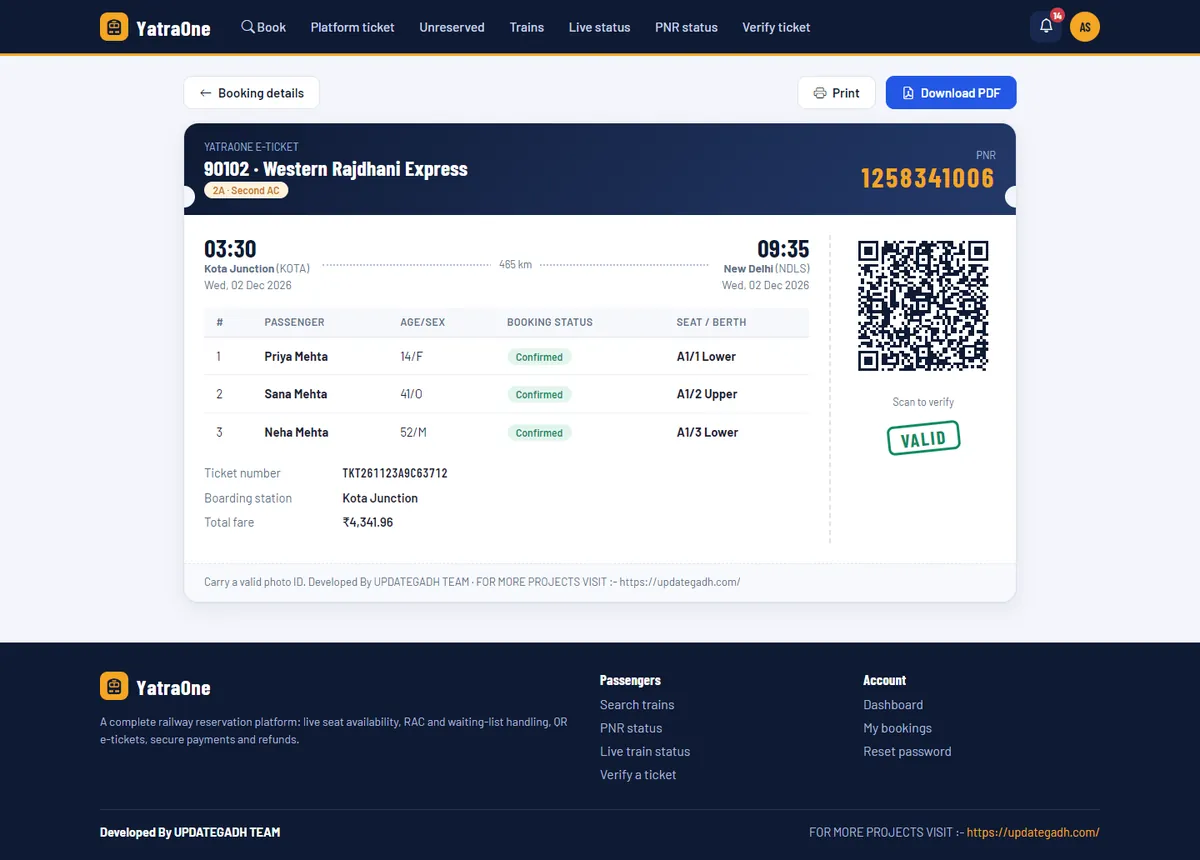
- Reserved Tickets: up to 6 passengers, full fare breakdown, a 10-digit PNR, QR e-ticket and PDF receipt.
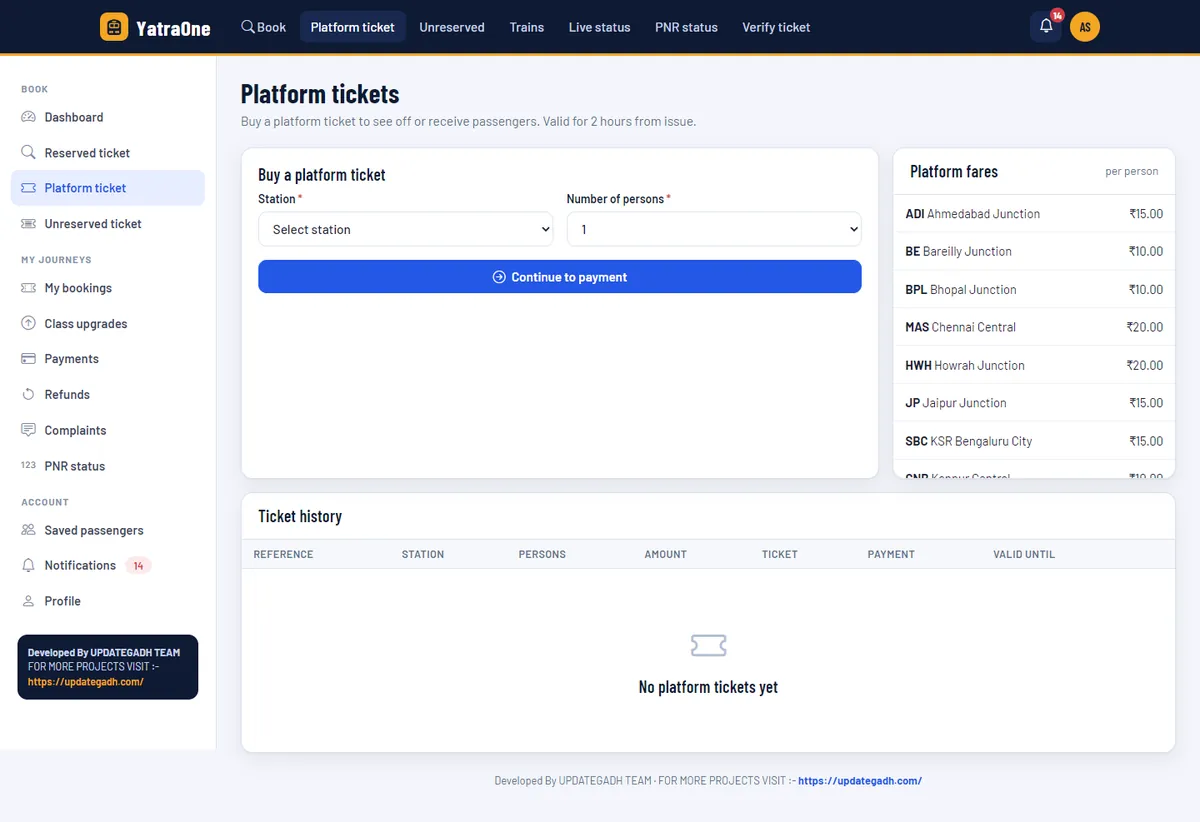
- Platform and Unreserved Tickets: separate flows, each with its own QR reference.
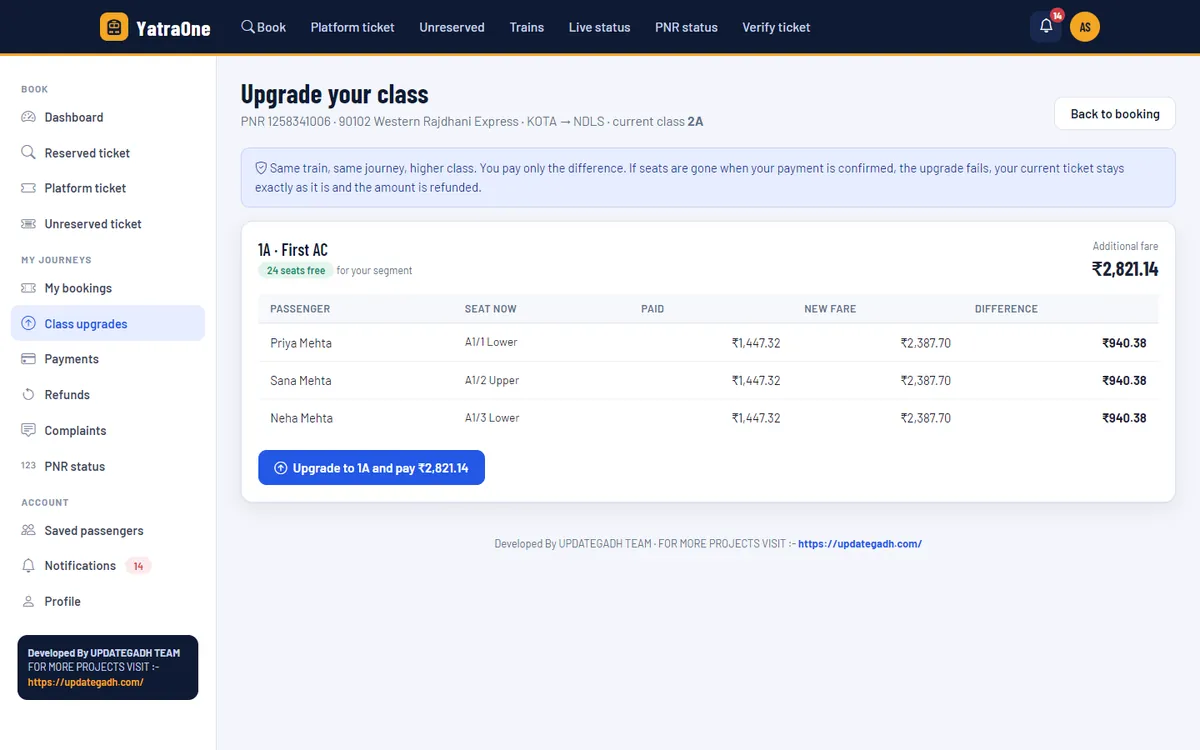
- Class Upgrade: move a confirmed ticket to a higher class on the same train and pay only the fare difference.
- Cancellation and Refunds: cancel all or one passenger and track the refund.
- Complaints: linked to a PNR or transaction, tracked from Submitted to Closed.
Payment and Recovery
- Verified Payments: orders are confirmed only after verification, with Success, Pending and Failed outcomes.
- Duplicate Protection: no double charges; an extra successful payment is refunded.
- Automatic Recovery: late payments re-check seats and refund in full if they are gone.
- Safe Upgrades: if an upgrade fails, the original booking stays untouched and the money is returned.
Staff Module
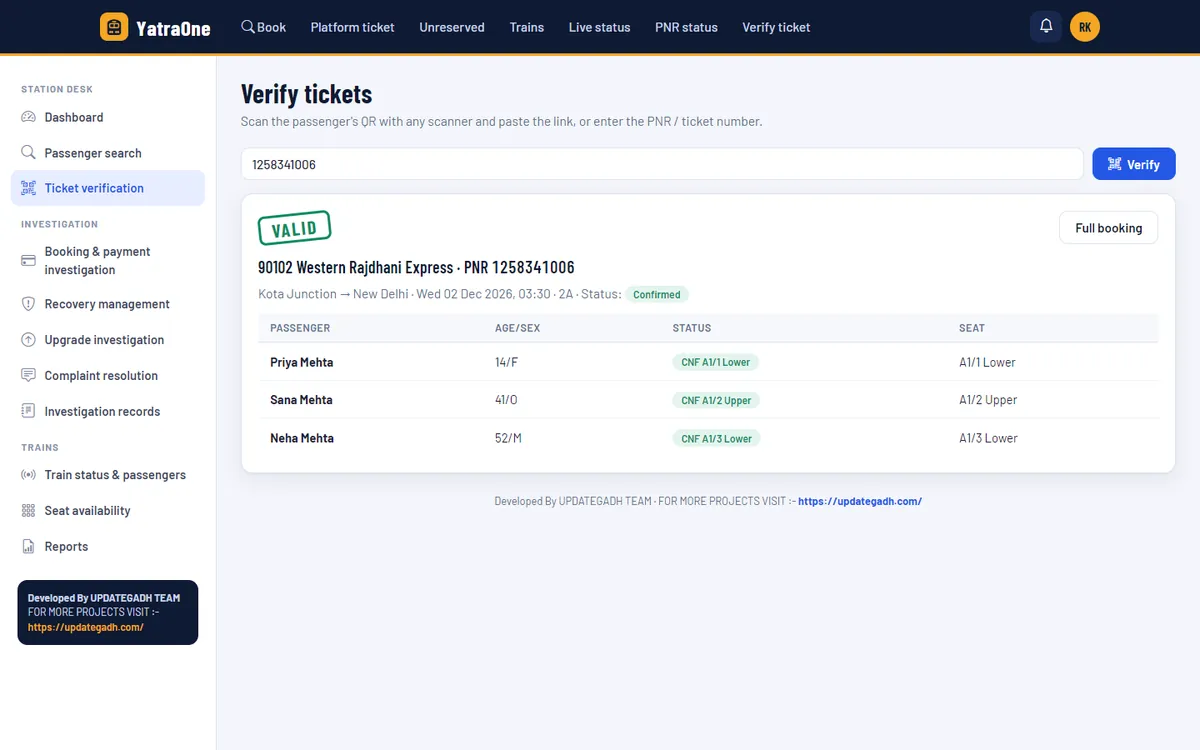
- Ticket Verification: check a PNR, QR link, PLT or UTS reference in seconds.
- Recovery Desk: take a stuck case, verify it with the gateway, refund it, add notes and close it.
- Investigation Records: every action is logged with the staff member and time.
- Train Operations: delays, reschedules, cancellations, platform changes and passenger lists.
Admin Module
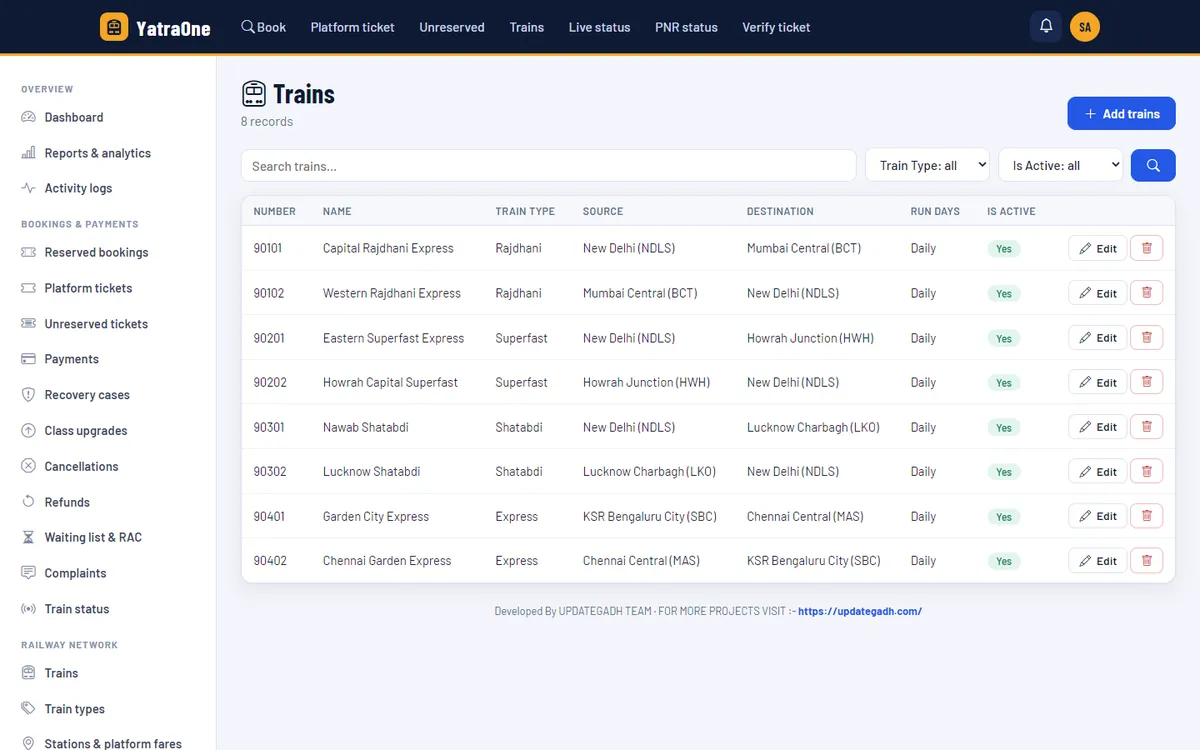
- Master Data: manage stations, trains, routes, stops, coaches, seats, classes, fares, schedules and platforms.
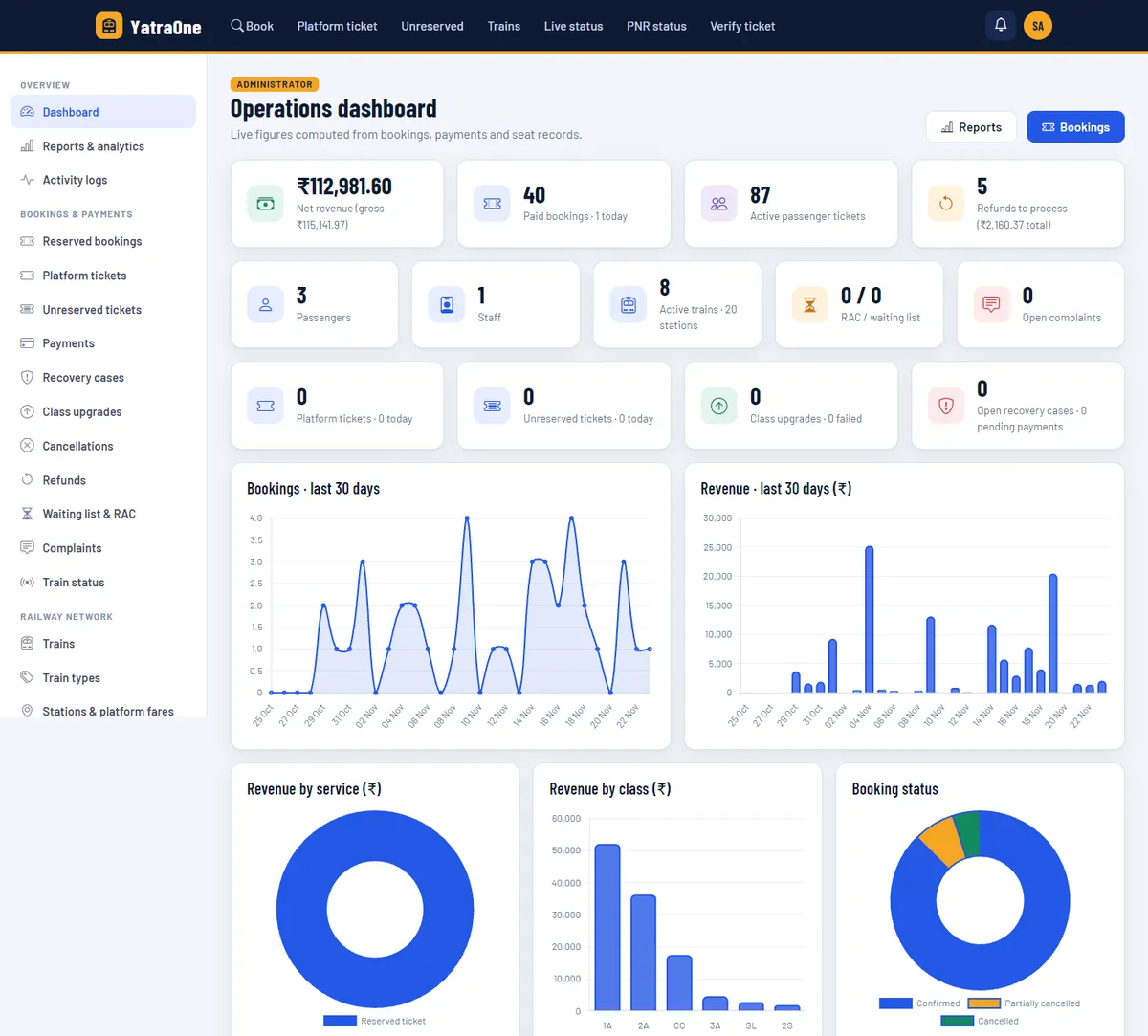
- Analytics Dashboard: revenue, bookings, 30-day trends and CSV reports, plus user and staff management.
YatraOne vs a Typical Student Railway Project
| Feature | Typical Student Project | YatraOne |
|---|---|---|
| Interface | Console menu or single form | Full website with three role dashboards |
| Seat booking | Seat count only | Coach-wise seat map with RAC and waiting list |
| Payments | Not handled | Verified payments, pending and failed cases, refunds |
| Tickets | Printed text | PNR, QR e-ticket and PDF receipt |
| Ticket types | Reserved only | Reserved, platform and unreserved |
| Testing | Manual only | 52 automated test cases |
Technologies Used
| Layer | Technology | Purpose |
|---|---|---|
| Frontend | HTML, CSS, JavaScript, Django Templates | Pages, forms and the interactive seat map |
| Charts | Chart.js | Revenue and booking graphs on the admin dashboard |
| Backend | Python 3, Django 5.2 | Booking engine, payments, roles and business rules |
| Database | SQLite (PostgreSQL ready) | Trains, seats, bookings, payments and logs |
| Tickets | qrcode, Pillow, ReportLab | QR codes, PDF tickets and payment receipts |
| Payments | Built-in simulated gateway | Test Success, Pending, Failed and mismatch cases safely |
| Django console backend (SMTP ready) | OTP codes, notifications and password reset |
New to the framework? The official Django 5.2 documentation explains models, views and templates, the three ideas this project is built on.
How It Works
- A passenger signs up, enters the OTP sent by e-mail and adds saved passengers to the profile.
- The passenger searches a route and date, compares trains and opens the seat map for the chosen class.
- Seats are chosen or auto-allocated, the payment is verified, and only then is the booking confirmed with a PNR and QR e-ticket.
- If a payment is stuck or mismatched, the recovery engine confirms the booking or refunds the money, and unresolved cases reach the staff Recovery desk.
- Staff verify tickets, investigate payments, update train status and resolve complaints stage by stage.
- The administrator manages the network and watches revenue and booking trends on the analytics dashboard.
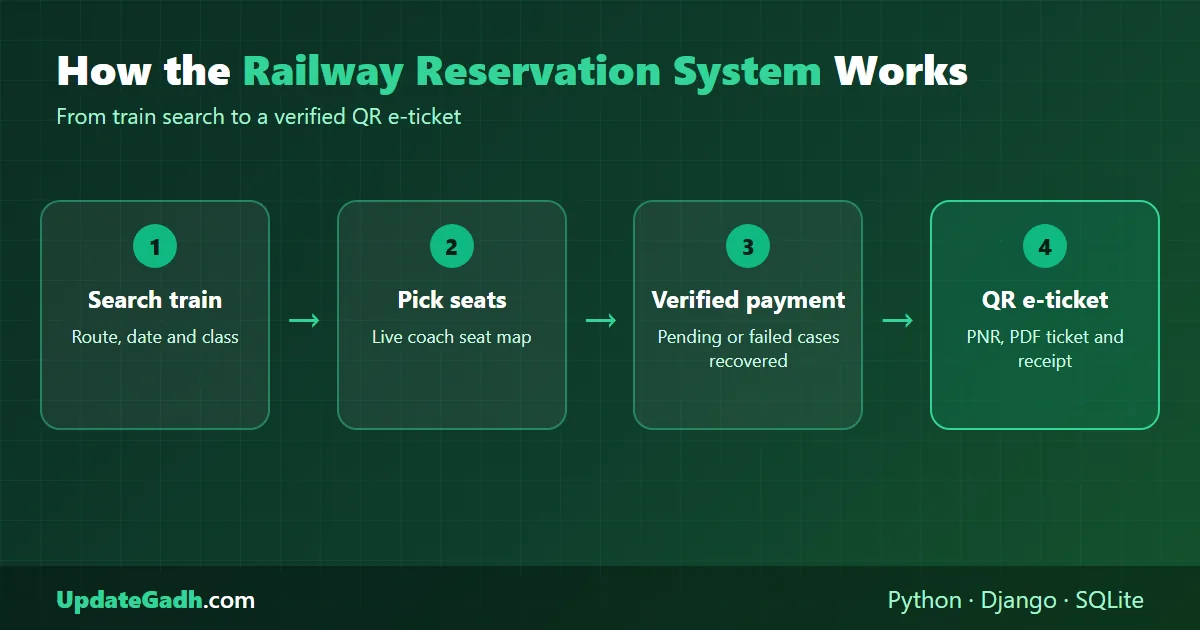
This end-to-end flow is what makes YatraOne a complete railway reservation system in Python rather than a single booking form.
How to Run the Railway Reservation System in Python
Step 1: Prerequisites
Install Python 3.10 or newer from python.org and tick “Add python.exe to PATH”. No MySQL or XAMPP is needed.
Step 2: Download and Open the Project
Extract the ZIP and open a terminal in the folder that contains manage.py.
Step 3: Create a Virtual Environment and Install Dependencies
python -m venv venv
venv\Scripts\activate
python -m pip install -r requirements.txt
On macOS or Linux, activate with source venv/bin/activate.
Step 4: Configure the Environment and Database
copy .env.example .env
python manage.py migrate
The included database already holds demo data. To start fresh, delete db.sqlite3, then run the two commands above again followed by:
python manage.py seed_data --with-bookingsStep 5: Run the App
python manage.py runserver localhost:8001Open http://localhost:8001 and sign in with the demo accounts from the README. A PDF setup guide is included.
Railway Reservation System in Python: Demo Video
Watch the full walkthrough: a passenger books a ticket on the seat map, a payment gets stuck and is recovered, and the staff desk and admin dashboard handle the rest.
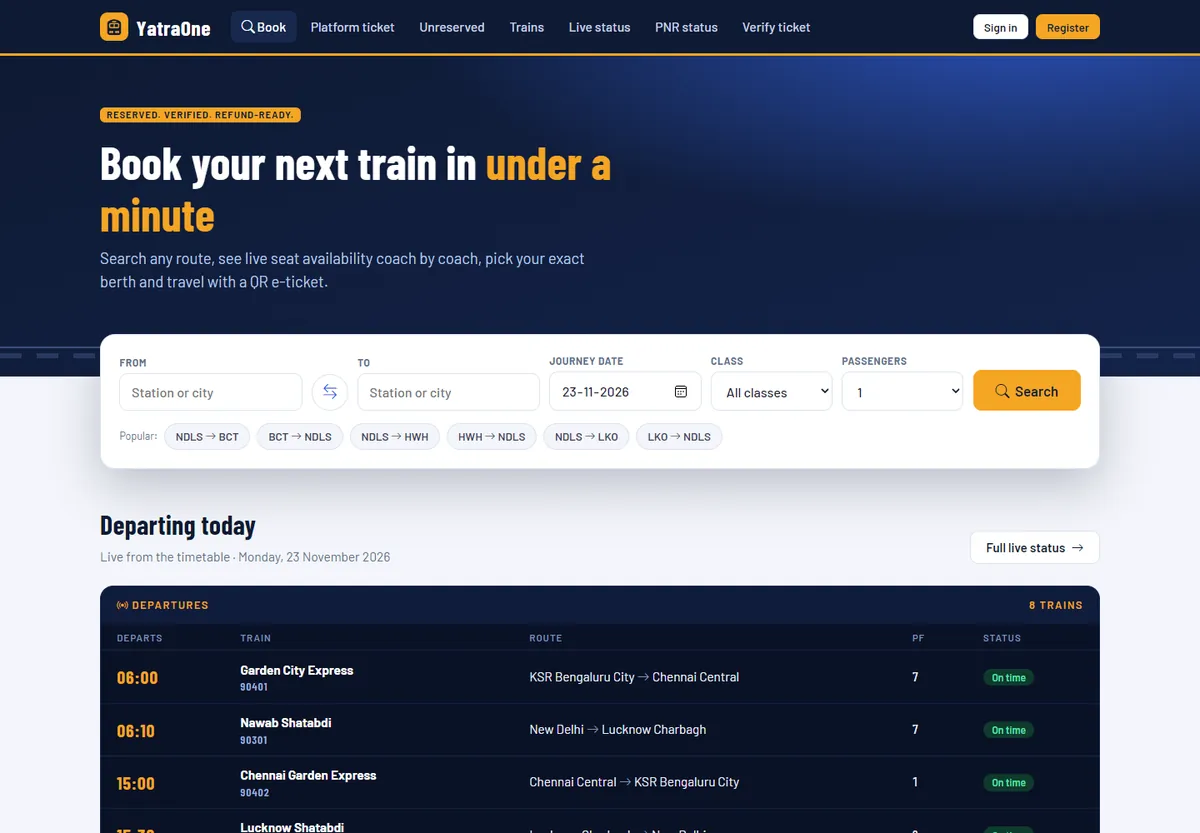
Railway Reservation System in Python: Project Screenshots
Passenger Screens
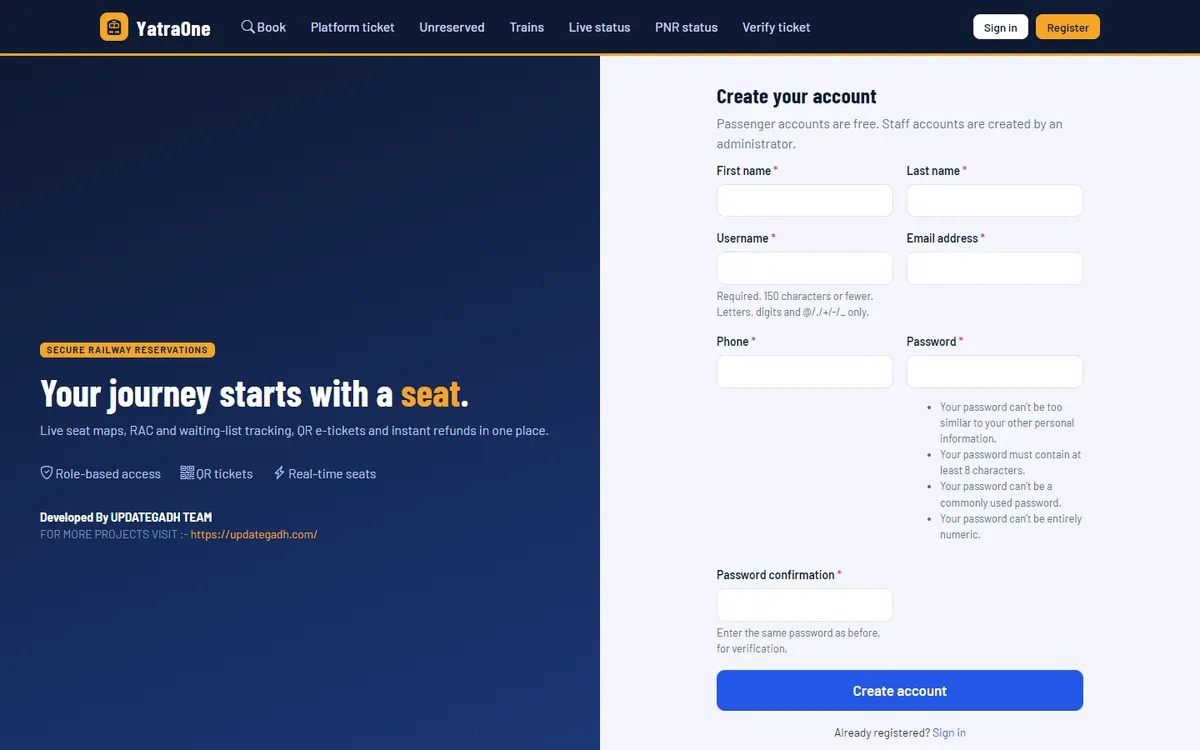
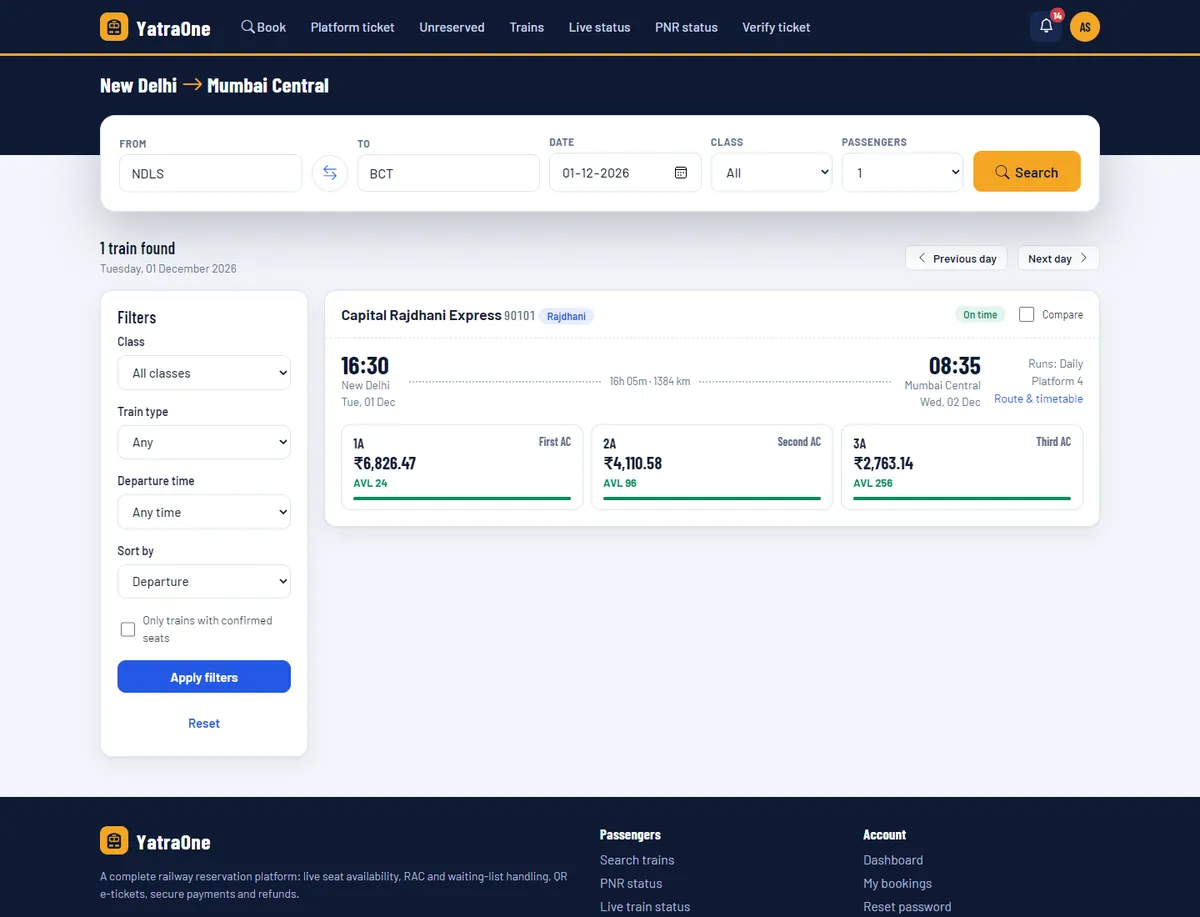
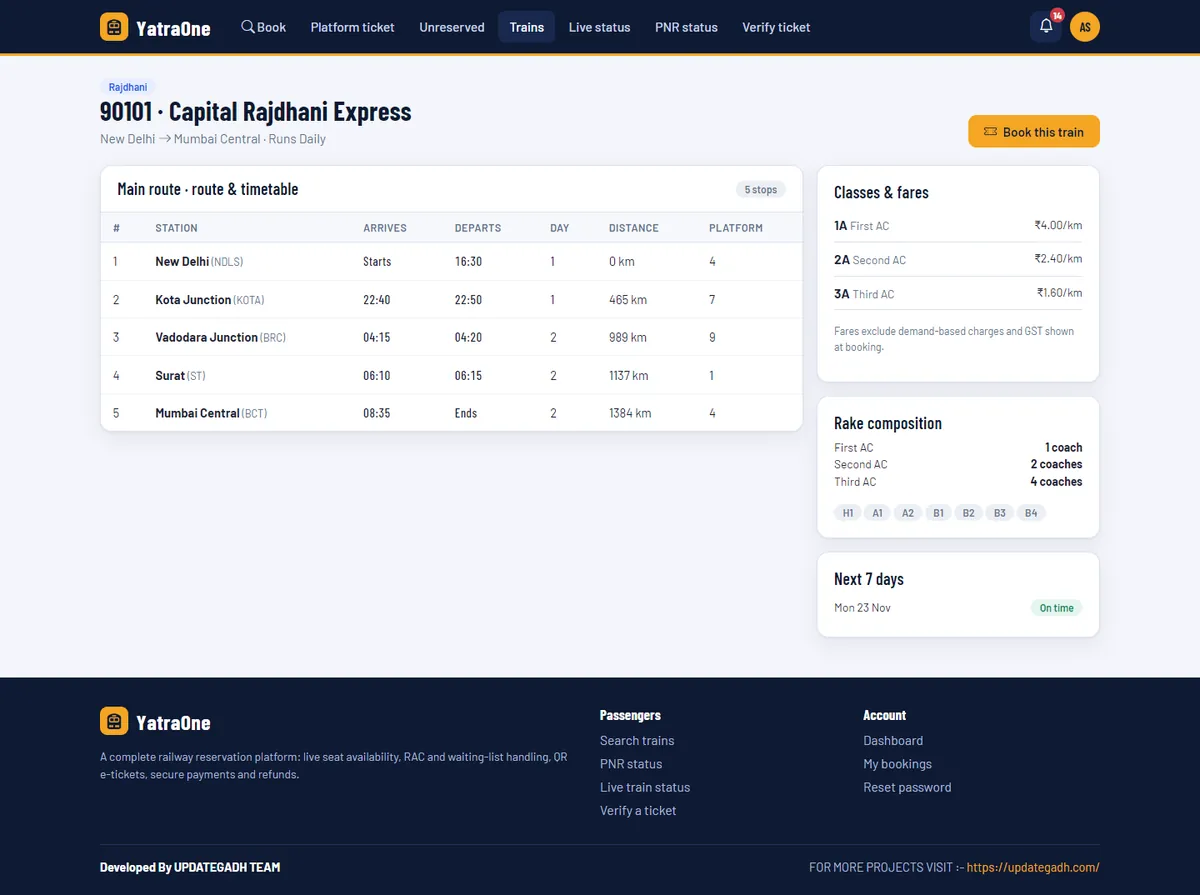
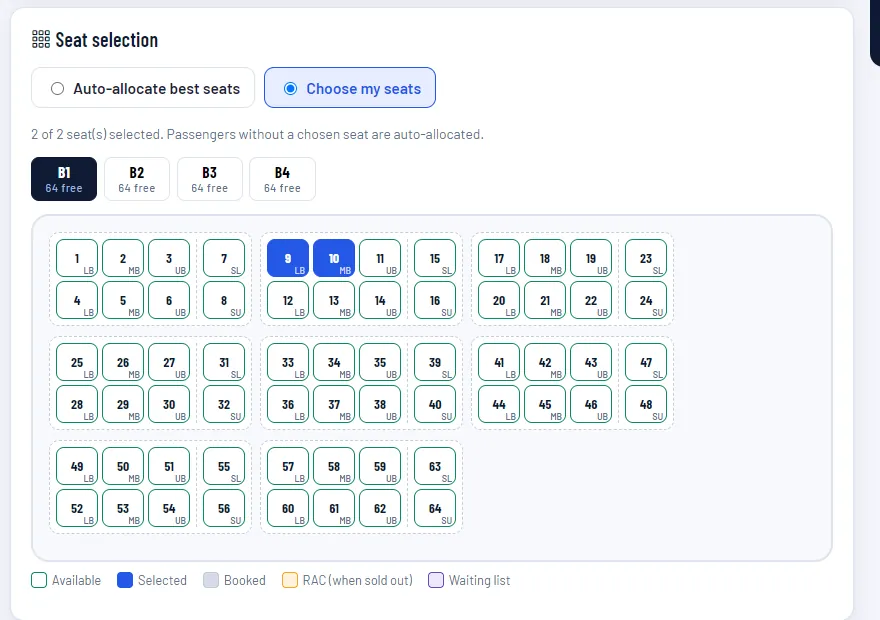
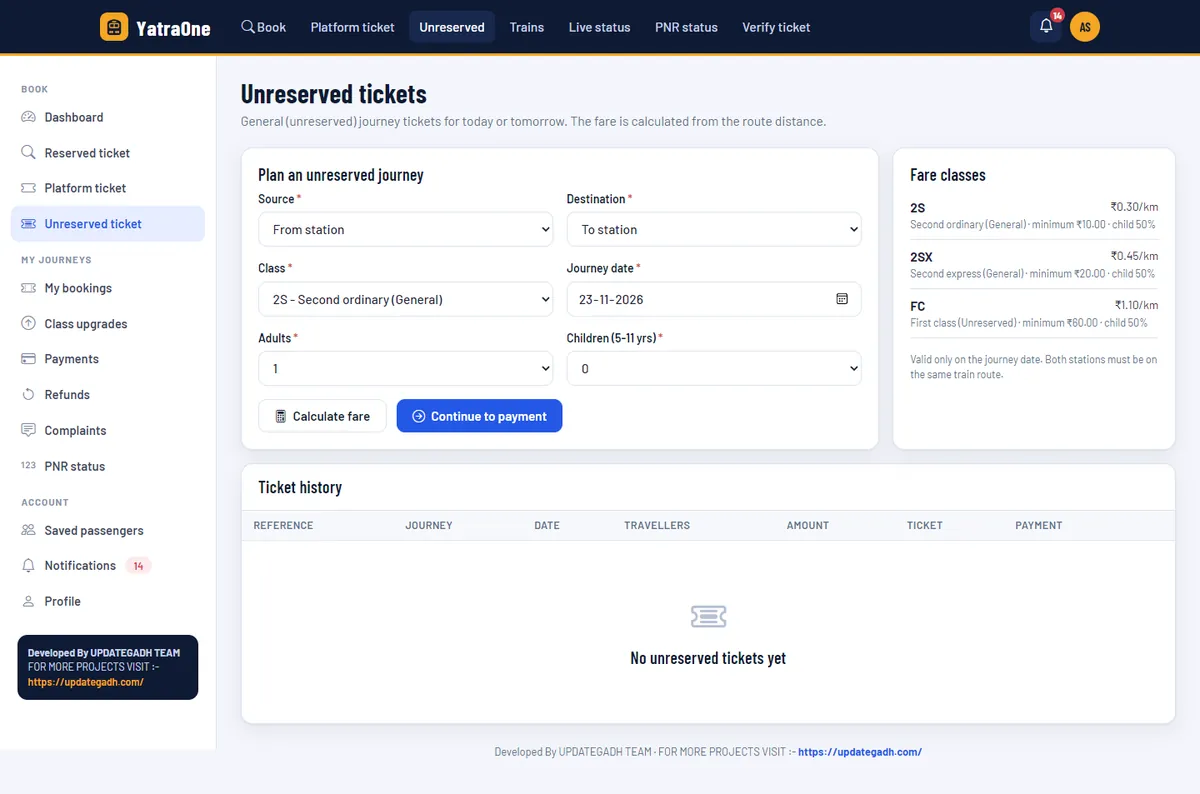
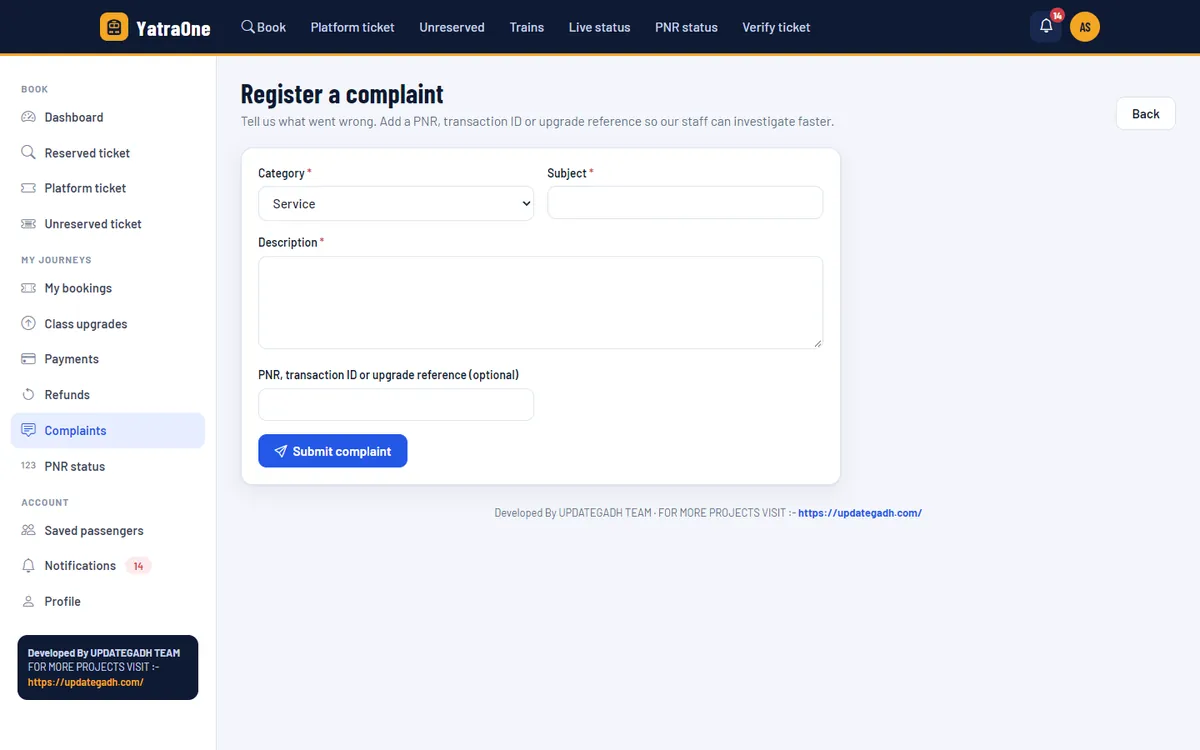
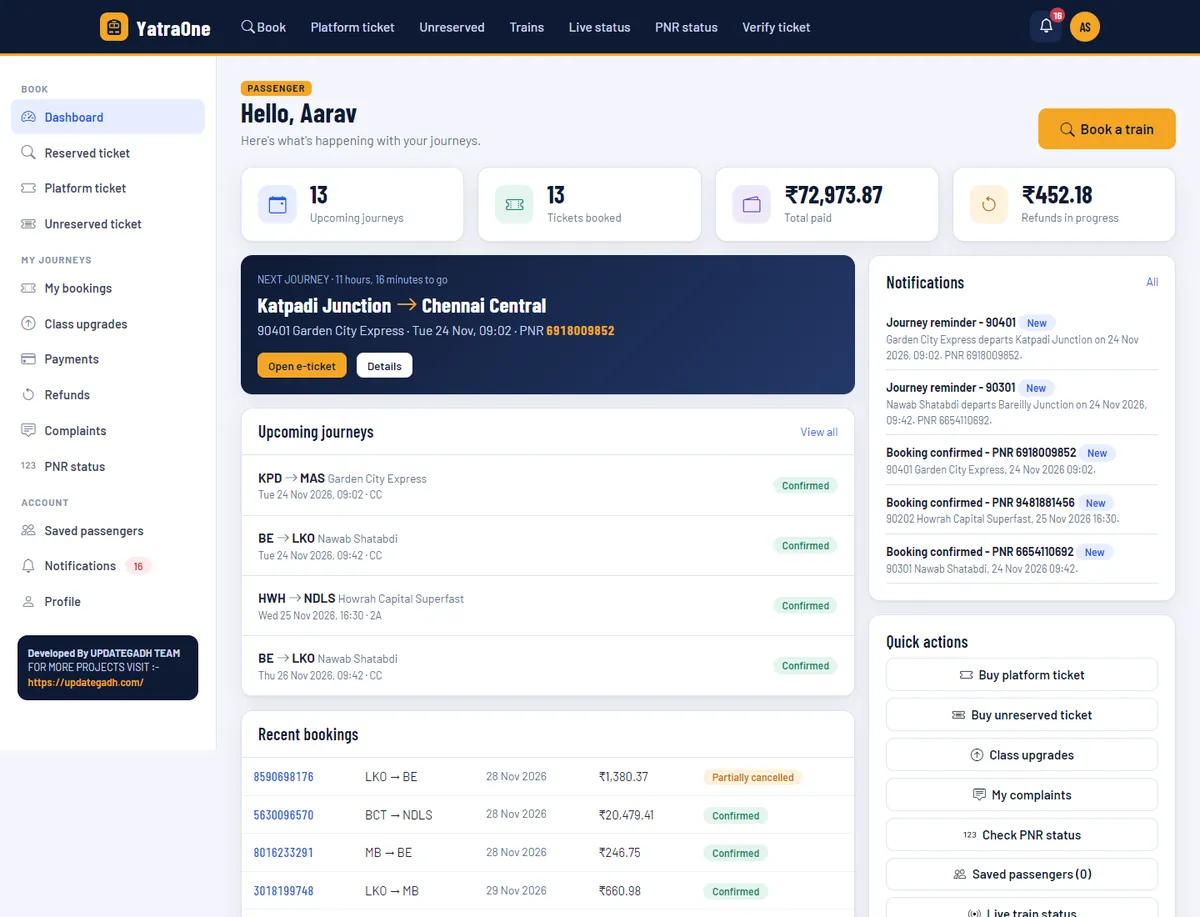
Staff Screens
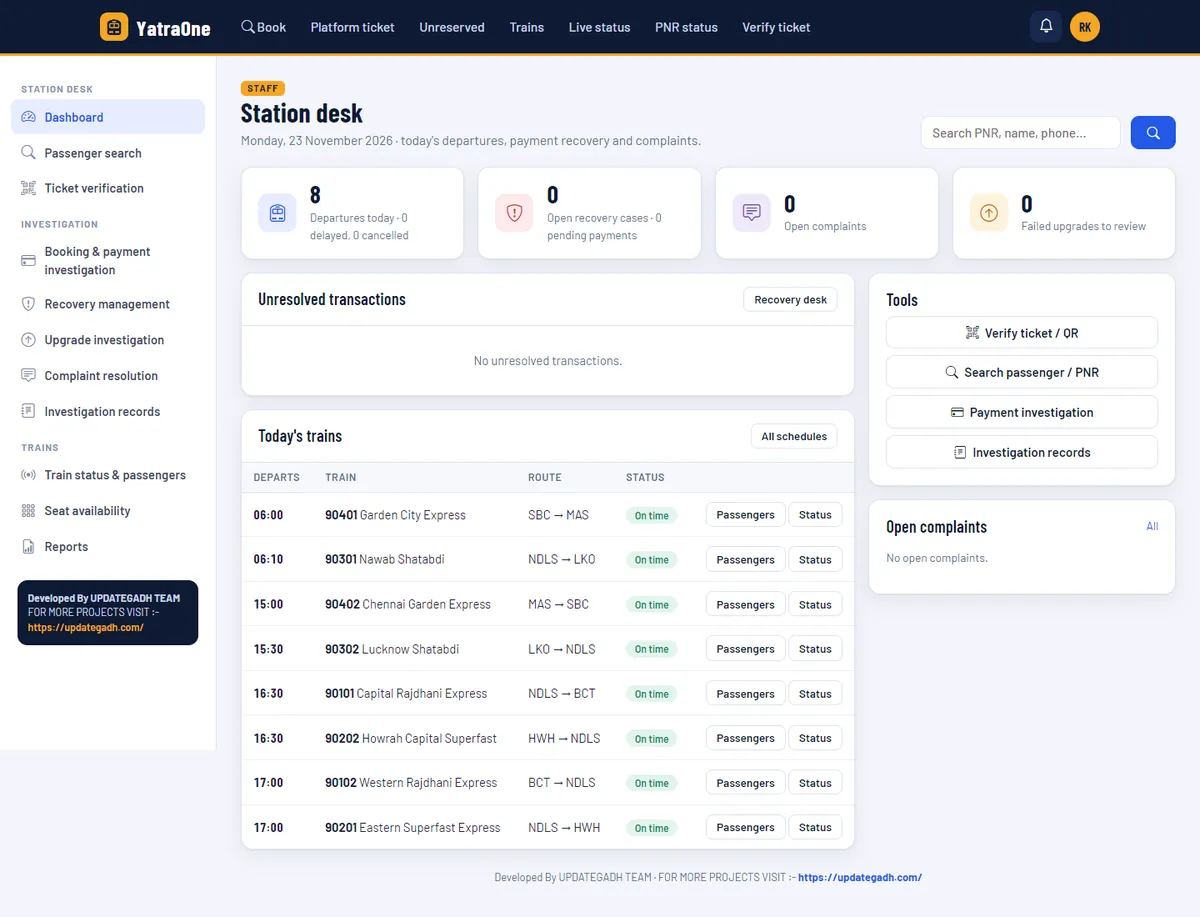
Admin Screens
Why This Is a Great Final Year Project
- Viva-ready logic: seat locking, payment verification and refund safety give you strong answers to “what happens if…” questions.
- Three real user roles: passenger, staff and admin show you understand access control and workflows.
- Placement-relevant stack: Python and Django are widely used in product companies and start-ups.
- Tested code: 52 automated test cases prove the features work, which very few student projects can claim.
- Resume-worthy scope: 11 modules, PDF and QR generation, and an analytics dashboard look impressive on a CV.
- Easy to demo: show every payment outcome live without real money.
Viva Questions on the Railway Reservation System in Python
How do you stop the same seat being booked twice?
Each seat is allocated per journey segment inside a database transaction, so a berth already taken for any part of the trip cannot be given to another passenger.
What happens if money is debited but the booking fails?
The payment is marked as a mismatch. The recovery engine verifies it with the gateway, then confirms the booking if seats are still available or issues a full refund, and staff can follow up on the Recovery desk.
Why did you choose Django?
Django gives a secure login system, an ORM for the database, form validation and an admin site out of the box, so more time goes into the booking logic instead of boilerplate.
How to Download / Get This Project
The YatraOne package includes:
- Complete Source Code (Python, Django, templates and static files)
- Ready-to-use demo database with stations, trains and sample bookings
- Step-by-step “How to Run” PDF guide
Comparing options?
See the railway reservation system in Java, the online railway reservation system in PHP and MySQL, or the bus ticket booking system in Django. For more ideas, browse our Python projects with source code and the top Python final year projects. If you like Django, the employee management system using Django, the pharmacy management system in Django and the online banking system in Python and Django follow the same structure.
Possible Extensions / Future Enhancements
- Connect a real payment gateway such as Razorpay or a UPI provider in place of the simulated one.
- Add live train running status using a public railway data source.
- Build a Tatkal booking window with time-based quotas.
- Add a REST API with Django REST Framework for a mobile app.
- Use machine learning to predict waiting-list confirmation chances.
Watch full project walkthroughs, setup videos and new final year ideas every week on our channel.
Subscribe to DecodeIT2 on YouTube
Frequently Asked Questions
Which technologies are used in this railway reservation system in Python?
The backend uses Python 3 and Django 5.2, the database is SQLite (PostgreSQL is supported), and the frontend uses HTML, CSS, JavaScript and Chart.js. ReportLab, qrcode and Pillow create the PDF tickets and QR codes.
Is this project suitable for BCA, MCA and B.Tech students?
Yes. It suits BCA, MCA, B.Tech CS/IT and M.Tech submissions. It is intermediate to advanced, but the code is organised by module, so each part is easy to explain in a viva.
Does it need MySQL or real payments to run?
No. It runs on SQLite and a built-in simulated gateway, so you can demo every payment and refund case without real money.
Can I customise the project and deploy it online?
Yes. Add your own stations, trains and fares from the admin panel, switch to PostgreSQL in the settings, and deploy on any Django-ready host.