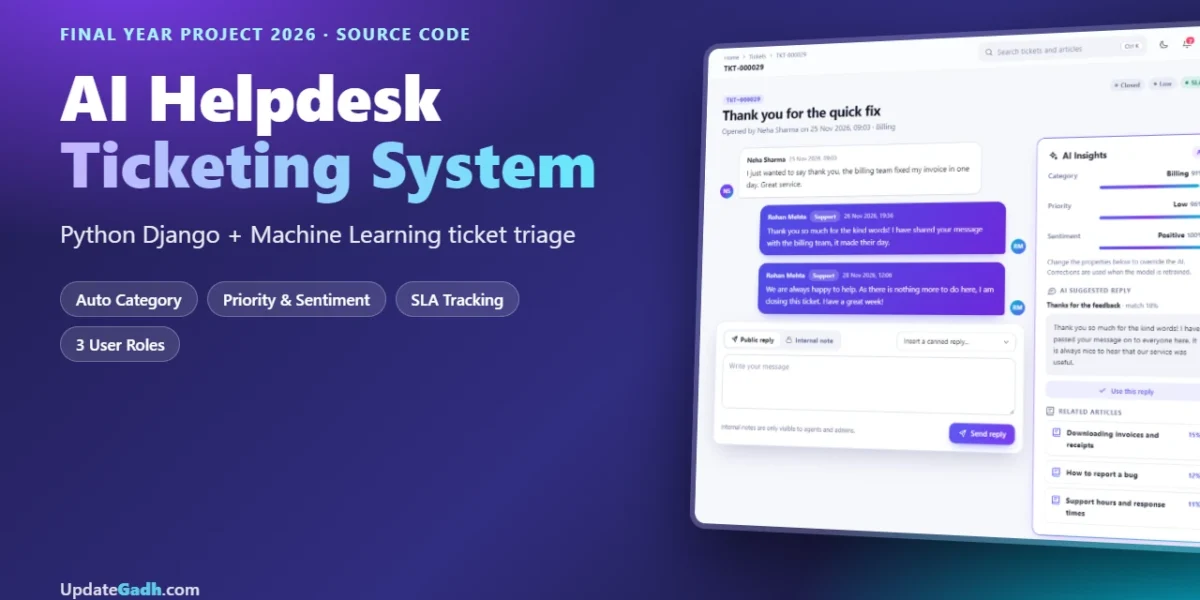
An AI Helpdesk Ticketing System is a support desk where customers raise tickets and a machine learning model does the boring first step for you: it reads the ticket, guesses the category, sets the priority, checks if the customer is upset and sends it to the right support agent. This project builds exactly that in Python Django, and the AI runs offline on your laptop with no API key.
If you are a BCA, MCA or B.Tech student looking for a final year project that is practical, easy to demo in a viva and has real AI inside (not just a chatbot button), this one is worth a look. Below you will see what the project does, how the AI works, the database, real screenshots, setup steps and the questions examiners usually ask.
| Project Name | AI Helpdesk Ticketing System |
| Language | Python 3.11+ (tested on Python 3.13) |
| Framework | Django 5.1 |
| AI / ML | scikit-learn (TF-IDF, Logistic Regression, cosine similarity), joblib |
| Database | SQLite (MySQL steps included) |
| Front End | Django templates, custom CSS, vanilla JavaScript |
| User Roles | Customer, Support Agent, Admin |
| Internet / API Key Needed | No, the AI runs fully offline |
| Best For | BCA, MCA, B.Tech CS/IT final year project |
| Year | 2026 |
| Developer | Updategadh |
What Is an AI Helpdesk Ticketing System?
A helpdesk ticketing system is software that turns every customer problem into a “ticket” with a number, a status and an owner, so nothing gets lost in emails or chats. An AI helpdesk ticketing system adds machine learning on top: it classifies each new ticket by category, predicts its priority and sentiment, and assigns it automatically, so support teams answer the most important problems first.
Think of companies like a college IT cell, an e-commerce store or a SaaS startup. They get hundreds of messages like “payment failed”, “can’t log in” or “app crashes on upload”. Someone has to read each one and decide where it goes. This project shows how a small trained model can do that sorting in under a second.
Problem Statement
Small support teams usually work from a shared inbox. Urgent problems sit behind “thank you” emails, angry customers wait the same as happy ones, and nobody knows who is handling what. Managers also have no numbers to see if the team is meeting its response time.
The goal of this project is simple: give customers one place to raise and track problems, let agents work from a clean queue, and use AI to triage every ticket the moment it arrives, while keeping a human in control of the final decision.
Objectives of the Project
- Let customers create, track, reply to and rate support tickets online.
- Automatically predict category, priority and sentiment for every ticket using trained ML models.
- Assign tickets to the least-busy agent who has the right skill.
- Track SLA (service level agreement) deadlines for first response and resolution.
- Reduce repeat questions by suggesting help articles before a ticket is even submitted.
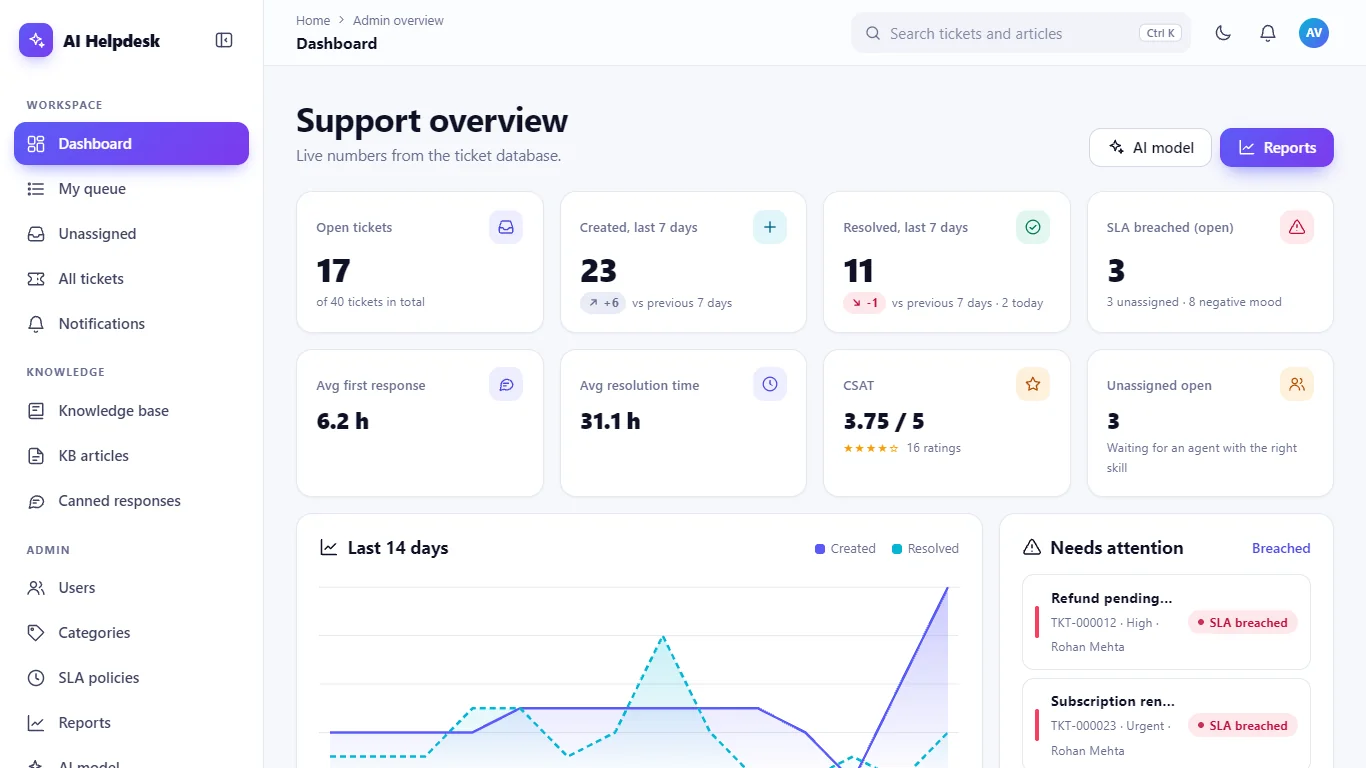
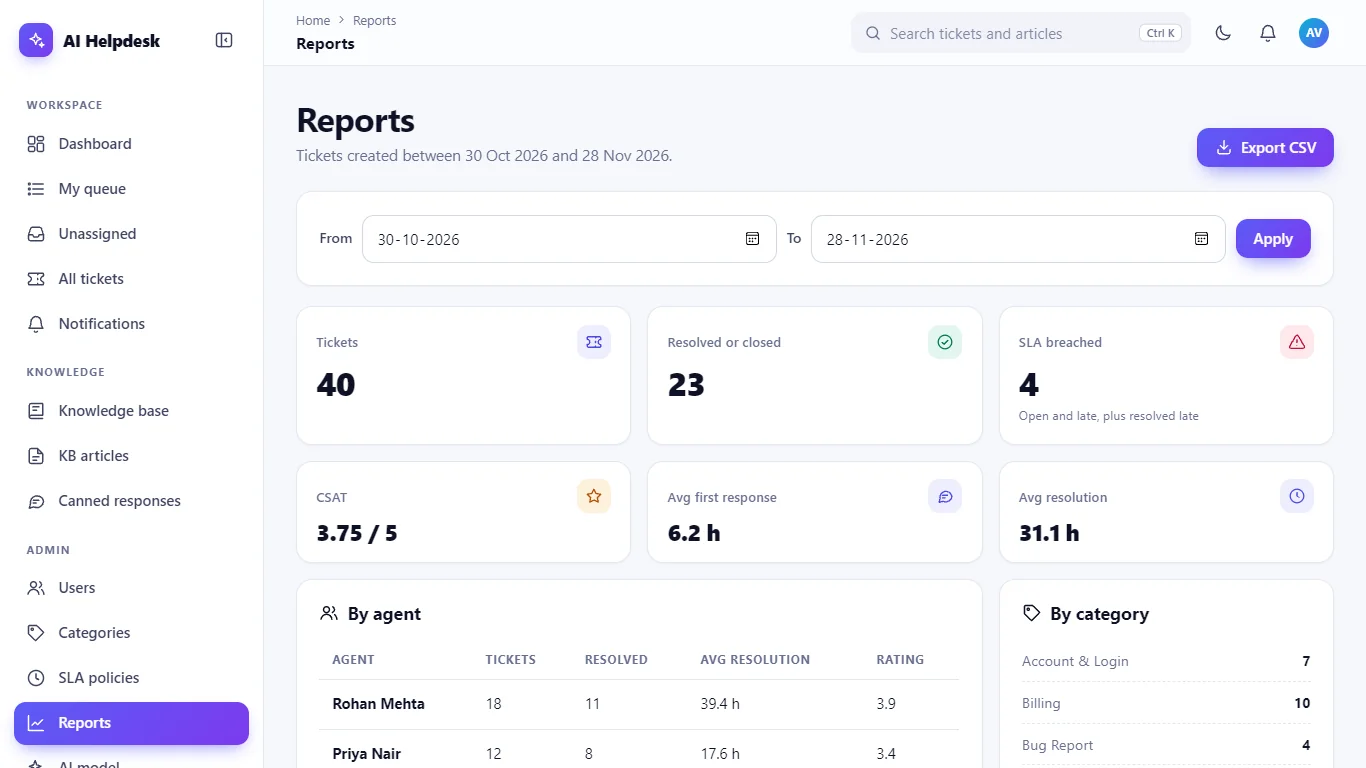
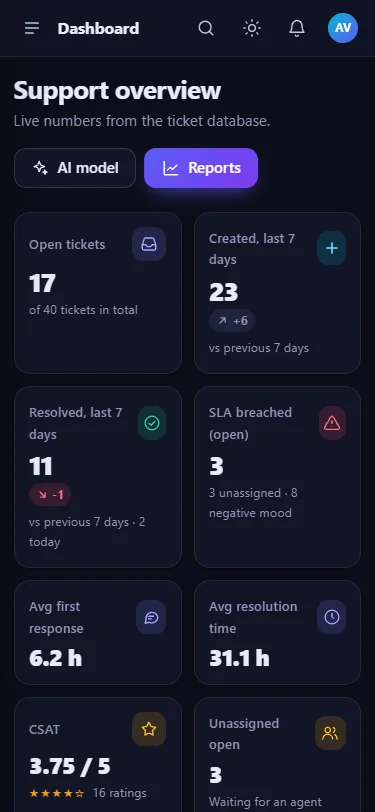
- Give the admin real reports: response times, satisfaction score and ticket trends.
Key Features of the AI Helpdesk Ticketing System
AI Features (All Real, All Offline)
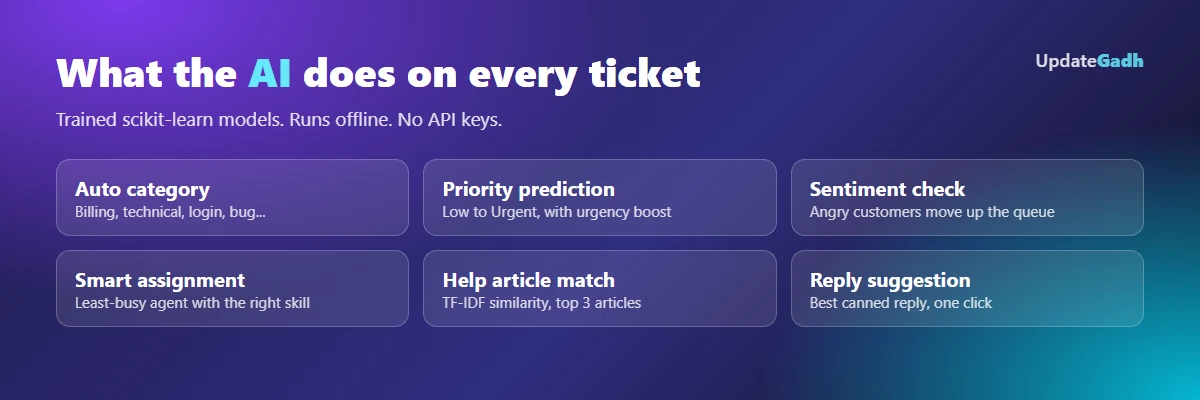
- Auto categorisation: sorts tickets into Billing, Technical Issue, Account & Login, Bug Report, Feature Request or General Query, with a confidence score.
- Priority prediction: Low, Medium, High or Urgent. Words like “payment failed”, “down” or “not working” push the priority up, and the reason is saved on the ticket.
- Sentiment detection: Positive, Neutral or Negative. A negative ticket gets flagged and moved up one priority level.
- Smart assignment: the ticket goes to the active agent with the fewest open tickets who handles that category.
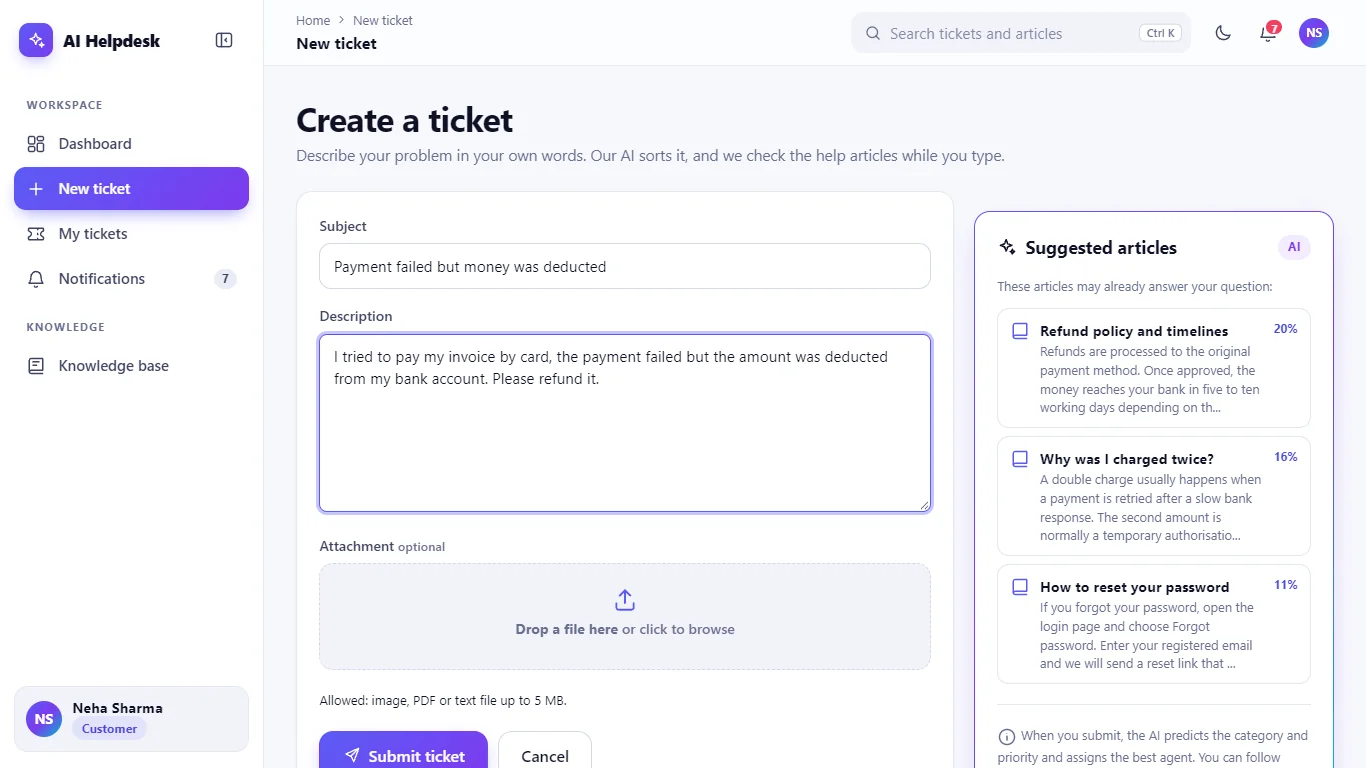
- Help article suggestions: while a customer types, the top 3 matching knowledge base articles appear (TF-IDF cosine similarity).
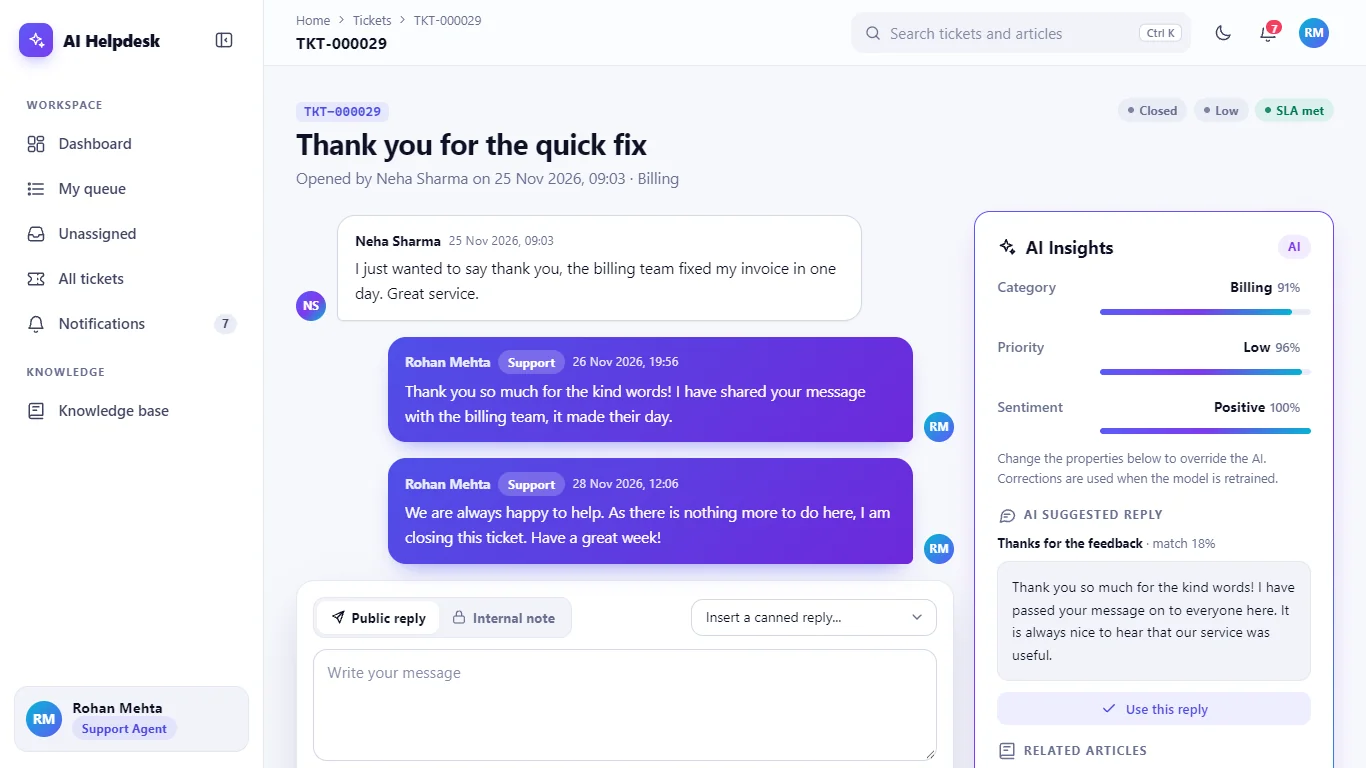
- Suggested reply for agents: the best-matching canned response for that category, usable with one click.
- Retrain button: when agents correct the AI, those tickets are used the next time the admin retrains the model.
Homepage AI Help
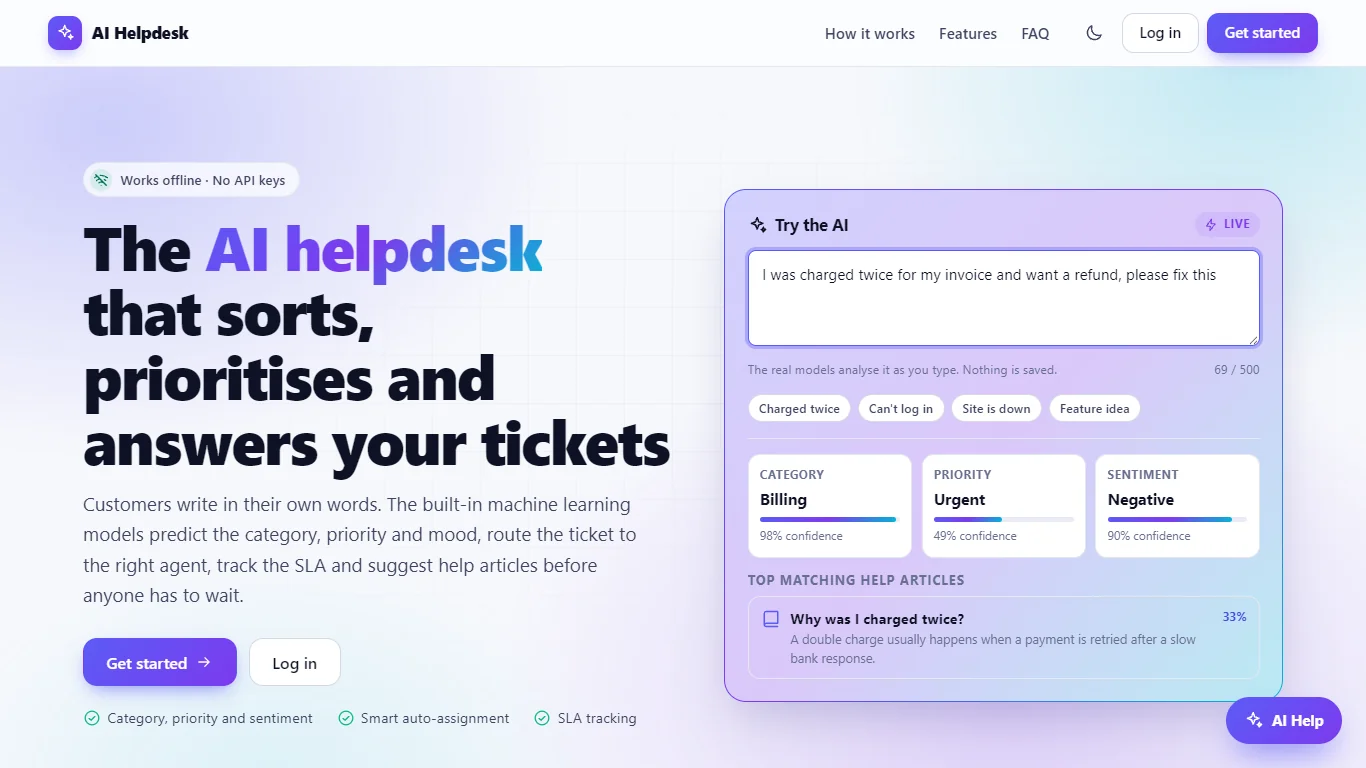
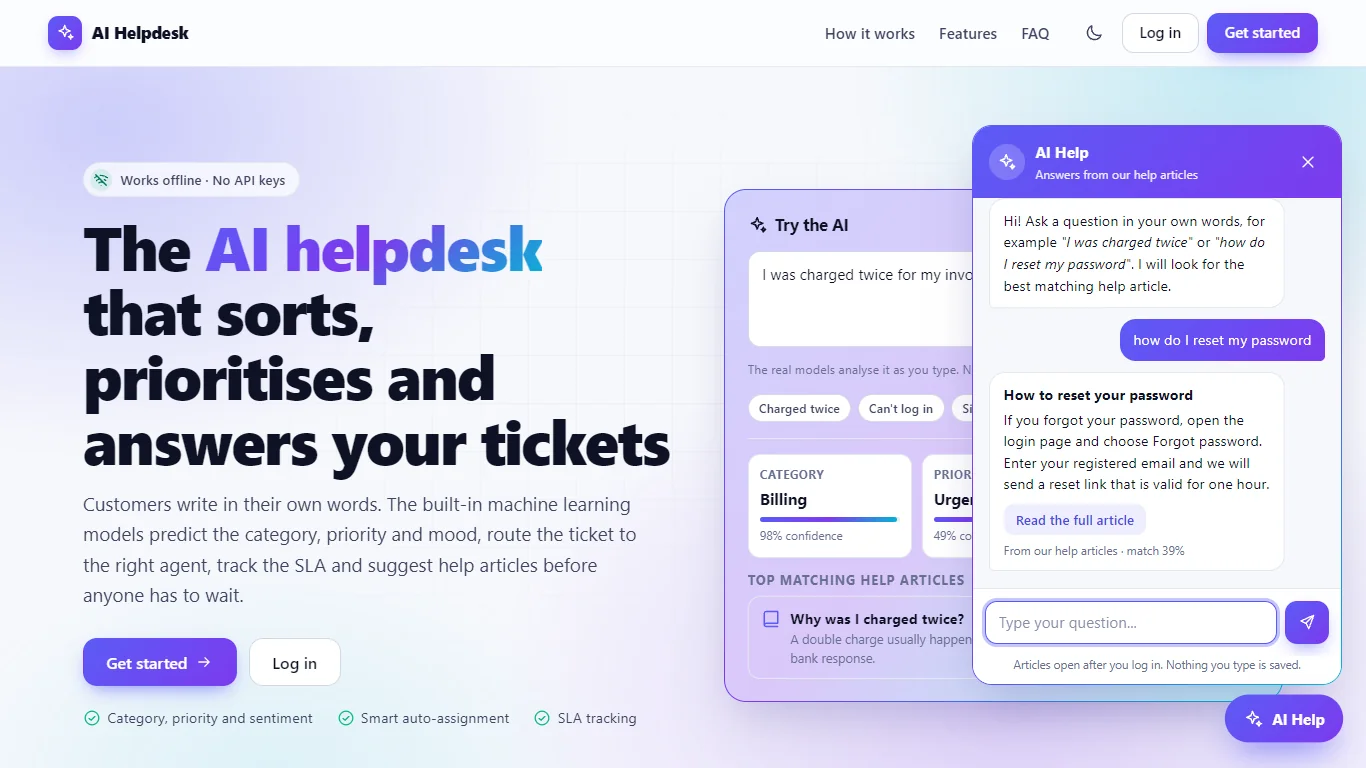
- Try the AI box: a visitor types a problem and instantly sees the predicted category, priority and sentiment with confidence bars, plus matching help articles.
- AI Help widget: a small chat bubble that answers questions from the help articles. If it can’t find a good match, it honestly says so and offers “Create a ticket”.
Helpdesk Features
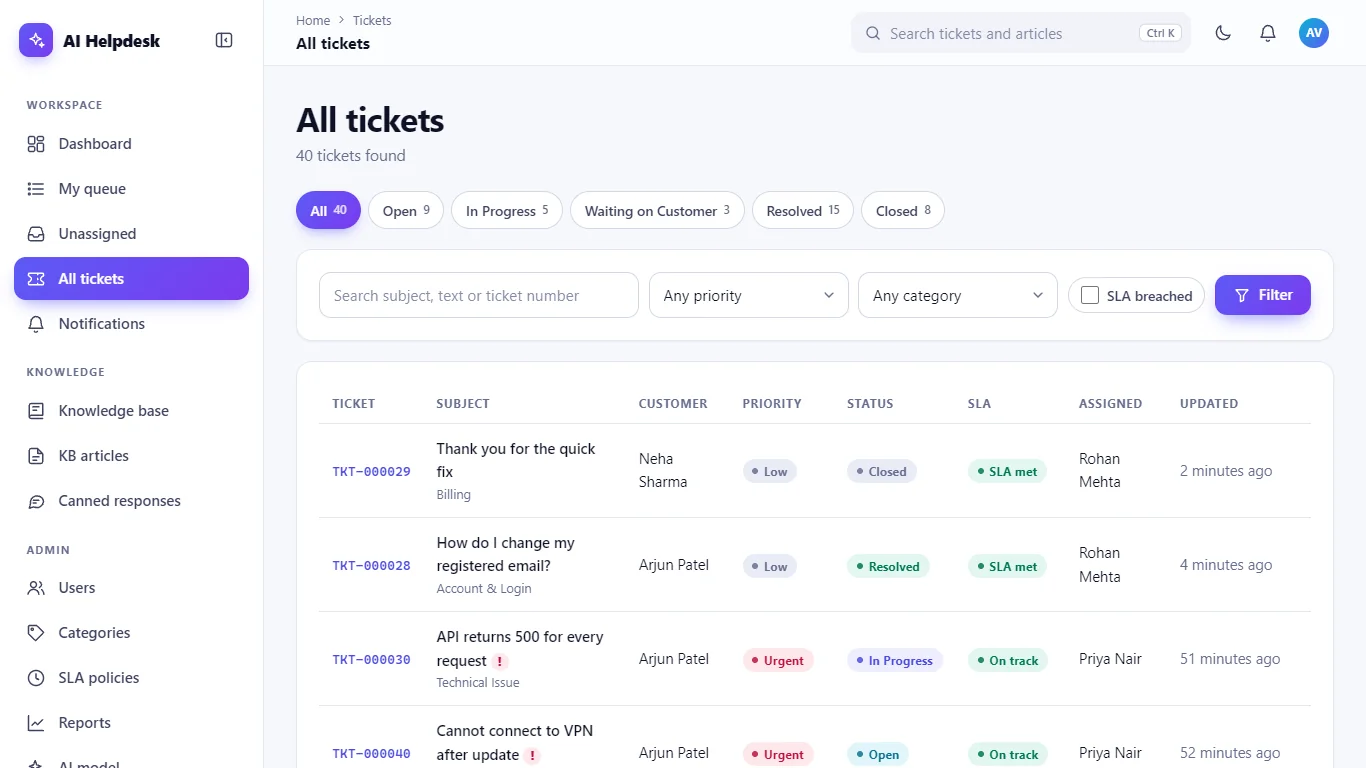
- Ticket numbers like TKT-000123, five statuses (Open, In Progress, Waiting on Customer, Resolved, Closed) and a full activity log.
- Conversation thread with public replies and internal notes that customers never see.
- SLA timers with “due soon” and “breached” badges. The clock pauses while waiting on the customer.
- Attachments up to 5 MB (images, PDF, TXT) with type and size checks.
- In-app notifications bell, global search (press
/or Ctrl+K), dark mode toggle and a mobile-friendly layout. - Reports with a date filter and CSV export.
User Roles and Modules
| Role | What They Can Do |
|---|---|
| Customer | Register, create tickets with attachments, see suggested articles while typing, reply, rate a resolved ticket (1 to 5 stars) and reopen it within 7 days. |
| Support Agent | Work from “My queue” and “Unassigned”, filter and search, send public replies or internal notes, use canned replies, change status, priority and category, reassign tickets and override the AI. |
| Admin | Everything an agent can do, plus manage users and agent skills, categories, SLA policies, canned replies, knowledge base articles, reports and the AI model page with retraining. |
Technology Stack
| Layer | Technology | Why It Was Chosen |
|---|---|---|
| Backend | Python, Django 5.1 | Built-in auth, admin-friendly ORM, secure by default (CSRF, password hashing). |
| Machine Learning | scikit-learn TF-IDF + Logistic Regression | Fast, explainable, trains in seconds on a normal laptop. |
| Model storage | joblib | Saves trained models to files so they load instantly. |
| Database | SQLite (MySQL optional) | Zero setup for students; switch to MySQL with one settings change. |
| Front end | HTML templates, CSS, vanilla JavaScript | No CDN or heavy framework, so it works offline in the viva room. |
System Architecture: How the Project Works
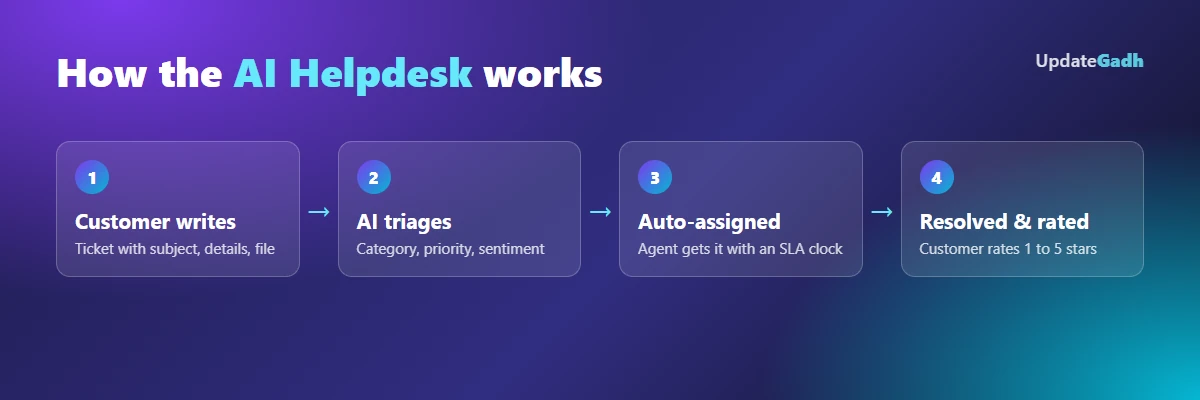
Here is the flow of one ticket, step by step:
- Customer submits a ticket with a subject, a description and an optional file.
- The text is cleaned and turned into numbers using TF-IDF, which gives more weight to meaningful words like “refund” than to common words.
- Three trained models predict the category, the priority and the sentiment, each with a confidence score.
- Simple rules adjust the result: urgency words raise the priority, and negative sentiment raises it by one level and flags the ticket.
- Auto-assignment picks the agent with the right skill and the fewest open tickets, and the SLA due times are calculated.
- The agent sees an “AI Insights” panel with the predictions, a suggested reply and related articles. They can accept or override anything.
- The customer gets notified, replies, and finally rates the support once the ticket is resolved.
This is the actual training pipeline used in the project (from ml/engine.py). The category model also reads character n-grams, so small typos like “pasword” still work:
def _make_pipeline(target="priority"):
    """TF-IDF features + logistic regression. Category also uses character n-grams (helps with typos)."""
    words = TfidfVectorizer(ngram_range=(1, 2), sublinear_tf=True, lowercase=True)
    if target == "category":
        features = FeatureUnion([
            ("words", words),
            ("chars", TfidfVectorizer(analyzer="char_wb", ngram_range=(2, 5), sublinear_tf=True)),
        ])
    else:
        features = words
    return Pipeline([
        ("tfidf", features),
        ("clf", LogisticRegression(max_iter=3000, C=10.0, class_weight="balanced")),
    ])
How Accurate Is the AI?
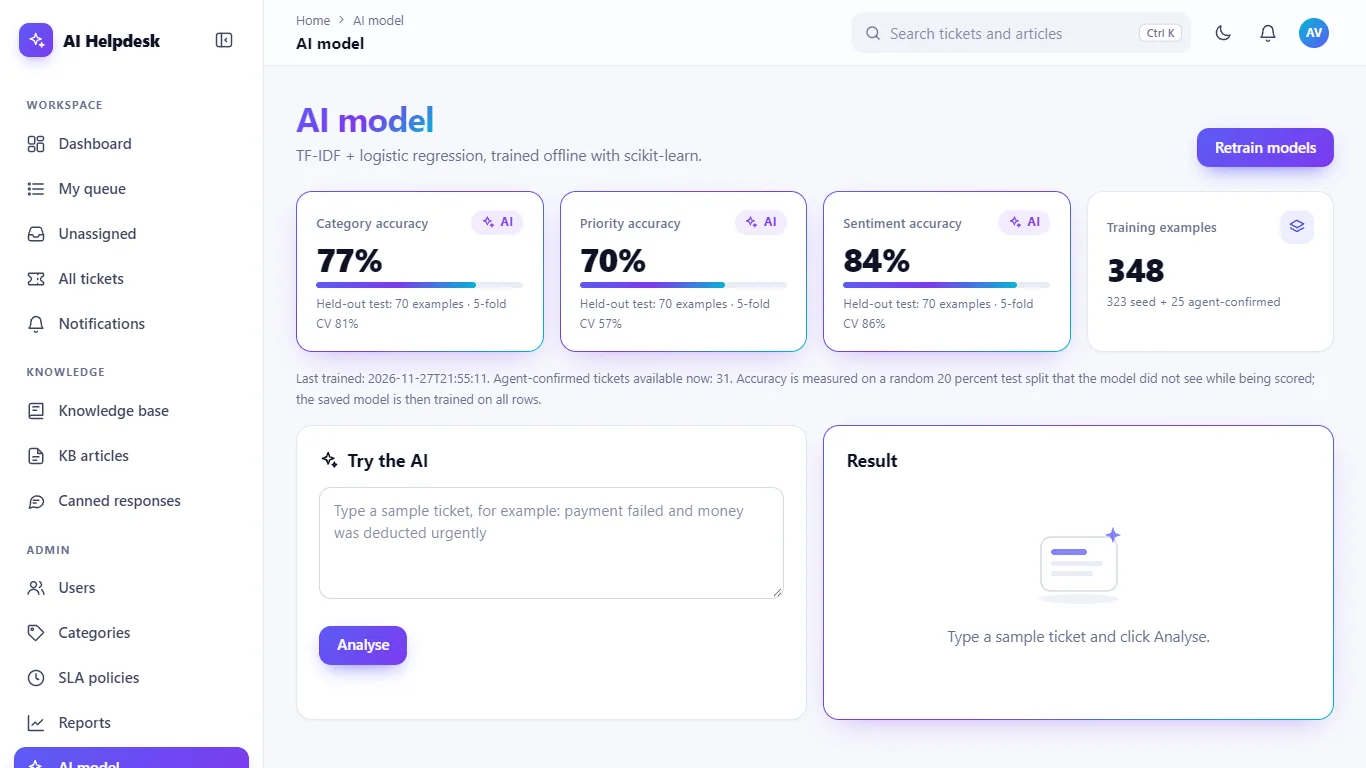
The models are trained on 323 labelled example tickets written for this project. On a held-out 20% test split, category prediction is about 80% accurate, sentiment about 88% and priority about 60%. Priority is the hardest because even humans disagree on what is “High” versus “Urgent”. That’s why the agent can always override it, and every correction makes the next retrain better. The admin AI model page shows these numbers live, they are not hard-coded.
Database Structure
| Table | Purpose |
|---|---|
| helpdesk_user | All users with role (customer, agent, admin) and agent category skills |
| helpdesk_ticket | Ticket details, status, AI predictions with confidence, SLA due dates |
| helpdesk_ticketmessage | Public replies and internal notes |
| helpdesk_category | Ticket categories |
| helpdesk_slapolicy | First-response and resolution hours per priority |
| helpdesk_activitylog | Who changed what and when |
| helpdesk_rating | Customer satisfaction rating and comment |
| helpdesk_article | Knowledge base articles |
| helpdesk_cannedresponse | Saved replies for agents, optionally tied to a category |
| helpdesk_notification | In-app notifications |
| helpdesk_loginattempt | Failed logins for the rate limit |
Project Screenshots
Get the AI Helpdesk Ticketing System Source Code
The complete package includes the full Django source code, the seeded SQLite database, the trained ML models, the training dataset, with setup steps and the automated tests. If you need changes for your college, like your own categories, a MySQL setup or extra modules, you can ask UpdateGadh for customisation.
How to Install and Run the Project
- Install Python 3.11 or newer (64-bit).
- Extract the ZIP and open the folder in a terminal.
- Create and activate a virtual environment:
python -m venv .venvthen.venv\Scripts\activate - Install the packages:
pip install -r requirements.txt - Copy
.env.exampleto.envand set a long randomSECRET_KEY. - The ZIP already has a seeded database and trained models. To rebuild them yourself, run
python manage.py migrate,python manage.py seed_demoandpython manage.py train_models. - Start the server with
python manage.py runserverand openhttp://127.0.0.1:8000/.
Demo logins for admin, agent and customer are listed in the file. You can also run the included automated tests with python manage.py test, which is a nice thing to show your examiner.
Real-World Applications
- College IT support cell or hostel complaint desk.
- Customer support for an online store or a SaaS product.
- Internal IT helpdesk for a small company.
- Service centres that handle repair requests.
Advantages and Limitations
| Advantages | Limitations |
|---|---|
| AI works offline with no paid API | Priority accuracy (about 60%) needs more real data to improve |
| Humans can override every AI decision | Email uses the console by default; real SMTP needs your own settings |
| Clean role-based security and SLA tracking | SQLite suits demos; use MySQL or PostgreSQL for heavy traffic |
| Easy to explain in a viva, with tests included | English-language tickets only in the current dataset |
Future Enhancements
- Email-to-ticket: create tickets automatically from incoming emails.
- Multilingual tickets, for example Hindi and English.
- An LLM-based reply draft as an optional add-on, with the offline model kept as the default.
- A chat app bot channel for raising tickets.
- Agent performance leaderboard and shift scheduling.
Viva Questions on the AI Helpdesk Ticketing System
Why did you use TF-IDF with Logistic Regression instead of deep learning?
The dataset is small (323 tickets), and TF-IDF with Logistic Regression trains in seconds, runs on any laptop and gives probabilities we can show as confidence. A deep model would need much more data and a GPU for little gain here.
What is cosine similarity and where is it used?
Cosine similarity measures how close two text vectors point in the same direction, from 0 (unrelated) to 1 (same). The project uses it to match a ticket with the most relevant help articles and canned replies.
What happens if the AI makes a wrong prediction?
The agent changes the category or priority on the ticket. That correction is stored, and when the admin presses Retrain, those reviewed tickets are added to the training data.
How is a customer stopped from seeing another customer’s ticket?
Every ticket view checks the logged-in user’s role and ownership on the server side. A customer who tries another ticket’s URL gets a “not found” page, and internal notes are never sent to customer pages.
Want more ideas first? Browse our Python projects with source code and machine learning projects. If you’re new to text classification, start with this beginner sentiment analyzer project. For another business system in Django, see the customer relationship management system using Django or the AI CRM project in Python.
We also explain projects step by step on YouTube.
Subscribe to DecodeIT2 on YouTube
Frequently Asked Questions
Is the AI Helpdesk Ticketing System good for a final year project?
Yes. It has three user roles, a real database, machine learning that you can explain, SLA logic and reports. That covers what most BCA, MCA and B.Tech examiners look for in a final year project.
Does this helpdesk project need an OpenAI or Gemini API key?
No. All AI features use scikit-learn models trained on the included dataset, so the project runs fully offline with no API key and no running cost.
Can I run the AI helpdesk ticketing system with MySQL?
Yes. Install mysqlclient, change the DATABASES setting as shown in the README, then run migrate, seed_demo and train_models again.
Which Python version do I need for this project?
Python 3.11 or newer (64-bit). The project was tested on Python 3.13 with Django 5.1 and scikit-learn.
Final Thoughts
The AI Helpdesk Ticketing System is a good pick if you want a final year project that solves a real business problem and still has AI you can explain on a whiteboard. It is practical, the code is readable, and every AI feature is something you can demo live in front of your examiner.