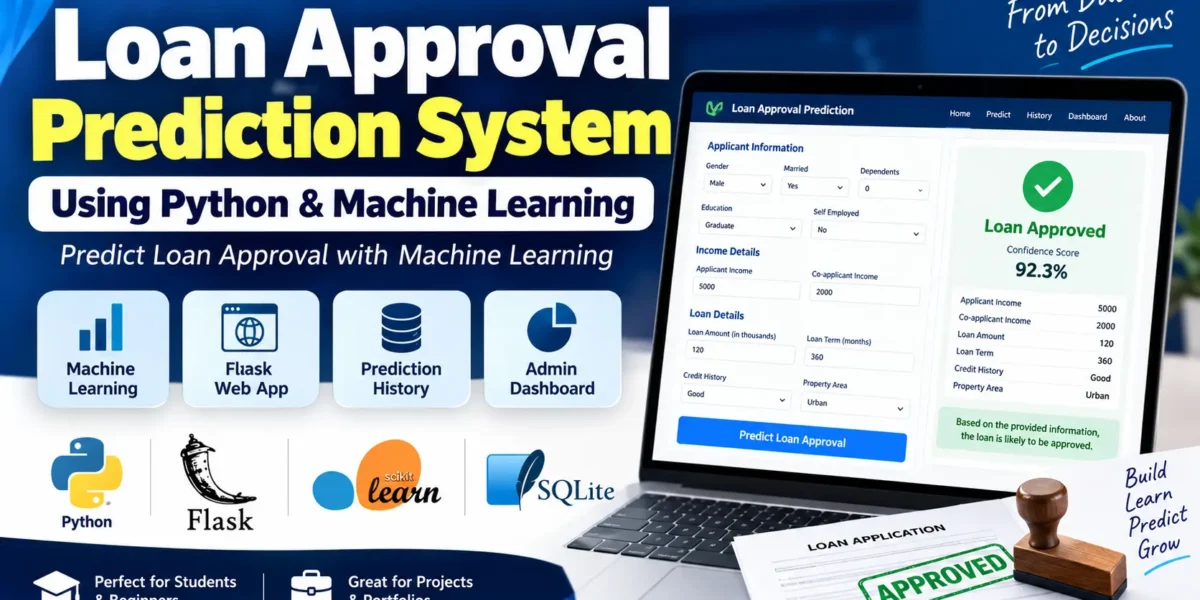
Loan Approval Prediction System is a machine learning-based web application developed using Python, Flask, and Scikit-learn. The system takes applicant and loan-related information as input and predicts whether a loan application is likely to be Approved or Rejected.
The project combines a complete machine learning workflow with a responsive web interface. It includes data preprocessing, model training, comparison of multiple machine learning algorithms, prediction, SQLite-based prediction history, and an admin dashboard for viewing prediction statistics.
This project is suitable for students looking for a practical machine learning project using Python, as well as developers who want to understand how a trained ML model can be integrated into a Flask web application.
Table of Contents
Project Overview
The main purpose of this Loan Approval Prediction System is to demonstrate how machine learning can be used to estimate the outcome of a loan application based on different applicant and loan attributes.
Users can enter details such as income, credit history, education, number of dependents, loan amount, loan term, and property area. The trained machine learning pipeline processes these details and returns a prediction along with a confidence score.
The application also stores completed predictions in a SQLite database, allowing users to view previous prediction records through the Prediction History page. An Admin Dashboard provides an overview of total predictions, approved applications, rejected applications, approval rate, and property-area statistics.
Note: This project is designed for educational and portfolio purposes. The prediction is an ML-based estimate and is not an actual or guaranteed loan approval decision from a bank or financial institution.
Key Features
- Loan approval prediction using machine learning
- Python and Flask-based web application
- Responsive Bootstrap 5 interface
- Comparison of six machine learning algorithms
- Automatic selection of the best model using F1-score
- Data cleaning and preprocessing pipeline
- Missing-value handling
- One-hot encoding for categorical data
- Standard scaling for numerical features
- Client-side and server-side form validation
- Prediction confidence score
- SQLite database for prediction history
- Prediction filtering and pagination
- Admin dashboard with charts
- Model performance metrics
- Confusion matrix visualizations
- Parameterized SQL queries
- 404 and 500 error handling
- Mobile-friendly user interface
How the Loan Approval Prediction System Works
The complete application follows a simple machine learning workflow from user input to prediction.
- Enter Applicant Details: The user provides personal, income, loan, credit history, and property information.
- Validate Input: The application checks the submitted values using client-side and server-side validation.
- Preprocess Data: The saved Scikit-learn preprocessing pipeline handles numerical and categorical features.
- Generate Prediction: The trained machine learning model predicts whether the application is Approved or Rejected.
- Calculate Confidence: When supported by the model, the application displays the probability of the Approved class.
- Save Prediction: The prediction and applicant information are stored in SQLite.
- Display Result: The user can view the prediction, confidence score, and submitted applicant summary.
Applicant Information Used for Prediction
The prediction form collects several features that are used by the machine learning model.
| Feature | Description |
|---|---|
| Gender | Applicant gender |
| Married | Applicant marital status |
| Dependents | Number of dependents |
| Education | Graduate or Not Graduate |
| Self Employed | Self-employment status |
| Applicant Income | Monthly applicant income |
| Co-applicant Income | Monthly co-applicant income |
| Loan Amount | Requested loan amount in thousands |
| Loan Term | Loan repayment term in months |
| Credit History | Credit history indicator |
| Property Area | Urban, Semiurban, or Rural |
Machine Learning Approach
The project uses a complete Scikit-learn training pipeline instead of directly sending raw form values to a model.
First, the dataset is cleaned by removing duplicate records and rows without a target value. The Loan_ID column is also removed because it is an identifier rather than a useful predictive feature.
Numerical features are processed using missing-value imputation followed by StandardScaler. Categorical features use the most frequent value for missing data and are converted into numerical representations using OneHotEncoder.
The preprocessing steps are fitted using the training data and then reused for testing and new predictions. This keeps the preprocessing consistent between model training and real-time prediction.
Machine Learning Algorithms Used
The project compares six classification algorithms before selecting the model used by the Flask application.
- Logistic Regression
- Decision Tree
- Random Forest
- K-Nearest Neighbors
- Support Vector Machine
- Gradient Boosting
Instead of selecting a model only by accuracy, the project uses F1-score as the primary selection metric. This is useful because the dataset contains a different proportion of approved and rejected applications, and F1-score provides a balance between precision and recall.
Best Performing Model
According to the trained model metadata included with the project, the Support Vector Machine achieved the highest F1-score and was selected as the active model.
| Model | Accuracy | Precision | Recall | F1-Score |
|---|---|---|---|---|
| Logistic Regression | 72.22% | 71.24% | 94.78% | 81.34% |
| Decision Tree | 70.56% | 71.53% | 89.57% | 79.54% |
| Random Forest | 71.11% | 70.86% | 93.04% | 80.45% |
| K-Nearest Neighbors | 68.89% | 70.63% | 87.83% | 78.29% |
| Support Vector Machine | 72.22% | 70.97% | 95.65% | 81.48% |
| Gradient Boosting | 68.89% | 70.34% | 88.70% | 78.46% |
The Support Vector Machine recorded an 81.48% F1-score and was therefore selected as the best-performing model in the provided training run.
Dataset Used in the Project
The project includes a synthetically generated dataset stored in dataset/loan_data.csv. Its structure follows the format of the commonly used Loan Prediction dataset, with features related to applicant information, income, loan details, credit history, property area, and loan status.
The training script can generate approximately 900 synthetic records when the dataset is not already available. Missing values and duplicate records are intentionally introduced so that the data-cleaning pipeline has realistic preprocessing work to perform.
The dataset includes the following columns:
Gender
Married
Dependents
Education
Self_Employed
ApplicantIncome
CoapplicantIncome
LoanAmount
Loan_Amount_Term
Credit_History
Property_Area
Loan_Status
The project can also be adapted to another dataset with the same column structure by replacing the existing CSV file and running the model training script again.
Prediction Form
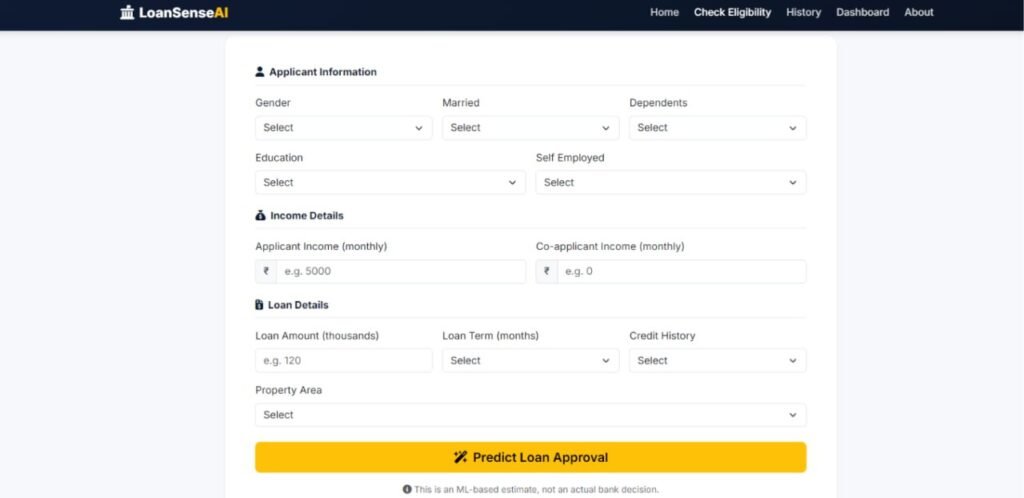
The Flask application provides a dedicated loan prediction form where users can enter all required information.
The form is divided into logical sections such as applicant information, income details, and loan details. Fields are validated before the prediction process begins, helping prevent invalid values from being sent to the model.
After submitting the form, the application sends the cleaned values to the trained Scikit-learn pipeline and generates an Approved or Rejected prediction.
Prediction Result
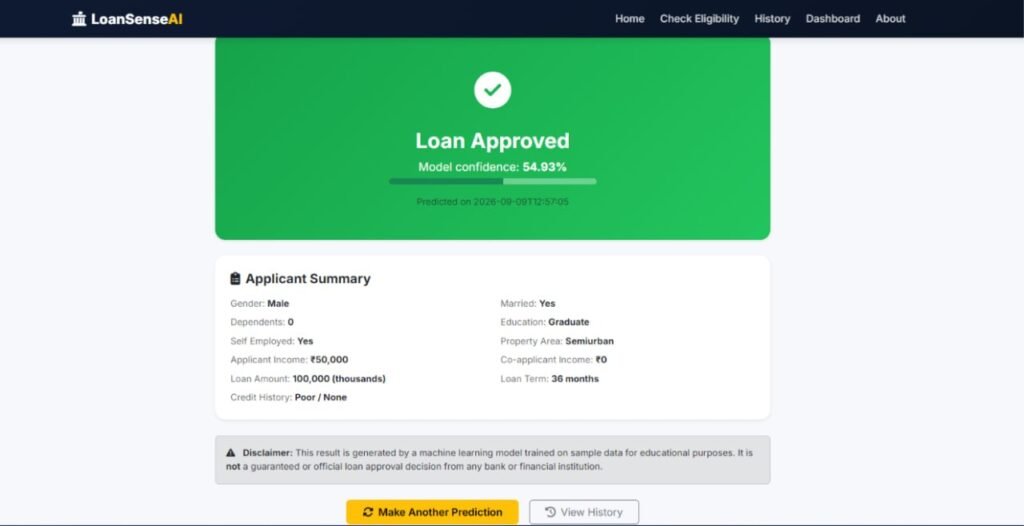
The result page displays the predicted loan status along with the model confidence when probability information is available.
It also shows a summary of the submitted information, including income, loan amount, loan term, credit history, education, dependents, and property area.
Each successful prediction is saved to the database so that it can be accessed later from the Prediction History section.
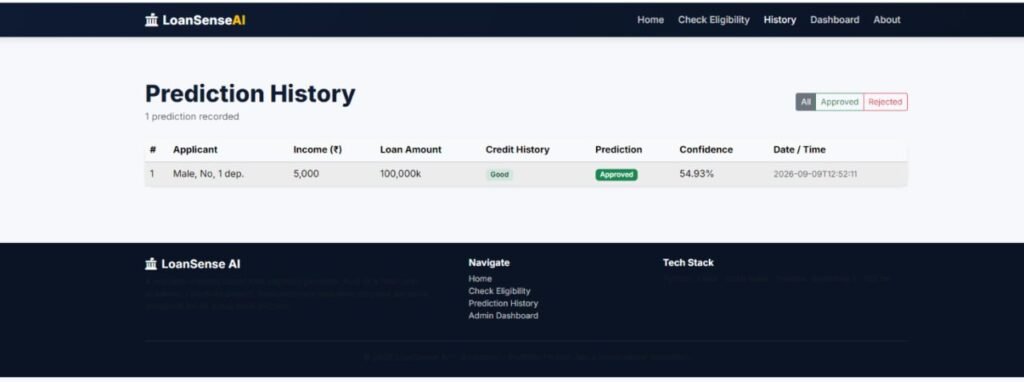
Prediction History
The project includes a SQLite-based prediction history system. Every prediction record contains applicant information, loan details, prediction status, probability, and creation time.
The history page supports:
- Viewing previous predictions
- Filtering Approved predictions
- Filtering Rejected predictions
- Pagination for multiple records
- Viewing prediction confidence
- Checking the prediction date and time
Admin Dashboard
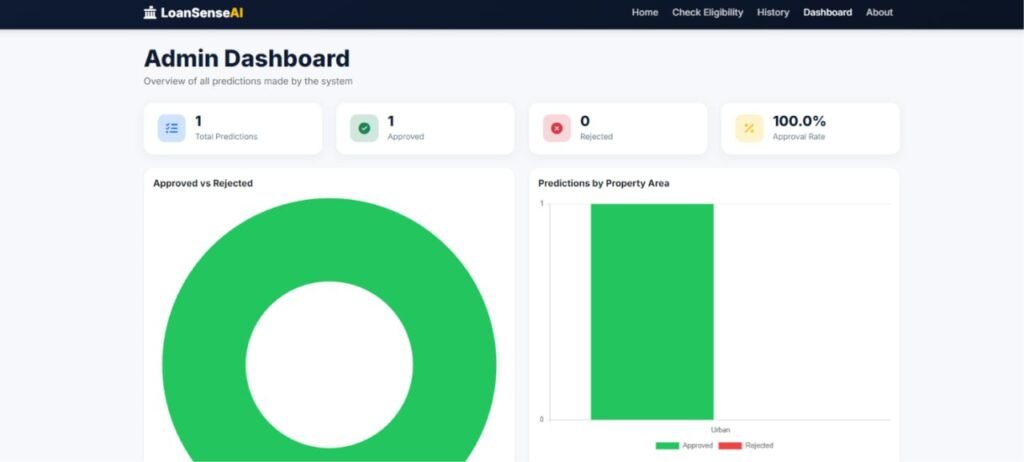
The Admin Dashboard provides a quick overview of prediction activity in the application.
It displays statistics such as:
- Total predictions
- Total approved applications
- Total rejected applications
- Overall approval percentage
- Approved vs. rejected chart
- Prediction breakdown by property area
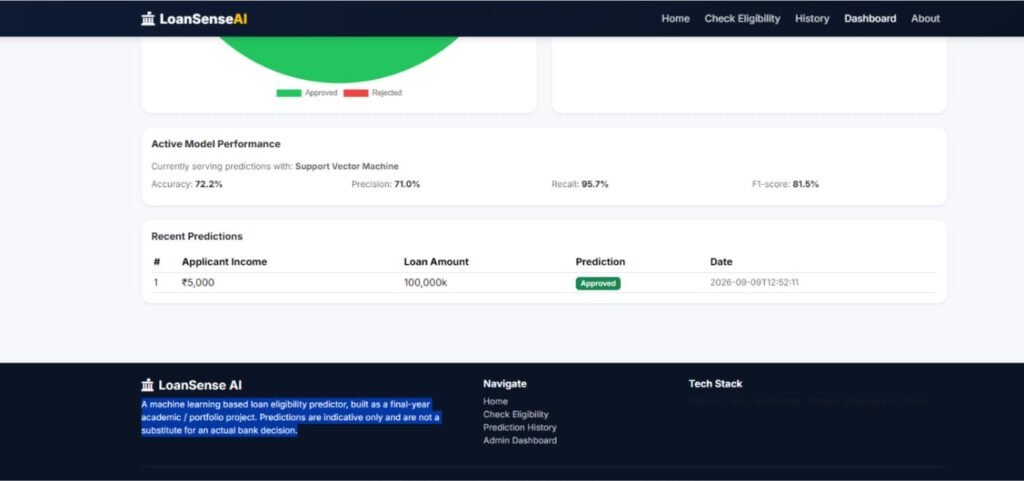
- Recent prediction records
- Active model performance
The dashboard uses Chart.js to present prediction statistics in an easy-to-understand visual format.
Database and Security
The application uses SQLite to store prediction history. The database is automatically initialized when the Flask application starts.
Database operations are handled through a separate db.py module. SQL queries use parameterized values rather than dynamically building SQL statements, helping protect database operations against SQL injection.
The Flask application also performs server-side validation for submitted values, including income, loan amount, loan term, credit history, education, employment status, and property area.
Technologies Used
| Technology | Purpose |
|---|---|
| Python 3 | Core programming language |
| Flask | Web application backend |
| Scikit-learn | Machine learning and preprocessing |
| Pandas | Dataset processing |
| NumPy | Numerical operations |
| Joblib | Saving and loading trained models |
| SQLite | Prediction history database |
| Bootstrap 5 | Responsive frontend design |
| Jinja2 | Flask template rendering |
| Chart.js | Dashboard charts |
| Matplotlib | Model evaluation visualizations |
| Seaborn | Training and evaluation visualizations |
How to Run
Step 1: Create a Virtual Environment
Open a terminal inside the project folder and create a Python virtual environment:
python -m venv venvOn Windows, activate it using:
venv\Scripts\activateOn Linux or macOS:
source venv/bin/activateStep 2: Install Required Packages
Install all project dependencies from the requirements file:
pip install -r requirements.txtStep 3: Train the Machine Learning Model
Run the training script:
python train_model.pyThe script loads the dataset, cleans the data, preprocesses the features, trains six classification algorithms, evaluates their performance, compares the results, and saves the best-performing model.
The trained model is stored in the model directory and is loaded by the Flask application when it starts.
Step 4: Start the Flask Application
Run the following command:
python app.pyAfter starting the application, open the local Flask address in your browser:
http://127.0.0.1:5000Screenshots
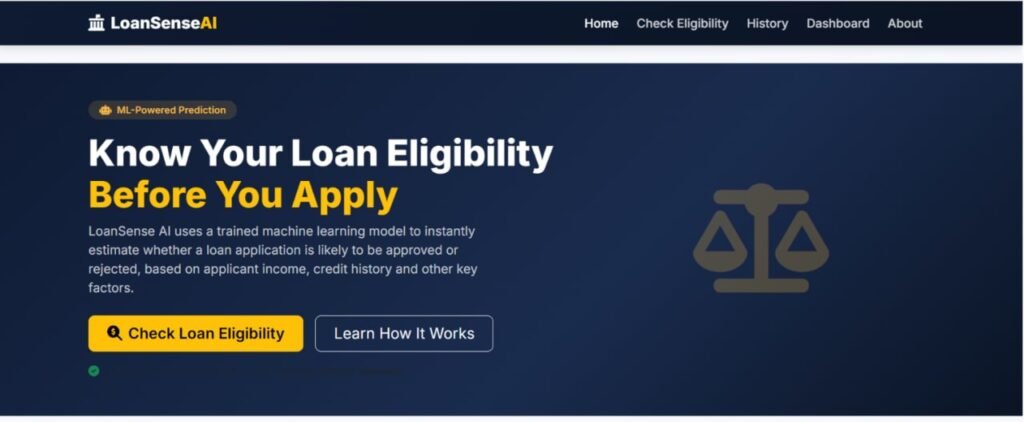
How to Download
Get This Project
The complete package is available so you can run, study, and submit it with confidence. It includes:
- Full Source Code
- Project Report
- Synopsis
- PPT Presentation
For any queries or a quick response, reach out on WhatsApp: +91 79834 34684
Example Loan Prediction
You can test the application using sample applicant information such as:
- Gender: Male
- Married: Yes
- Dependents: 0
- Education: Graduate
- Self Employed: No
- Applicant Income: 5000
- Co-applicant Income: 2000
- Loan Amount: 120 thousand
- Loan Term: 360 months
- Credit History: Good
- Property Area: Urban
After clicking Predict Loan Approval, the system processes the information through the trained model and displays the predicted result with its confidence score.
YT:- DecodeIT
Conclusion
The Loan Approval Prediction System using Python and Machine Learning is a practical end-to-end project that shows how machine learning can be integrated into a real Flask web application.
With six classification algorithms, automated model selection, data preprocessing, prediction confidence, SQLite history, dashboard charts, and a responsive interface, the project provides a solid example of building and deploying a machine learning prediction system with Python.
For students and beginners, it is also a useful project for understanding how a machine learning model moves from a dataset and training script into an interactive web-based application.
Keywords
Loan Approval Prediction System, Loan Approval Prediction using Python, Loan Prediction Machine Learning Project, Loan Approval Prediction using Machine Learning, Python Machine Learning Project, Flask Machine Learning Project, Loan Eligibility Prediction, Machine Learning Project Using Python, Scikit-learn Project, Flask ML Project, Loan Prediction System, Machine Learning Web Application Keywords Loan Approval Prediction System, Loan Approval Prediction using Python, Loan Approval Prediction using Machine Learning, Loan Prediction Machine Learning Project, Loan Approval Prediction Project, Loan Eligibility Prediction, Python Machine Learning Project, Flask Machine Learning Project, Machine Learning Web Application, Scikit-learn Project, Loan Prediction System, ML Project Using Python, Flask ML Project, Machine Learning Classification Project, Loan Approval ML Model, Python AI Project