Online Mobile Shop Using JSP
Online shopping has made it easier for customers to explore products and purchase them through websites. The Online Mobile Shop Using JSP is a Java web development project designed to demonstrate the basic working of an e-commerce platform for mobile phones. It uses JavaServer Pages (JSP), MySQL, Eclipse IDE, and Apache Tomcat to build and run a database-driven web application.
The project focuses on essential shopping activities, including user registration, product browsing, viewing mobile details, managing a cart, and placing orders. It is suitable for students who want practical experience with Java web development, JDBC connectivity, and relational databases.
AI Topics: Click Here
YouTube:- DecodeIT
Project Overview of the Online Mobile Shop Using JSP
The Online Mobile Shop Using JSP is a web-based e-commerce project developed using JavaServer Pages (JSP) and MySQL. The project provides an online platform where users can browse mobile phones, view product details, manage their shopping cart, and place orders.
What Are the Project Details?
| Project Details | Description |
|---|---|
| Project Name | Online Mobile Shop Using JSP |
| Frontend | JSP, HTML, CSS |
| Backend | Java |
| Database | MySQL |
| Database Connectivity | JDBC |
| Development Environment | Eclipse IDE |
| Server | Apache Tomcat |
| Application Type | Web-Based E-commerce Application |
What Are the Main Features of the Online Mobile Shop Using JSP?
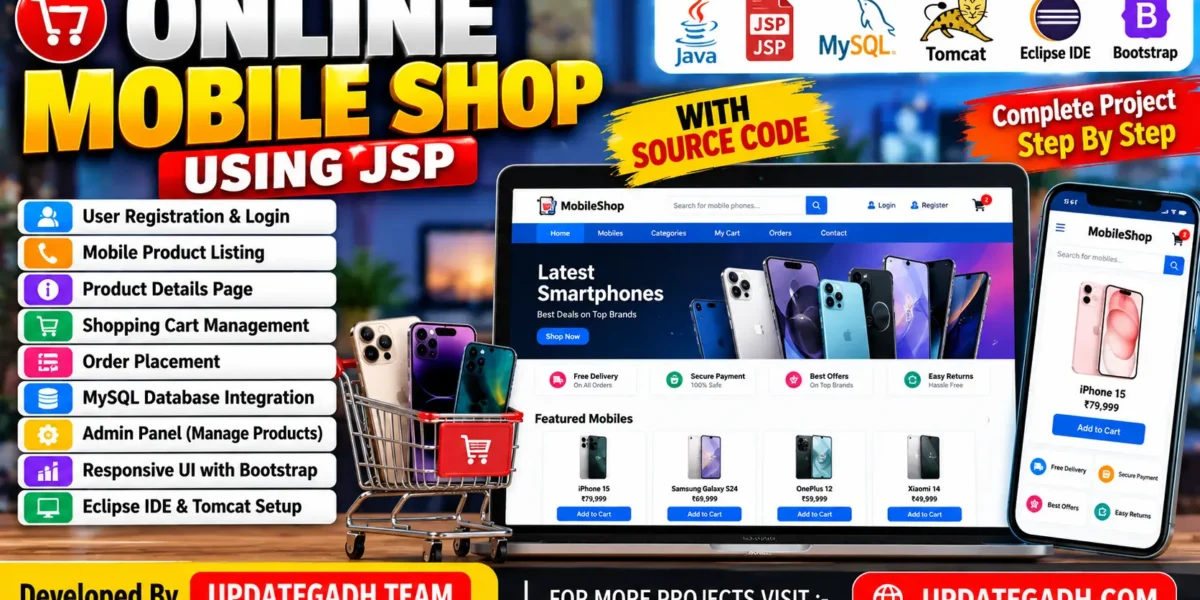
The Online Mobile Shop Using JSP includes the following features for its basic shopping workflow:
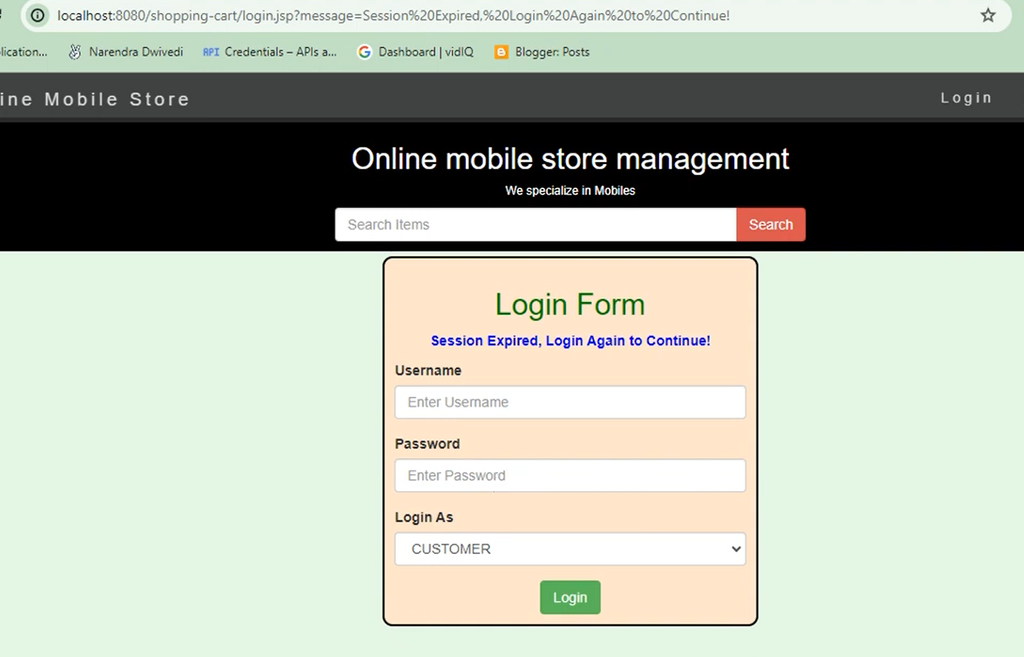
- User Registration and Login: Allows users to register and log in to the website.
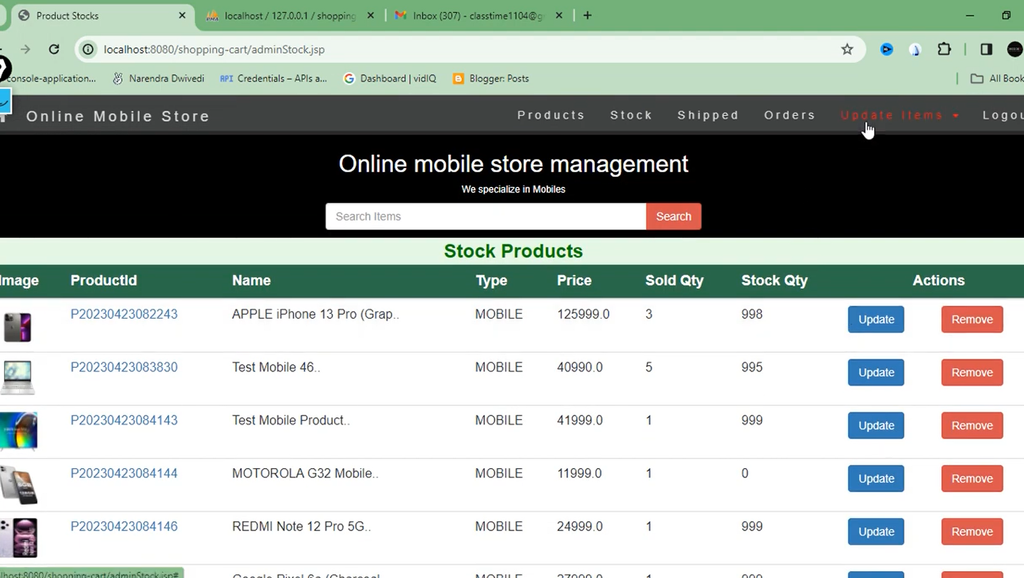
- Mobile Product Listing: Displays mobile phones with their names, prices, and images.
- Product Details: Shows information about selected mobile phones.
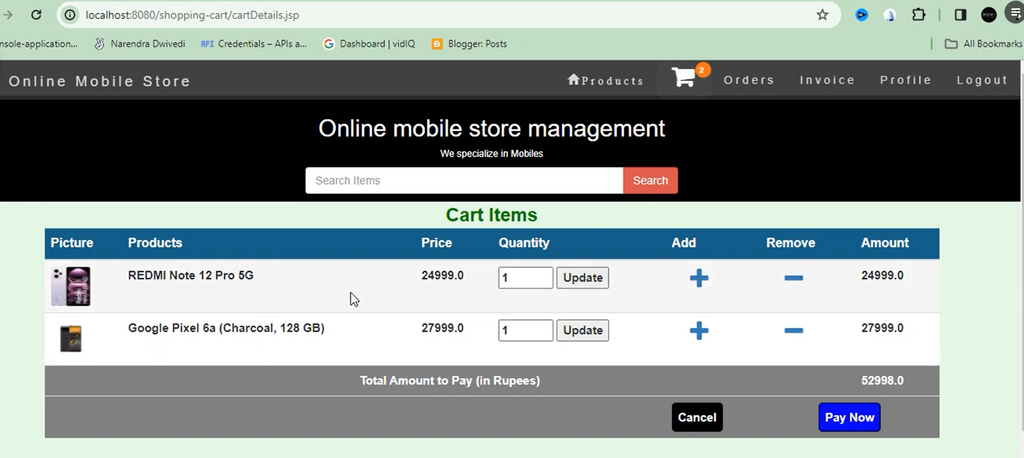
- Shopping Cart Management: Allows users to manage selected products and quantities.
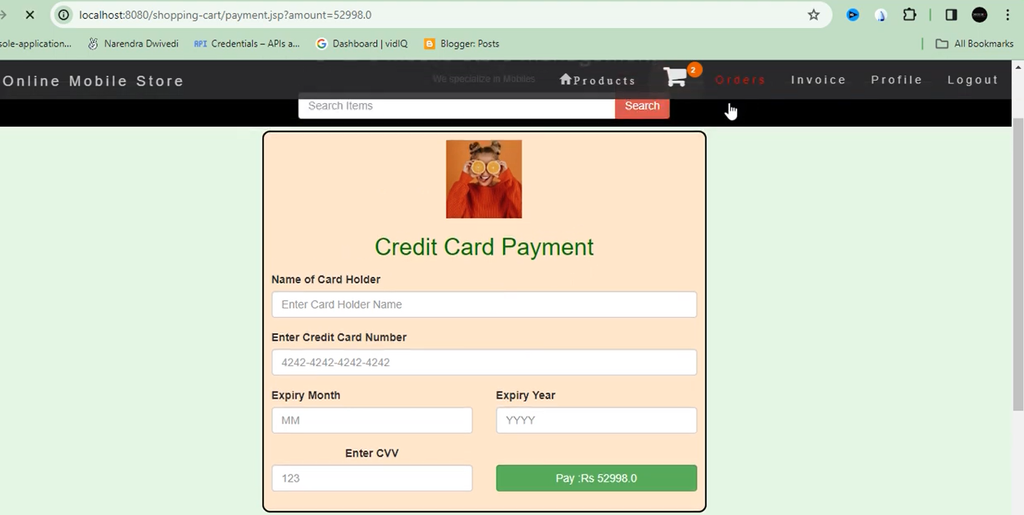
- Checkout and Order Placement: Enables users to review their selected products and place orders.
- MySQL Database Integration: Stores application data in the database.
- Apache Tomcat Deployment: Supports running the JSP web application for browser-based access.
This project helps students understand Java web development, JSP pages, JDBC connectivity, MySQL database operations, and the basic workflow of an online shopping application.
Students exploring other online store concepts can also learn about a different retail application.
Online Nursery Store System :- Click here
Prerequisites of the Online Mobile Shop Using JSP
Before starting development, install the following software:
- Eclipse IDE: For creating and managing the Java web project.
- Apache Tomcat Server: Version 9.0 or higher, compatible with the selected project configuration.
- Java Development Kit: JDK 8 or above.
- MySQL Database: For storing application records.
- MySQL Workbench: For creating tables and managing database data.
- MySQL Connector/J: For JDBC connectivity between Java and MySQL.
How to Download
The complete package is available so you can run, study, and submit it with confidence.
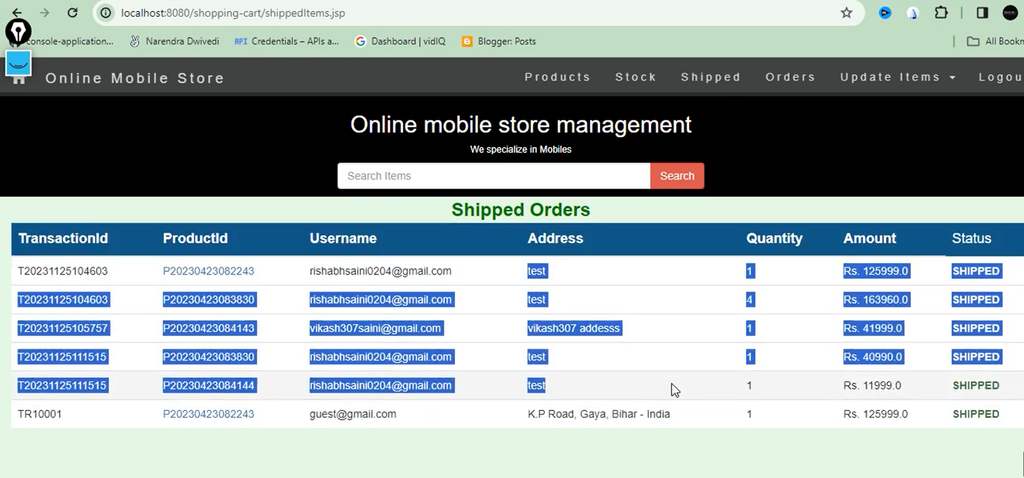
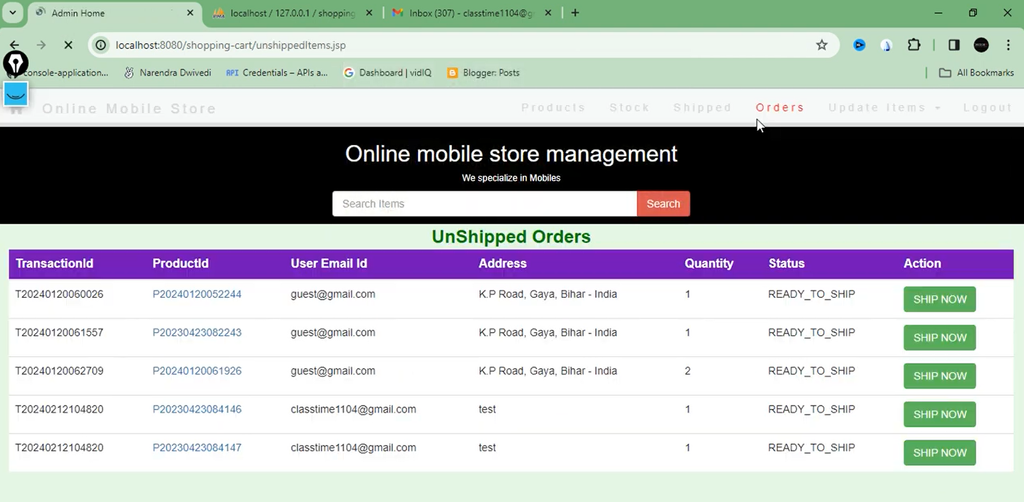
Screenshot

How to Set Up the Project in Eclipse
1. Create a Dynamic Web Project
Open Eclipse IDE and select File → New → Dynamic Web Project. Enter OnlineMobileShop as the project name and configure Apache Tomcat as the target runtime. Select a compatible Dynamic Web Module version for your environment.
2. Configure the Libraries
Right-click the project and open Properties → Java Build Path → Libraries. Add the MySQL Connector/J library so that Java database operations can connect to MySQL.
How to Configure the MySQL Database
1. Create the Database
Open MySQL Workbench and execute the following statements to create the database:
CREATE DATABASE MobileShopDB;
USE MobileShopDB;
2. Create the Required Tables
The example schema below defines tables for users, products, orders, and cart items.
CREATE TABLE Users (
    id INT AUTO_INCREMENT PRIMARY KEY,
    username VARCHAR(50) NOT NULL,
    password VARCHAR(50) NOT NULL,
    email VARCHAR(100)
);

CREATE TABLE Products (
    id INT AUTO_INCREMENT PRIMARY KEY,
    name VARCHAR(100) NOT NULL,
    price DECIMAL(10, 2) NOT NULL,
    description TEXT,
    imagePath VARCHAR(255)
);

CREATE TABLE Orders (
    id INT AUTO_INCREMENT PRIMARY KEY,
    userId INT,
    orderDate TIMESTAMP DEFAULT CURRENT_TIMESTAMP,
    FOREIGN KEY (userId) REFERENCES Users(id)
);

CREATE TABLE Cart (
    id INT AUTO_INCREMENT PRIMARY KEY,
    userId INT,
    productId INT,
    quantity INT DEFAULT 1,
    FOREIGN KEY (userId) REFERENCES Users(id),
    FOREIGN KEY (productId) REFERENCES Products(id)
);
Add sample mobile phone records to the Products table to test the product listing and details pages. In a complete shopping workflow, order items and payment status should also be recorded appropriately.
How to Connect JSP to MySQL
Create a Java class named DBConnection.java to manage the database connection using JDBC.
import java.sql.Connection;
import java.sql.DriverManager;
import java.sql.SQLException;

public class DBConnection {
    public static Connection initializeDatabase()
            throws SQLException, ClassNotFoundException {

        String dbDriver = "com.mysql.cj.jdbc.Driver";
        String dbURL = "jdbc:mysql://localhost:3306/";
        String dbName = "MobileShopDB";
        String dbUsername = "root";
        String dbPassword = "your_password";

        Class.forName(dbDriver);

        return DriverManager.getConnection(
            dbURL + dbName, dbUsername, dbPassword
        );
    }
}
Replace your_password with your MySQL password. For better security, avoid storing real credentials directly in source code. Use prepared statements for database queries and secure password hashing for user accounts.
How to Create the Main JSP Pages
1. User Registration and Login
Create register.jsp and login.jsp to provide forms for account creation and sign-in. A UserDAO.java class can handle database operations for creating users and validating login details. Session management can maintain a user’s login state while they use the application.
2. Product Listing and Details
Create products.jsp to retrieve mobile phones from the Products table and display their names, prices, and images. Use productDetails.jsp to show detailed information about an individual product selected by the user.
3. Shopping Cart Management
Create cart.jsp to display selected products and their quantities. Users should be able to update quantities, remove products, review their selections, and continue to checkout. A CartDAO.java class can handle the associated database operations.
4. Order Placement
Create checkout.jsp to let users review their cart before submitting an order. An OrderDAO.java class can save order information and associate it with the correct user. Validate prices, quantities, and available product information on the server before confirming an order.
How to Deploy the Application on Tomcat
- Configure Apache Tomcat through the Servers view in Eclipse.
- Right-click the project and select Run As → Run on Server.
- Select the configured Tomcat server and start the application.
- Open the application URL displayed by Eclipse in your browser.
- Test registration, login, product browsing, cart management, and order placement.
Students interested in other web-based management projects can also explore a system for handling parking facilities and vehicle records.
Vehicle Parking Management System Project :- Click here
Final Testing and Debugging
Test each feature carefully after deployment. Check database connectivity, form validation, login sessions, product details, cart updates, and order records. If an error occurs, review the Tomcat console logs, verify MySQL credentials, and inspect the relevant Java classes and JSP pages.
Conclusion
The Online Mobile Shop Using JSP provides practical experience in Java web development, database connectivity, and e-commerce workflows. By working with JSP, JDBC, MySQL, Eclipse, and Tomcat, students can learn how dynamic web pages interact with a relational database and how essential shopping features are organized in a web application.
Frequently Asked Questions
Which technologies are used in this project?
The project uses JSP, Java, MySQL, JDBC, Eclipse IDE, and Apache Tomcat.
What is the purpose of MySQL Connector/J?
It allows Java applications to connect to a MySQL database through JDBC.
Can this project be used for college assignments?
Yes, it can be used as a learning project for practising Java web development and database integration.