Bus Ticket Booking System Using Java and MySQL
Introduction
In modern transportation, an efficient ticket booking system helps passengers and bus operators manage reservations more conveniently. Traditional booking methods can make it difficult to manage seat availability, passenger information, routes, and ticket fares. A web-based Bus Ticket Booking System provides a digital solution for organizing these activities.
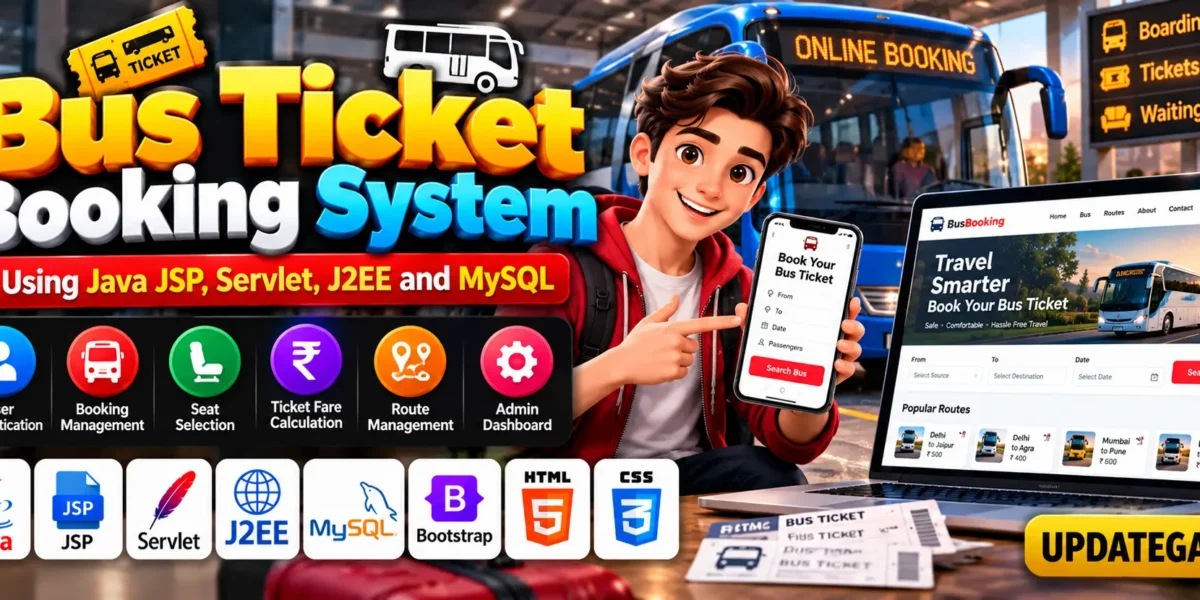
The Bus Ticket Booking System using Java JSP, Servlet, J2EE and MySQL is a web application project designed to demonstrate online bus reservation functionality. Java handles the application logic, JSP creates dynamic web pages, Servlets process requests, and MySQL stores information related to users, routes, and bookings.
Complete Advance AI Topics: Click Here
Real Time Projects on YouTube:- DecodeIT
Project Overview
The Bus Ticket Booking System provides functionality for managing user accounts, booking requests, routes, and administrative operations. Its purpose is to demonstrate how a Java-based web application can organize the main activities involved in bus reservations.
| Project Detail | Description |
|---|---|
| Project Name | Bus Ticket Booking System |
| Programming Language | Java |
| Technologies Used | JSP, Servlet, J2EE |
| Database | MySQL |
| Frontend | HTML, CSS, JavaScript, Bootstrap |
| Server | Apache Tomcat |
| IDE | Eclipse IDE or IntelliJ IDEA |
| Project Type | Web Application |
What Is a Bus Ticket Booking System?
A Bus Ticket Booking System is a software application designed to manage bus reservations and related information. It helps organize passenger accounts, booking records, routes, and ticket fare details.
This project uses Java web technologies and MySQL to demonstrate how a reservation application can be developed. Students can explore the application structure and understand how the frontend, server-side logic, and database work together.
Bus Ticket Booking System Using Python and Django :- Click Here
How to Make the Bus Ticket Booking System?
To develop this project, create a Java web application in Eclipse IDE or IntelliJ IDEA. Organize the source code into suitable components and use JSP for dynamic pages, Servlets for request processing, and Java classes for application logic.
Follow these development steps:
- Create the Java Web Project: Set up a new project in your preferred IDE.
- Organize the Architecture: Separate the application into appropriate model, view, and controller components.
- Develop JSP Pages: Create the pages required for login, booking, and administration.
- Implement Servlets: Process application requests and coordinate operations.
- Configure MySQL: Create or import the required database and configure the database connection.
- Deploy the Application: Configure Apache Tomcat and test the implemented functionality.
A structured application design helps make the project easier to understand, maintain, and extend.
What Are the Essential Features of This Project?
The Bus Ticket Booking System includes user and administrator functionality for managing reservations and route information. The following features are described for the project.
What Features Are Available for Users?
- User Authentication: Provides signup and login functionality so users can access the booking system.
- Booking Management: Allows users to book tickets for desired routes and track their booking status.
- Ticket Fare Calculation: The project description mentions calculating ticket fares using travel-related details and applicable charges.
What Can Administrators Manage?
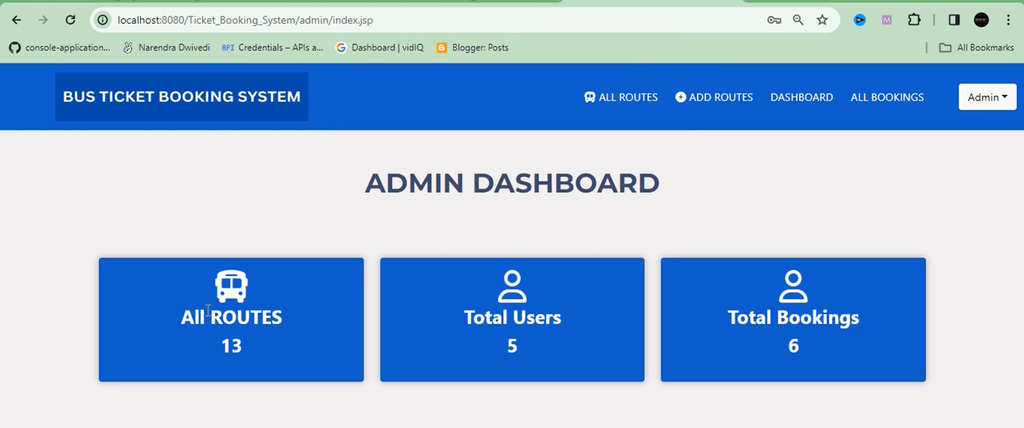
- Admin Dashboard: Provides a centralized interface for managing users, bookings, and routes.
- Route Management: Allows administrators to create new routes and delete existing ones according to requirements.
- Booking Approval: Allows administrators to approve or reject booking requests.
These features provide a foundation for managing the reservation process. Payment integration and seat selection are possible features for this type of application, but their availability should be verified in the supplied project files.
Which Software and Tools Are Required?
The following software and technologies are identified for developing and running the Bus Ticket Booking System.
- Java Development Kit (JDK 8): Recommended in the project description for Java development compatibility.
- Eclipse IDE: The Enterprise Java and Web Developers edition supports Java web application development.
- IntelliJ IDEA: An alternative IDE for writing and managing Java code.
- MySQL: Stores user information, booking records, and route data.
- Apache Tomcat: Runs the JSP and Servlet-based web application.
- Bootstrap: Helps create responsive and consistently styled web pages.
- JavaScript: Supports client-side interactions.
- HTML and CSS: Define the structure and appearance of web pages.
- JDBC: Provides database connectivity between Java applications and MySQL.
Ticket Booking System in PHP :- Click Here
What Are the Hardware and Software Requirements?
The original project description lists the following hardware and software requirements.
Hardware Requirements
| Component | Requirement |
|---|---|
| Processor | Pentium IV |
| Hard Disk | 40 GB |
| RAM | 512 MB or more |
Software Requirements
| Component | Requirement |
|---|---|
| Operating System | Windows 7, Windows 10, Windows 11, or Linux |
| User Interface | HTML and CSS |
| Client-Side Scripting | JavaScript |
| Programming Language | Java |
| Web Technologies | JDBC, Servlets, JSP |
| Database | MySQL |
| Server Deployment | Tomcat 5.0, as listed in the original requirements |
The listed specifications are taken from the provided project description. Verify compatibility between the project’s configuration, Java version, and Tomcat server before installation.
How to Download
The complete package is available so you can run, study, and submit it with confidence. It includes:
Screenshot
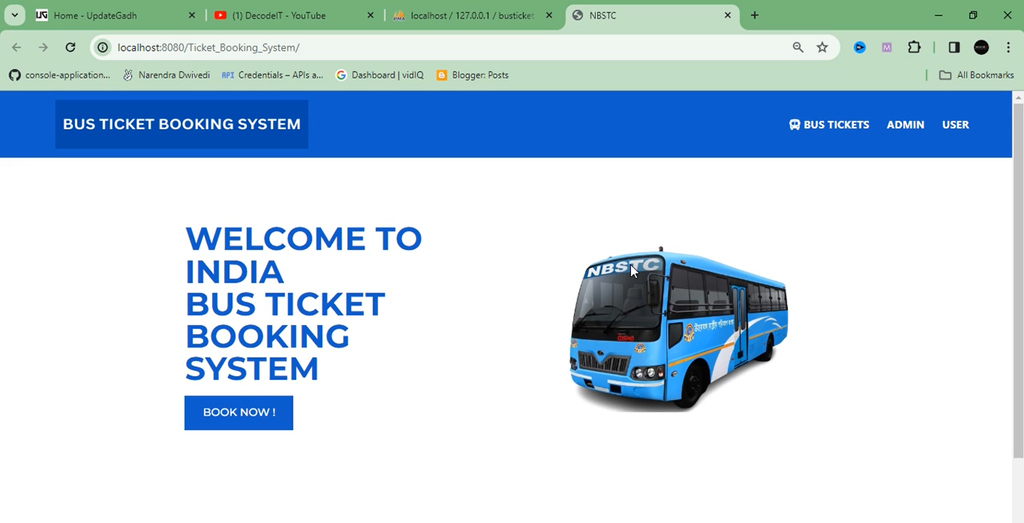

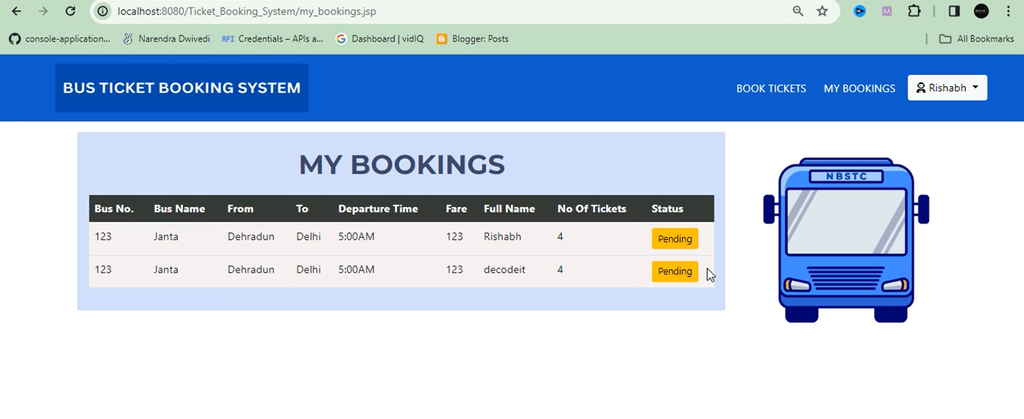
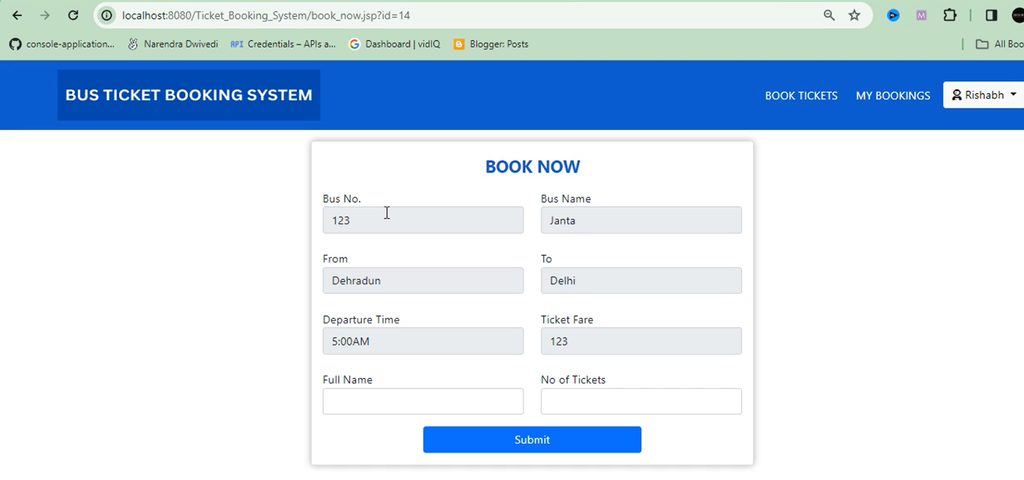
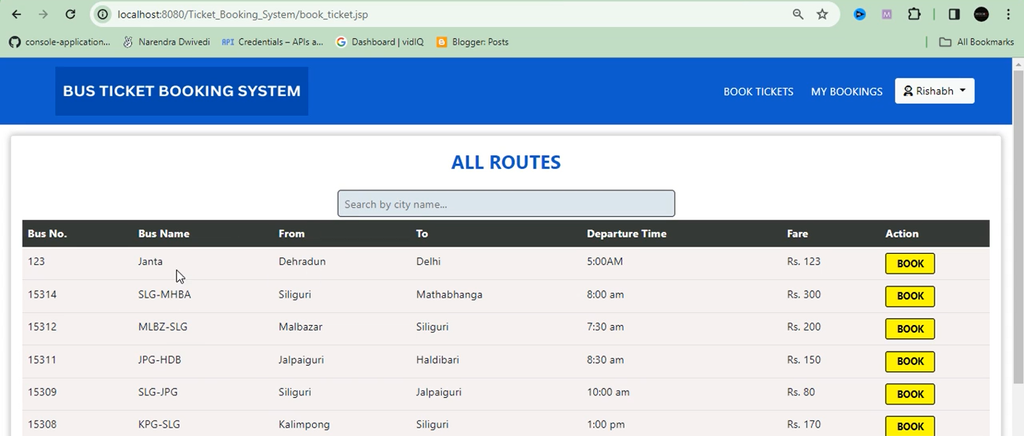

How to Run the Bus Ticket Booking System?
To run the project, configure the Java development environment, prepare the MySQL database, and deploy the application on a compatible Tomcat server.
The general setup process includes:
- Install the JDK and configure Eclipse or IntelliJ IDEA.
- Install Apache Tomcat and configure the server in the IDE.
- Set up MySQL and import the database script supplied with the project.
- Add the compatible MySQL JDBC driver to the project.
- Update the database connection settings according to your environment.
- Deploy the project on Tomcat and open the application in a browser.
- Test the login, booking, route management, and booking approval functions included in the project.
The exact database name, connection settings, and application URL depend on the supplied source code.
Installation, Setup, and Remote Assistance
Remote project setup assistance may be available through Zoom, AnyDesk, or Google Meet. This can help students configure the environment, resolve installation problems, and understand the application’s execution and output.
Frequently Asked Questions (FAQs)
1. Which programming language is used in the Bus Ticket Booking System?
Java is used with JSP and Servlets to develop the web application.
2. Which database is used in this project?
MySQL is used to store and manage user information, booking records, and route-related data.
3. Which server is required to run the project?
Apache Tomcat is used to run the JSP and Servlet-based application. The selected version must be compatible with the project.
4. What are the main features of this project?
The described features include user authentication, booking management, an admin dashboard, route management, booking approval, and ticket fare calculation.
5. Does the project support booking approval?
Yes, the project description states that administrators can approve or reject booking requests.
6. Is this project suitable for BCA and computer science students?
Yes, it is suitable for students learning Java, JSP, Servlets, MySQL, and database-driven web application development.
Conclusion
The Bus Ticket Booking System using Java JSP, Servlet, J2EE, and MySQL is a useful academic project for students interested in web application development and reservation management. It demonstrates how user authentication, booking management, route administration, and booking approval can be organized within a Java-based application.
Bus Ticket Booking System, Bus Ticket Booking System Using Java, Java Web Development, JSP Servlet Project, MySQL Database Project, J2EE Application, Online Bus Ticket Booking System, Simple Bus Ticket Booking System, Bus Ticket Booking System Design, Online Bus Ticket Booking System Source Code, Bus Ticket Booking System Project Report PDF, Class Diagram for Bus Ticket Booking System, Sequence Diagram for Online Bus Ticket Booking System, Android Based Bus Ticket Booking System, Bus Reservation System Project in Java.