Software Piracy Protection System Using JSP and MySQL
Introduction
In today’s digital world, software piracy is a major challenge for software developers and companies. It involves the unauthorized copying, distribution, or use of software without proper permission. Software piracy can cause financial losses, reduce the income of developers, and affect the protection of intellectual property. Therefore, implementing appropriate security measures is important for helping developers protect their software and manage legitimate usage.
The Software Piracy Protection System using JSP and MySQL is a Java-based web application project designed to demonstrate important software security concepts. JSP (JavaServer Pages) is used to develop dynamic web pages, while MySQL provides a database for storing and managing application information. The project focuses on authentication, authorization, encryption, and license key generation and validation.
Complete Advance AI Topics: Click Here
Making the Project
Developing the Software Piracy Protection System requires a suitable Java development environment, a web server, and a database. The following steps describe the basic development process.
1. Set Up the Development Environment
Start by preparing your computer for JSP and MySQL development. Choose an Integrated Development Environment (IDE) that supports Java web applications. A properly configured development environment makes it easier to write code, organize project files, connect the database, and test the application.
Online Railway Reservation System in (JSP) :- Click Here
2. Install the Required Software
Install the Java Development Kit (JDK) to compile and execute Java code. Set up Apache Tomcat to run the JSP-based web application, and install MySQL to manage the application’s database. Ensure that the installed tools are configured correctly before beginning development.
3. Create the Web Application
Create a new web application project in your preferred IDE. Organize the project files and configure the application to use JSP for generating dynamic web pages. JSP allows the application to display information and process user interactions through a browser.
4. Configure the MySQL Database
Configure the MySQL database connection so that the application can store and retrieve the information it requires. Database operations should be implemented according to the application’s requirements, with appropriate handling of user information and license-related records.
5. Implement and Test the Application
Develop the required functionality and test the application in the configured environment. Check that authentication, authorization, and license validation behave as expected. Testing also helps identify configuration problems and errors before the application is demonstrated or deployed.
Student Attendance System JSP Java Servlet MySQL:- Click Here
Essential Features
The Software Piracy Protection System focuses on security-related functionality. The following features describe the main capabilities that can be implemented in the project.
- User Authentication: Authentication verifies user credentials before allowing access to the application. It helps prevent unauthorized users from accessing protected application functions.
- User Authorization: Authorization controls which application features a user can access. It helps ensure that users can perform only the actions permitted by their assigned permissions.
- Encryption Techniques: Encryption techniques can help protect sensitive information from unauthorized access. They are an important consideration when designing applications that handle confidential data.
- License Key Generation: License key generation provides a mechanism for creating keys associated with software usage. These keys can be used as part of a licensing process to distinguish authorized users or installations.
- License Key Validation: License validation checks whether a submitted license key meets the application’s validation rules. This functionality helps demonstrate how software licensing mechanisms can support the control of legitimate usage.
- Gmail Functionality: The project information also refers to a version with Gmail functionality. The precise email operations depend on the implementation included in the project.
These features introduce students to essential security concepts used in web application development. However, a web-based licensing system alone cannot guarantee complete protection against software piracy. Effective protection also depends on how licensing checks are implemented and how the software handles unauthorized modifications.
Required Software and Tools
The following software and tools are identified for developing and deploying the project.
- Java Development Kit (JDK): Provides the compiler and development tools needed to build Java applications.
- Apache Tomcat Server: Provides the runtime environment for executing JSP pages and serving the web application.
- MySQL Database Server: Stores and manages application data required by the implemented features.
- Integrated Development Environment (IDE): Helps developers write, organize, debug, and manage Java and JSP code.
- Hibernate: An optional framework that can be used for object-relational mapping and database operations in Java applications.
- Spring Security: A framework that can be used to implement authentication and authorization mechanisms in supported Java applications.
JDK, Apache Tomcat, and MySQL form the main software environment described for this project. Hibernate and Spring Security are additional technologies that may be used when they are compatible with the application’s implementation.
Vehicle Parking Management System Project Java JSP MySQL :- Click Here
How to Download
The complete package is available so you can run, study, and submit it with confidence.
Screnshot
Login Panal
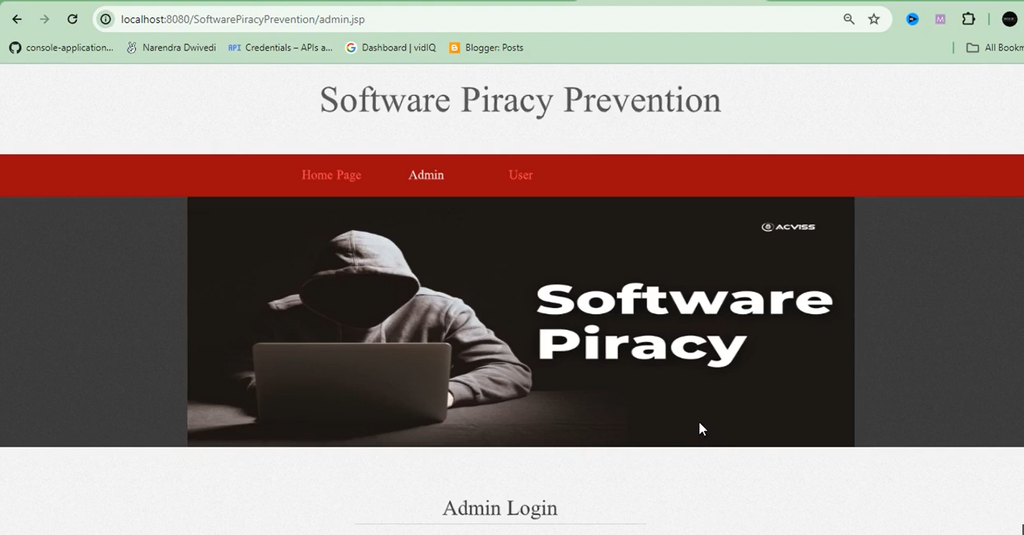
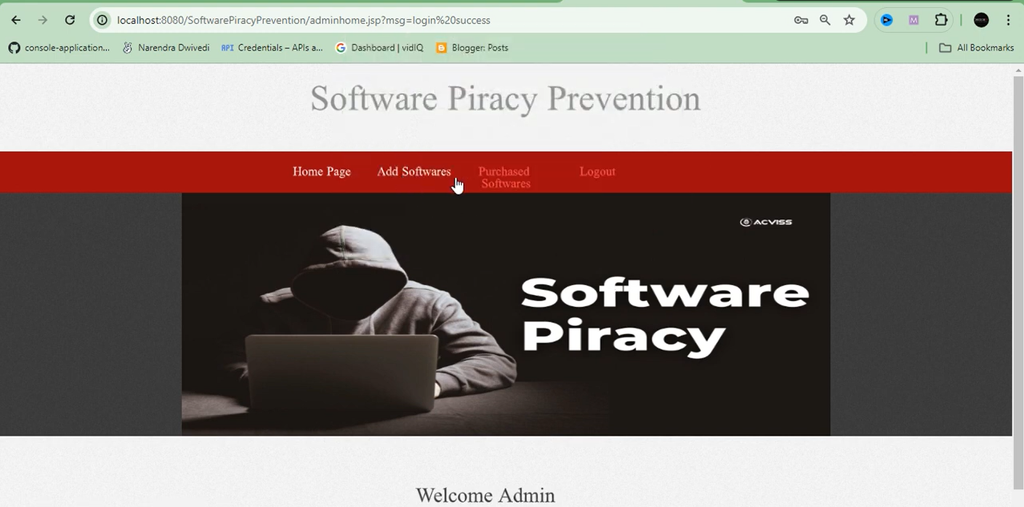
Admin Panal
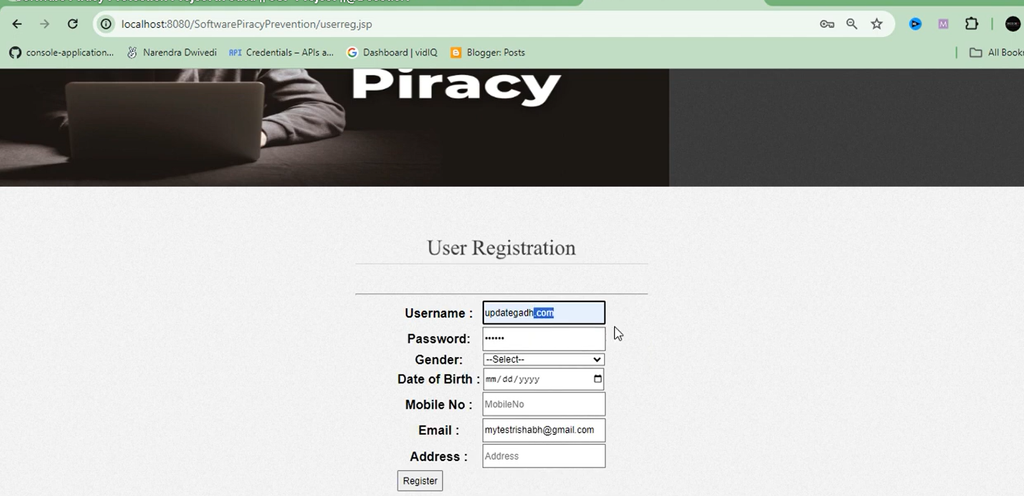
User Registration
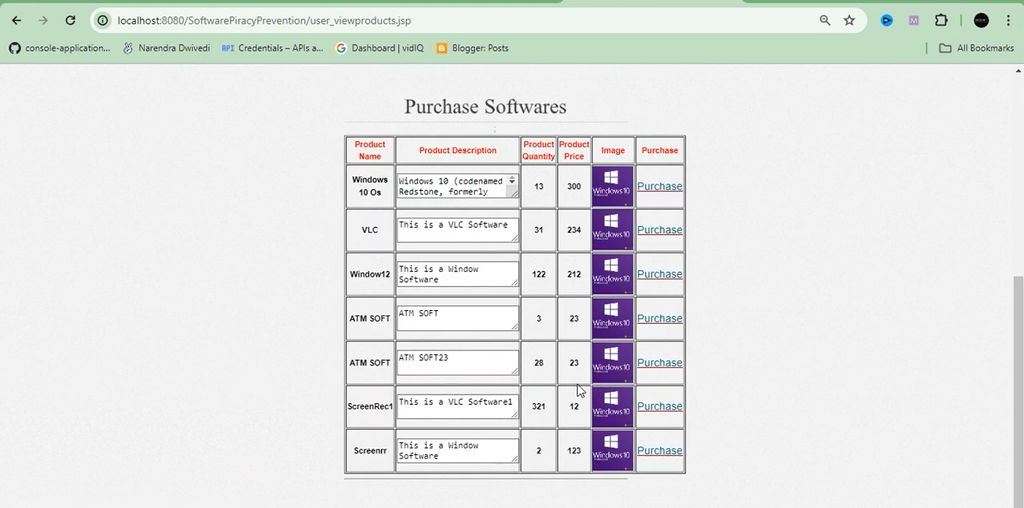
User Panal- Purchase Softwaers
Running Project
Installation, Setup, and Remote Support
Setting up a Java web application may involve configuring the JDK, connecting the MySQL database, deploying the application to Tomcat, and resolving any errors that occur during execution. The project information also provides remote setup and assistance options.
- Remote Project Setup: Project setup assistance can be provided through platforms such as Zoom, AnyDesk, or Google Meet.
- Error Resolution: Technical assistance can help identify and resolve installation, configuration, and execution errors encountered during setup.
- Output Demonstration Videos: Videos can help students understand the application’s execution and observe its output.
- Simplified Installation: Remote guidance can make the setup process easier for students who need help configuring the required software and running the project.
- Personal Assistance: Students can receive guidance while working through installation and execution-related problems.
- Remote Accessibility: Online assistance allows students to receive setup support without needing to be physically present at the same location.
YouTube Projects: Explore Project Videos
Frequently Asked Questions (FAQs)
1. What is the Software Piracy Protection System?
The Software Piracy Protection System is a Java-based web application project designed to demonstrate software protection concepts such as user authentication, license key generation, and license validation.
2. Which technologies are used in this project?
The project uses JavaServer Pages (JSP) and MySQL. The development environment also includes the Java Development Kit (JDK) and Apache Tomcat server.
3. What is the main objective of this project?
The main objective is to demonstrate how security mechanisms and software licensing techniques can help control unauthorized software usage.
4. What are the essential features of this system?
The proposed features include user authentication, authorization, encryption techniques, license key generation, and license key validation. Gmail functionality is also mentioned for the relevant project version.
5. Is this project suitable for students?
Yes, this project is suitable for students learning Java web development, JSP, MySQL database management, and basic software security concepts.
6. Which server is required to run the project?
Apache Tomcat is used to run the JSP-based web application. The server and Java configuration should be compatible with the project’s implementation.
7. Why is MySQL used in this project?
MySQL is used to store and manage application data required by the implemented features, including relevant user and licensing information.
8. Does this project include Gmail functionality?
The project description mentions a version with Gmail functionality. The exact email features depend on the functionality implemented in the project files.
Conclusion
The Software Piracy Protection System using JSP and MySQL is a practical learning project for students interested in Java web development and software security. It introduces important concepts such as authentication, authorization, encryption, and license key generation and validation.
Software Piracy Protection, Software Piracy Protection , Software Piracy Protection System, Software Copy Protection, Software Piracy Prevention, Software Copy Protection Methods, Software Copy Protection Dongle, Software Piracy: An Analysis of Protection Strategies, Software Piracy Protection Project, Software Piracy Protection System Project, Software Piracy Protection Project Source Code