Vehicle Selling Purchasing Management
Buying and selling vehicles online has become common. The Vehicle Selling and Purchasing Management System is a web-based project developed using Java Servlets and JSP. It helps manage vehicle listings, customer information, and transactions.
Complete Advance AI Topics: Click Here
Real Time Projects on YouTube:- DecodeIT
What Is a Vehicle Selling Purchasing Management System?
A Vehicle Selling and Purchasing Management System allows users to post vehicles for sale, browse available vehicles, and manage purchasing activities. The project uses Java Servlets, JSP, Apache Tomcat, and MySQL.
What Are the Main Features of the Vehicle Selling Purchasing Management System?
The system includes features for buyers, sellers, and administrators to manage vehicle listings and purchasing activities.
- User Registration and Login: Buyers, sellers, and administrators can register and access their dashboards.
- Vehicle Listings: Sellers can list vehicles with details such as model, year, price, condition, and photos.
- Search and Filter Options: Buyers can search vehicles by make, model, year, or price range.
- Vehicle Details: Users can view complete vehicle details.
- Purchasing Workflow: Buyers can proceed with purchasing steps, while sellers can track inquiries.
- Admin Management: Administrators can manage user listings, inquiries, and transactions.
What Are the Requirements for This Vehicle Selling Purchasing Management System?
Before setting up the project, ensure that the following software is available.
- Java Development Kit (JDK): Version 8 or later.
- Apache Tomcat Server: Version 9 or later.
- Integrated Development Environment (IDE): Eclipse, IntelliJ IDEA, or NetBeans.
- MySQL Database: For storing vehicle details, user data, and transaction history.
How to Set Up the Vehicle Selling Purchasing Management System in an IDE?
Create a Dynamic Web Project in your IDE and configure Apache Tomcat as the target runtime to deploy and test the application locally.
- Create a Dynamic Web Project: Open your IDE and create a new project for Java Servlets and JSP.
- Configure Apache Tomcat: Add Apache Tomcat under the Server settings and link it to your project.
- Set Up the Folder Structure:
- WebContent: Stores JSP, HTML, CSS, and JavaScript files.
- src: Contains Java Servlets and business logic classes.
- lib: Stores third-party libraries.
How to Design the Database Schema?
The MySQL database stores user information, vehicle listings, and transaction records. Create the following tables to organize the application data.
- Users Table: Stores user ID, name, email, role, and encrypted password.
- Vehicles Table: Contains vehicle ID, make, model, year, price, condition, and seller ID.
- Transactions Table: Tracks buyer ID, vehicle ID, and transaction status.
Use foreign keys to link users with their vehicle listings.
How to Download
The complete package is available so you can run, study, and submit it with confidence.
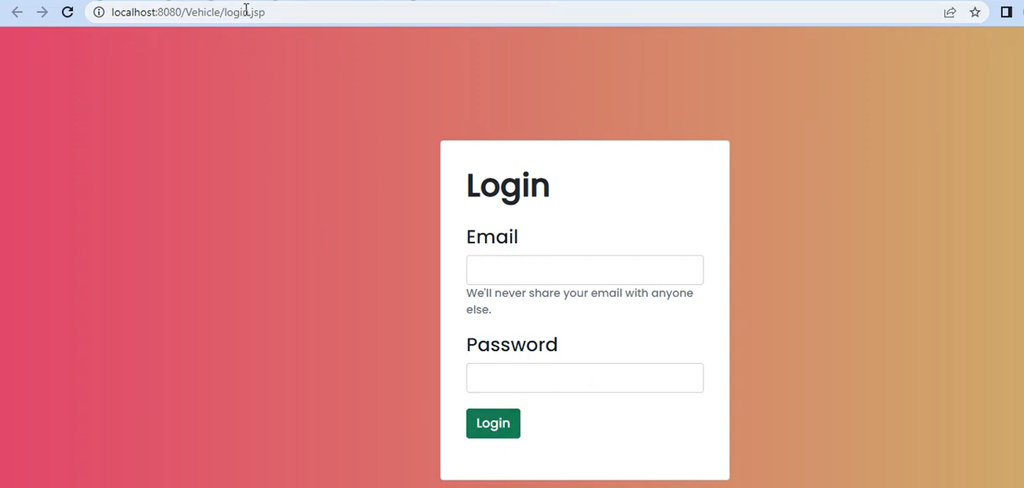
Screenshot
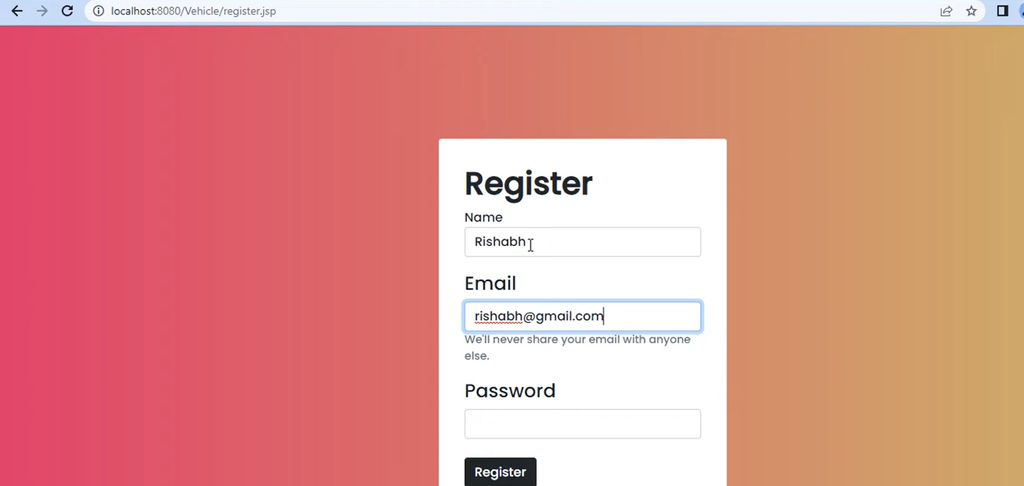
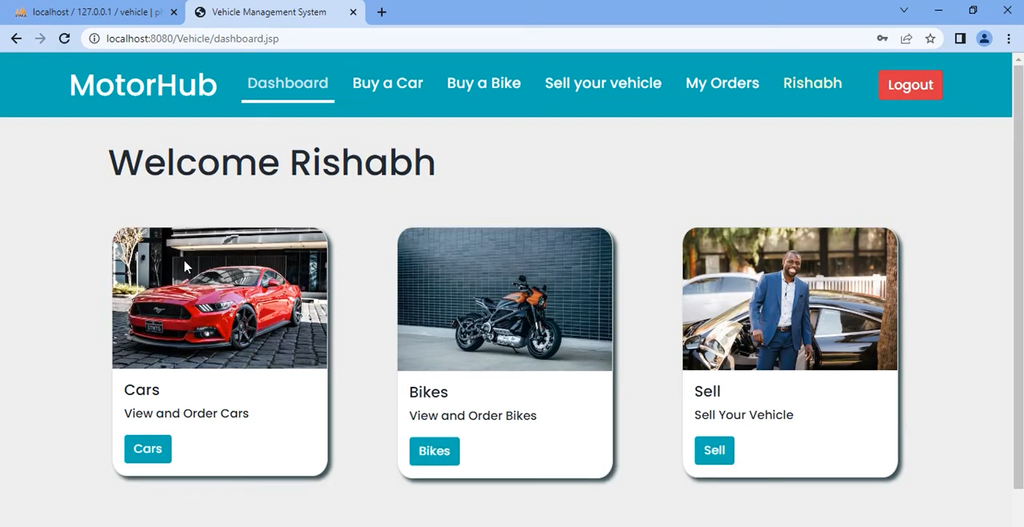
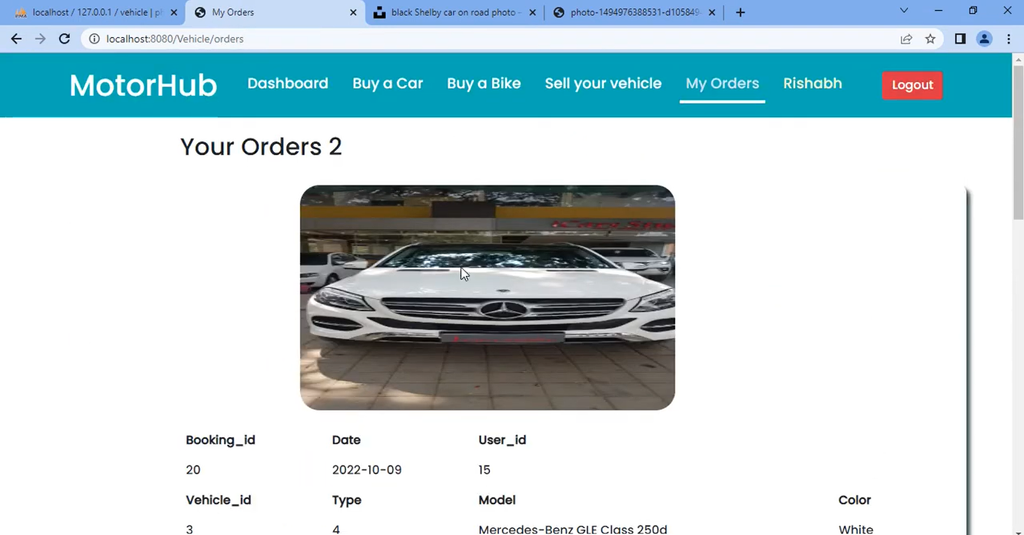
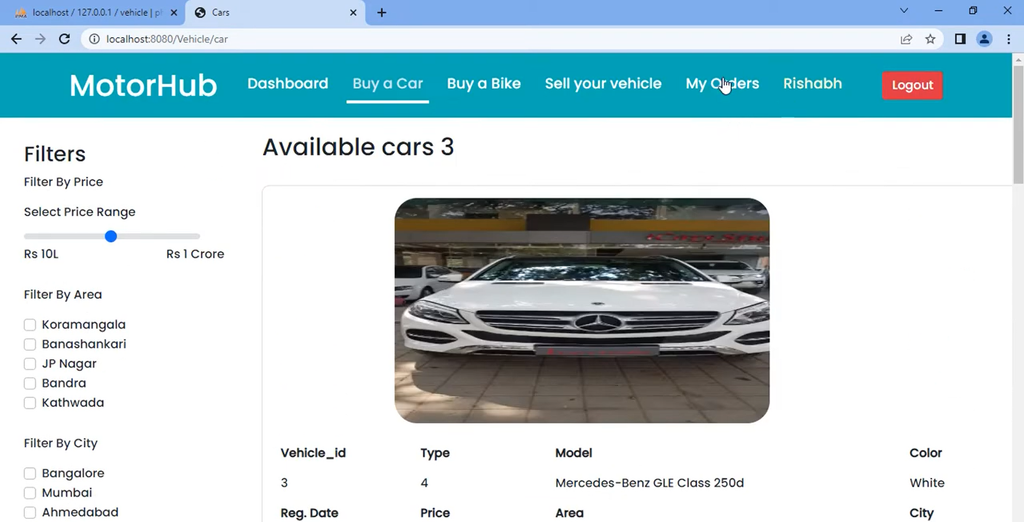
How to Develop the Core Functionality?
Java Servlets handle user authentication, vehicle listing management, and vehicle searches by processing requests and interacting with the database.
User Registration and Authentication
- RegisterServlet.java: Handles new user registration, validates inputs, and stores information in the database.
- LoginServlet.java: Authenticates users using email and password and redirects them to their respective dashboards.
Vehicle Listing Management
- AddVehicleServlet.java: Captures vehicle details from a form and inserts them into the database.
- EditVehicleServlet.java: Allows sellers to modify vehicle details.
- DeleteVehicleServlet.java: Allows sellers to remove vehicle listings.
Search and Filter Options
SearchServlet.java retrieves vehicle listings based on search criteria, such as make or model, and displays the results on a JSP page.
Which JSP Pages Are Used for User Interaction?
The JSP pages provide interfaces for users to register, log in, browse vehicles, and view their information.
- HomePage.jsp: Displays a welcome page, featured vehicles, and search options.
- Login.jsp and Register.jsp: Provide forms for authentication and registration.
- Dashboard.jsp: Displays seller listings or buyer purchase history.
- VehicleDetails.jsp: Shows vehicle images, specifications, and seller contact information.
- SearchResults.jsp: Displays vehicle listings based on search criteria.
How to Add Client-Side Enhancements?
HTML, CSS, and JavaScript improve the appearance, responsiveness, and interactivity of the application.
- HTML and CSS: Style pages and create a responsive design.
- JavaScript: Adds image carousels for vehicle photos and confirmation prompts for actions such as deleting a listing.
How to Test the Project on Apache Tomcat?
Deploy the application on Apache Tomcat and test the main functions to verify that they work correctly.
- Deploy the Project: Right-click the project in your IDE, select Run As, then Run on Server, and choose Apache Tomcat.
- Test User Authentication: Verify registration and login.
- Test Vehicle Listings: Add, view, edit, and delete listings.
- Test Search and Filter: Try different search criteria and verify the results.
How to Deploy the Application on a Remote Server?
After testing the application locally, you can optionally deploy it to a remote server using a cloud service and a remote MySQL database.
- Configure a Cloud Service: Set up a cloud-based Tomcat server on AWS or DigitalOcean.
- Configure the Database: Set up a remote MySQL instance and update the JDBC connection strings.
- Test and Optimize: Ensure that all functionalities work correctly in the live environment.
Frequently Asked Questions (FAQs)
1. What is the Vehicle Selling Purchasing Management System?
The Vehicle Selling Purchasing Management System is a web-based application that allows users to list vehicles for sale, browse available vehicles, and manage vehicle purchasing activities.
2. Which technologies are used in this project?
The project uses Java Servlets, JSP, Apache Tomcat, and MySQL, along with HTML, CSS, and JavaScript for the web interface.
3. What are the main features of the Vehicle Selling Purchasing Management System?
The main features include user registration and login, vehicle listings, search and filtering, vehicle details, purchasing workflow, and administrator management.
4. What can administrators do in this project?
Administrators can manage user accounts, vehicle listings, inquiries, and transaction-related information through the administration dashboard.
5. Which software is required to run the project?
The project requirements include JDK 8 or later, Apache Tomcat 9 or later, a Java IDE such as Eclipse, IntelliJ IDEA, or NetBeans, and a MySQL database.