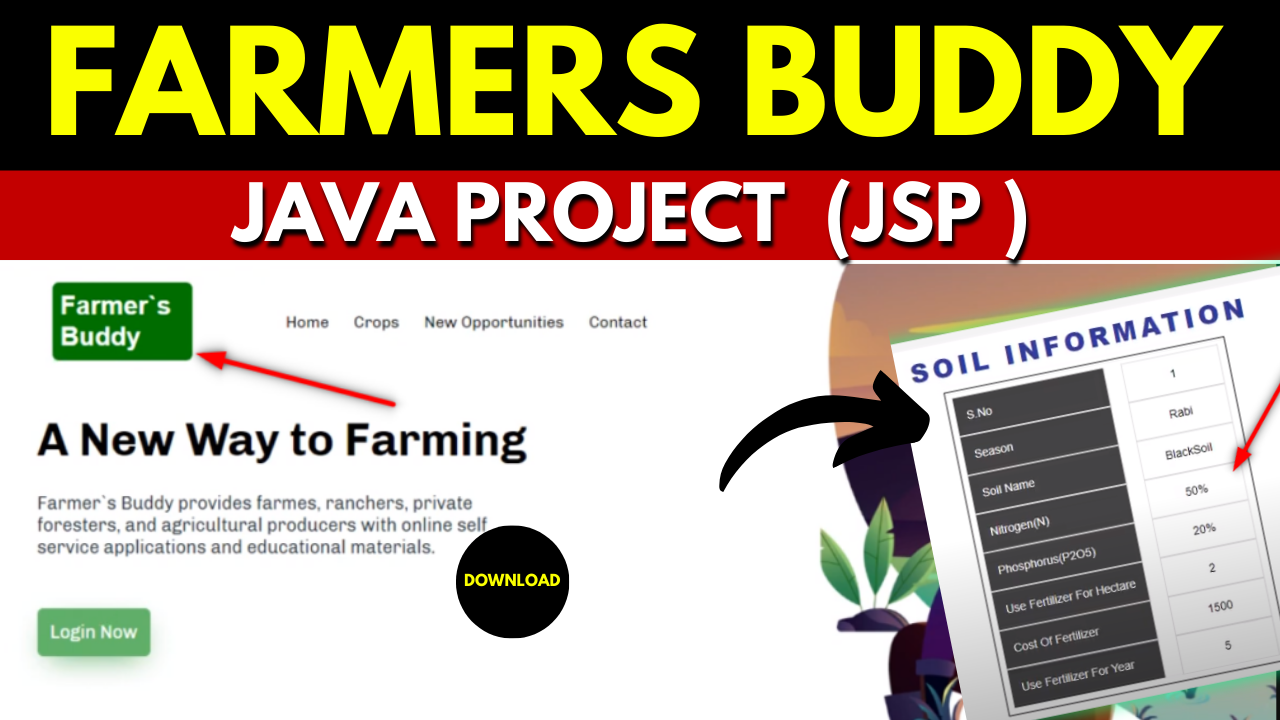
Farmers Buddy Java Project (JSP)
Farmers Buddy Java Project is an open discussion portal built on the Java programming language and Oracle as the system database. This project is beneficial to farmers and agricultural students since it provides information on numerous crops, fertilizer consumption for these crops, soil conditions that increase crop output, and appropriate climatic and environmental conditions for these crops.
Requirements
| Name | Required |
|---|---|
| Project Name | Farmers Buddy Java Project |
| Project Platform | JSP |
| Programming Language | Servlet/JSP/Bootstrap/HTML/MySQL |
| Front End | Html, css, js, jsp, |
| Back End | java, MySQL |
| IDE Tool | Eclipse Neon |
| Database | MySQL |
| Project Type | Web Application |
How To Run The Project?
Step 1: Installation Steps for Project Setup
Download and Extract Files:
- Download the project files in ZIP format and meticulously extract them onto your Desktop using a reliable tool such as WinRAR.
[Backend Setup]
Open XAMPP:
- Commence XAMPP, ensuring the simultaneous activation of both Apache and MySQL services.
- Open your web browser and navigate to .
Import Database:
- Within PHPMyAdmin, adeptly import the project database by selecting the “Import” option and meticulously choosing the provided database file.
[Front-end Setup]
Open Eclipse ():
- Launch Eclipse, ensuring a smooth initiation of the development environment
Import Project:
- Navigate to File > Import > General > Existing Projects into Workspace within Eclipse’s interface.
- Opt for the root directory where your project is housed and diligently select the project before clicking Finish.
Add MySQL Connector:
- Within the project structure, expertly navigate to Src > Web > lib folder.
- Integrate the MySQL Connector JAR file seamlessly into this designated folder.
Step 2: Run Project on Server
Right-click on Project:
- In the Project Explorer, right-click on your project, unveiling a contextual menu.
Run As:
- Opt for Run As > Run on Server, initiating the deployment process.
Select Tomcat Server:
- Discerningly choose Tomcat as the server for execution.
Next and Finish:
- Navigate through the prompts by clicking Next > Finish to conclude the configuration process successfully.
Step 3: Open Browser After Successful Setup
Farmers Buddy Project Abstract:
Farmers Buddy is built on a robust Java2EE architecture integrated with an Oracle database. This web-based platform serves as an open discussion portal, catering to the informational needs of small-scale farmers and agricultural students.
The portal facilitates soil analysis for diverse regions, offering tailored suggestions based on soil conditions and climatic factors. It addresses queries such as the optimal use of fertilizers, suitable crops for specific locations and seasons, among others.
Furthermore, Farmers Buddy assists farmers and agricultural students in decision-making regarding current market dynamics and optimal crop prices. Regular updates on major crop markets and prevailing best prices are consistently disseminated.
In addition to its informational features, Farmers Buddy offers training sessions and a platform for online queries. Users, including students and the general public, can request training sessions, while queries can be submitted through the portal’s email system. These queries can then be directed to specific officers, and the system’s information pages are dynamic, allowing agricultural officers to update content as needed.
Existing System::
- Traditional Data Management:
- The existing system relies on traditional methods, resulting in complex data management that hinders the provision of reliable information on agricultural products, soils, fertilizers, market details, and climate.
- Drawbacks:
- Lacks category-wise classification of agricultural products, leading to inefficiencies in data organization.
- Security concerns are present in the existing system, posing risks to the integrity and confidentiality of agricultural information.
- Insufficiency in querying details affects the system’s ability to provide specific and relevant information.
- Periodic report generation is a time-consuming task, presenting a challenge in maintaining up-to-date information.
Proposed System
- Database Integration Approach:
- The system adopts a database integration approach to streamline and automate processes effectively.
- Simplified Data Management:
- Aims to reduce complexity in data management, ensuring a more efficient and organized handling of agricultural information.
- Category-wise Classification:
- Enables the categorization of information into agricultural products, soils, fertilizers, and market details, facilitating better organization and retrieval of data.
- Differential Access Levels:
- Implements different access levels for users based on security considerations, ensuring data confidentiality and integrity.
- Rich User Interface:
- Incorporates a user-friendly interface that is visually appealing and easy to navigate, enhancing the overall user experience.
- Dynamic Report Generation:
- Provides the capability to generate dynamic reports periodically, offering up-to-date insights into agricultural data and trends.
- Efficient Querying:
- Enhances the efficiency of querying details, enabling users to retrieve specific information quickly and accurately.
- User Query and Answer Tracking:
- Maintains a record of user queries and corresponding answers, facilitating a comprehensive understanding of user interactions with the system.
- Economical Solution:
- Positioned as an economical solution, ensuring cost-effectiveness in terms of both development and usage.
- User-Friendly Design:
- Emphasizes a user-friendly design, making the system accessible and easy to use for individuals with varying levels of technical expertise.
- Overall Effectiveness:
- Strives to be an effective solution for agricultural information management, meeting the needs of users in a reliable and efficient manner.
System Configuration/Specification:
Technologies Used:
- UML
- Java script
- J2EE
- Servlets
- JSP
- HTML
Tools Used:
- Tomcat
Hardware Requirements:
- Processor : Pentium IV
- Hard Disk : 40GB
- RAM : 512MB or more
Software Requirements:
- Operating System : Windows 10/ 11/7 or Linux
- User Interface : HTML, CSS
- Client-side Scripting : JavaScript
- Programming Language : Java
- Web Applications : JDBC, Servlets, JSP
- Database : Mysql
- Server Deployment : Tomcat 5.0
Output :
Database :-
Download Project: (Note: Only for Educational Purpose)
Virus note: All files are scanned once-a-day by updategadh.com for viruses, but new viruses come out every day, so no prevention program can catch 100% of them
FOR YOUR OWN SAFETY, PLEASE:
1. Re-scan downloaded files using your personal virus checker before using it.
2. NEVER, EVER run compiled files (.exe’s, .ocx’s, .dll’s etc.)–only run source code.
- Download This Project :-
- Download All Free Project :-
| farmers buddy project java |
| farmers buddy project in java |
| Farmers Buddy Java Project |
| java projects |
| java projects for beginners |
| beginner farmers buddy project java |
| java projects for resume |
| open source java projects |
| easy farmers buddy project java |
| simple java projects |
| git Farmers Buddy Java Project |
| java projects for portfolio |
| java projects with source code |
| fun Farmers Buddy Java Project |
| java projects for practice |
| cool java projects |
| github Farmers Buddy Java Project |
| intermediate java projects |
| advanced java projects |
| advance Farmers Buddy Java Project |
| java projects ideas for beginners |
java projects Farmers Buddy Java Project project java projects for java beginners java projects beginner java projects for beginners java projects with code java mini project java mini projects mini project java mini projects in java Farmers Buddy Java Project