E-Commerce Website Project in Java Servlets ,JSP
Introduction
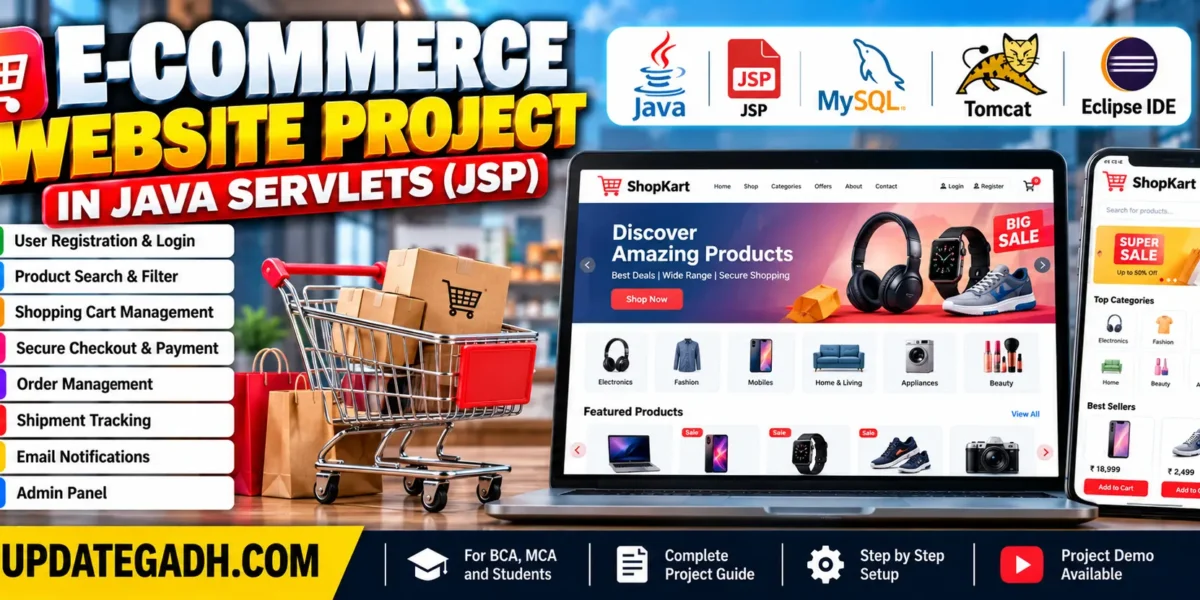
The E-Commerce Website Project in Java Servlets ,JSP is a web-based application developed using Java, JDBC, Servlets, JSP, and MySQL. It is designed to support online shopping by allowing customers to browse products, manage shopping cart items, place orders, and view order and shipment information.
The application provides features for adding products to a cart, removing items, and increasing or decreasing product quantities. It also includes administrator and user roles, email notifications, and a checkout process. This project helps students understand how Java web technologies can be used to develop an online shopping platform.
Real Time Projects on YouTube:- DecodeIT
What Is the Purpose of This E-Commerce Project?
The purpose of this project is to simplify online shopping by providing a platform where users can register, log in, search for products, manage their shopping carts, and place orders.
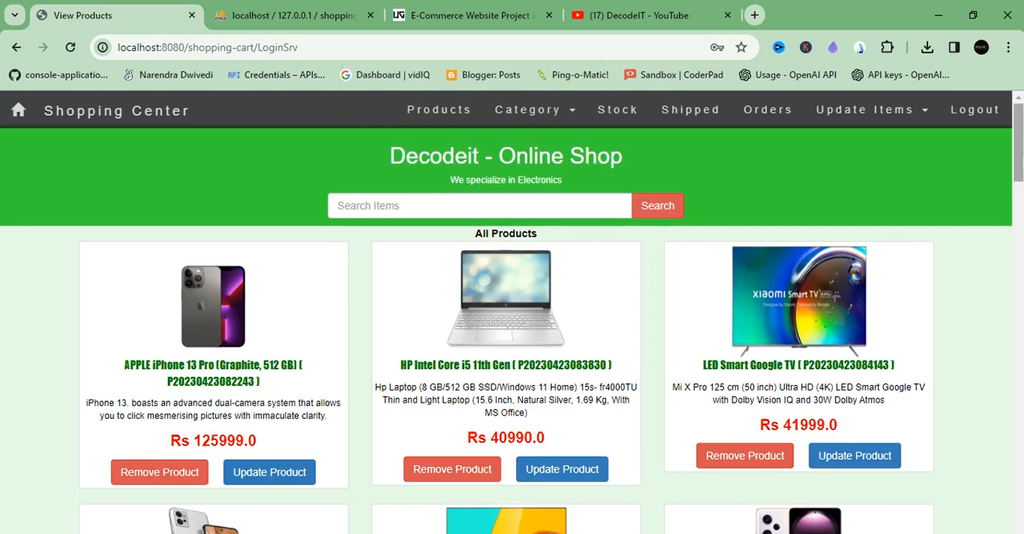
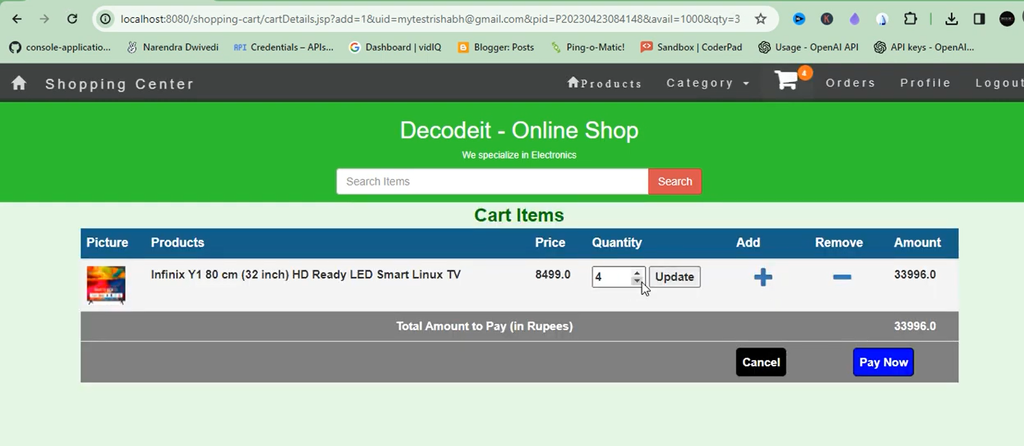
Customers can browse available products, filter and search for items using categories, and add multiple products to their shopping carts. They can update quantities or remove items before proceeding to checkout. After providing the required payment information, users can place orders and view order details and shipment status in the orders section.
Students interested in another e-commerce implementation can explore this Django-based project.
Advanced E-Commerce Management System Using Django :- Click here
What Are the Main Objectives of the Project?
The main objective is to provide convenient shopping functionality while keeping users informed about important account and order activities through email notifications.
The application includes email notifications for successful registration, product orders, and product shipment. It also supports notifications when an item that was previously out of stock becomes available again.
These notifications help customers receive updates about their shopping activities without needing to check the website for every change.
What Are the Features of the E-Commerce Website?
The system has two user roles: Administrator and User. Its features focus on shopping cart management, ordering, shipment updates, and email notifications.
1. Administrator and User Roles
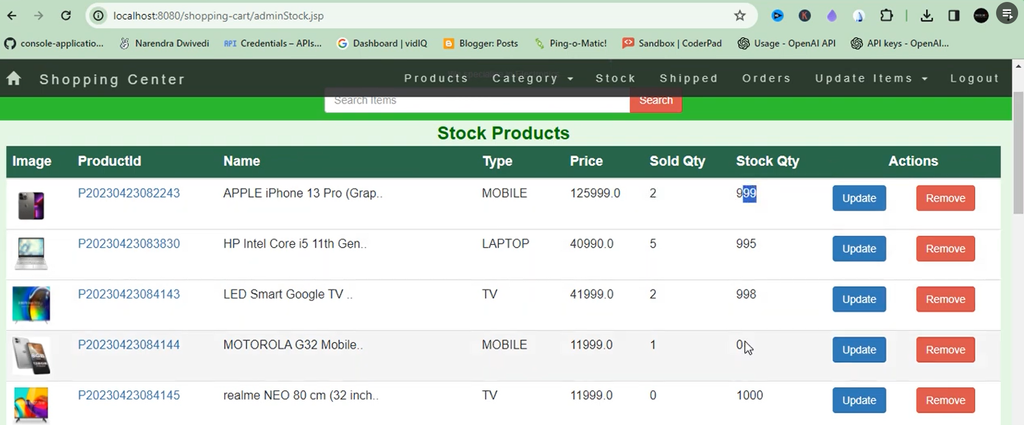
The application provides separate roles for administrators and regular users. These roles support access to the functions available to each type of user.
2. New User Registration
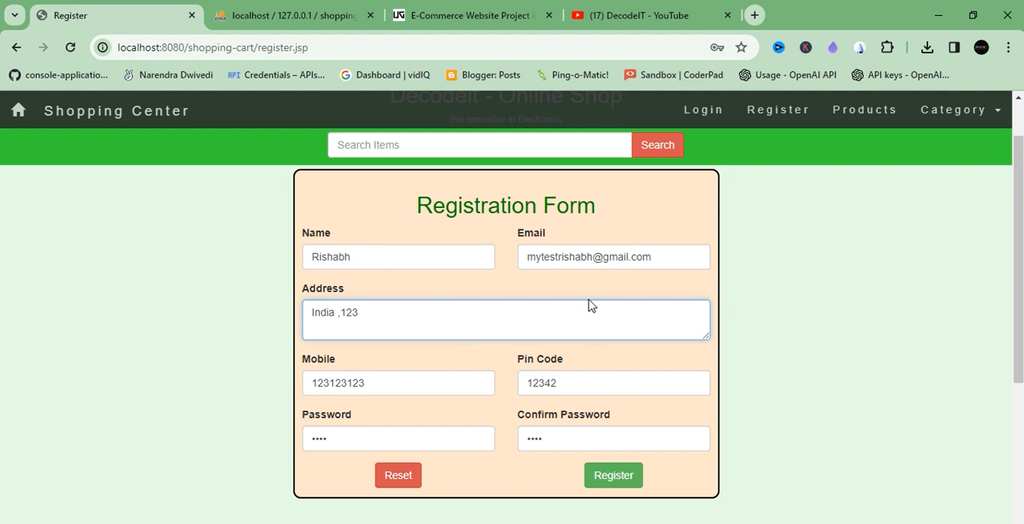
Users can register on the website to create an account. After successful registration, the application sends a confirmation email to the registered email address.
3. Product Browsing and Search
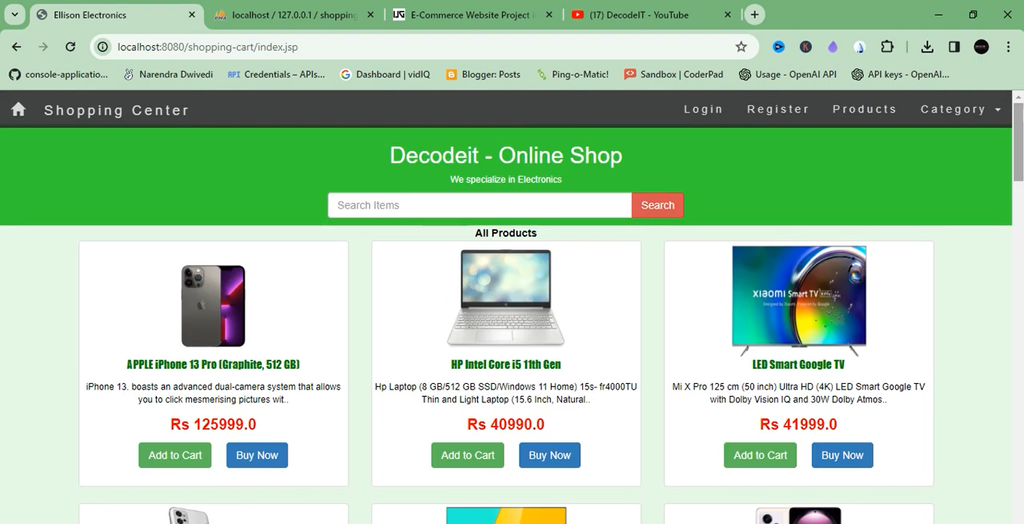
Customers can browse products available for purchase and search or filter items based on different categories. This helps users find products according to their interests.
4. Shopping Cart Management
Users can add multiple products to their shopping carts, remove unwanted items, and increase or decrease quantities. The cart can be updated before the user proceeds to checkout.
5. Checkout and Order Placement
After reviewing the shopping cart, users can proceed to checkout and provide the required credit card information. When payment is successful, the order is placed and the customer receives an order confirmation email.
6. Order Details and Shipment Status
Users can view their order information and shipment status in the orders section. The system also sends an email notification when a product is shipped from the store.
7. Back-in-Stock Email Notifications
If a customer attempts to add an item that is out of stock, the application can notify the customer by email when the item becomes available again.
Which Technologies Are Used in the Project?
The E-Commerce Website Project uses Java web technologies for backend processing, database connectivity, and dynamic page generation.
- HTML: Structures the web pages.
- CSS: Styles the website interface.
- JavaScript: Supports interactive frontend functionality.
- Bootstrap: Helps build the user interface.
- Java: Handles application logic.
- JDBC: Connects the Java application to the database.
- Java Servlets: Handle web requests and backend processing.
- JSP: Generates dynamic web pages.
- MySQL: Stores application data.
Students who want to explore another Java-based online shopping application can refer to the following project.
Ecommerce Web Application :- Click here
What Software and Tools Are Required?
The project requires a Java development environment, a database server, and an application server to run the web application.
- MySQL: For database management.
- Eclipse Enterprise Edition: For importing and managing the Java web project.
- Java JDK: For developing and running Java applications.
- Apache Tomcat 8.0: For running the JSP and Servlet-based application.
- Apache Maven: For project and dependency management.
- XAMPP Server: Listed among the required tools in the project information.
How to Download
The complete package is available so you can run, study, and submit it with confidence. It includes:
- Full Source Code
- Project Report
- Synopsis
- PPT Presentation
Demo Video
Screenshot
How to Run the E-Commerce Website Project?
Follow these steps to import the project into Eclipse and run it on an Apache Tomcat server.
- Import the Project: Open Eclipse Enterprise Edition and use File → Import to import the E-Commerce Website Project in Java.
- Run on Server: Right-click the imported project and select Run As → Run on Server.
- Select Tomcat: Choose the configured Tomcat server, then click Next and Finish.
- Check Server Ports: In the Servers tab, double-click the Tomcat server and review its Ports settings.
- Run the Website: Start the server and open the project URL in your browser.
- Verify the Application: Check the available pages and test the shopping workflow using the configured database.
What Are the Default Login Credentials?
The supplied project information provides default credentials for the administrator and regular user accounts. Use these credentials if they are configured in your project installation.
| Account Type | Username | Password |
|---|---|---|
| Administrator | admin@gmail.com | admin |
| User | guest@gmail.com | guest |
For security, change default credentials before using the application in a publicly accessible environment.
How to Generate a Gmail App Password?
A Gmail App Password is required for configuring the email functionality described in this project. Follow the supplied setup process to generate one for your Google account.
- Open a browser and sign in to your Gmail account.
- Visit Google Account Security and enable two-step verification if it is not already enabled.
- Open the Google App Passwords page and sign in again if prompted.
- In the app selection section, choose Other (custom name) and enter your project name.
- Click Generate and copy the generated 16-character app password.
- Save the password securely and configure the project’s email settings before testing email notifications.
Keep the app password private and avoid sharing it in source code repositories or public project documentation.
Can You Explore Other E-Commerce Projects?
Yes. Students can compare different implementations to understand how e-commerce functionality can be developed using different Java frameworks.
E-Commerce Website Using Spring Boot :- Click here
Frequently Asked Questions
1. Which technologies are used in this project?
The project uses Java, JDBC, Servlets, JSP, MySQL, HTML, CSS, JavaScript, and Bootstrap.
2. What are the main features of the e-commerce website?
The main features include user registration, product browsing and search, shopping cart management, checkout, order placement, shipment information, and email notifications.
3. How are users notified about their orders?
The application sends emails for successful registration, order confirmation, and product shipment. It also supports notifications when previously unavailable items return to stock.
4. Which server is used to run the project?
Apache Tomcat 8.0 is listed in the project requirements for running the JSP and Servlet-based application.
The E-Commerce Website Project in Java Servlets provides a practical example of an online shopping application using JSP, Servlets, JDBC, and MySQL. Its shopping cart, checkout, order management, shipment updates, and email notifications demonstrate common e-commerce workflows.