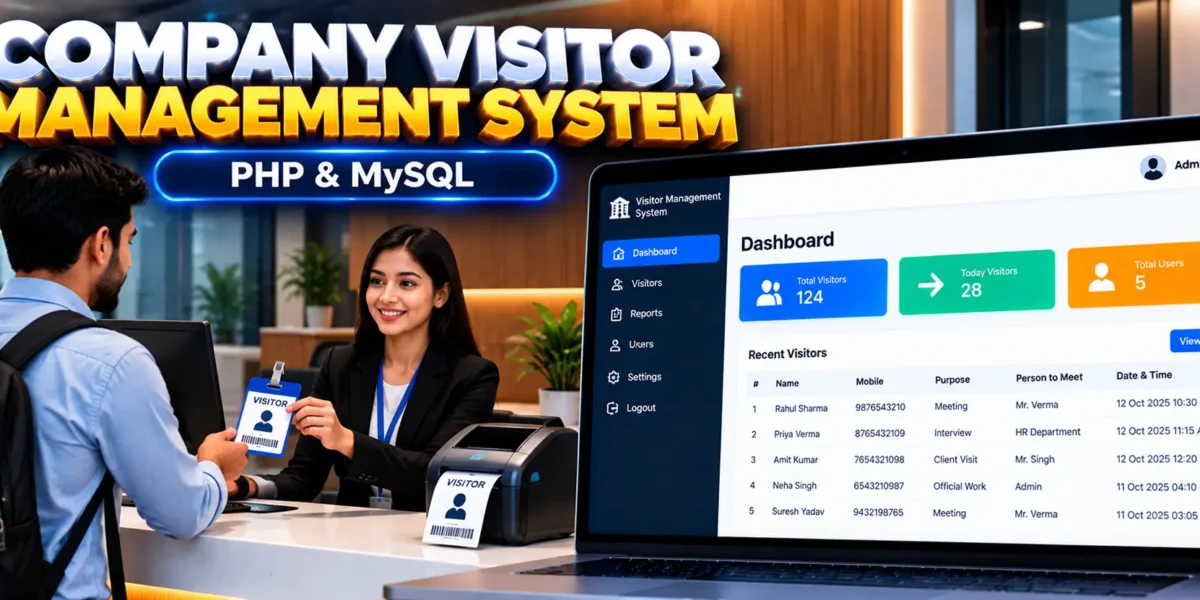
Company Visitor Management System Using PHP and MySQL
The Company Visitor Management System Using PHP and MySQL is a web-based application developed by UPDATEGADH to help organizations record, monitor, and manage visitor activities digitally. It provides a centralized platform for maintaining visitor information, tracking entry records, searching previous visits, and generating reports.
Built using PHP and MySQL, the system includes an administrative dashboard with visitor management, profile settings, password management, user permissions, and company branding options. It helps offices and institutions maintain organized visitor records and makes visitor information easier to access when required.
This project is suitable for students learning PHP development, MySQL database management, authentication, and CRUD operations through a practical visitor management application.
Complete Advance AI Topics: Click Here
Real Time Projects on YouTube:- DecodeIT
What Is a Company Visitor Management System?
A Company Visitor Management System is an application that helps organizations maintain digital records of people visiting their premises. Authorized users can add visitor details, manage existing records, search visits by name or date range, and generate reports for specific periods.
The system also includes account management and permission settings to help administrators control access to its available functions.
Company Visitor Management System Project Overview
| Project Details | Description |
|---|---|
| Project Name | Company Visitor Management System |
| Language Used | PHP |
| PHP Version (Recommended) | 5.6.3, 7.4.12 |
| Database | MySQL |
| Application Type | Web-Based Application |
What Are the Available Features?
The project provides visitor record management, reporting, account security, profile settings, and user permission controls through an administrative dashboard.
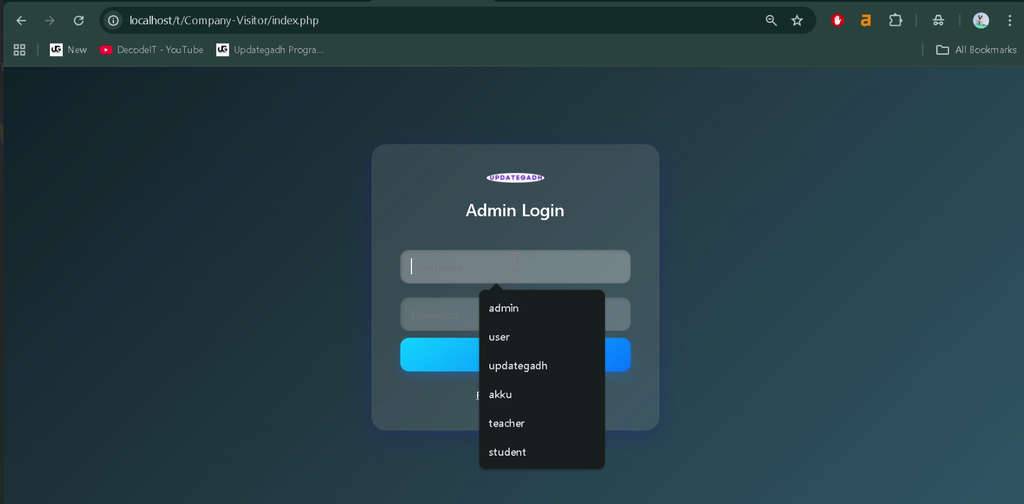
1. Secure Login System
The login system restricts dashboard access to authorized users. Administrative access and user permissions help control which application functions can be accessed.
2. Add New Visitor
Users can add visitor records by entering relevant information, including the visitor’s name, mobile number, purpose of visit, company or person to meet, date, time, and other available details.
3. Manage Existing Visitors
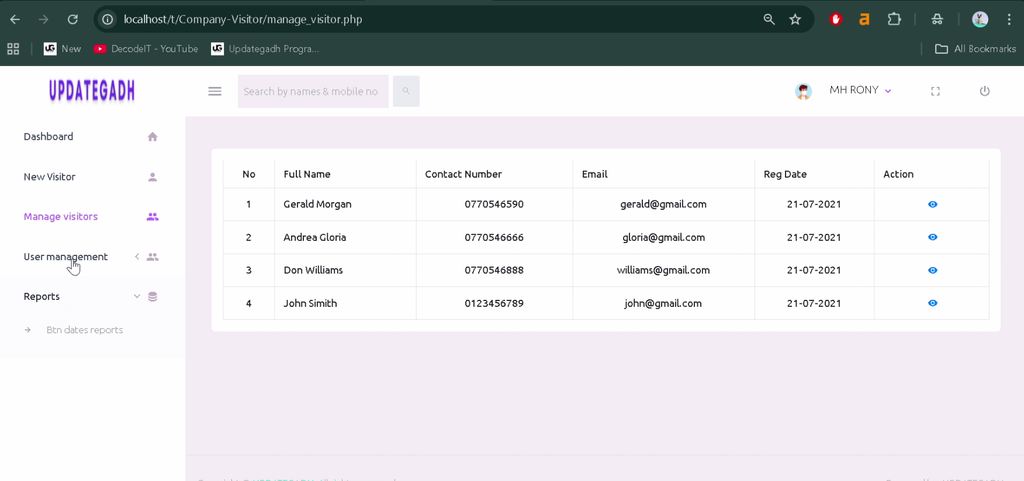
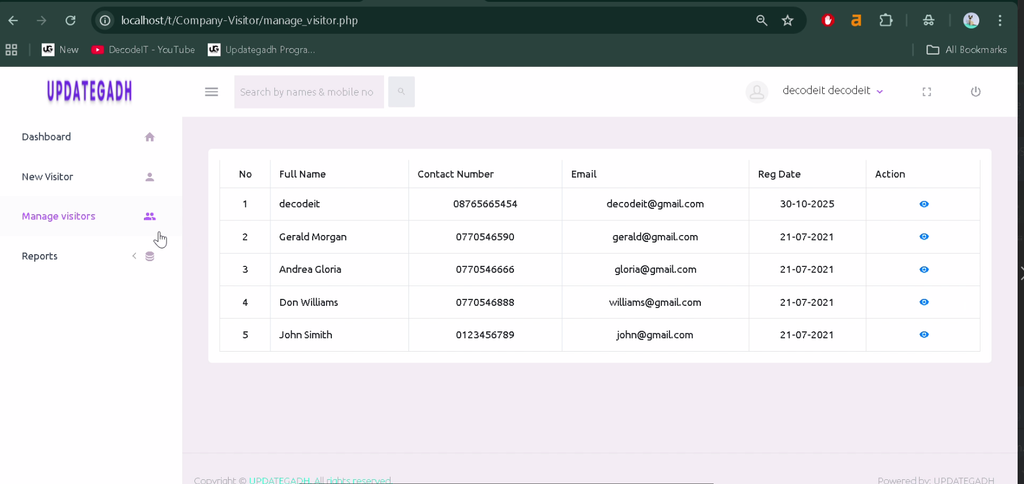
Administrators can view, update, and delete existing visitor records. This functionality helps keep visitor information organized and up to date.
4. Search Visitor Records
The system provides search functionality for finding visitor records by name or date range. This makes it easier to locate previous visits and review visitor activity.
5. Detailed Visitor Reports
Administrators can generate visitor reports for a specified date range. These reports help management review visitor activity over daily, weekly, or other selected periods.
6. Forgot Password
The forgot password functionality provides an option for users who cannot remember their login credentials to recover account access.
7. Change Password
Users can change their passwords from within the dashboard, helping them maintain control over their account credentials.
8. Profile Management
Administrators can view and update personal profile information, including contact details and profile images.
9. Company Logo and Image Management
The application supports uploading and updating the company logo and user profile images, allowing the interface to reflect the organization’s branding.
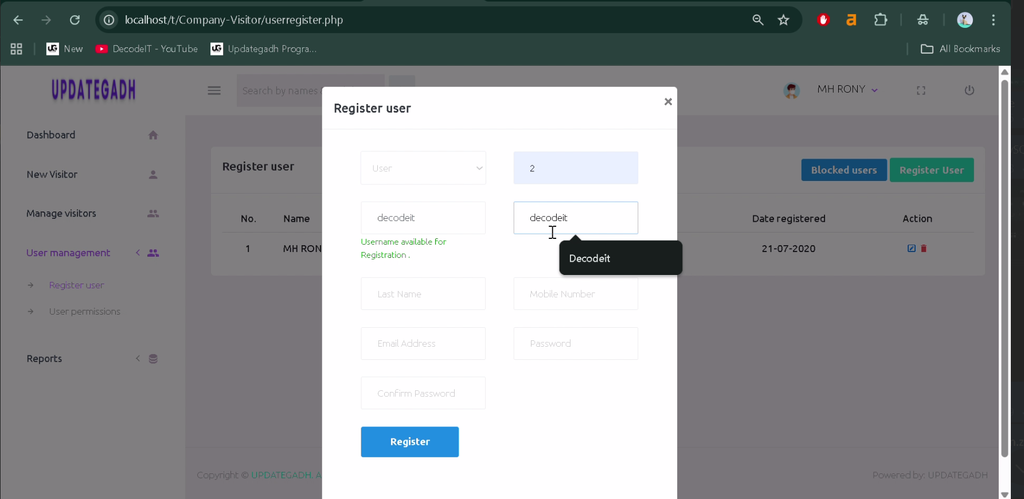
10. User Permissions Management
The permission module allows roles and access levels to be configured so that access to selected application features can be restricted according to user permissions.
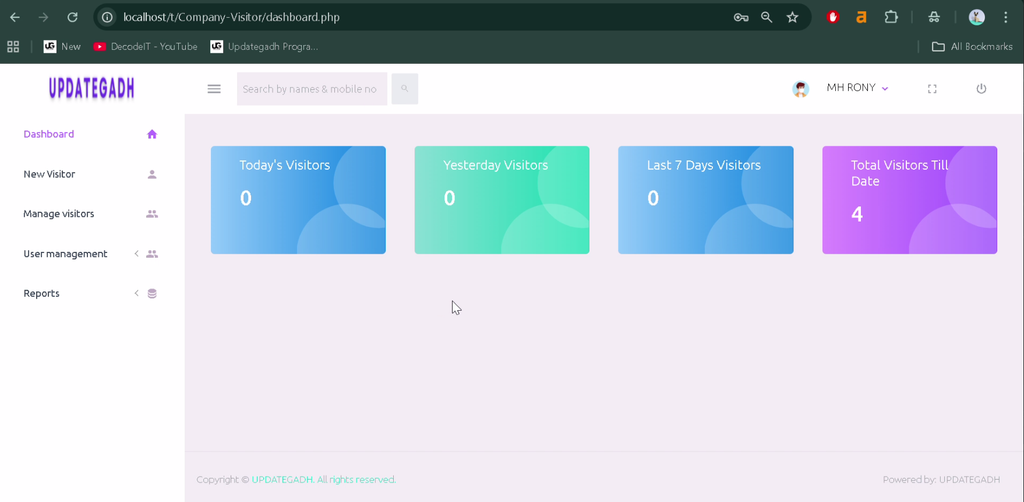
11. Dashboard Interface
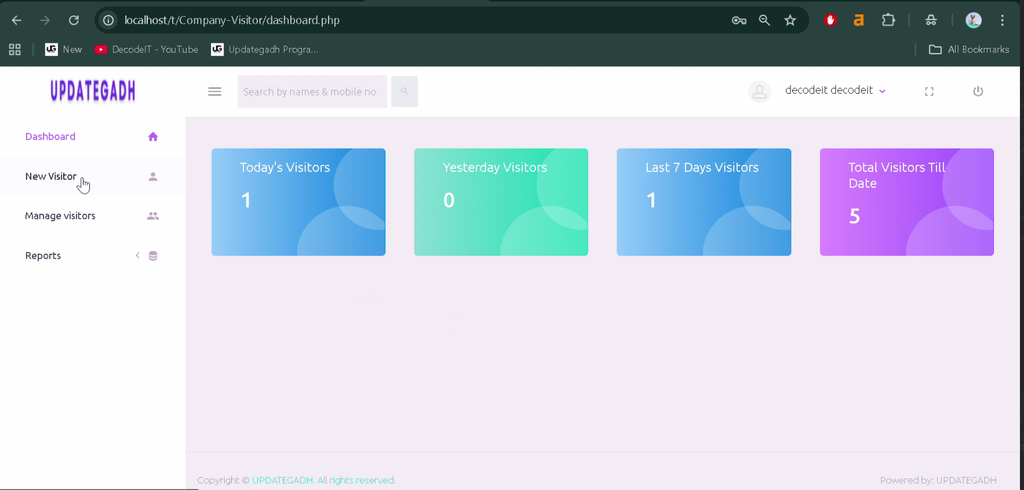
The dashboard provides access to the main application modules and displays visitor statistics alongside shortcuts to relevant functions.
Which Technologies Are Used in This Project?
- PHP: Handles server-side application logic and visitor management operations.
- MySQL: Stores visitor records and related application data.
- Web Technologies: PHP and MySQL power the web-based application.
What Software Is Required?
- XAMPP: Provides Apache and MySQL for local development.
- WAMP or LAMP: Alternative web server environments that support PHP and MySQL.
- Visual Studio Code: Can be used to view and edit project files.
- Web Browser: Used to access the application.
How to Download
The complete package is available so you can run, study, and submit it with confidence. It includes:
- Full Source Code
- Project Report
- Synopsis
- PPT Presentation
Screenshot
How to Install the Company Visitor Management System in VS Code
Follow these steps to configure the project on a local computer using XAMPP.
- Extract the Project: Extract the project ZIP file and locate the
Company-Visitor-Management-Systemfolder. - Copy the Project: Move the folder into the XAMPP
htdocsdirectory. For example:C:\xampp\htdocs\Company-Visitor-Management-System. - Open the Project: Open the extracted folder in Visual Studio Code.
- Start Services: Open the XAMPP Control Panel and start Apache and MySQL.
- Create the Database: Open
http://localhost/phpmyadmin/and create a MySQL database namedcvdb. - Import the SQL File: Select the
cvdbdatabase and importDatabase/ccbd_visitor.sqlfrom the project folder. - Check Database Configuration: Verify the database connection settings in the project and ensure that the database name and MySQL credentials match your local environment.
- Run the Project: Open the following address in your browser, replacing the folder name if necessary:
http://localhost/Company-Visitor-Management-System/Note: The exact URL depends on the extracted folder name and the application’s entry point. The default login credentials and database connection file should be verified from the project files.
How to Use the Visitor Management System
Administrator
Log in to access the dashboard, add visitor records, update or delete existing entries, search visitor information, generate reports, manage profile settings, and configure user permissions.
Visitor Record Management
Enter visitor details when creating a record. Use the search functionality to find existing entries and the reporting module to review visitor activity for selected dates.
Why Is This Project Useful for Students?
This project provides practical experience with PHP programming, MySQL database operations, authentication, CRUD functionality, search features, and report generation. It also demonstrates how user permissions and administrative dashboards can be used in a database-driven web application.
Students can explore the existing modules to understand how visitor information is stored, retrieved, updated, and presented through a web interface.
Final Thoughts
The Company Visitor Management System Using PHP and MySQL is a practical project for learning how organizations can maintain digital visitor records. Its features cover visitor entry, record management, search, date-based reporting, profile settings, and permission controls.
From a student’s perspective, the project offers a useful foundation for understanding PHP and MySQL development while demonstrating a real-world administrative application.
Frequently Asked Questions
1. What is a Company Visitor Management System?
It is a web-based application that helps organizations record visitor details, manage visit records, search entries, and generate visitor reports.
2. Which technologies are used in this project?
The project uses PHP for application functionality and MySQL for database management.
3. What is the database name used during installation?
The provided installation instructions specify a MySQL database named cvdb.
4. Can administrators search and generate visitor reports?
Yes. Administrators can search visitor records by name or date range and generate reports for selected periods.
5. Can the system manage user permissions?
Yes. The application includes a permission module for configuring roles and restricting access to selected functions.
Keywords: Company Visitor Management System Using PHP and MySQL, Visitor Management System PHP Project, Visitor Management System MySQL, Company Visitor Record System, PHP Visitor Management Project, Visitor Entry Management System