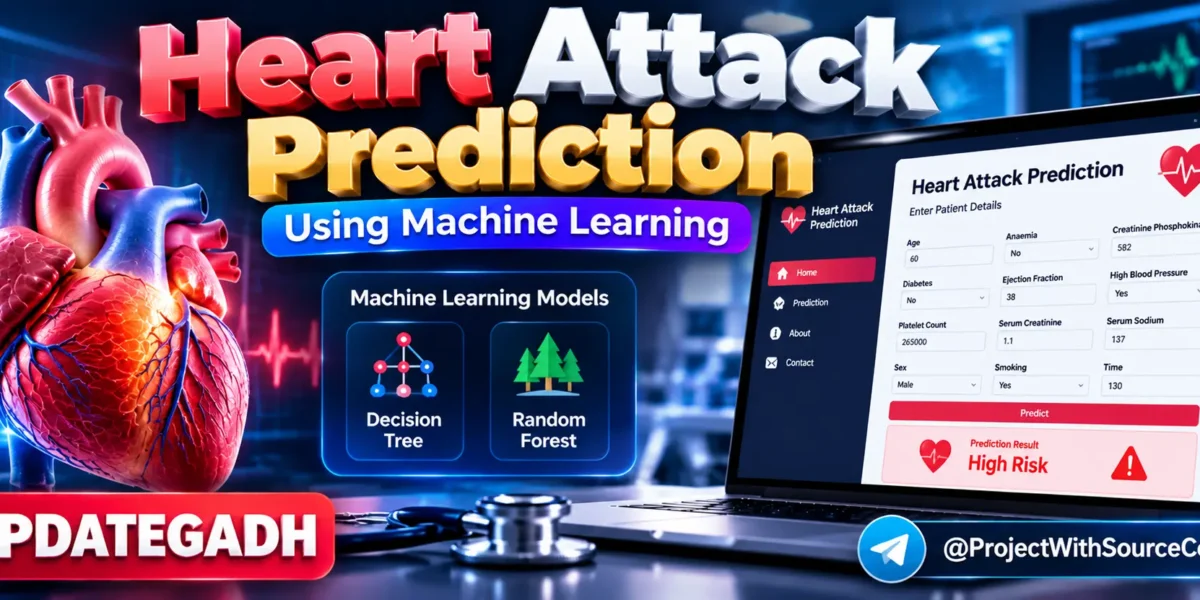
Heart Attack Prediction Using Machine Learning
Introduction
Heart disease is a major health concern worldwide, and identifying potential risk factors at an early stage can support timely medical attention. Machine learning can be used to analyze historical patient data and identify patterns associated with health outcomes.
The Heart Attack Prediction Using Machine Learning project, developed by UPDATEGADH, is a machine learning-based application that predicts the likelihood of a heart-related risk based on selected patient health parameters. The project uses a medical dataset and classification algorithms to train a predictive model.
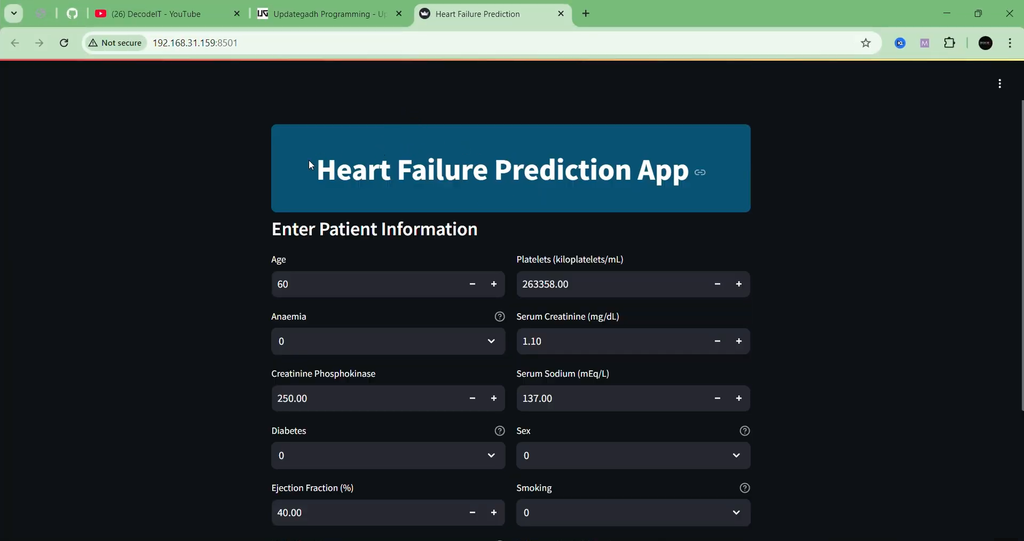
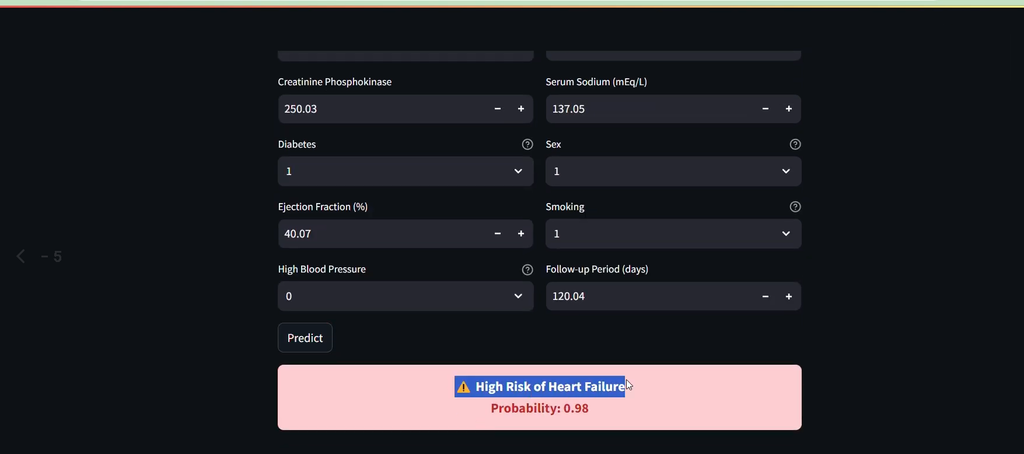
The application is developed using Python and Streamlit. Users can enter medical information through a web interface, and the trained model processes the provided values to generate a prediction.
This project is particularly useful for students who want to understand the complete workflow of a machine learning application, including dataset preparation, model training, evaluation, model serialization, and Streamlit deployment.
Complete Advance AI Topics: Click Here
Real Time Projects on YouTube:- DecodeIT
Project Overview
| Project Name | Heart Attack Prediction Using Machine Learning |
|---|---|
| Language/s Used | Python |
| Frontend | Streamlit |
| Machine Learning | Decision Tree, Random Forest |
| Dataset | hf.csv |
| Database | Not Required |
| Project Type | Machine Learning Web Application |
Dataset Information
The project uses a dataset named hf.csv, which contains medical records with several patient-related attributes. These features are used as input variables for training the machine learning models.
Important Dataset Features
- Age
- Anaemia
- Creatinine Phosphokinase
- Diabetes
- Ejection Fraction
- High Blood Pressure
- Platelet Count
- Serum Creatinine
- Serum Sodium
- Sex
- Smoking
- Time
- DEATH_EVENT
The DEATH_EVENT column is used as the target variable during model training.
Machine Learning Models Used
The project trains and evaluates multiple classification algorithms to determine their performance on the available medical dataset.
- Decision Tree Classifier
- Random Forest Classifier
The dataset is divided into training and testing portions using train_test_split. The models are trained using the training data and evaluated using unseen testing data. The better-performing model is then saved for use by the web application.
Available Features
- Patient medical information input
- Machine learning-based prediction
- Decision Tree classification
- Random Forest classification
- Model performance evaluation
- Saved trained model using Pickle
- Streamlit web interface
- Real-time prediction from user input
- Automatic browser launch
How the Project Works
1. Data Preprocessing
The heart.py script loads the medical dataset and separates the input features from the target variable. The data is then prepared for machine learning model training.
2. Data Splitting
The dataset is divided into training and testing data using the train_test_split function. The training data is used to build the models, while the testing data is used to evaluate their performance.
3. Model Training
Decision Tree and Random Forest classification models are trained using the prepared dataset. Each algorithm learns patterns from the historical medical records.
4. Model Evaluation
The trained models are tested using unseen data, and their accuracy scores are calculated. The better-performing model is selected for the application.
5. Model Serialization
The selected model is saved as a Pickle (.pkl) file. This allows the trained model to be loaded later without retraining it every time the application starts.
6. Streamlit Application
The app.py file provides the web interface using Streamlit. Users can enter the required medical parameters, and the application loads the saved model to generate a prediction.
Project Structure
- hf.csv: Medical dataset used for model training.
- heart.py: Handles dataset processing, model training, evaluation, and model saving.
- app.py: Streamlit application used for the prediction interface.
- hf1.pkl: Saved trained machine learning model used by the application.
- requirements.txt: Contains the Python dependencies required to run the project.
Software and Tools Required
- Python
- VS Code or another Python IDE
- Streamlit
- Scikit-learn
- Pandas
- NumPy
- Web Browser
How to Download
The complete package is available so you can run, study, and submit it with confidence. It includes:
- Full Source Code
- Project Report
- Synopsis
- PPT Presentation
Demo Video
Screenshot
Installation Guide
Step 1: Open the Project
Open the project folder in VS Code and make sure Python is installed on your system.
Step 2: Create a Virtual Environment
python -m venv venvStep 3: Activate the Virtual Environment
For Windows:
venv\Scripts\activateStep 4: Install Dependencies
Install the libraries listed in the project’s requirements file:
pip install -r requirements.txtStep 5: Run the Application
Start the Streamlit application using:
streamlit run app.pyAfter running the command, the Streamlit application will open in the browser.
Usage
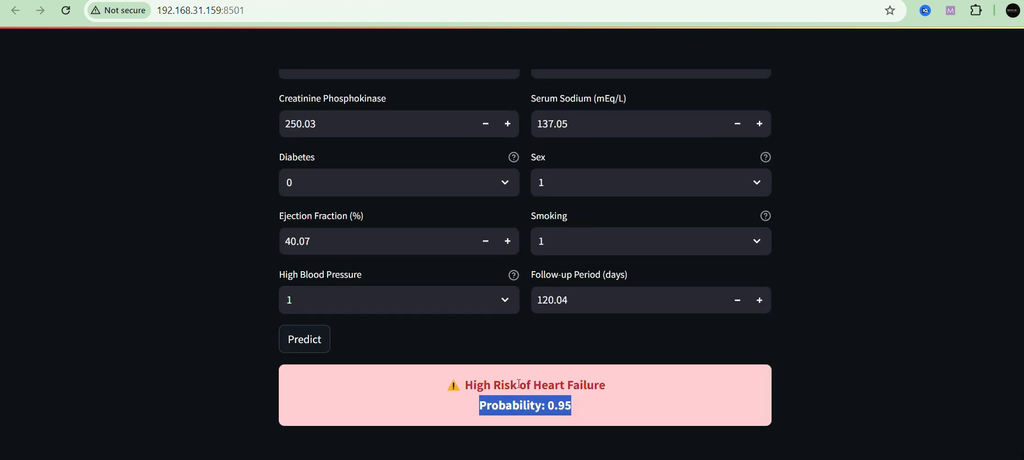
After launching the application, users can enter the required medical parameters through the Streamlit interface. The application loads the previously trained machine learning model and processes the submitted information.
The model then generates a prediction based on the input values. The application is intended as a machine learning project and educational prototype and should not be treated as a medical diagnosis or a replacement for professional medical advice.
Project Benefits
- Helps students understand machine learning classification.
- Demonstrates the use of medical datasets in ML projects.
- Provides practical experience with Decision Tree and Random Forest algorithms.
- Shows how to save and reuse a trained machine learning model.
- Demonstrates integration of machine learning with Streamlit.
- Provides an interactive interface for generating predictions.
Future Enhancements
The project can be further improved by experimenting with additional machine learning and deep learning techniques. A larger and more diverse dataset could also be used to evaluate how well the model generalizes to different patient populations.
Other possible improvements include adding data visualization, improving the user interface, providing more detailed model evaluation, developing a mobile-friendly interface, and deploying the application to a cloud environment.
Final Thoughts
From a student’s perspective, the Heart Attack Prediction Using Machine Learning project is a practical example of how machine learning can be combined with a web application to create an interactive prediction system.
Heart Attack Prediction Heart Attack Prediction heart attack prediction using machine learning heart attack prediction dataset heart attack prediction test heart attack prediction kaggle heart attack prediction blood test heart attack prediction dataset kaggle heart attack prediction calculator heart attack prediction project heart attack prediction github