Customer Relationship Management (CRM)
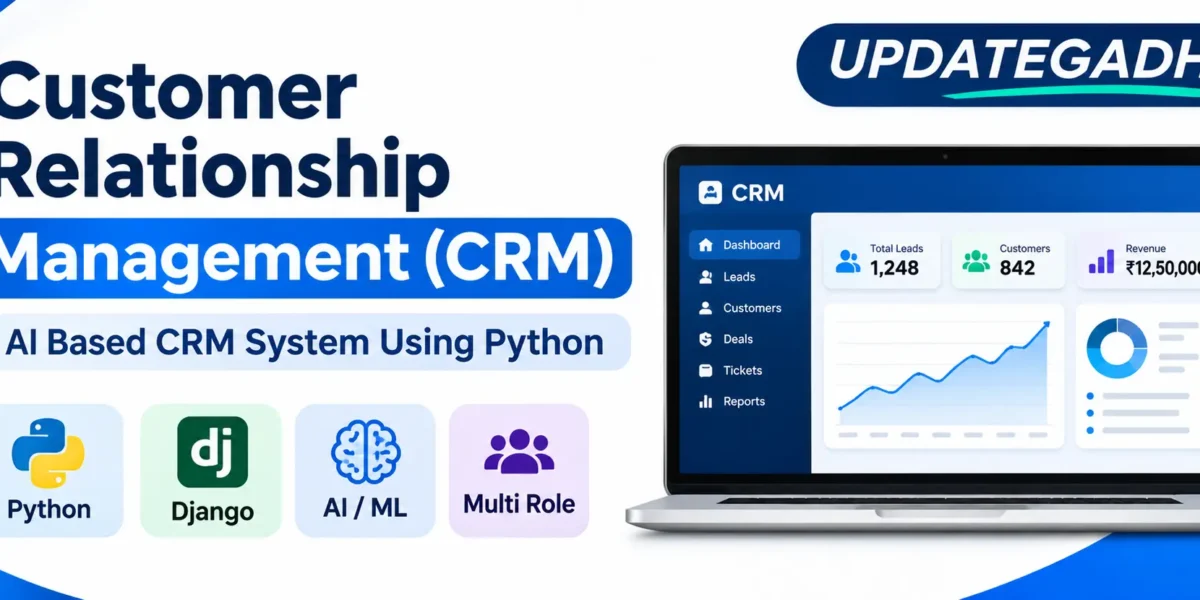
Advanced AI-Based Customer Relationship Management (CRM) Using Python is a web-based application designed to help businesses manage customer information, sales activities, support requests, and business operations. The Advanced AI-Based Customer Relationship Management (CRM) project provides four role-specific panels for Admin, Manager, Sales Representative, and Support Agent.
Developed using Python and Django with SQLite as its database, this customer relationship management (crm) application combines customer management with Artificial Intelligence, Machine Learning, and Natural Language Processing. It includes a fully customized administration interface instead of the default Django Admin panel.
The customer relationship management (crm) system also includes eight ML and NLP features trained using records stored in the database. These features help analyze customer information, evaluate sales opportunities, generate predictions, and provide useful recommendations.
Smart Parking System Using Python with OpenCV and YOLO :- Click Here
What Is Customer Relationship Management (CRM)?
Customer Relationship Management (CRM) is a web application that helps businesses organize customer records, manage sales activities, monitor support requests, and analyze business performance.
The customer relationship management (crm) platform separates its functionality into four role-specific dashboards. Administrators manage the complete application, managers monitor their teams, sales representatives handle assigned leads and customers, and support agents manage customer tickets and communications.
How Does the Customer Relationship Management (CRM) System Work?
The customer relationship management (crm) system works through four separate dashboards, each designed according to the user’s responsibilities.
Admin Panel:
- Manage users, roles, and departments.
- Access all application modules.
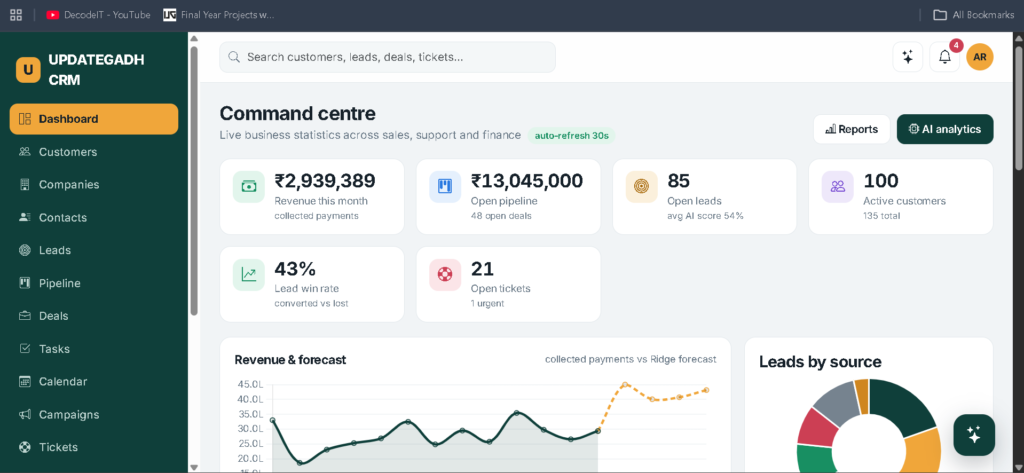
- Monitor live KPIs with 30-second refresh.
- View revenue information and forecasts.
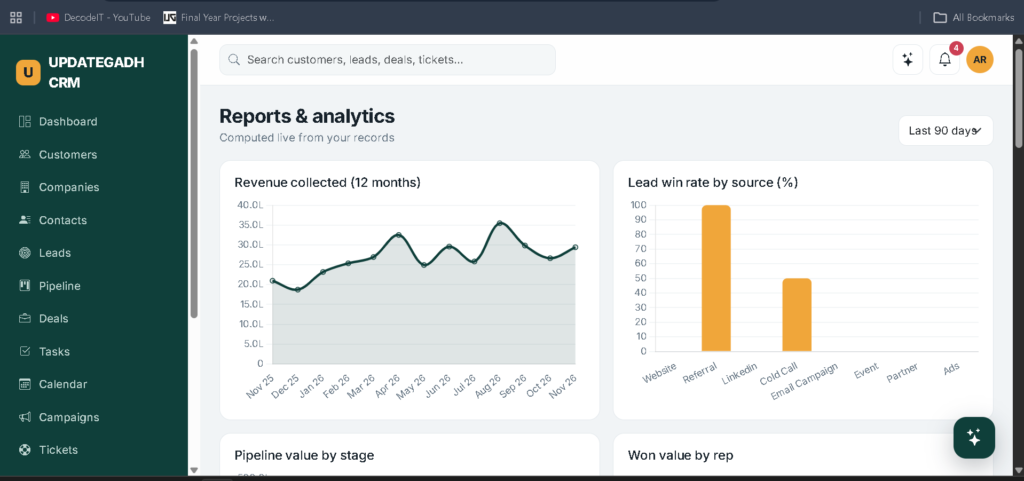
- Access AI analytics and reports.
- Monitor audit logs.
- Retrain machine learning models.
Manager Panel:
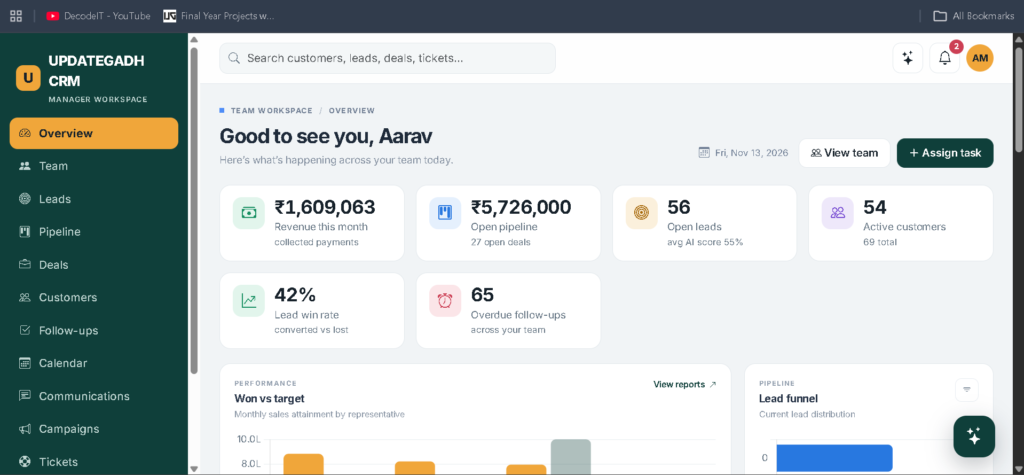
- Monitor team targets.
- Track the sales funnel.
- View representative performance.
- Manage assigned follow-ups.
- Access AI-based lead assignment.
- Track team activities.
- Generate team reports.
Sales Representative Panel:
- Monitor personal sales targets.
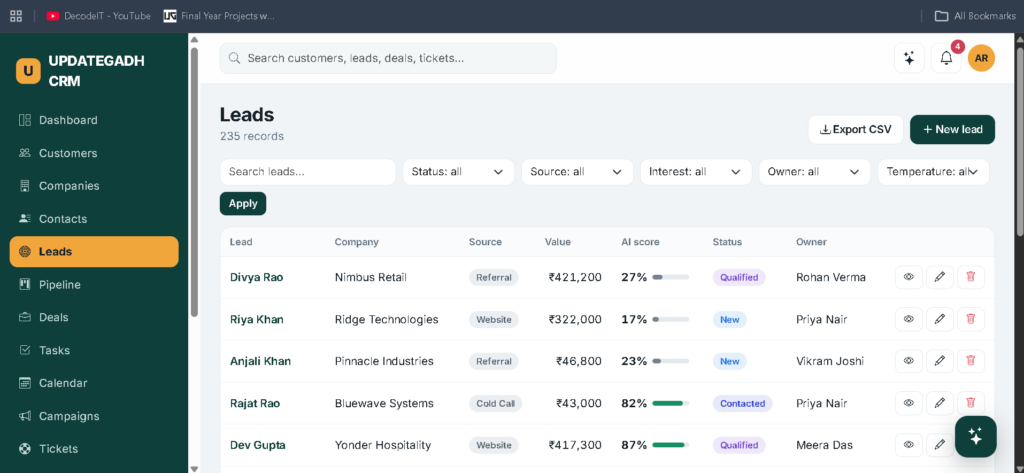
- View hot leads.
- Access next-best-action recommendations.
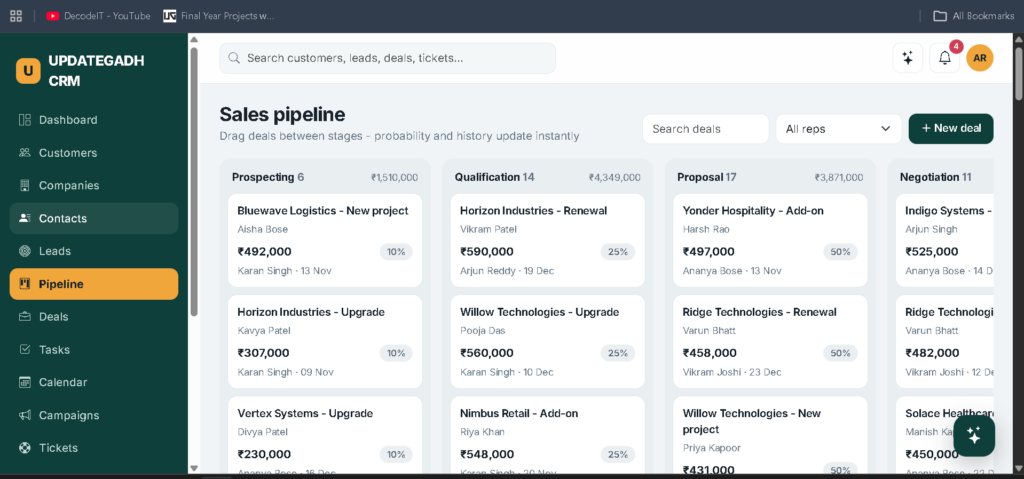
- Manage the Kanban sales pipeline.
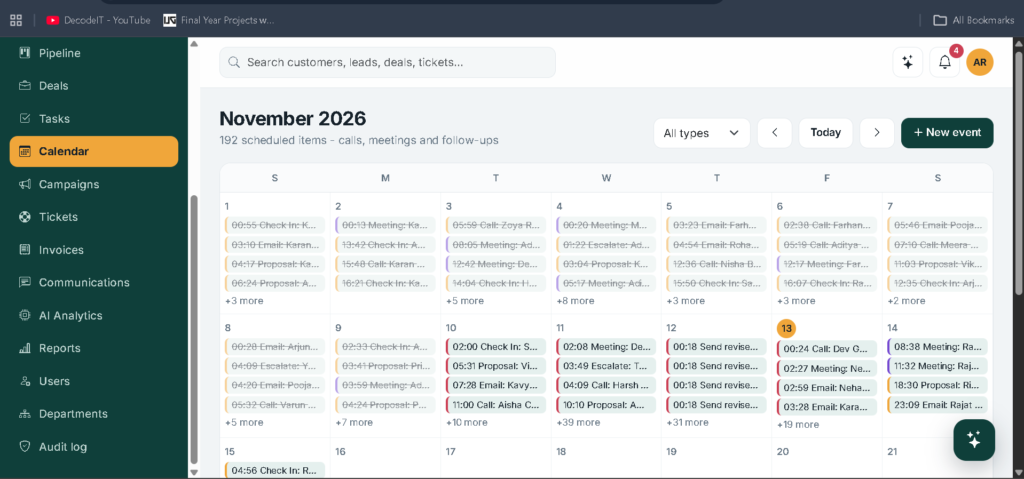
- Use the calendar.
- Manage invoices.
- Track personal performance.
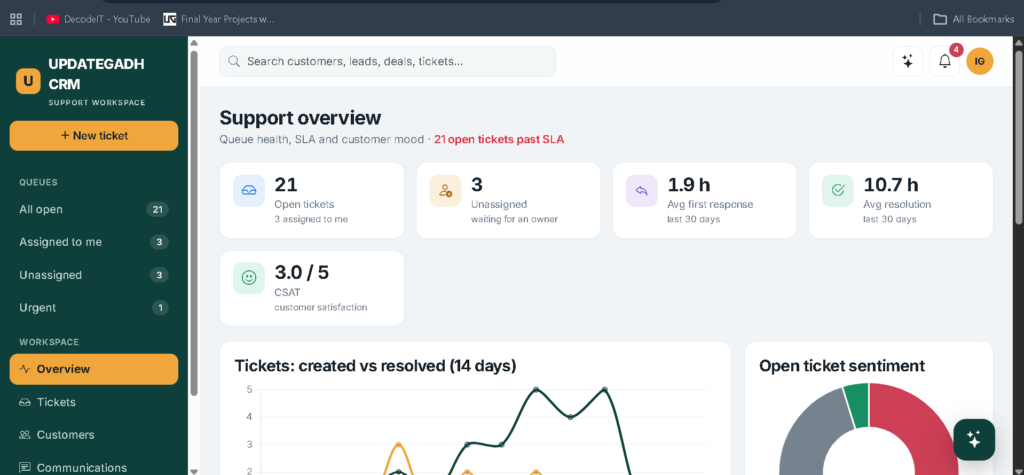
Support Agent Panel:
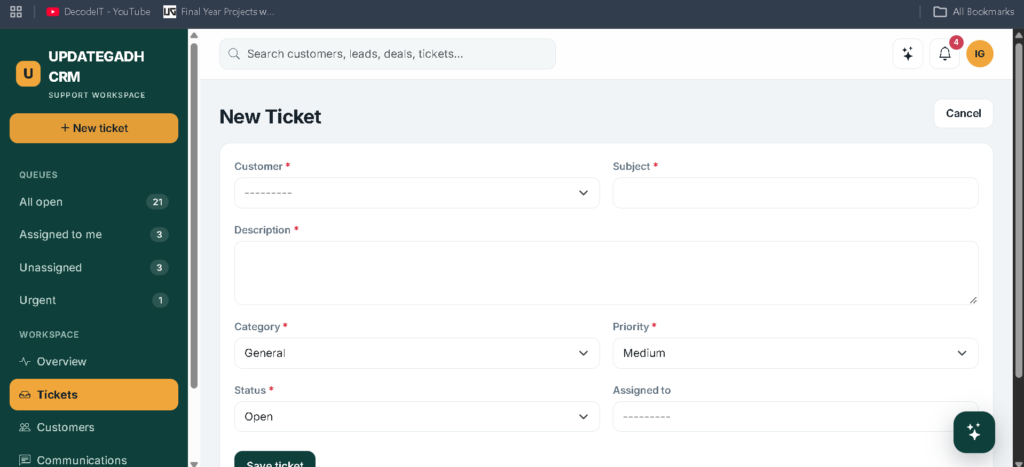
- Manage customer support ticket queues.
- Monitor SLA information.
- Track customer satisfaction (CSAT).
- View customer sentiment.
- Manage threaded replies.
- Add internal notes.
- Access customer history.
The application uses role-based access restrictions through crm/access.py. Sales representatives can access their own assigned records, managers can access their team records, support agents can access customers and tickets, and administrators can access all records.
Every create, update, delete, export, login, and AI action is recorded in the audit log.
AI-Powered Resume Screening System in Python :- Click Here
What Are the Main Features of Customer Relationship Management (CRM)?
The Customer Relationship Management (CRM) application provides separate management tools for administrators, managers, sales representatives, and support agents.
Admin Features:
- User and Role Management: Allows administrators to manage users, roles, and departments across the application.
- Dashboard and KPI Monitoring: Displays live business KPIs with 30-second refresh, revenue information, and forecasts.
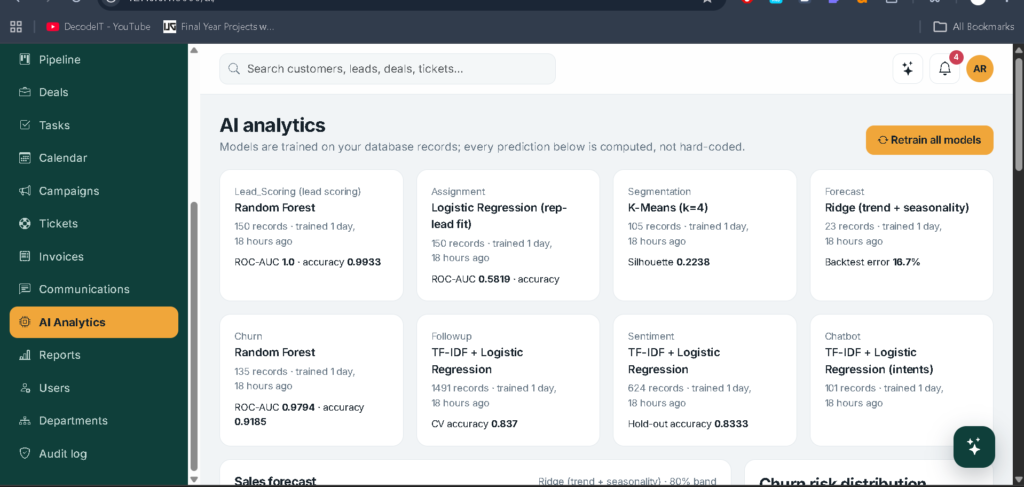
- AI Analytics: Provides access to machine learning analytics, model quality metrics, and model retraining.
- Reports Management: Allows administrators to access business reports and monitor application performance.
- Audit Log: Records create, update, delete, export, login, and AI-related actions.
- Complete Access Control: Gives administrators access to all application modules and records.
Manager Features:
- Team Target Management: Allows managers to monitor team targets and sales performance.
- Sales Funnel Tracking: Displays sales funnel information and team progress.
- Representative Scoreboard: Helps managers review sales representative performance.
- Follow-Up Management: Provides access to assigned follow-ups.
- AI Lead Assignment: Supports lead assignment using representative and lead compatibility.
- Activity Tracking: Allows managers to monitor team activities.
- Team Reports: Provides access to reports within the manager’s team scope.
Sales Representative Features :
- Personal Target Tracking: Displays individual sales targets and performance.
- Hot Lead Management: Helps sales representatives identify and manage hot leads.
- Next-Best-Action Recommendations: Provides suggested actions for sales activities.
- Kanban Sales Pipeline: Allows representatives to manage their sales pipeline.
- Calendar Management: Provides calendar functionality for sales activities.
- Invoice Management: Supports invoice-related activities.
- Personal Performance Tracking: Displays individual sales performance.
Support Agent Features :
- Ticket Queue Management: Allows support agents to manage customer support tickets.
- SLA Monitoring: Displays service-level agreement information.
- Customer Satisfaction Tracking: Provides customer satisfaction (CSAT) information.
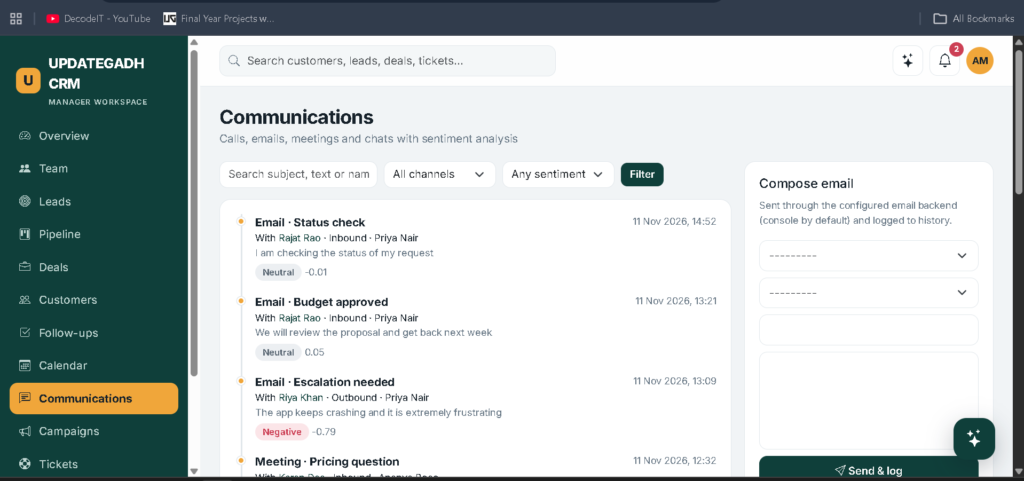
- Sentiment Analysis: Displays sentiment information from customer interactions and replies.
- Threaded Replies: Supports threaded communication with customers.
- Internal Notes: Allows support agents to add internal notes.
- Customer History: Provides access to customer history and related information.
AI and Machine Learning Features:
- AI Lead Scoring: Predicts lead conversion or loss using machine learning models.
- Smart Lead Assignment: Evaluates representative and lead compatibility and considers workload.
- Customer Segmentation: Groups customers using K-Means clustering.
- Sales Forecasting: Estimates future sales using Ridge Regression.
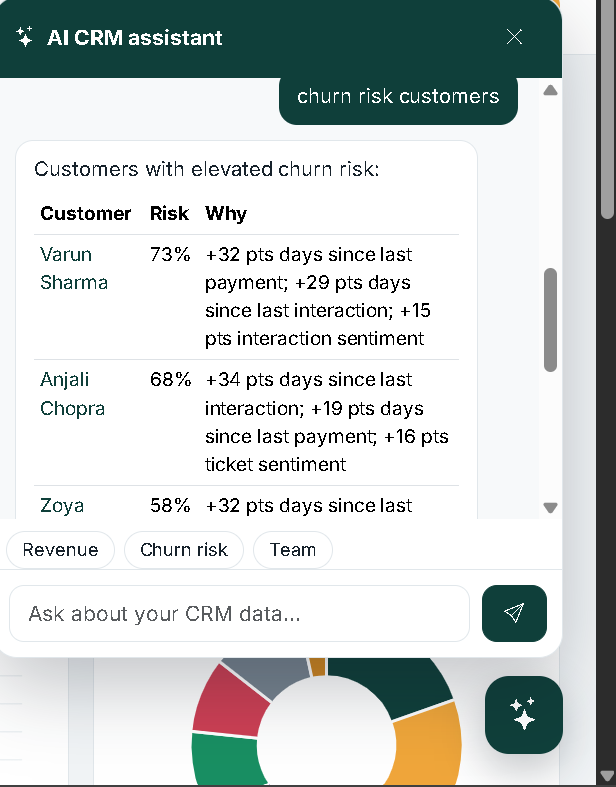
- Churn Prediction: Identifies customers who may leave using classification models.
- Follow-Up Recommendations: Suggests follow-up tasks using historical interactions.
- Sentiment Analysis: Analyzes customer interactions, support tickets, and customer replies.
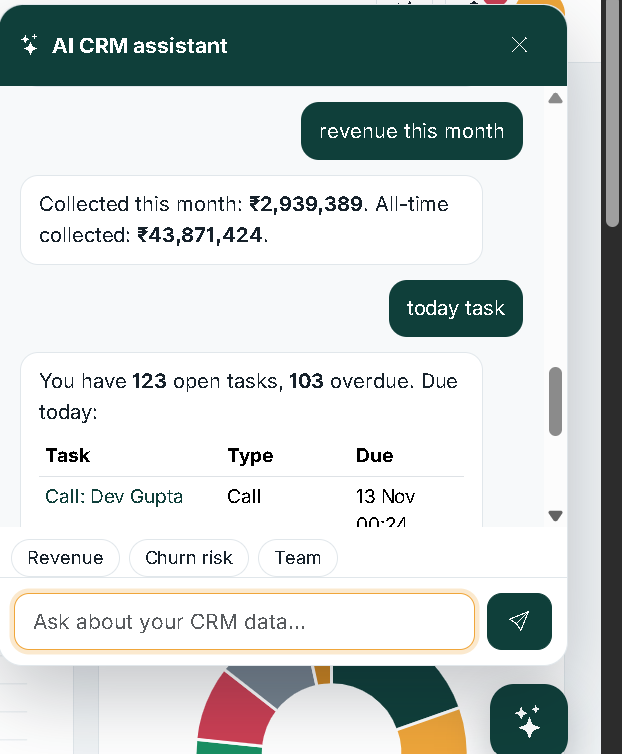
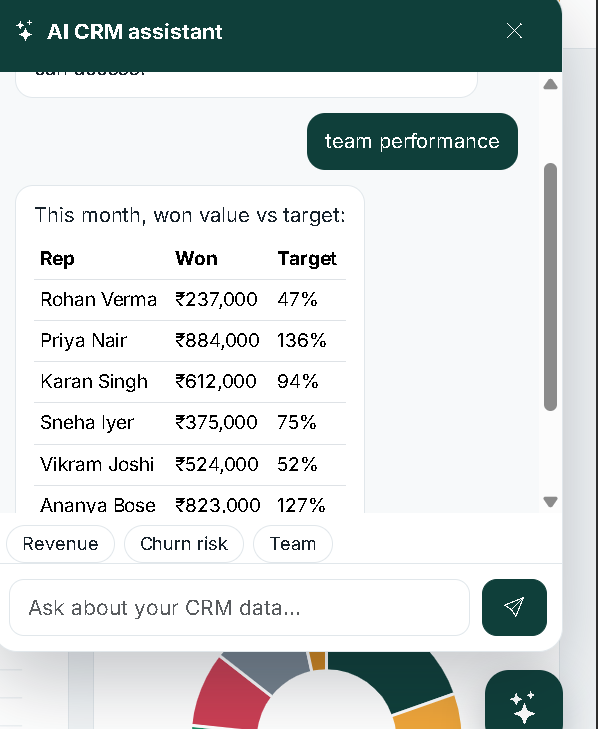
- CRM Chatbot: Classifies user questions and generates answers using role-scoped database queries.
What Are the Eight AI and Machine Learning Features?
- AI Lead Scoring – Predicts lead conversion chances.
- Smart Lead Assignment – Assigns leads based on representative skills and workload.
- Customer Segmentation – Groups customers using K-Means clustering.
- Sales Forecasting – Predicts future sales using historical payment data.
- Churn Prediction – Identifies customers likely to leave.
- Follow-Up Recommendations – Suggests follow-up tasks based on customer interactions.
- Sentiment Analysis – Analyzes customer feedback and interactions.
- CRM Chatbot – Answers user queries using role-based database information.
E-Learning Management System Using Python and AI Chatbot :- Click Here
How to Download
The complete package is available so you can run, study, and submit it with confidence.
Screenshot
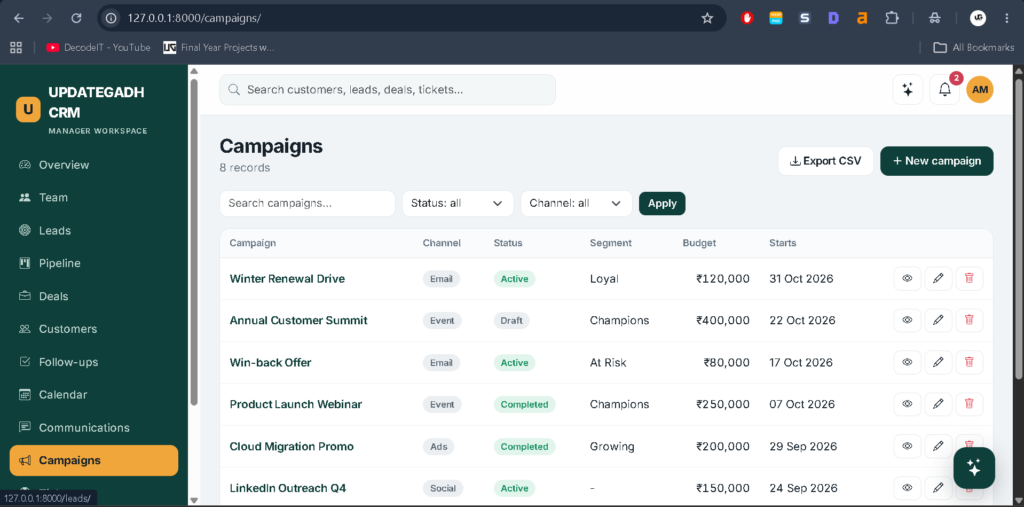
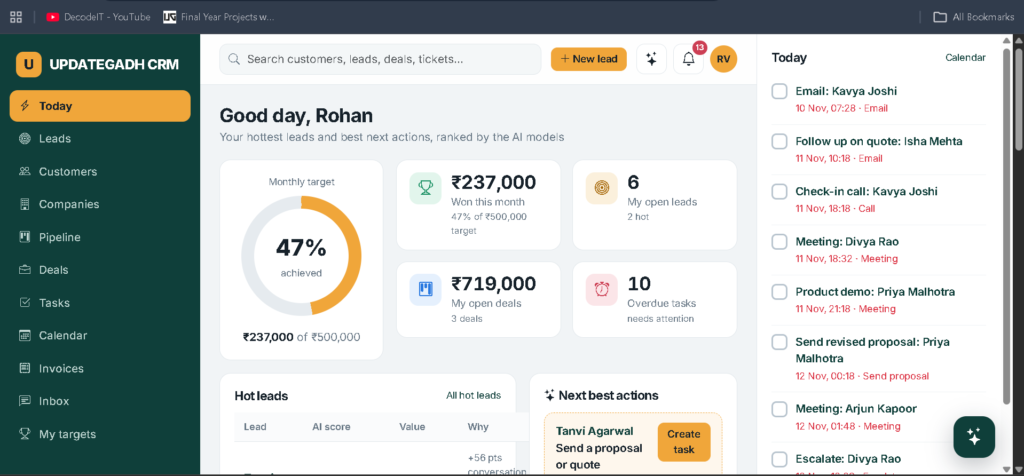
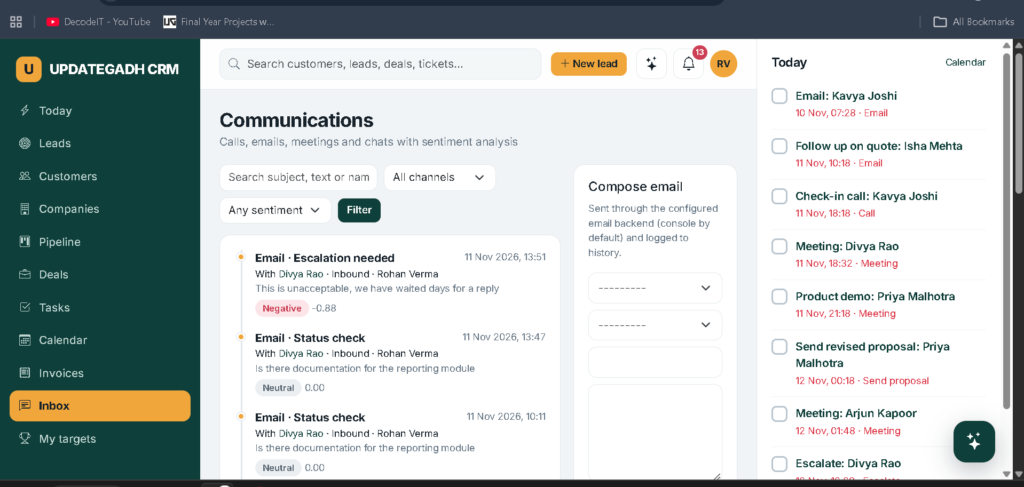
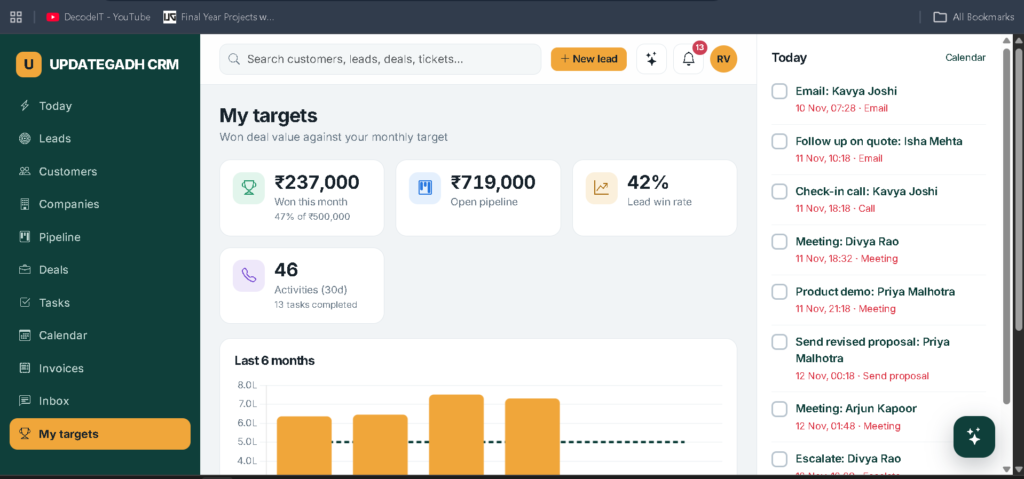
How Are AI Predictions Generated?
The Customer Relationship Management (CRM) application calculates predictions through the train_models management command. Lead scores, churn probabilities, customer segments, and sales forecasts are computed by the training process rather than being stored directly in the demo seeder.
Each prediction displays its top drivers using model-agnostic feature ablation. Model quality metrics are available in the AI Analytics section.
How to Install Customer Relationship Management (CRM) Using Python?
Step 1: Install Python 3.10 to 3.12.
Step 2: Extract the project ZIP file and open the Customer Relationship Management (CRM) folder in VS Code.
Step 3: Create a virtual environment: python -m venv venv
Activate the virtual environment: .\venv\Scripts\Activate
Step 4: Install the required packages: pip install -r requirements.txt
Step 5: Create database migrations: python manage.py makemigrations crm
Step 6: Apply database migrations: python manage.py migrate
Step 7: Generate demo data: python manage.py seed_demo
Step 8: Run the project: python manage.py runserver
Open your browser and visit: 127.0.0.1:8000/
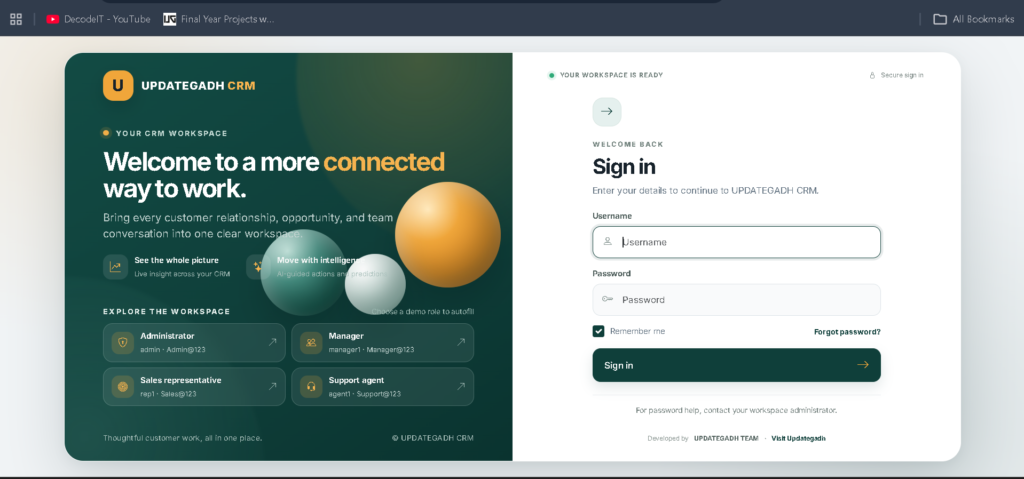
Demo Login Details
Administrator
Username: admin
Password: Admin@123
Manager:
Usernames: manager1, manager2
Password: Manager@123
Sales Representative:
Usernames: rep1 to rep8
Password: Sales@123
Support Agent:
Usernames: agent1 to agent4
Password: Support@123
Real Time Projects on YouTube:- DecodeIT
What Are the Useful Django Management Commands?
The Customer Relationship Management (CRM) application provides several commands for maintaining demo data, training models, and creating administrators.
- Create demo data:
python manage.py seed_demo - Reset demo data and rebuild:
python manage.py seed_demo --reset - Retrain all machine learning models:
python manage.py train_models - Create another administrator:
python manage.py createsuperuser
The seed_demo command does not recreate existing data unless the reset option is used.
Frequently Asked Questions
1. What is Advanced AI-Based Customer Relationship Management (CRM)?
It is a Python Django application that helps manage customer records, sales activities, support tickets, and business analytics through four role-specific dashboards.
2. Which technologies are used in this Customer Relationship Management (CRM) project?
The project uses Python, Django, SQLite, Scikit-learn, TF-IDF, and Logistic Regression.
3. How many AI and ML features are included?
The Customer Relationship Management (CRM) system includes eight features: lead scoring, smart lead assignment, customer segmentation, sales forecasting, churn prediction, follow-up recommendations, sentiment analysis, and a CRM chatbot.
4. Does the project use the default Django Admin panel?
No. The project includes a fully custom administration interface and does not install Django Admin as its main administration panel.
5. Can administrators retrain the machine learning models?
Yes. Administrators and managers can retrain all models through AI Analytics or by running python manage.py train_models in the terminal.
Final Thoughts
Advanced AI-Based Customer Relationship Management (CRM) Using Python is a practical project for understanding how customer management and machine learning can be combined in a web application. It provides separate dashboards for administrators, managers, sales representatives, and support agents.