
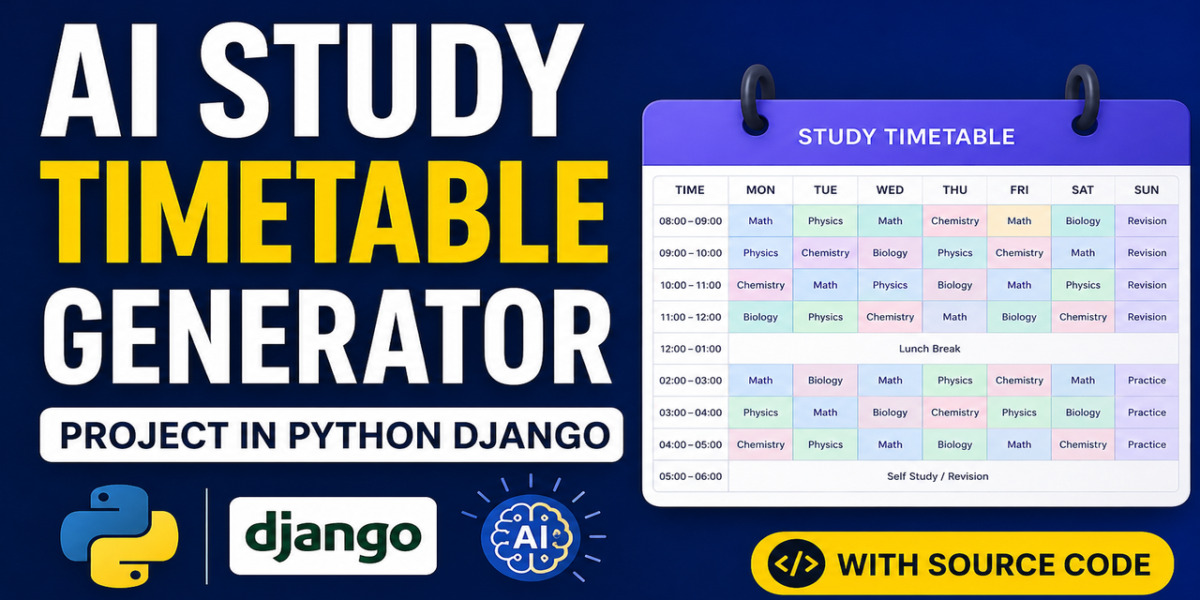
The AI Study Timetable Generator project in Python and Django is one of the smartest final-year submissions you can build in 2026. Every student has faced the same problem before exams: a fat university syllabus PDF, four weeks left, and absolutely no idea what to study on which day. This project solves that problem end-to-end.
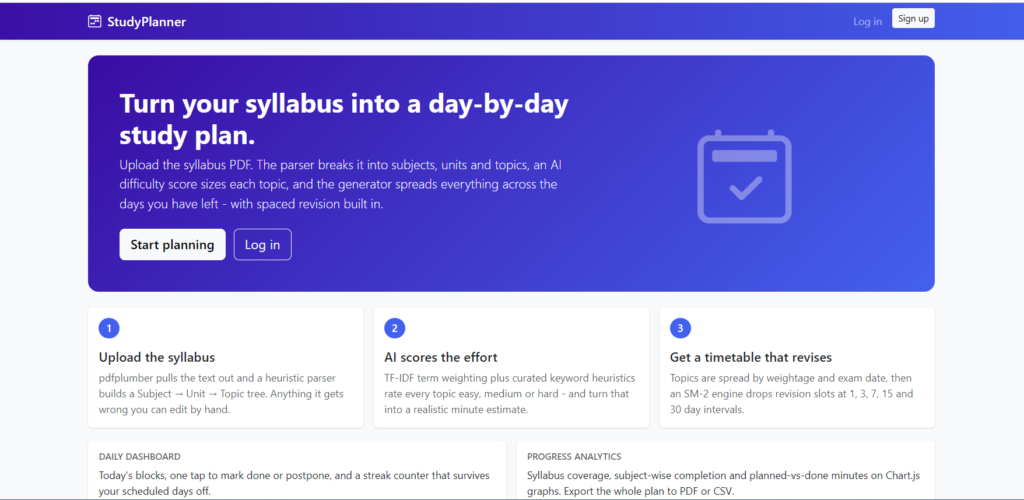
Upload your syllabus PDF, and the system reads it, breaks it into subjects, units and topics, scores each topic by difficulty, and builds a complete day-wise revision timetable with spaced repetition slots built in. In this post you will get the full feature breakdown, technology stack, working flow, setup steps, screenshots, a demo video and the complete source code package with report, synopsis and PPT.
| Detail | Description |
|---|---|
| Project Name | AI Study Timetable Generator from Syllabus PDF |
| Language | Python 3 |
| Framework | Django |
| Database | MySQL |
| Frontend | HTML5, CSS3, Bootstrap 5, Chart.js |
| Project Type | AI and Machine Learning, Web Application |
| Category | EdTech, Productivity, Academic Planning |
| Difficulty | Intermediate to Advanced |
| Platform | Web Based, Cross Platform |
| Best For | BCA, MCA, B.Tech CS/IT, M.Tech, Diploma |
| Developer | Updategadh |
About
University syllabus documents are written for examiners, not for students. They arrive as long PDFs full of unit headings, topic lists and credit tables, with no sense of how much time each portion actually deserves. Students end up making handwritten timetables that collapse within three days, spending too long on easy chapters and running out of time on the heavy ones. Worse, almost nobody plans revision cycles, so topics studied in week one are forgotten by exam day.
Key Features
Student Module
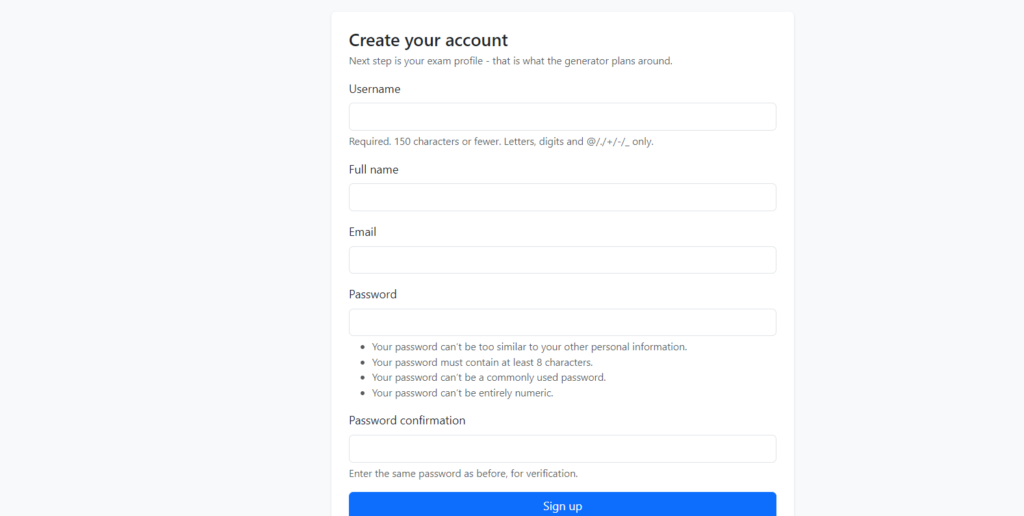
- Secure Registration and Login: Students create an account with course, semester and university details stored against their profile.
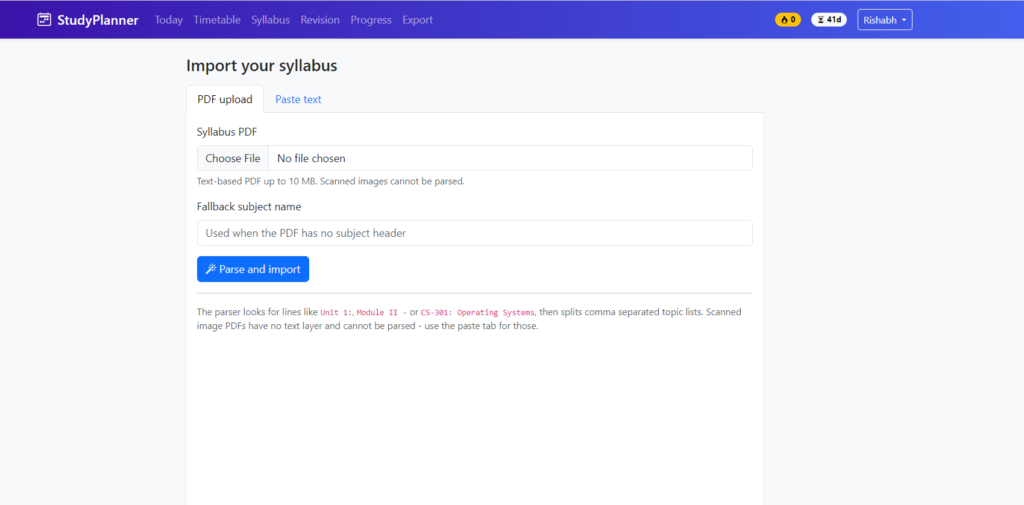
- Syllabus PDF Upload: Drag and drop any university syllabus PDF and the system begins parsing immediately.
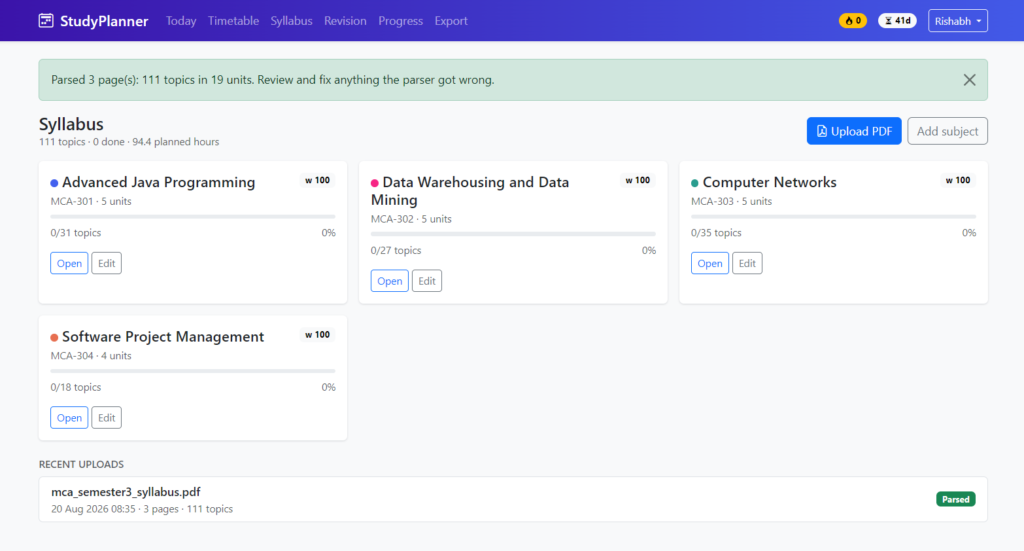
- Automatic Topic Extraction: The parser detects subject names, unit headings and individual topics, then builds a clean editable tree.
- Manual Correction Editor: If the PDF layout is unusual, students can rename, merge, delete or add topics before generating the plan.
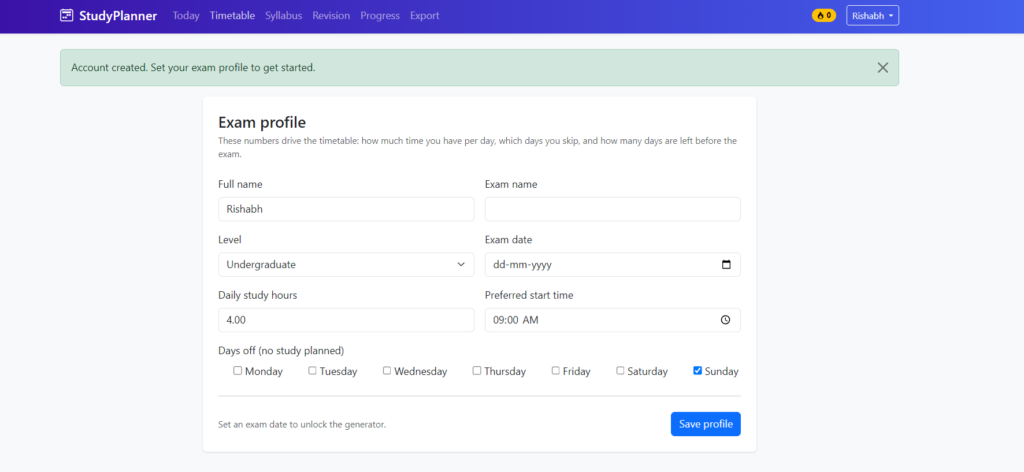
- Exam Date and Availability Setup: Enter the exam date and daily available study hours, including different hours for weekends.
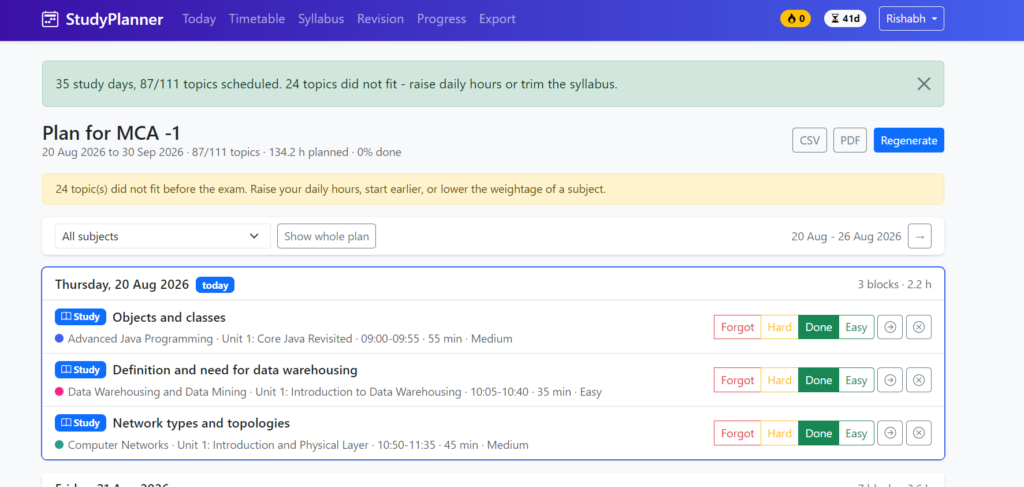
- One Click Timetable Generation: The scheduler produces a complete day-wise plan covering every topic in the syllabus.
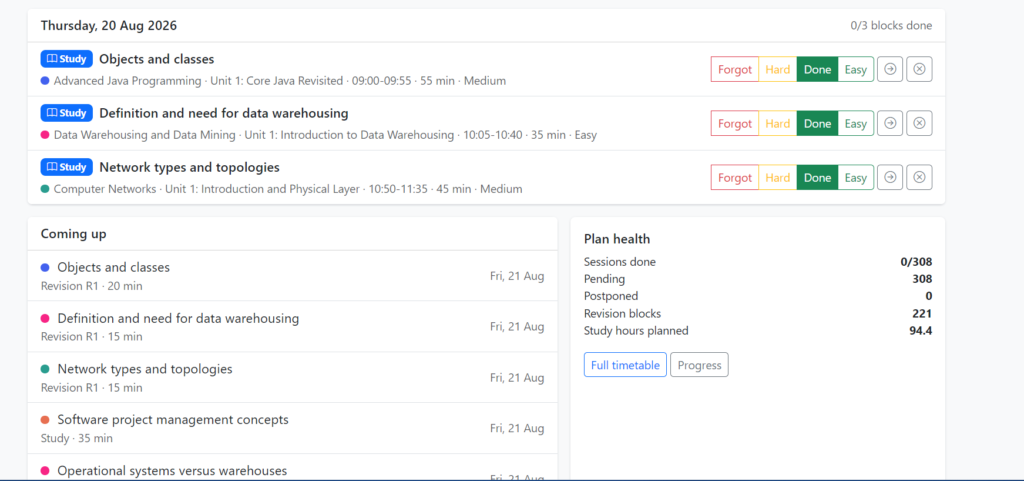
- Spaced Repetition Revision Slots: Each completed topic is automatically scheduled again at expanding intervals for long term retention.
- Daily Task Dashboard: A focused view showing only today’s topics, with mark as done, postpone and mark as difficult actions.
- Streak and Consistency Tracker: Encourages daily study by tracking unbroken days of completed sessions.
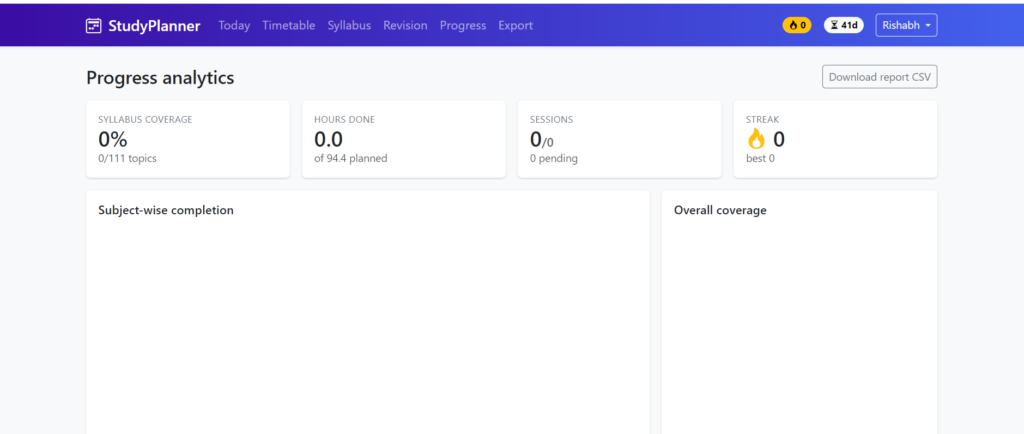
- Progress Analytics: Chart.js graphs showing syllabus coverage percentage, subject wise completion and weekly study hours.
- Timetable Export: Download the full plan as a printable PDF or CSV file.
Intelligence Module
- Difficulty Scoring Engine: Uses TF-IDF weighting and keyword heuristics to estimate how demanding each topic is.
- Adaptive Rescheduling: When a student misses or postpones a session, the remaining plan is automatically rebalanced instead of breaking.
- Subject Weightage Balancing: Subjects with more units or higher credits receive proportionally more study slots.
- Burnout Protection: The scheduler caps daily load and inserts light days so the plan stays realistic.
Admin Module
- Django Admin Dashboard: Manage students, uploaded syllabus files, generated plans and system settings.
- Parsing Log Viewer: Review which PDFs parsed cleanly and which needed manual correction.
- Usage Reports: View total plans generated, active students and average syllabus completion rates.
Technologies Used in This Project
| Layer | Technology | Purpose |
|---|---|---|
| Frontend | HTML5, CSS3, Bootstrap 5 | Responsive dashboard, upload forms and timetable views |
| Charts | Chart.js | Progress graphs and subject wise coverage visualisation |
| Backend | Python 3 with Django | Application logic, routing, authentication and ORM |
| PDF Processing | pdfplumber | Text and layout extraction from syllabus documents |
| AI and NLP | scikit-learn, NLTK | TF-IDF scoring, topic cleaning and difficulty estimation |
| Scheduling Logic | Custom Python engine | Workload distribution and spaced repetition intervals |
| Database | MySQL | Stores users, syllabus trees, plans and session history |
| Export | ReportLab, Python CSV | Generates downloadable PDF and CSV timetables |
| Server | Django development server, Gunicorn ready | Local testing and production deployment |
How to Download
The complete package is available so you can run, study, and submit it with confidence. It includes:
- Full Source Code
- Project Report
- Synopsis
- PPT Presentation
Project Screenshots
How the Works
- The student registers, logs in and completes a short profile with course and semester details.
- They upload the official syllabus PDF issued by their university or college.
- The parsing engine reads the document and extracts a structured hierarchy of subjects, units and topics.
- The extracted tree is shown for review, where the student can correct any misread headings before continuing.
- The difficulty engine assigns an effort score to every topic using keyword signals and text weighting.
- The student enters the exam date and how many hours per day they can study on weekdays and weekends.
- The scheduler distributes all topics across the available days, balancing subject weightage and daily capacity.
- The spaced repetition engine inserts revision entries at expanding intervals after each first study session.
- The finished timetable is displayed as a calendar view plus a focused daily task list.
- As the student marks topics complete or postpones them, the plan rebalances automatically for the remaining days.
- Progress charts update in real time, and the full timetable can be exported as PDF or CSV at any point.
How to Run This Project
Step 1: Prerequisites
Make sure the following are installed on your system before you begin.
Python 3.10 or above
MySQL Server 8.0 or above
pip package manager
Any code editor such as VS Code or PyCharm
Step 2: Download and Extract the Project
Download the project package, extract the folder, and open a terminal inside the extracted directory.
cd ai_study_timetable_generatorStep 3: Create a Virtual Environment
python -m venv venv

# Windows
venv\Scripts\activate

# Linux or macOS
source venv/bin/activate
Step 4: Install Dependencies
pip install -r requirements.txtStep 5: Create the Database
Open the MySQL command line or phpMyAdmin and create a fresh database.
CREATE DATABASE study_planner_db CHARACTER SET utf8mb4;Step 6: Configure Database Settings
Open studyplanner/settings.py and update the database block with your own MySQL credentials.
DATABASES = {
    'default': {
        'ENGINE': 'django.db.backends.mysql',
        'NAME': 'study_planner_db',
        'USER': 'root',
        'PASSWORD': 'your_password',
        'HOST': '127.0.0.1',
        'PORT': '3306',
    }
}
Step 7: Apply Migrations and Create an Admin User
python manage.py makemigrations
python manage.py migrate
python manage.py createsuperuser
Step 8: Run the Application
python manage.py runserverNow open your browser and visit http://127.0.0.1:8000/ for the student portal, or http://127.0.0.1:8000/admin/ for the admin dashboard.
Why This Is a Great Final Year Project
- Solves a problem the examiner recognises Every member of your viva panel has watched students struggle with exam planning, so the motivation needs no defending.
- Combines AI with a full web application You demonstrate NLP, scoring logic and scheduling algorithms alongside authentication, database design and a responsive frontend.
- Original topic with low duplication Unlike the usual management systems, very few students submit a syllabus parsing and scheduling project, which helps with approval and originality checks.
- Strong algorithmic depth for the report Spaced repetition intervals, TF-IDF weighting and constraint based scheduling give you genuine technical content to write about across multiple chapters.
- Excellent live demonstration Uploading a real syllabus PDF and watching a full timetable appear makes for a compelling two minute viva demo.
- Placement and resume relevant Django, MySQL, PDF processing and scikit-learn are all skills that interviewers actively ask about for backend and data roles.
- Easy to extend for M.Tech level work The scheduling engine can be swapped for a genetic algorithm or reinforcement learning model if your guide wants deeper research content.
Possible Extensions and Future Enhancements
- Add a mobile application built with Flutter or React Native for on the go daily task tracking.
- Integrate an LLM API so the system can generate practice questions directly from each extracted topic.
- Support scanned syllabus documents through OCR for colleges that circulate image based PDFs.
- Add previous year question paper analysis to raise the priority of frequently asked topics.
- Introduce group study mode where classmates share a common syllabus and compare progress.
- Send automated reminders through email, WhatsApp or push notifications before each scheduled session.
- Replace the heuristic scoring engine with a trained model that learns difficulty from actual student completion times.
- Add Google Calendar synchronisation so the generated timetable appears alongside existing commitments.
Watch More Project Tutorials
For complete walkthroughs, installation guides and new final year project uploads every week, subscribe to our channel.
Subscribe to DecodeIT2 on YouTube
Frequently Asked Questions
Which technology is used in this AI study timetable generator project?
The project is built with Python 3 and the Django framework, using MySQL as the database. PDF parsing is handled by pdfplumber, difficulty scoring uses scikit-learn, and the frontend is built with Bootstrap 5 and Chart.js.
Is this project suitable for BCA, MCA and B.Tech students?
Yes. The project is well suited to BCA, MCA, B.Tech CS/IT, M.Tech and Diploma final year submissions. Its combination of AI logic and full stack development satisfies both software engineering and machine learning project requirements.
How difficult is this project to set up and run?
Setup is straightforward. Install Python and MySQL, create the database, update the credentials in the settings file, run the migrations and start the server. The included installation guide walks through every step with screenshots.
Does the package include the report, synopsis and PPT?
Yes. The complete package contains the source code, a full project report, the synopsis, a viva ready PPT presentation, the database file and the installation guide.
Can I customise the project for my own college requirements?
Absolutely. The code is fully editable, so you can change the branding, add modules, modify the scheduling logic or adapt the parser for your university syllabus format. Customisation support is available on WhatsApp.
Keywords
AI Study Timetable Generator Project in Python Django, AI Study Timetable Generator, AI Study Planner Project, Study Timetable Generator Django, Study Planner in Python, Python Study Planner Project, Django Study Planner Project, AI Study Planner, Syllabus PDF to Timetable, Syllabus PDF Parser, AI Timetable Generator, Study Schedule Generator, Personalized Study Timetable, Automated Study Planner, Spaced Repetition Study Planner, Adaptive Study Schedule, Django AI Project, Python Django AI Project, Machine Learning Study Planner, Student Productivity Project, Student Study Management System, Exam Preparation Planner, Smart Study Planner, Study Schedule Management System, Python Final Year Project, Django Final Year Project, AI Final Year Project


[…] AI Study Timetable Generator Project […]