Online Shopping Store Using PHP and MySQL
The Online Shopping Store Using PHP and MySQL is a web-based e-commerce application designed to provide a convenient online shopping experience for clothing and fashion products. Developed using PHP and MySQL, the system includes product listings, category-based browsing, shopping cart functionality, checkout, order history, and customer account management.
The application supports clothing categories for men, women, and kids, allowing customers to explore products and manage their shopping activities through a user-friendly interface. It also includes an admin panel for managing products, orders, and user information.
This project is suitable for students learning PHP development, MySQL database management, and e-commerce application development. It can also serve as a starting point for developers exploring the basic functionality of an online clothing store.
Complete Advance AI Topics: Click Here
Real Time Projects on YouTube:- DecodeIT
What Is an Online Shopping Store?
An Online Shopping Store is a web application that allows customers to browse products, add items to a shopping cart, and complete the checkout process online. Administrators can manage product listings, review orders, and maintain user information through a dedicated management panel.
This project demonstrates how PHP and MySQL can be used to develop a database-driven shopping website with separate customer and administrator functionality.
Online Shopping Store Project Overview
| Project Details | Description |
|---|---|
| Project Name | Online Shopping Store Using PHP and MySQL |
| Languages Used | PHP, MySQL |
| Recommended PHP Versions | 5.6.3 / 7.4.12 |
| Database | MySQL |
| Type | Web Application |
What Are the Available Features?
The Online Shopping Store includes essential shopping features for customers and management functionality for administrators.
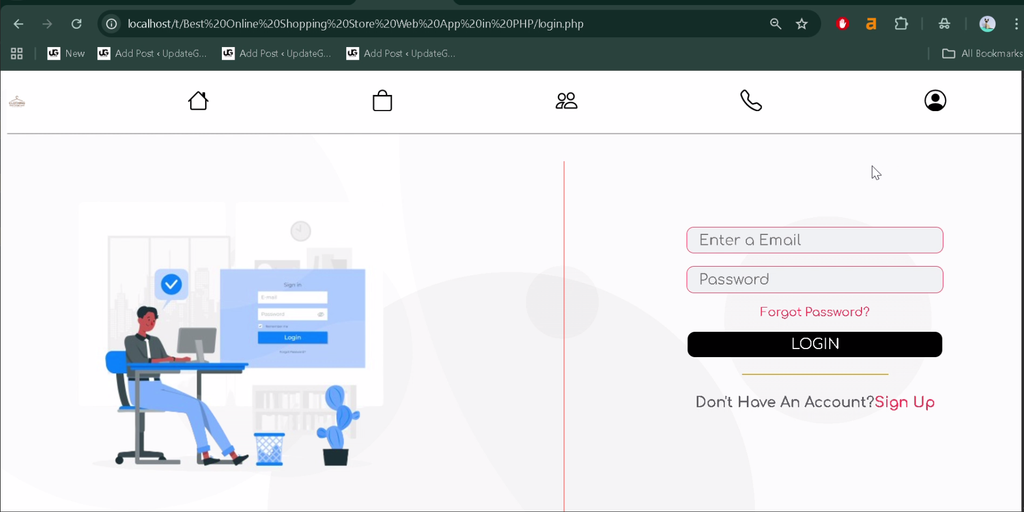
1. User Registration and Login
Customers can create accounts and log in to access shopping functionality and manage their account information.
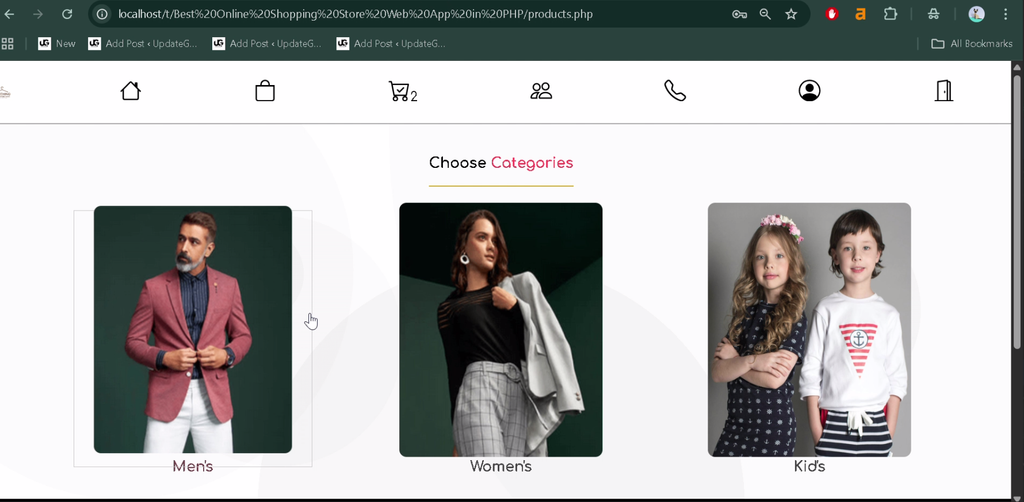
2. Product Categories
The application organizes clothing products into categories for men, women, and kids, making it easier for customers to browse available items.
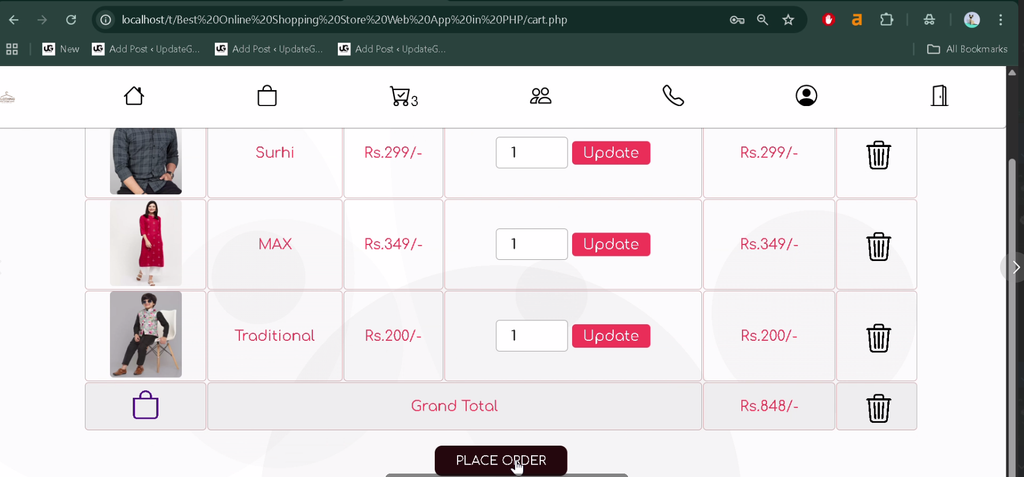
3. Shopping Cart
Customers can add products to their shopping cart and prepare their selections for checkout.
4. Checkout System
The checkout functionality allows customers to proceed with their selected products and submit their orders through the online store.
5. Order Bill History
Customers can access their order bill history to review previously recorded shopping transactions.
6. Profile Management
The system provides profile management functionality for customers to maintain their account information.
7. Password Recovery
The application includes a password recovery feature to help users regain access to their accounts when they cannot remember their passwords.
8. Contact and About Us Pages
The website includes Contact Us and About Us pages to provide store-related information and communication options.
9. Secure Logout
Users can log out of their accounts after completing their shopping activities.
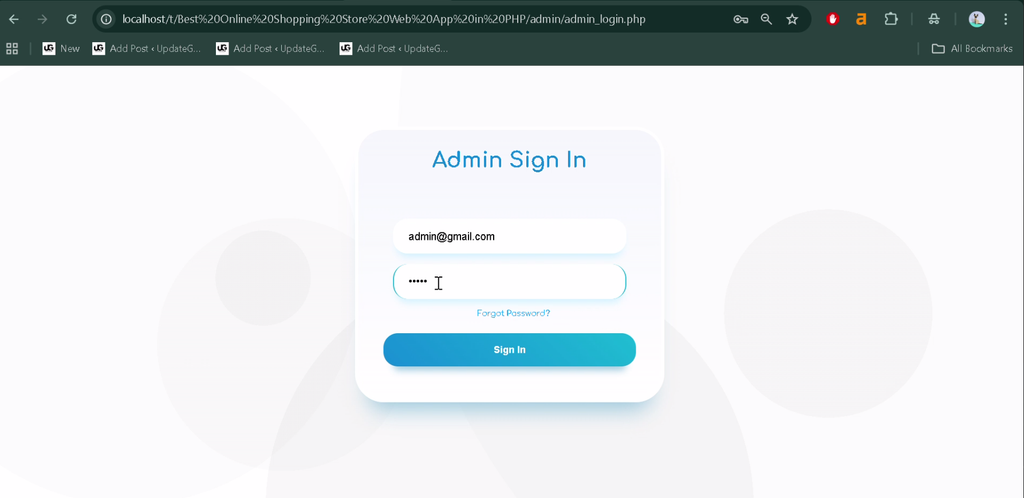
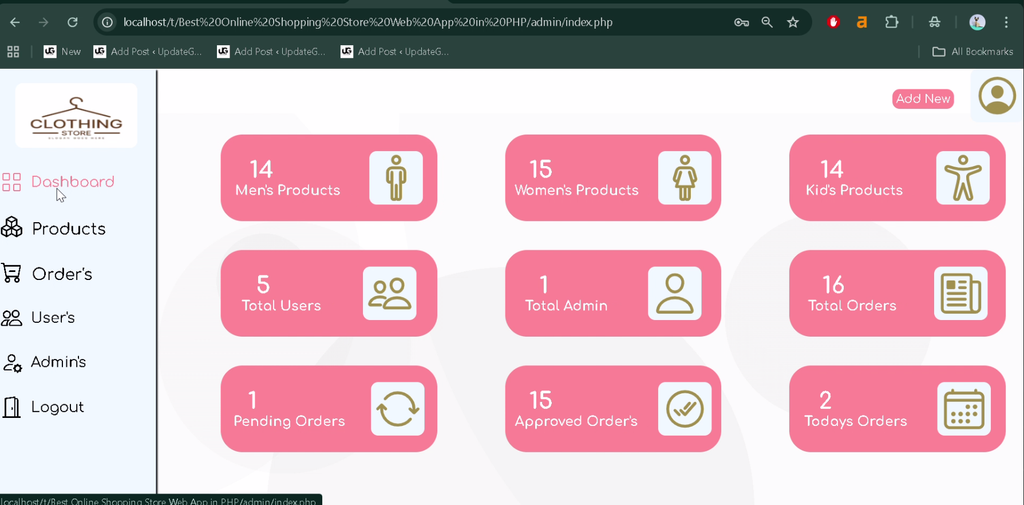
10. Admin Panel
The administrator panel provides management functionality for the store’s products, orders, and users.
- Product Management: Add and delete product listings.
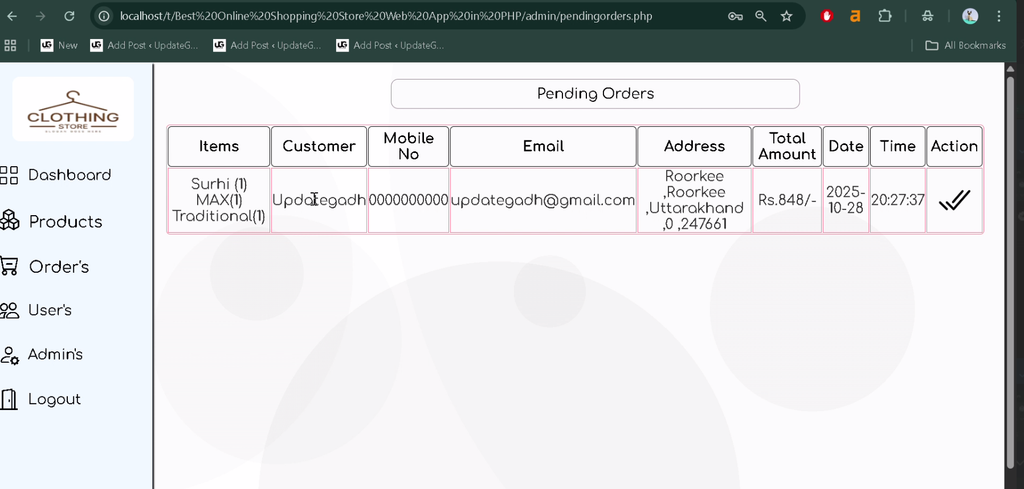
- Order Management: View and manage customer orders.
- Order Details: Access available order information.
- User Management: Manage user records through the admin panel.
Which Technologies Are Used in This Project?
- PHP: Handles server-side application functionality.
- MySQL: Stores product, user, and order-related information.
What Software Is Required?
- XAMPP: Provides a local PHP and MySQL development environment.
- Visual Studio Code: Used to view and edit project files.
- Web Browser: Used to access the application.
How to Download
The complete package is available so you can run, study, and submit it with confidence. It includes:
- Full Source Code
- Project Report
- Synopsis
- PPT Presentation
Screeshot

How to Install the Online Shopping Store in VS Code
Follow these general steps to set up the PHP and MySQL project locally.
- Install XAMPP: Install XAMPP on your computer.
- Start Services: Open the XAMPP Control Panel and start Apache and MySQL.
- Extract the Project: Extract the downloaded project ZIP file.
- Copy the Project Folder: Place the extracted folder inside the XAMPP
htdocsdirectory. - Open in VS Code: Open the project folder in Visual Studio Code.
- Create the Database: Open
http://localhost/phpmyadmin/and create the database required by the project. - Import the Database: If the project includes an SQL file, import it into the database you created.
- Configure the Connection: Check the PHP database connection settings and update the database name, username, and password to match your local environment.
- Run the Application: Open the project through its local URL. For example, if the folder is named
OnlineShoppingStore, visithttp://localhost/OnlineShoppingStore/.
Note: The supplied project description does not specify the database filename, exact database name, or default login credentials. Check the project files before completing the setup.
How to Use the Online Shopping Store?
For Customers
Create an account or log in, browse clothing categories, add products to the shopping cart, and proceed to checkout. Customers can also manage their profiles, recover passwords, and review their order bill history.
For Administrators
Use the admin panel to add or delete products, view order information, manage orders, and maintain user records.
Why Is This Project Useful for Students?
This project provides practical experience with PHP programming, MySQL database connectivity, user authentication, shopping cart functionality, and CRUD operations. It also demonstrates how customer-facing pages and administrative features can work together in an e-commerce application.
Students can explore how product categories, user accounts, and order information are organized within a database-driven website. The project is a useful starting point for understanding the structure of an online clothing store.
Final Thoughts
The Online Shopping Store Using PHP and MySQL is a practical project for learning the fundamentals of e-commerce web development. Its features include customer registration, product categories, shopping cart functionality, checkout, order history, profile management, and an administrative panel.
From a student’s perspective, this project offers an opportunity to strengthen PHP and MySQL skills while learning how online shopping workflows and store administration can be implemented in a web application.
Frequently Asked Questions
1. What is an Online Shopping Store project?
It is a web application that allows customers to browse clothing products, add items to a cart, and place orders online.
2. Which technologies are used in this project?
The project uses PHP for application functionality and MySQL for database management.
3. Which product categories are available?
The supplied project description lists clothing categories for men, women, and kids.
4. What can the administrator manage?
The admin panel supports product addition and deletion, order management, access to order details, and user management.
5. Is this project suitable for students?
Yes. It is suitable for students learning PHP, MySQL, authentication, shopping cart functionality, and e-commerce application development.
Keywords: Online Shopping Store Using PHP and MySQL, Online Clothing Store PHP Project, PHP MySQL E-Commerce Website, Online Shopping Website Project, Clothing Store Management System, Online Shopping Project for Students