Exam Form Submission System in PHP and MySQL
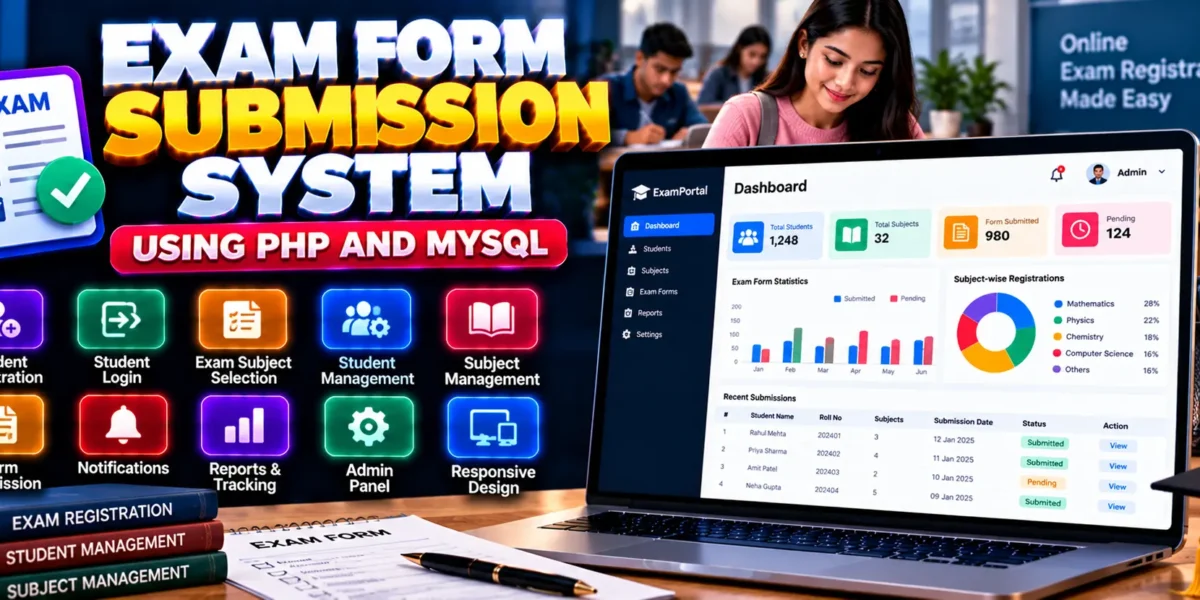
The Exam Form Submission System in PHP and MySQL is a web-based application designed to simplify the examination registration process for educational institutions. It allows students to register, log in, select examination subjects, and submit their exam-related information through an online platform.
Built using PHP, CSS, JavaScript, and Bootstrap, the system provides separate interfaces for students and administrators. Students can manage their exam registration activities, while administrators can manage student records, maintain examination subjects, and monitor registrations.
This project is suitable for students learning PHP development, database management, form processing, and role-based web application development.
Complete Advance AI Topics: Click Here
Real Time Projects on YouTube:- DecodeIT
What Is an Exam Form Submission System?
An Exam Form Submission System is a web application that helps educational institutions manage examination registration digitally. It reduces dependence on manual paperwork by allowing students to register online and administrators to manage student and subject information from a centralized interface.
The project includes separate student and administrator functionality for handling examination registration activities.
Exam Form Submission System Project Overview
| Project Details | Description |
|---|---|
| Project Name | Exam Form Submission System |
| Programming Language | PHP |
| Frontend Technologies | CSS, JavaScript, Bootstrap |
| Database | MySQL |
| Database Name | CRS |
| Type | Web Application |
What Are the Available Features?
The system provides student registration and login functionality, examination subject selection, student record management, and administrative monitoring of registrations.
1. Student Registration
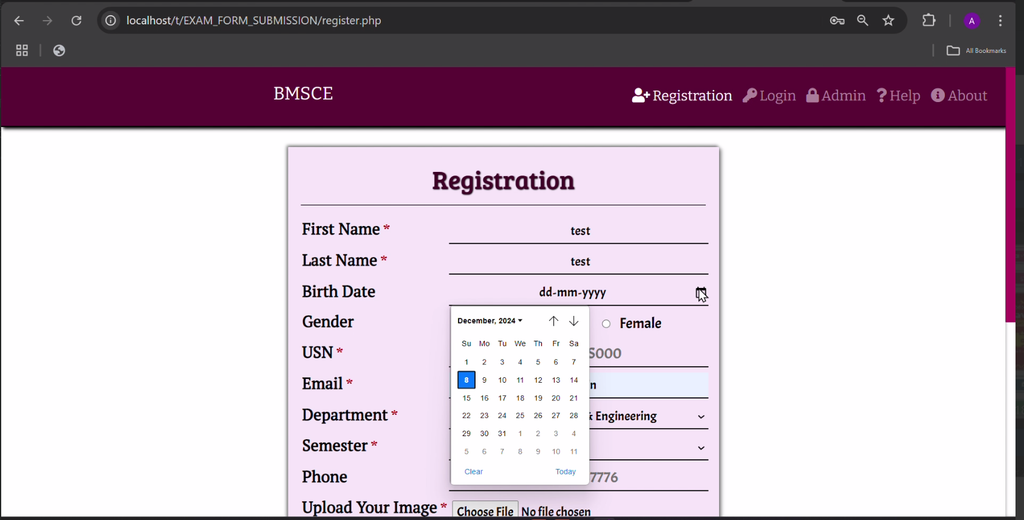
Students can create accounts to access the examination registration system and use the available student-side features.
2. Student Login
Registered students can log in to access the application and complete their examination registration activities.
3. Exam Subject Selection
Students can view available examination subjects and select the subjects for which they wish to appear.
4. Student Management
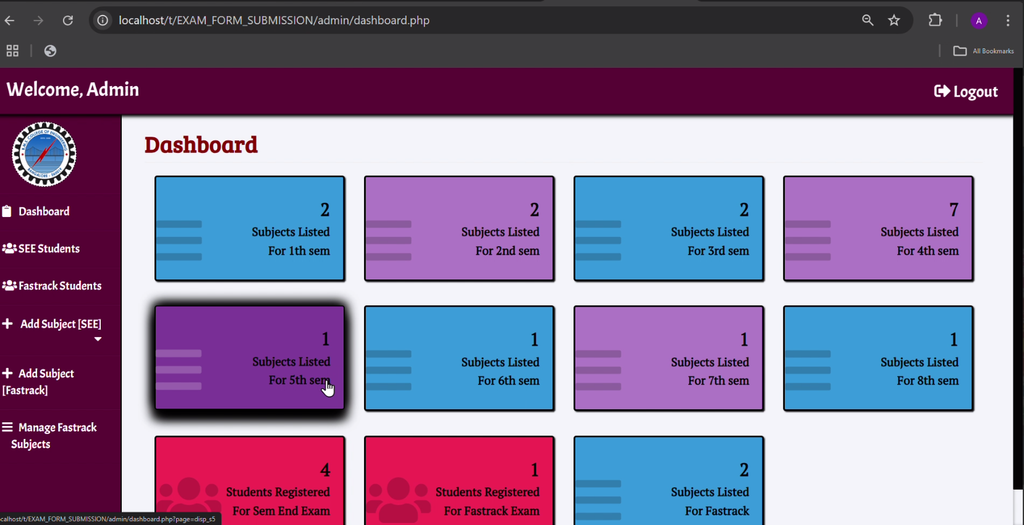
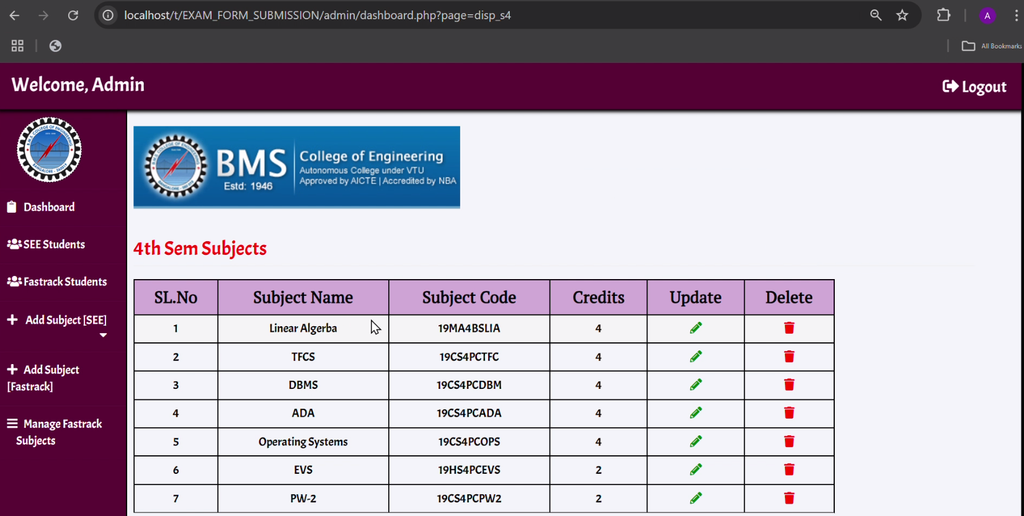
Administrators can view and manage registered student records through the administrative interface.
5. Subject Management
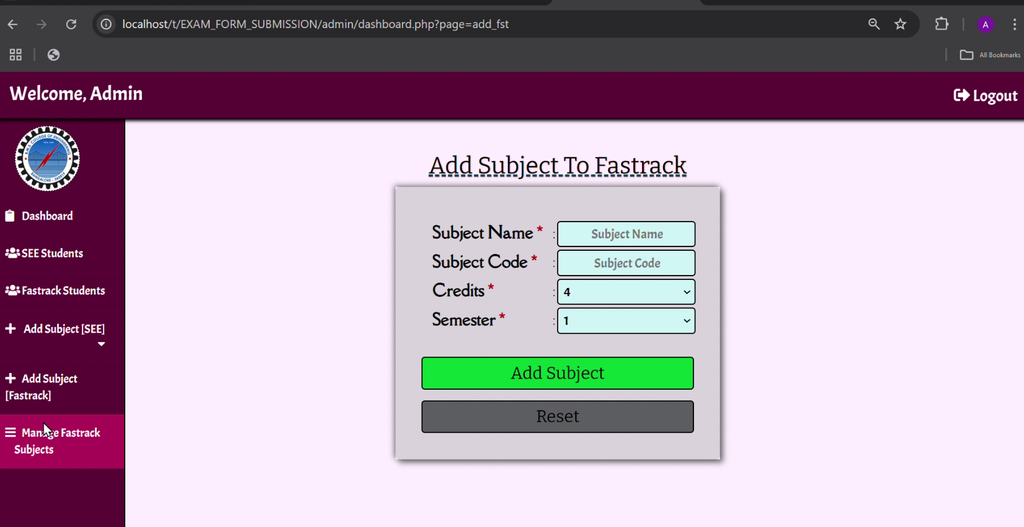
Administrators can add or update examination subjects, helping maintain the list of subjects available for registration.
6. Registration Monitoring
The administrator can monitor student registrations and review the available registration information to support accurate record management.
Which Technologies Are Used in This Project?
- PHP: Handles server-side processing and application functionality.
- MySQL: Stores student, subject, and registration-related information.
- CSS: Styles the application’s interface.
- JavaScript: Supports frontend interactions.
- Bootstrap: Helps create a responsive and user-friendly layout.
What Software Is Required?
- XAMPP: Provides a local Apache and MySQL environment.
- Visual Studio Code: Used to view and edit project files.
- Web Browser: Used to access the application.
How to Download
The complete package is available so you can run, study, and submit it with confidence. It includes:
- Full Source Code
Screenshot
How to Install the Exam Form Submission System in VS Code
Follow these steps to run the PHP and MySQL project locally using XAMPP.
- Install XAMPP: Install XAMPP on your computer.
- Start Services: Open the XAMPP Control Panel and start Apache and MySQL.
- Extract the Project: Extract the downloaded project ZIP file.
- Copy the Project Folder: Place the extracted folder inside the XAMPP
htdocsdirectory. - Open in VS Code: Open the extracted project folder in Visual Studio Code.
- Open phpMyAdmin: Visit
http://localhost/phpmyadmin/in your browser. - Create the Database: Create a new database named
CRS. - Import the SQL File: Open the Import tab, select
crs.sqlfrom the project’sDatabasefolder, and click Go. - Check Database Configuration: Verify the PHP database connection settings and update the database name, username, or password if required.
- Run the Application: Open the project using its local URL. For example, if the extracted folder is named
ExamFormSubmission, visithttp://localhost/ExamFormSubmission/.
How to Use the Exam Form Submission System?
For Students
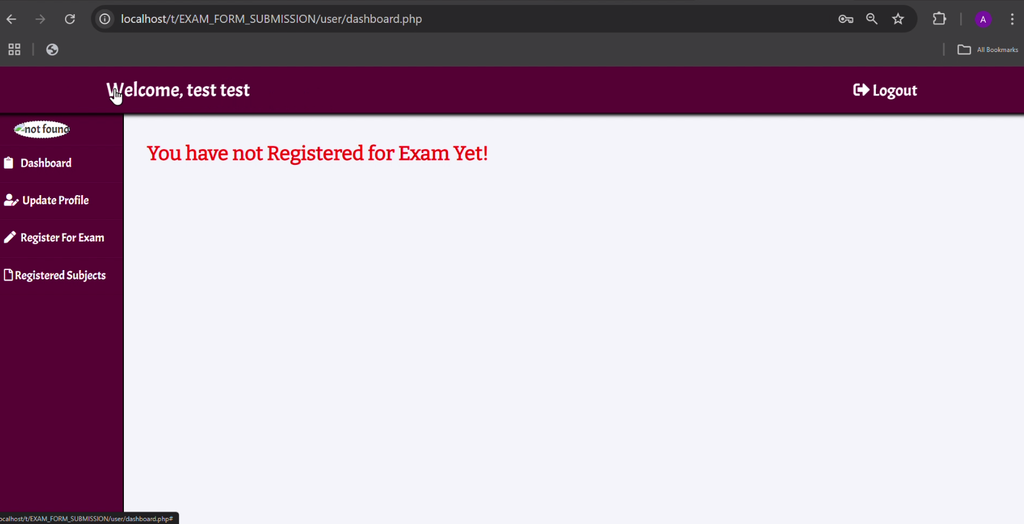
Register for an account and log in to the student interface. View the available examination subjects and select the subjects for which you want to register.
For Administrators
Access the administrator interface to view student records, manage examination subjects, and monitor student registrations.
What Are the Advantages of This Project?
- Convenient Registration: Students can access examination registration functionality online.
- Reduced Paperwork: Digital registration helps reduce reliance on manual form handling.
- Organized Records: Student and subject information can be managed through a centralized application.
- Easy Administration: Administrators can maintain subjects and monitor registration information.
- Practical Learning: Students can study PHP form processing, MySQL connectivity, and role-based functionality.
Why Is This Project Useful for Students?
This project provides practical experience with PHP programming, MySQL database connectivity, form handling, authentication, and CRUD operations. It demonstrates how student registration and examination subject management can be organized in a database-driven web application.
It is a useful academic project for students who want to understand how educational institutions can manage examination registration activities through a web-based system.
Final Thoughts
The Exam Form Submission System in PHP and MySQL is a practical project for learning the fundamentals of online examination registration. Its student registration, login, subject selection, student management, and registration monitoring features demonstrate how PHP and MySQL can support academic administration.
From a student’s perspective, this project offers an opportunity to strengthen web development and database management skills while working on an application based on a real educational requirement.
Frequently Asked Questions
1. What is an Exam Form Submission System?
It is a web application that allows students to register for examinations online and administrators to manage student and subject records.
2. Which technologies are used in this project?
The project uses PHP, MySQL, CSS, JavaScript, and Bootstrap.
3. What is the database name?
The supplied installation instructions specify CRS as the database name.
4. Which SQL file is required for installation?
The provided instructions identify crs.sql in the project’s Database folder.
5. What can administrators manage?
Administrators can view and manage student records, add or update examination subjects, and monitor student registrations.
Keywords: Exam Form Submission in PHP, Exam Form Submission System in PHP and MySQL, PHP Exam Registration Project, Online Exam Form System, Student Exam Registration System, Exam Form Submission Project Source Code, PHP MySQL Student Management