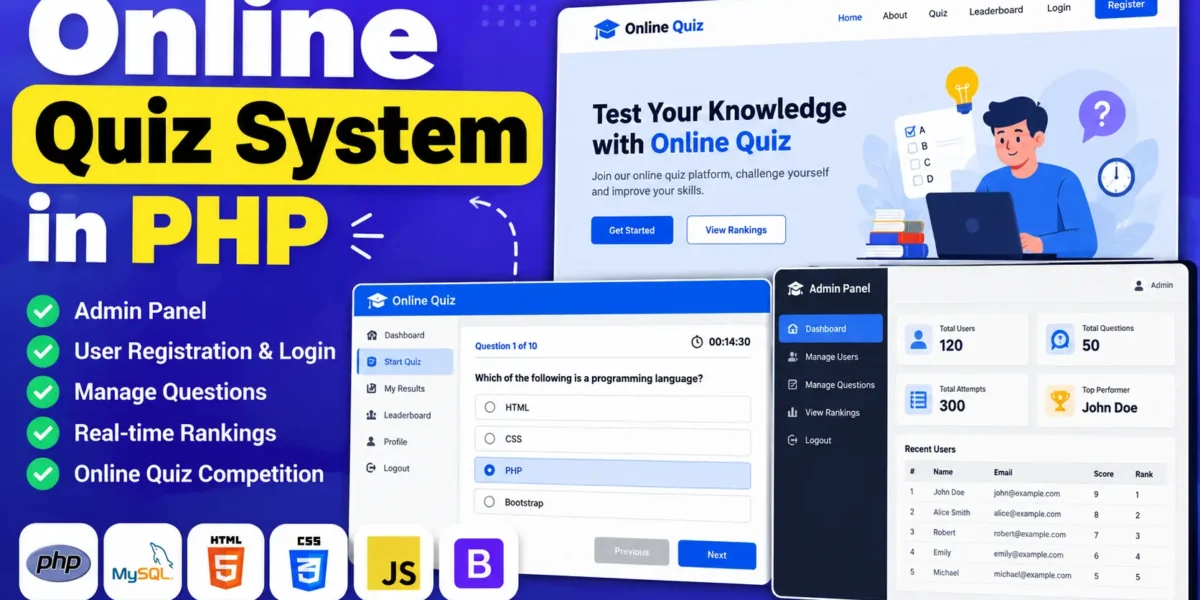
Online Quiz System in PHP and MySQL
The Online Quiz System in PHP is a web-based application designed to simplify online examinations and quiz competitions. It allows students to register, log in, and participate in quizzes, while administrators can manage users, maintain quiz questions, and view participant rankings. The system helps organize examinations, save time, and reduce the manual effort required to manage quiz activities.
Developed using PHP, CSS, JavaScript, and Bootstrap, the project consists of two main panels: an admin panel and a user panel. It provides a straightforward interface for administrators to manage quiz-related activities and students to participate in online quizzes.
Complete Advance AI Topics: Click Here
Real Time Projects on YouTube:- DecodeIT
What Is an Online Quiz System in PHP?
An Online Quiz System in PHP is a web application that enables students to participate in quiz competitions through a browser. Administrators can manage registered users, update quiz questions, and view rankings, while students can access the quiz system after registering and logging in.
Project Overview
| Project Details | Description |
|---|---|
| Project Name | Online Quiz System in PHP |
| Programming Language | PHP |
| Frontend Technologies | HTML, CSS, JavaScript, Bootstrap |
| Database | MySQL |
| Project Type | Web-Based Application |
| Main Modules | Admin Panel, User Panel |
What Are the Available Features of the Online Quiz System?
The system provides features for user management, quiz question maintenance, quiz participation, and ranking display.
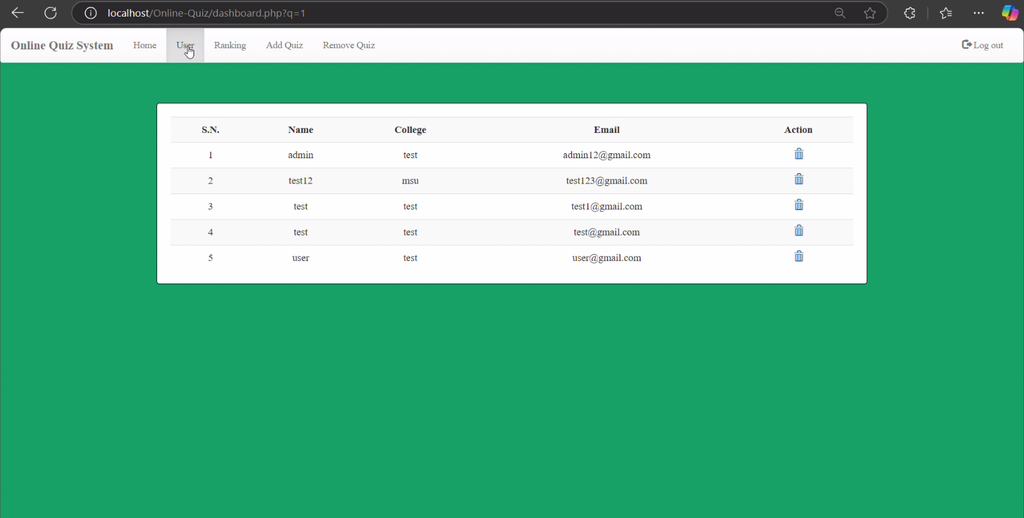
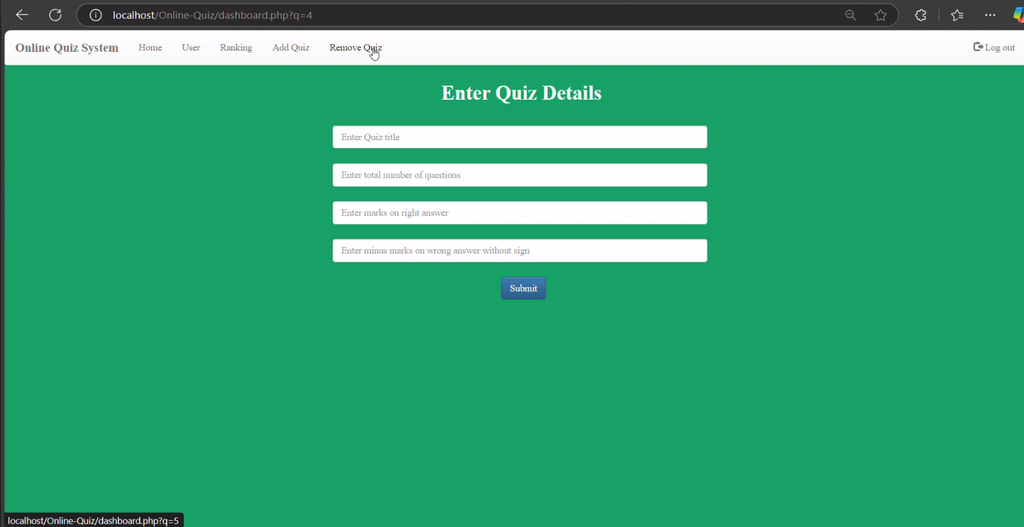
- Admin Panel: Administrators can manage users, view rankings, and update quiz questions.
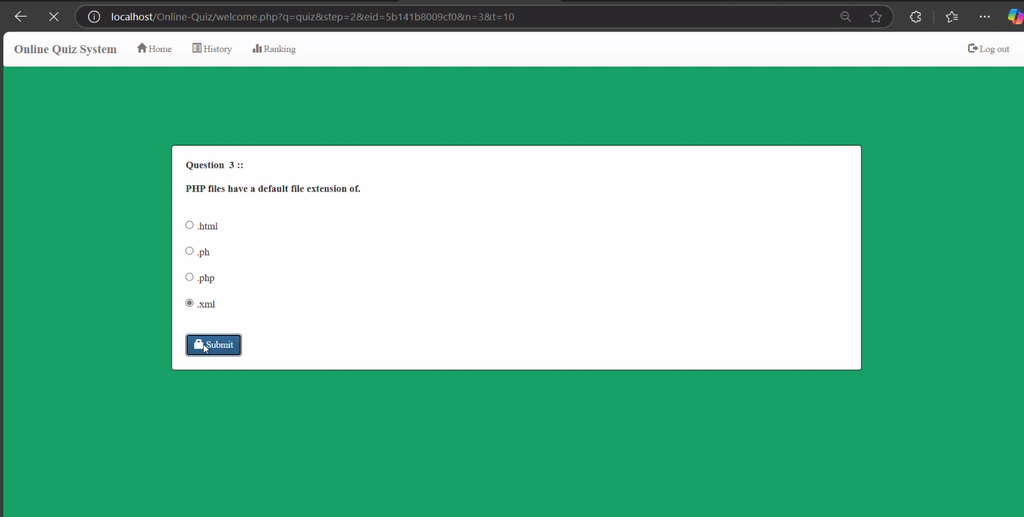
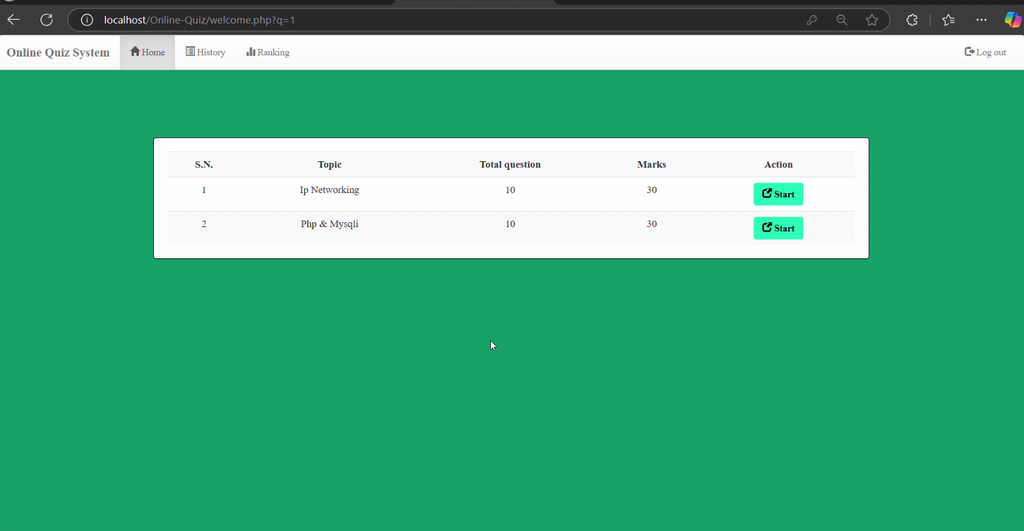
- User Panel: Students can register, log in, and participate in quiz competitions.
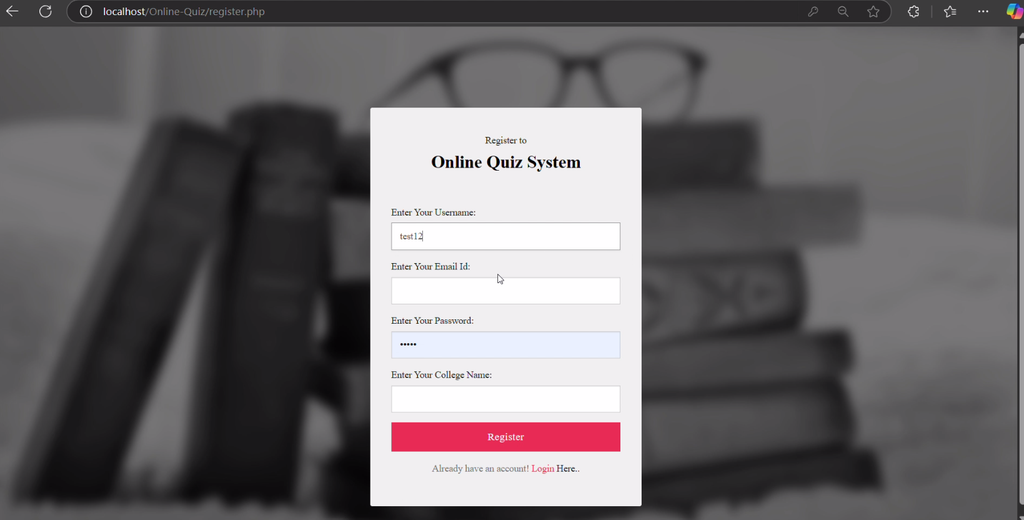
- User Registration and Login: New users can create accounts, while existing users can log in.
- Real-Time Rankings: The system displays user rankings based on quiz performance.
- Question Management: Administrators can add, update, and remove questions from the question bank.
Which Technologies Are Used in This Project?
The project combines PHP, MySQL, and frontend technologies to provide a web-based quiz application.
- PHP: Handles server-side application functionality.
- MySQL: Stores application data.
- HTML: Structures the web pages.
- CSS: Styles the interface.
- JavaScript: Supports interactive elements.
- Bootstrap: Helps create a user-friendly interface.
What Software and Tools Are Required?
You need XAMPP, a code editor, and a web browser to configure and run the project locally.
- XAMPP
- Visual Studio Code
- Web Browser
How to Download
The complete package is available so you can run, study, and submit it with confidence. It includes:
- Full Source Code
Screenshot


How to Install and Run the Online Quiz System in VS Code?
To run the project locally, place its files inside the XAMPP web directory and import the supplied MySQL database.
Step 1: Extract the Project Files
Download and extract the project archive to a folder on your computer.
Step 2: Copy the Project Folder
Copy the extracted project folder into the htdocs directory of your XAMPP installation.
C:\xampp\htdocs\Online-Quiz\Step 3: Start XAMPP Services
Open the XAMPP Control Panel and start the Apache and MySQL services.
Step 4: Create the Database
Open phpMyAdmin in your browser using the following address:
http://localhost/phpmyadmin/Select the Databases tab and create a database named exam.
Step 5: Import the Database
Select the exam database, open the Import tab, and select the exam.sql file from the Online-Quiz folder. Click Go to import the database.
Step 6: Open the Project in VS Code
Open Visual Studio Code, select File > Open Folder, and choose the project folder inside htdocs.
Step 7: Access the Application
Open your browser and visit the following URL:
http://localhost/Online-Quiz/If your project folder has a different name, replace Online-Quiz with the actual folder name.
Step 8: Access the Admin Panel
Use the admin panel URL and login credentials supplied with the project files. The provided description does not specify the exact admin URL or default credentials, so consult the project documentation or configuration files.
How Does the Online Quiz System Work?
The application separates administrative tasks from student activities through its two main panels.
- Administrator: Manages registered users, updates quiz questions, and views rankings.
- Student/User: Registers, logs in, and participates in quizzes.
Why Is This Project Useful for Students?
This project helps students practise PHP programming, MySQL database integration, user registration, login functionality, and database record management. It also demonstrates how separate admin and user panels can organize the functions of a web application.
Final Thoughts
The Online Quiz System in PHP is a practical academic project for students interested in web development. Its user management, question management, quiz participation, and ranking features provide a foundation for understanding how PHP and MySQL can be used to build online quiz applications.
Frequently Asked Questions
1. What is the Online Quiz System in PHP?
It is a web-based application that allows students to participate in quizzes while administrators manage users, questions, and rankings.
2. Which programming language is used in this project?
The project uses PHP, along with HTML, CSS, JavaScript, and Bootstrap.
3. Which database is used in the project?
The project uses MySQL, and the supplied setup instructions specify a database named exam.
4. Can I run this project using XAMPP?
Yes. Start Apache and MySQL, import the database, and place the project folder inside the XAMPP htdocs directory.
5. Where can I find the admin login details?
The original description does not provide the admin URL or default credentials. Check the supplied project documentation or configuration files.
Keywords: Online Quiz System in PHP, Online Quiz System in PHP and MySQL, PHP Quiz Project, Online Examination System, Quiz Management System, PHP MySQL Project