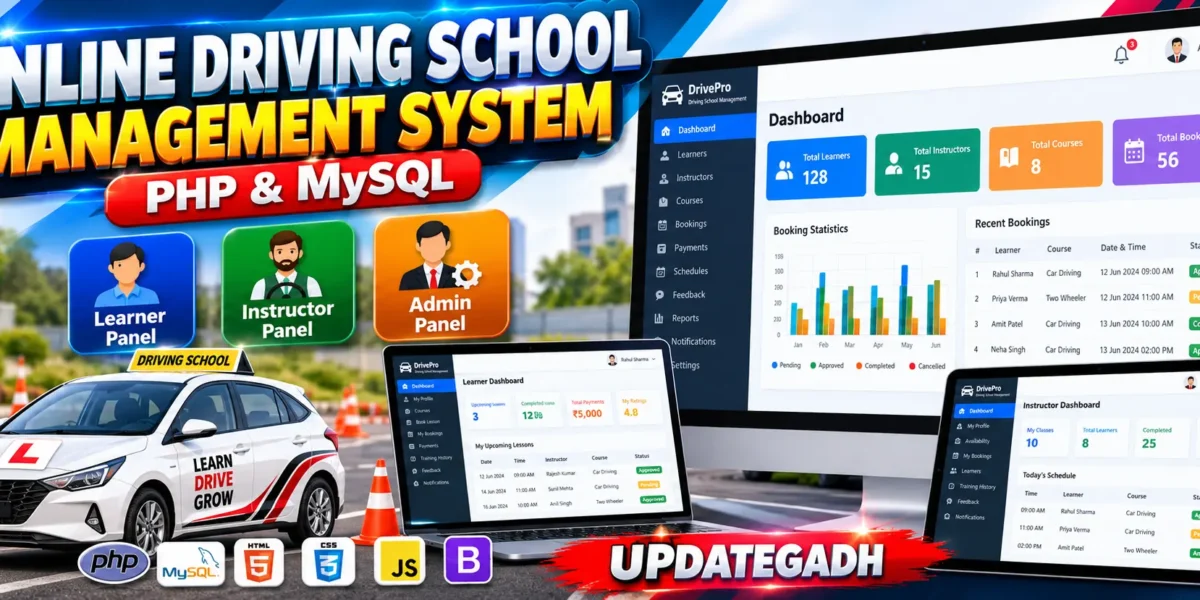
The Online Driving School Management System in PHP and MySQL is a medium-level web-based application designed to help driving schools manage learners, instructors, driving courses, lesson bookings, payments, schedules, feedback, and daily administrative activities from one centralized platform.
The system provides separate panels for Admin, Instructor, and Learner. Learners can register, browse driving courses, select instructors, check availability, book lessons, track their booking status, manage payments, and submit feedback. Instructors can manage their availability, view assigned learners, handle lesson requests, update lesson status, and maintain training records. Administrators can manage the complete driving school operation through a professional dashboard.
Developed using PHP, MySQL, HTML, CSS, Bootstrap, and JavaScript, the project focuses on real database operations, role-based authorization, secure sessions, booking validation, payment records, notifications, and responsive user interface design.
Table of Contents
Complete Advance AI Topics: Click Here
Real Time Projects on YouTube:- DecodeIT
Project Overview
| Project Name | Online Driving School Management System |
|---|---|
| Language/s Used | PHP, HTML, CSS, JavaScript |
| Database | MySQL |
| Framework | Bootstrap |
| Type | Web-Based Management System |
| User Roles | Admin, Instructor, Learner |
About the Online Driving School Management System
Managing a driving school manually can become difficult when the number of learners, instructors, courses, lessons, and payments increases. The Online Driving School Management System provides a centralized solution for handling these operations digitally.
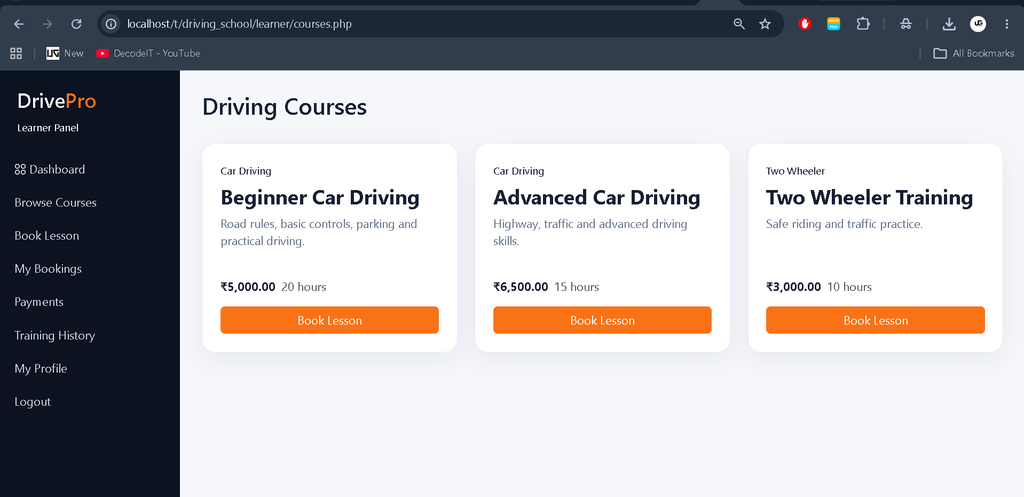
Learners can create an account and access available driving courses with course fees and training details. After selecting a course, they can view available instructors, check their availability, choose a suitable date and time, and submit a lesson booking.
Administrators can review bookings, assign instructors, manage courses, monitor payments, maintain training records, and generate basic reports. Instructors receive their assigned lesson requests and can accept or reject them according to their availability.
Available Features
1. User Registration and Login
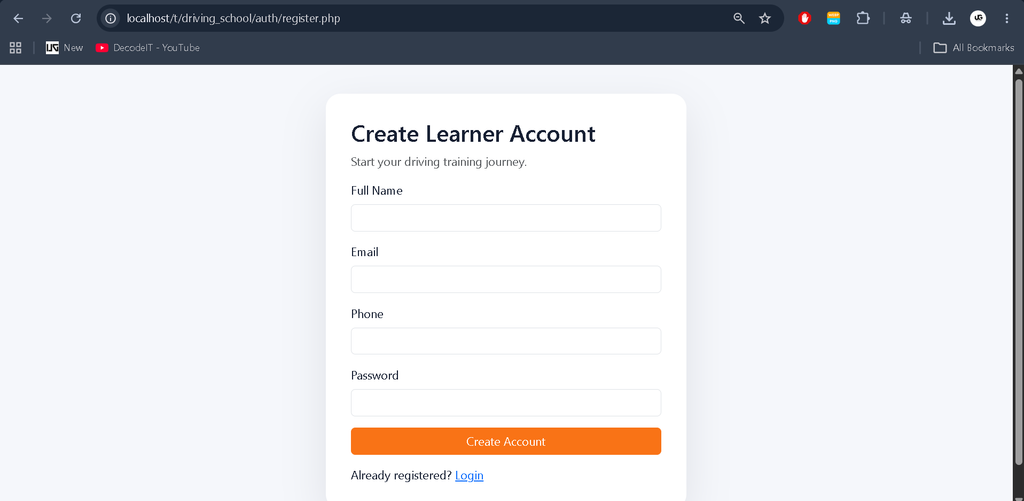
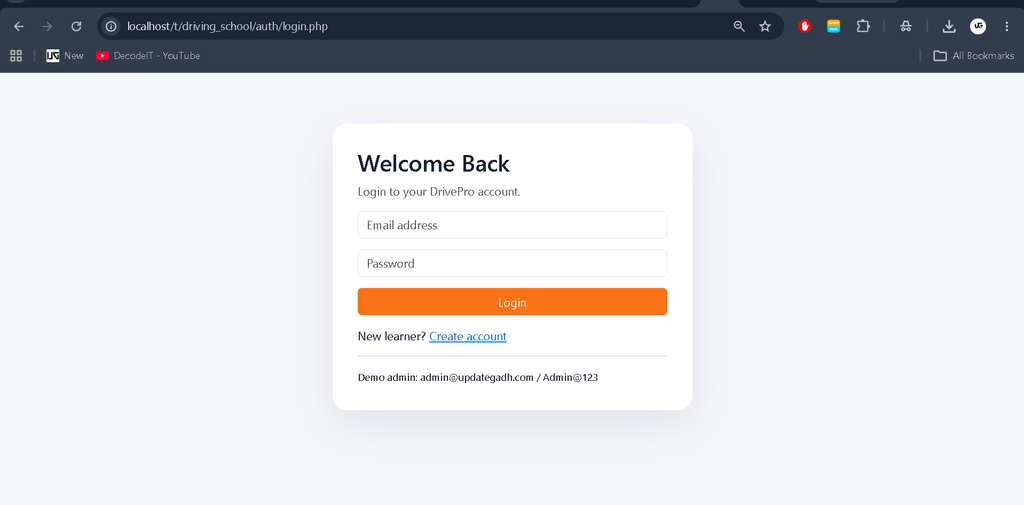
Learners can create accounts and securely log in to the system. Admin and instructor accounts have their respective role-based access.
2. Role-Based Access
The application provides separate functionality for Admin, Instructor, and Learner users. Users can only access modules allowed for their assigned role.
3. Learner Management
- Learner registration
- Learner profile management
- Password change
- Course browsing
- Lesson booking
- Booking history
- Training history
- Payment history
4. Instructor Management
- Instructor profile management
- Driving experience information
- Availability management
- Assigned learner management
- Lesson schedule
- Lesson notes
- Training history
- Feedback and rating viewing
5. Driving Course Management
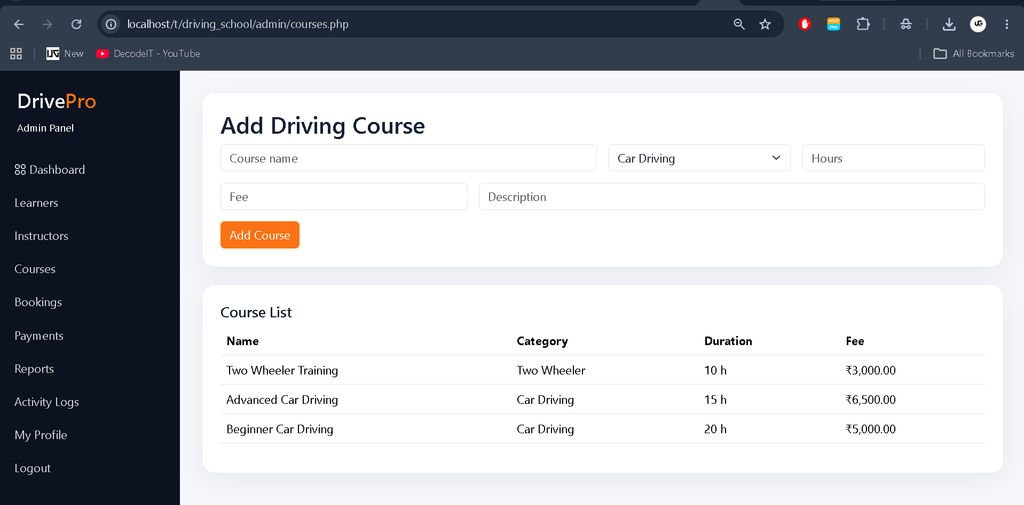
Administrators can create and manage driving courses with course categories, descriptions, fees, training hours, and course status.
6. Instructor Availability
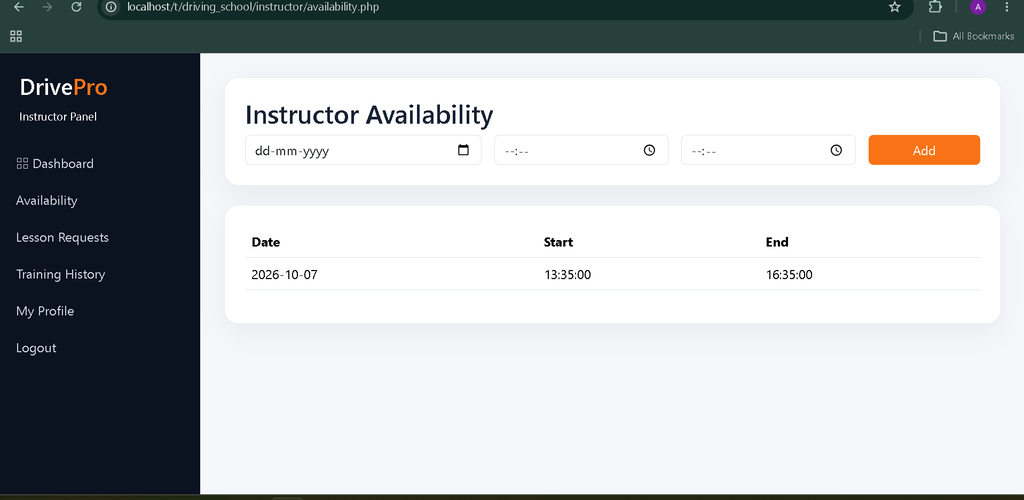
Instructors can define their available training dates and time slots. Learners can use this information while selecting a suitable lesson schedule.
7. Driving Lesson Booking
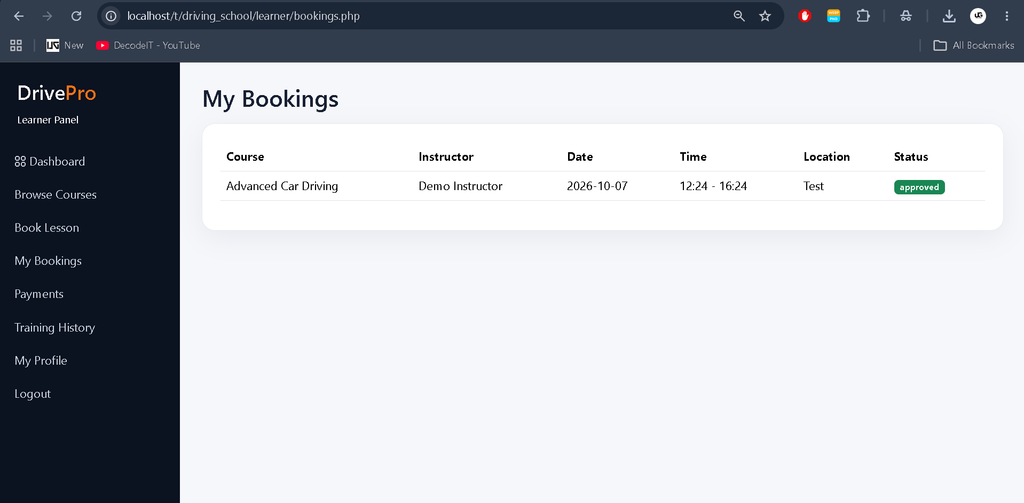
Learners can select a course, instructor, training date, time, and location before submitting a lesson booking.
8. Double Booking Prevention
The system validates instructor availability and existing bookings to prevent the same instructor from being assigned to conflicting lessons for the same date and time.
9. Booking Status Management
Bookings can be managed through different statuses such as Pending, Approved, Completed, and Cancelled.
10. Payment Management
- Course fee management
- Payment records
- Cash payment
- Card payment
- UPI payment
- Online payment status
- Payment history
- Receipt generation
11. Training History
The system maintains learner training records, completed lessons, instructor information, lesson notes, and training status.
12. Feedback and Ratings
After completing a lesson, learners can provide feedback and rating for their instructor.
13. Notifications
Users can receive system notifications related to bookings, approvals, lesson schedules, payments, and other important activities.
14. Search and Filters
Administrators can search learners, instructors, and courses and filter booking records according to available criteria.
15. Dashboard Statistics
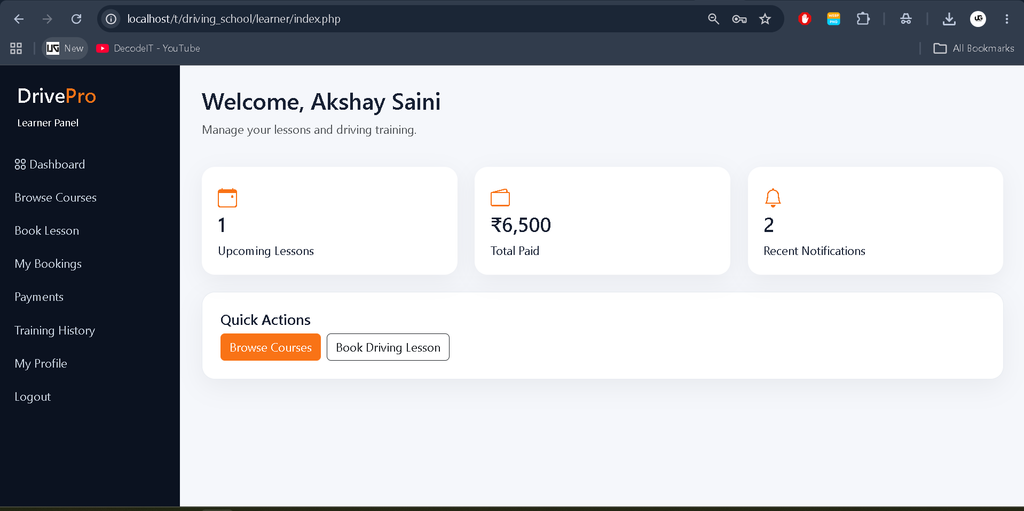
Admin, instructor, and learner dashboards display relevant statistics and records using actual database information rather than static or decorative numbers.
16. Activity Records
The system maintains activity records for important actions performed within the application.
Admin Panel
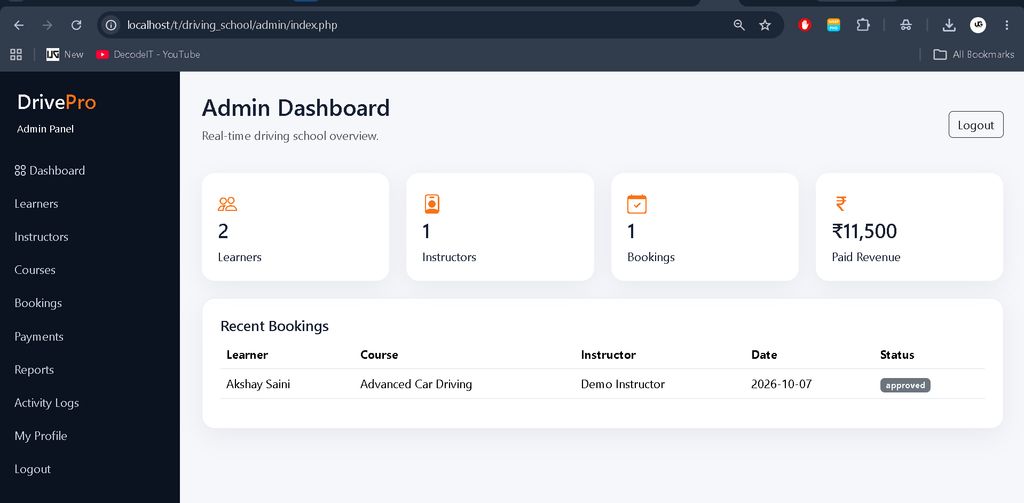
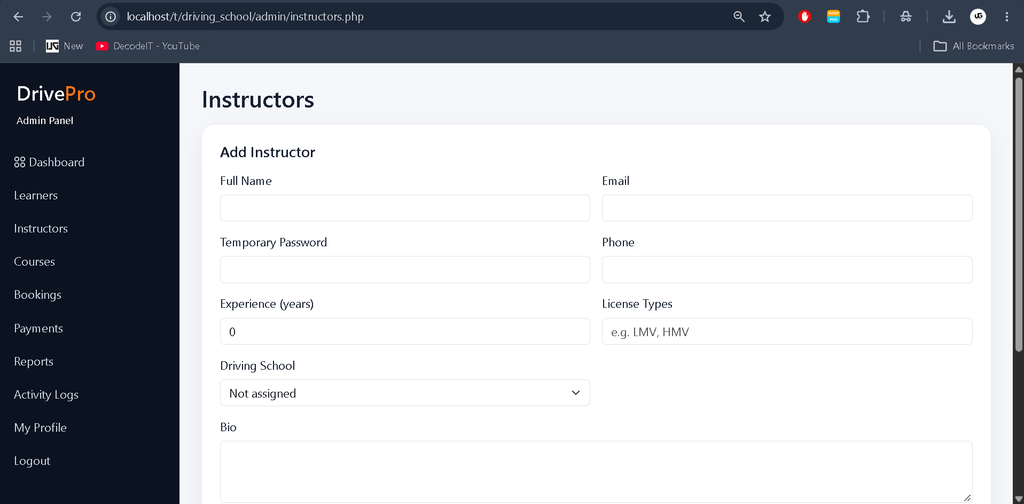
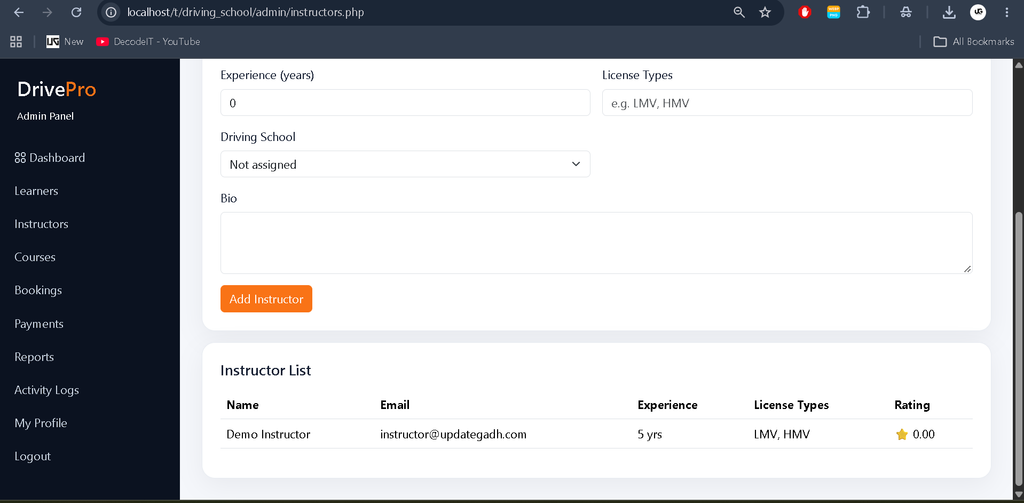
The Admin Panel provides centralized control over the complete driving school system. Administrators can manage learners, instructors, courses, categories, bookings, availability, training locations, payments, feedback, training records, notifications, system settings, and activity logs.
The admin dashboard also provides booking and payment statistics based on real database records. Search and filtering functionality helps administrators quickly locate required information.
Instructor Panel
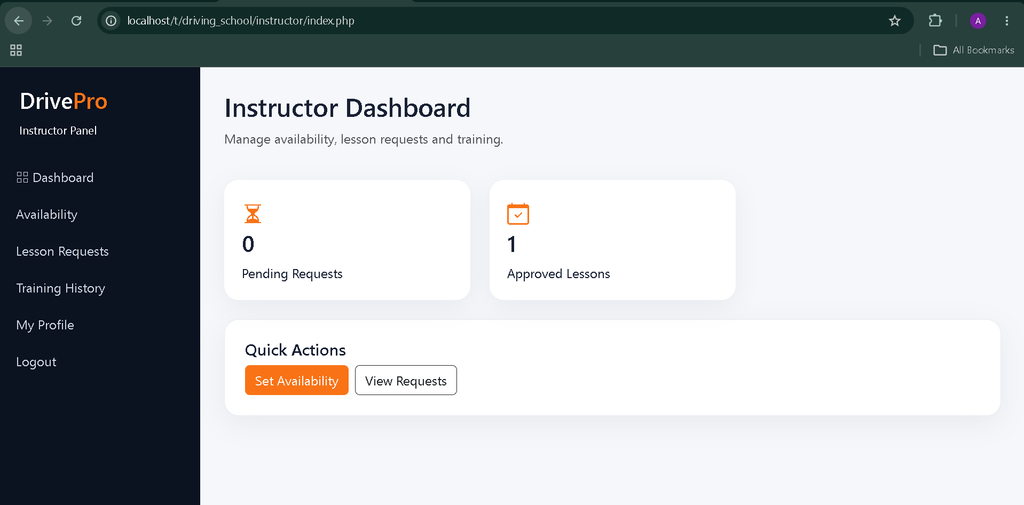
The Instructor Panel allows instructors to manage their professional profile and training schedule. Instructors can add their driving experience, configure availability, view assigned learners, manage lesson requests, accept or reject bookings, update lesson status, add lesson notes, and view feedback and ratings.
Learner Panel
The Learner Panel provides an easy way for learners to manage their complete driving training journey. Learners can browse courses, view fees, select instructors, check availability, book lessons, provide training locations, monitor booking status, view upcoming lessons, check training history, manage payments, download or print receipts, and submit instructor feedback.
Professional User Interface
The system uses a clean and responsive interface suitable for desktop, tablet, and mobile devices. The interface includes modern dashboards, navigation sidebars, responsive tables, course cards, instructor profiles, booking forms, status badges, payment summaries, profile pages, notifications, confirmation dialogs, loading states, and professional receipt layouts.
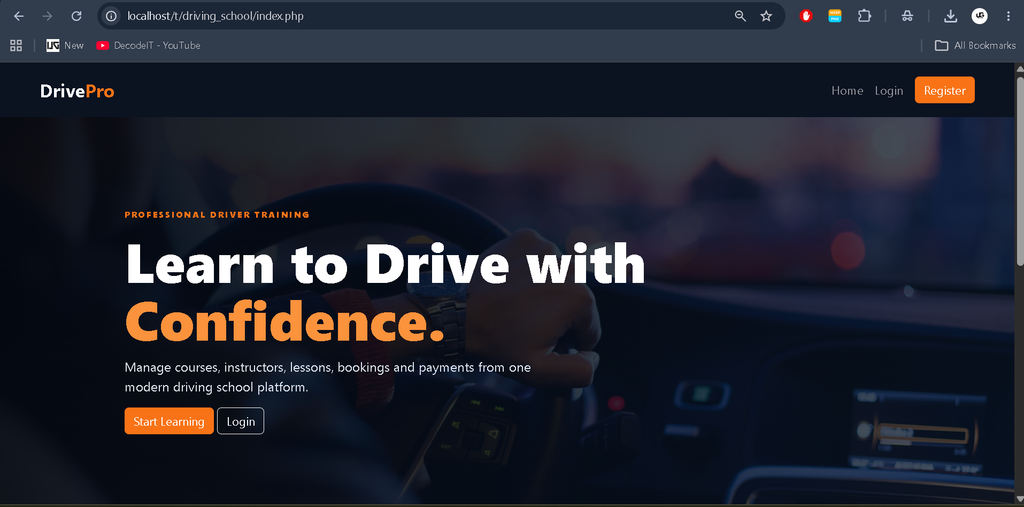
The homepage provides a modern driving-school presentation with course information, instructor details, clear calls to action, and consistent UPDATEGADH branding.
Database Structure
The MySQL database is organized using related tables for the major modules of the application.
- Users
- Roles
- Learners
- Instructors
- Driving Schools
- Courses
- Course Categories
- Instructor Availability
- Training Locations
- Bookings
- Lesson Schedules
- Training Records
- Payments
- Receipts
- Feedback
- Ratings
- Notifications
- Activity Logs
- System Settings
Foreign key relationships are used to maintain connections between users, courses, instructors, bookings, payments, training records, and other modules.
Software Requirements
- Windows, Linux, or macOS
- XAMPP or another PHP development environment
- PHP
- MySQL
- Apache Server
- phpMyAdmin
- Modern Web Browser
- Visual Studio Code or another code editor
How to Download
The complete package is available so you can run, study, and submit it with confidence. It includes:
- Full Source Code
- Project Report
- Synopsis
- PPT Presentation
Screenshot
Installation Guide
Step 1: Install XAMPP
Install XAMPP on your computer and start the Apache and MySQL services from the XAMPP Control Panel.
Step 2: Copy the Project
Extract the project ZIP file into the XAMPP htdocs directory.
C:\xampp\htdocs\driving_schoolStep 3: Create the Database
Open phpMyAdmin from your browser and create a new MySQL database for the project.
CREATE DATABASE driving_school;Step 4: Import the Database
Open the newly created database in phpMyAdmin and import the SQL file included with the project.
Step 5: Configure Database Connection
Open the project’s database configuration file and update the database host, username, password, and database name according to your local XAMPP configuration.
Host: localhost
Username: root
Password:
Database: driving_school
Step 6: Run the Project
http://localhost/driving_school/The Online Driving School Management System should now be accessible through your browser.
How to Use the System
For Learners
Register for an account, log in to the learner dashboard, browse available courses, select an instructor, check availability, choose a date and time, enter the training location, and submit the booking. After approval, the learner can attend the scheduled lesson and later submit feedback and rating.
For Instructors
Log in to the instructor panel, update the profile and driving experience, configure available time slots, view lesson requests, accept or reject bookings, manage lesson schedules, update completed lessons, and add training notes.
For Administrators
Log in to the admin dashboard to manage learners, instructors, courses, categories, bookings, locations, payments, training records, feedback, reports, system settings, and activity records.
Project Benefits
- Centralized driving school management
- Easy learner registration and management
- Organized instructor scheduling
- Reduced booking conflicts
- Online lesson booking workflow
- Simple payment record management
- Digital receipt generation
- Training history management
- Feedback and rating management
- Real database-driven dashboard statistics
- Responsive and user-friendly interface
Final Thoughts
The Online Driving School Management System in PHP and MySQL is a practical project for understanding how a real-world management application works. From learner registration and course selection to instructor scheduling, lesson booking, payment management, training records, and feedback, the system demonstrates how multiple modules can work together through a centralized database.
Keywords: Online Driving School Management System in PHP and MySQL, Driving School Management System, Driving School Project in PHP, Driving Lesson Booking System, Driving School Project, PHP MySQL Project, Driving Instructor Management System, Driving Course Management System,Driving School Management System Driving School Management System – Google Search driving school management system login driving school management system github car driving school management system online driving school management system car driving school management system project reportcar driving school management system in php with source code er diagram for driving school management system design and implementation of an online driving school management system aaa driving school management system