Online Car Booking System in PHP and MySQL
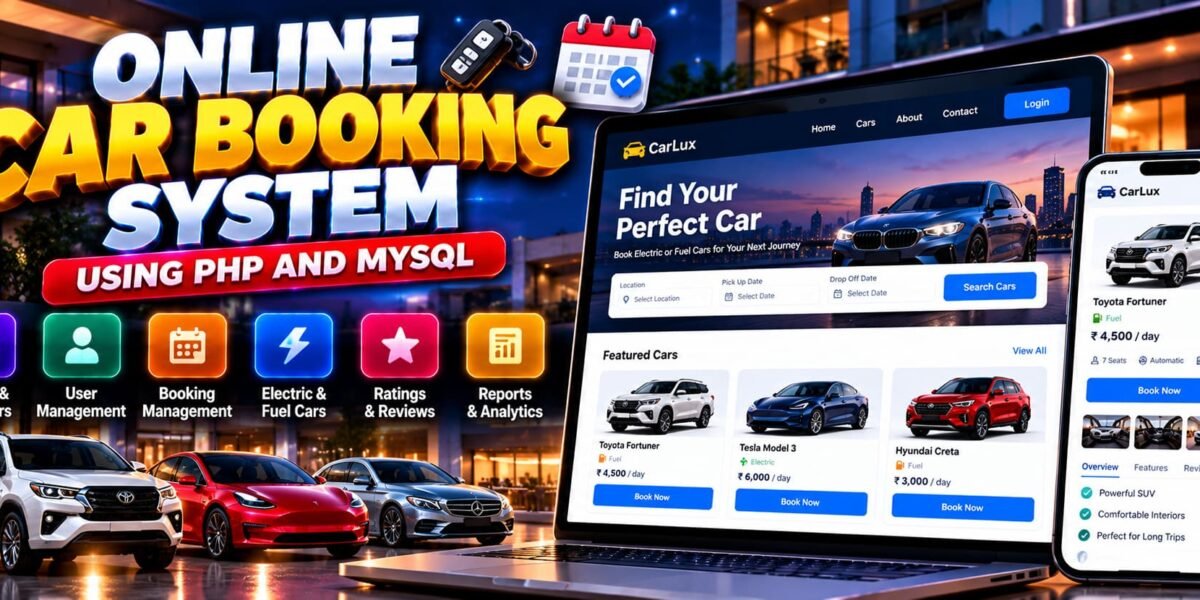
The Online Car Booking System Using PHP and MySQL is a web-based application designed to simplify car reservations and vehicle management. Developed using PHP, MySQL, HTML5, CSS3, and JavaScript, the system provides separate interfaces for users and administrators to manage car listings, bookings, customer accounts, and vehicle information.
The project, named Online Car Booking System, supports browsing electric and fuel-based cars, submitting reservations, managing booking history, and sharing vehicle reviews. Its responsive interface is designed to work on desktop and mobile devices, making it a practical example of an online vehicle booking platform.
This project is suitable for students who want to learn PHP development, MySQL database management, user authentication, and database-driven web application design.
Complete Advance AI Topics: Click Here
Real Time Projects on YouTube:- DecodeIT
What Is an Online Car Booking System?
An Online Car Booking System is a web application that allows users to explore available vehicles and submit booking requests online. Administrators can manage vehicle listings, review reservations, maintain car brands, and generate reports through a dedicated admin dashboard.
The Online Car Booking System project demonstrates how a car booking platform can organize customer reservations and vehicle information in one place.
Online Car Booking System Project Overview
| Project Details | Description |
|---|---|
| Project Name | Online Car Booking System |
| Languages Used | PHP, HTML5, CSS3, JavaScript |
| Recommended PHP Versions | 5.6.3, 7.4.12 |
| Database | MySQL |
| Type | Web Application |
What Are the Available Features?
The system includes customer-facing booking features and an administrative dashboard for managing cars, reservations, brands, and reports.
1. User Features
- Browse and Book Cars: Explore electric and fuel-based vehicles and review their available specifications and images.
- User Account Management: Edit profile details and view booking history.
- Secure Authentication: Register, log in, recover accounts using OTP verification, and reset passwords.
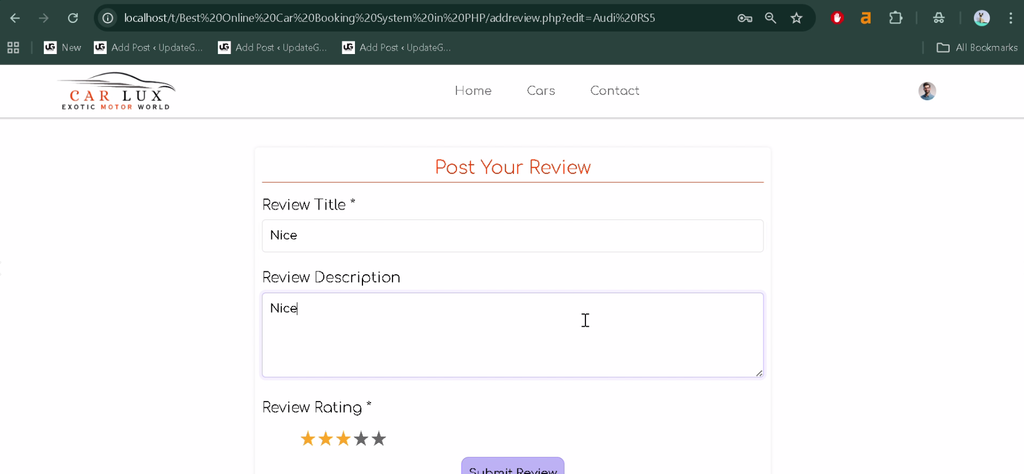
- Ratings and Reviews: Share feedback and read reviews about vehicles.
- Responsive Interface: Use a mobile-friendly interface designed with Bootstrap.
2. Admin Dashboard
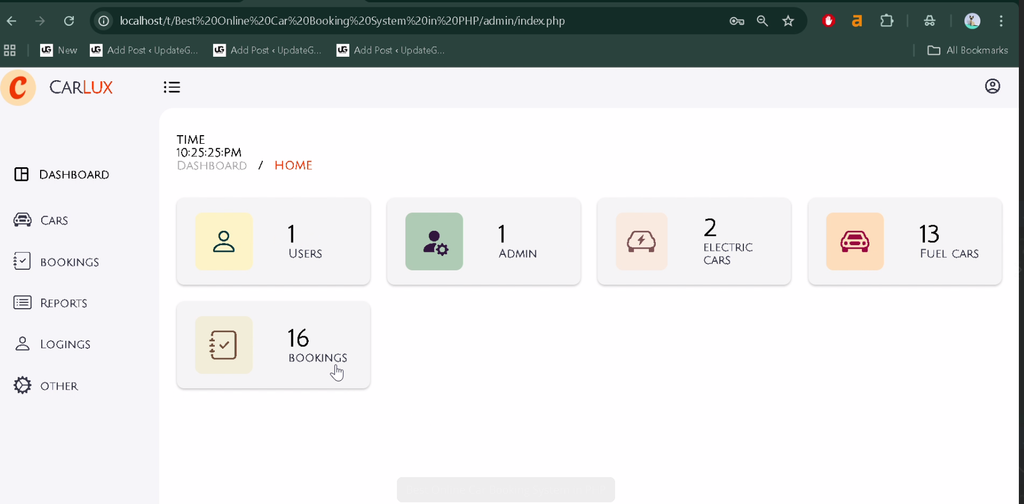
- Dashboard Statistics: View visual information about users, bookings, and car statistics.
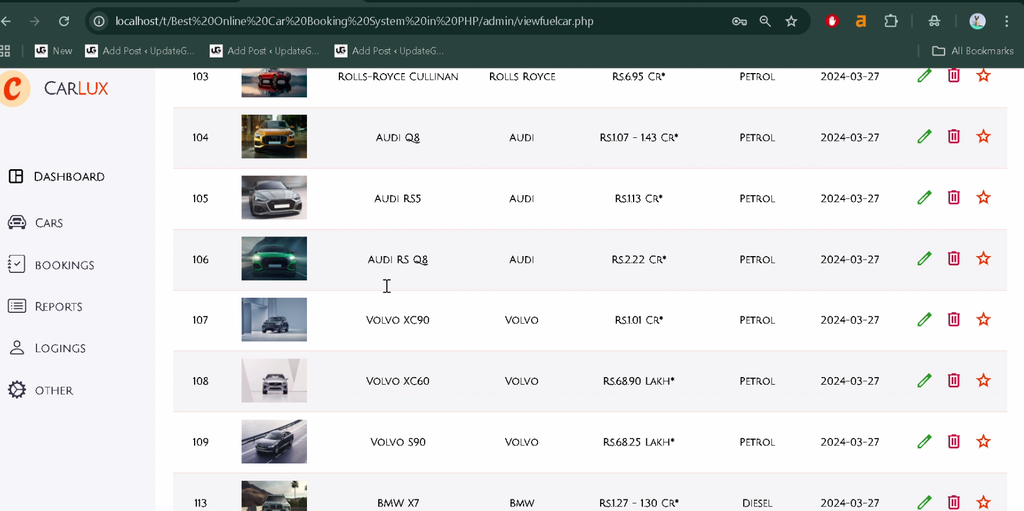
- Car Management: Add, edit, and delete electric and fuel-based car listings, including vehicle details and media.
- Booking Management: View reservations and approve or reject booking requests.
- Report Generation: Generate reports based on cars, customers, and selected date filters.
- Brand Management: Add, update, or manage car brands through the administrative interface.
Which Technologies Are Used in This Project?
- PHP: Handles server-side functionality and booking operations.
- MySQL: Stores application data and booking records.
- HTML5: Structures the website pages.
- CSS3: Styles the user interface.
- JavaScript: Supports interactive features.
- Bootstrap: Supports responsive page layouts.
What Software Is Required?
- XAMPP: Provides Apache and MySQL for local development.
- Visual Studio Code: Used to view and edit PHP files.
- Web Browser: Used to access the application.
How to Download
The complete package is available so you can run, study, and submit it with confidence. It includes:
- Full Source Code
- Project Report
- Synopsis
- PPT Presentation
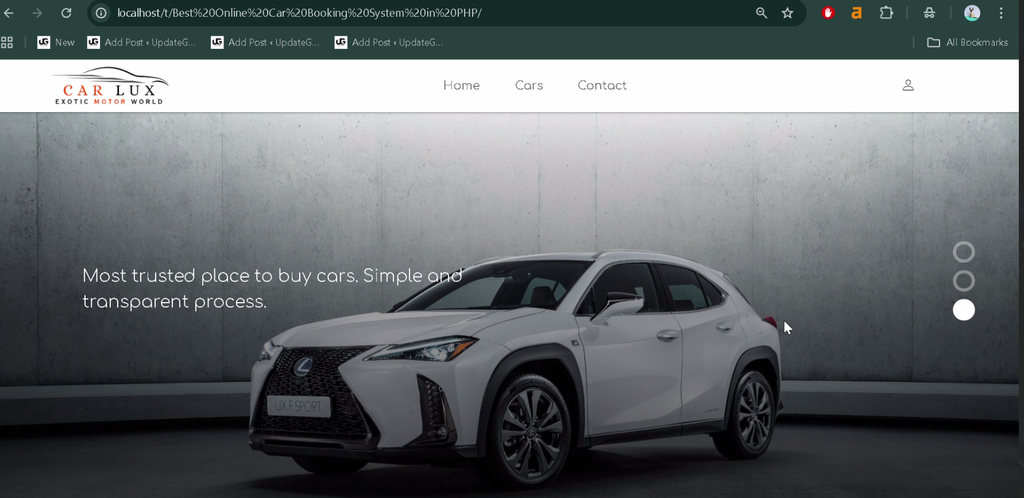
Screenshot



How to Install the Online Car Booking System in VS Code
Follow these general steps to run the PHP and MySQL project locally using XAMPP.
- Install XAMPP: Install XAMPP on your computer.
- Start Services: Open the XAMPP Control Panel and start Apache and MySQL.
- Extract the Project: Extract the project ZIP file.
- Copy the Folder: Move the project directory into the XAMPP
htdocsfolder. For example,C:\xampp\htdocs\OnlineCarBooking. - Open in VS Code: Open the extracted project folder in Visual Studio Code.
- Create the Database: Visit
http://localhost/phpmyadmin/and create the database required by the application. - Import the SQL File: Locate
carlux.sqlin the project directory and import it into the database you created. - Check Database Configuration: Update the PHP database connection settings to match your local MySQL credentials and database name.
- Run the Application: Open the project using its local URL. For example, if the folder is named
OnlineCarBooking, visithttp://localhost/OnlineCarBooking/.
Note: The exact database name, connection file, and default login credentials are not specified in the supplied description. Verify them in the project files before running the application.
How to Use the Online Car Booking System
For Users
Register or log in to your account, browse the available cars, review vehicle details, and submit booking requests. You can also manage your profile, review booking history, and share vehicle feedback.
For Administrators
Log in to the admin panel to manage car listings and brands, review booking requests, approve or reject reservations, and generate reports using available filters.
Why Is This Project Useful for Students?
This project provides practical experience with PHP programming, MySQL database connectivity, authentication, form handling, and CRUD operations. It also demonstrates how user and administrator interfaces can work together in a reservation-based web application.
Students can explore how vehicle records, booking requests, customer accounts, and reports are organized within a web application. The project can serve as a learning foundation for further work in vehicle rental and reservation systems.
Final Thoughts
The Online Car Booking System Using PHP and MySQL is a practical project for understanding vehicle reservations and administrative management. Its features include car browsing, user accounts, booking history, reviews, vehicle management, booking approvals, and reporting.
From a student’s perspective, this project offers a useful opportunity to develop PHP, MySQL, and frontend development skills while learning how a car booking platform manages its core operations.
Frequently Asked Questions
1. What is an Online Car Booking System?
It is a web application that allows users to browse cars and submit booking requests while administrators manage vehicle listings and reservations.
2. Which technologies are used in the Online Car Booking System project?
The project uses PHP, MySQL, HTML5, CSS3, and JavaScript, with Bootstrap for responsive design.
3. Can users browse electric and fuel-based cars?
Yes. The supplied project description includes browsing and booking options for both electric and fuel-based vehicles.
4. What can administrators manage?
Administrators can manage car listings, brands, reservations, and reports through the admin dashboard.
5. Which database file is included in the project?
The supplied directory structure identifies the database file as carlux.sql. Its actual location should be confirmed after extracting the project.
Keywords: Online Car Booking System Using PHP and MySQL, Online Car Booking System PHP Project, PHP MySQL Car Rental System, Car Booking Website Project, Online Car Booking System Car Booking System, Vehicle Reservation System PHP