College Notes Gallery in PHP
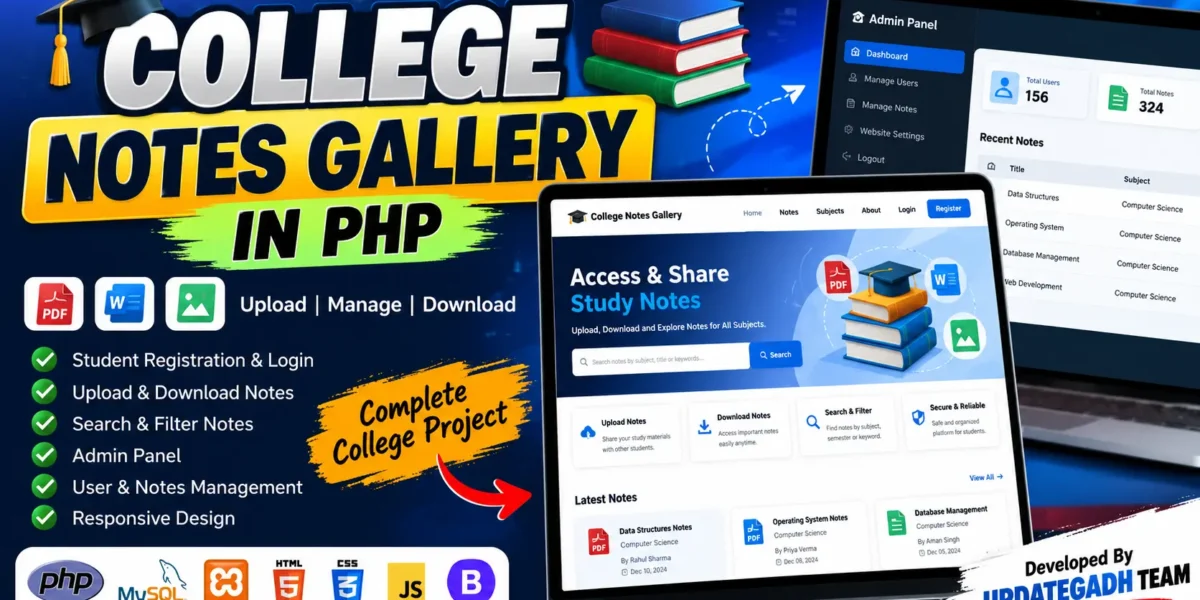
College Notes Gallery in PHP is a practical web-based academic resource management system designed to provide college students with a centralized platform for uploading, managing, searching, and downloading study notes. The project allows students to organize their academic materials digitally instead of depending on scattered files or physical documents.
The system is developed using PHP, MySQL, HTML, CSS, JavaScript, and Bootstrap. It includes secure user authentication, student note management, document uploading and downloading, an admin panel, user management, notes management, and website settings. The responsive interface makes the system suitable for use on desktops, laptops, tablets, and mobile devices.
Complete Advance AI Topics: Click Here
Real Time Projects on YouTube:- DecodeIT
Project Overview
| Project Detail | Information |
|---|---|
| Project Name | College Notes Gallery |
| Programming Language | PHP |
| Database | MySQL |
| Frontend | HTML, CSS, JavaScript, Bootstrap |
| Project Type | Web-Based Academic Management System |
| User Roles | Student and Admin |
Project Introduction
Students regularly work with lecture notes, assignments, reference documents, and other academic materials. Managing these files manually can become difficult when materials are stored across different devices or shared through multiple platforms. College Notes Gallery provides a structured solution where students can access academic notes through a single web application.
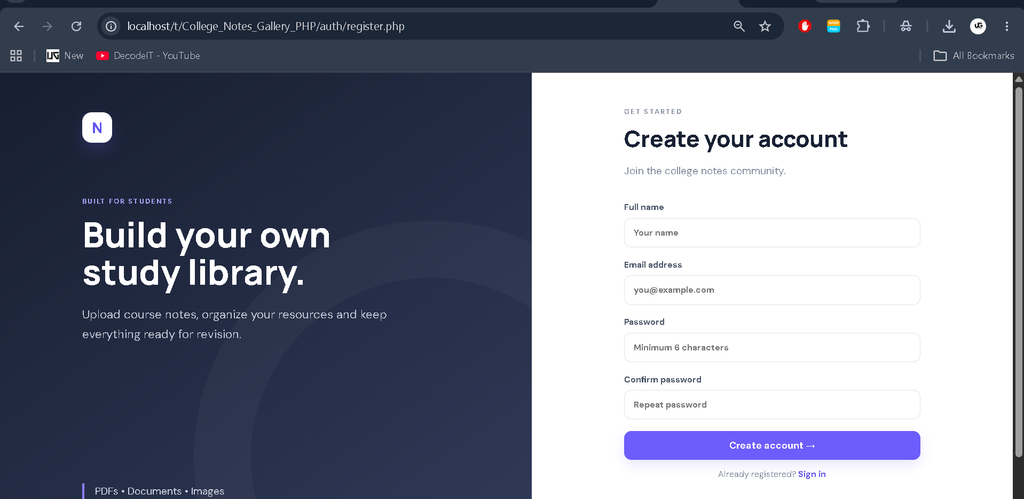
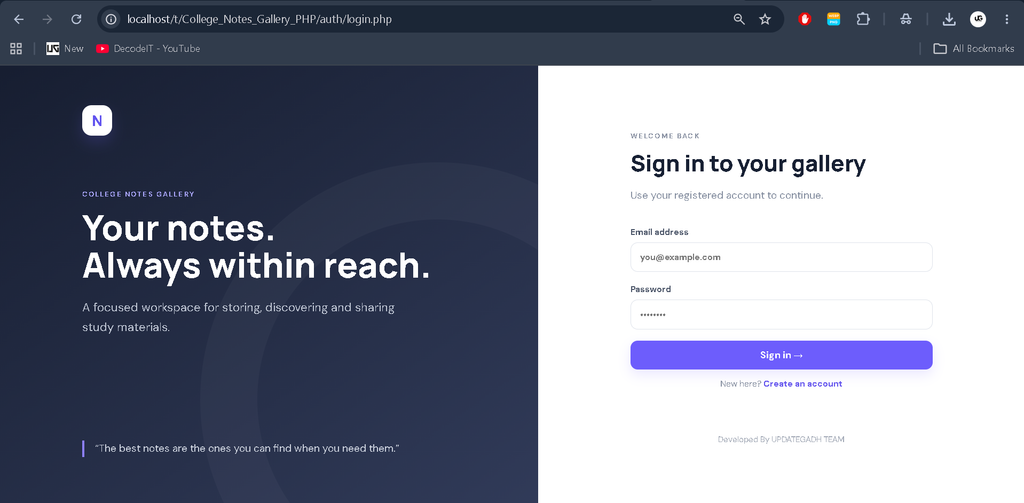
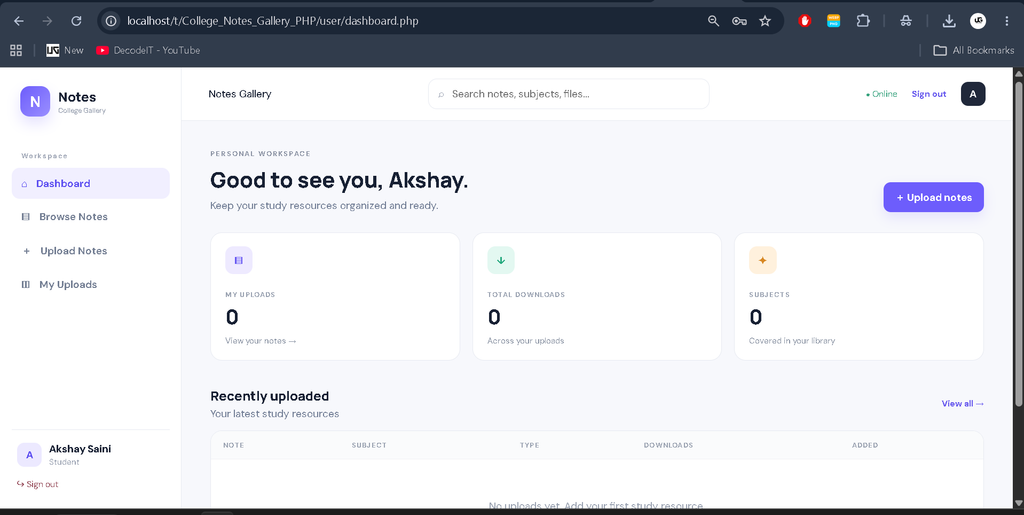
Students can create an account, log in securely, upload their notes, manage their uploaded materials, and download available documents. Administrators can manage registered users, monitor uploaded notes, and update important website settings through the administration panel.
Key Features
- Student registration and login
- Secure user authentication
- Student dashboard
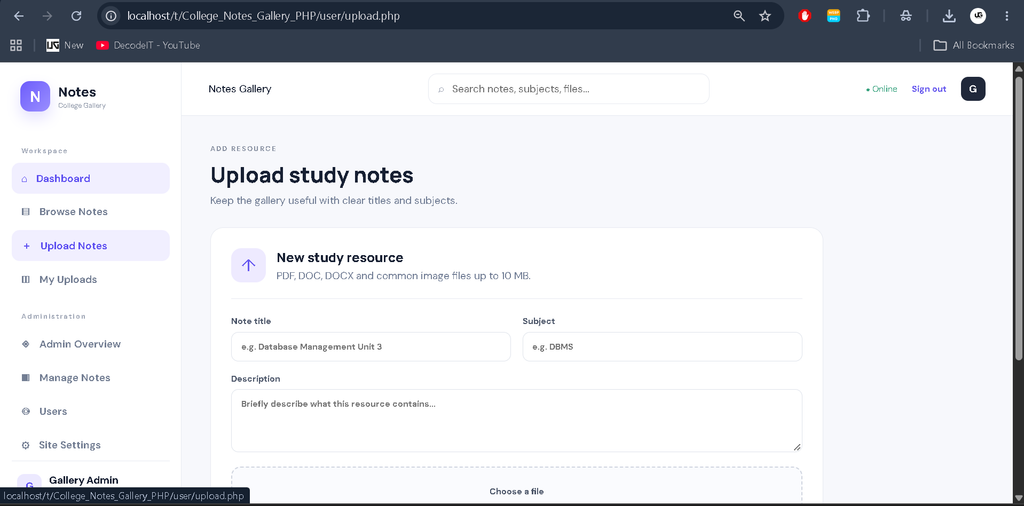
- Upload academic notes
- Edit and manage uploaded notes
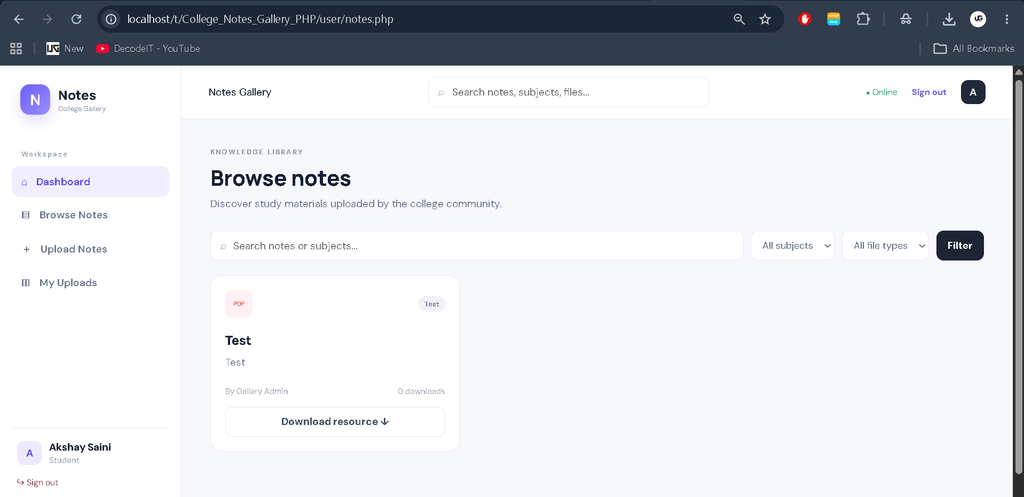
- Download study materials
- Support for PDF and Word documents
- Support for image-based notes
- Search and filter notes
- Download tracking
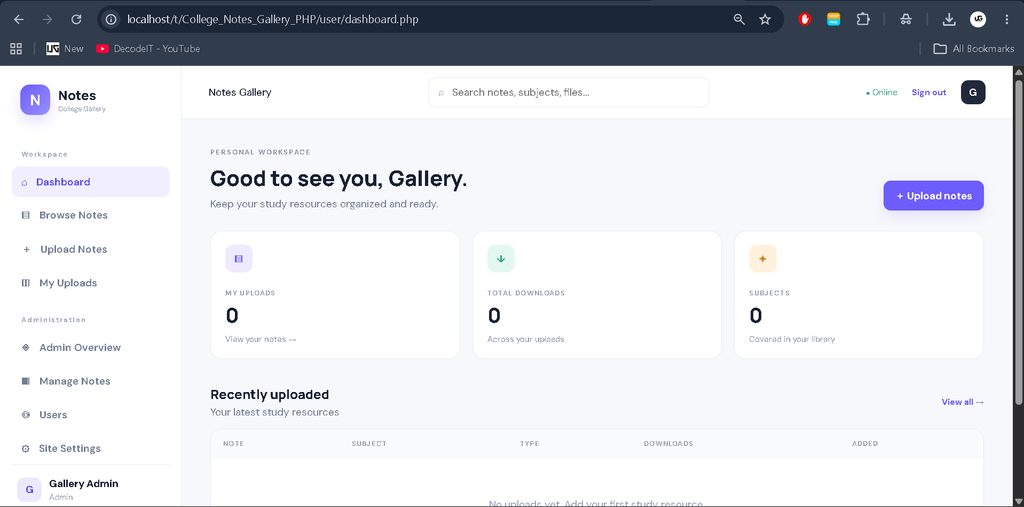
- Admin dashboard
- User management
- Notes management
- Website settings management
- Responsive Bootstrap-based interface
User Roles
Student
The Student role is designed for regular college users. Students can register for an account and securely log in to the system. After authentication, they can access the available academic resources, upload their own notes, edit or manage their uploaded materials, and download useful documents.
Admin
The Admin role provides control over the overall system. Administrators can manage registered users, manage uploaded notes, and modify website settings. The admin panel provides a centralized interface for maintaining the academic notes gallery.
Project Modules
Authentication Module
The authentication module provides student registration and login functionality. Passwords are securely stored using PHP password hashing instead of storing plain-text passwords.
Notes Management Module
Students can upload academic materials and manage the notes they have submitted. The system supports commonly used academic file formats including PDF, Word documents, and images.
Notes Download Module
Users can download available academic resources from the gallery. The system also maintains download information, making it possible to track how frequently notes are accessed.
Search and Filter Module
The search and filtering functionality helps users locate relevant notes more easily instead of manually browsing through every uploaded resource.
Admin Management Module
The administrator can manage users and uploaded notes from the admin panel. This helps maintain organized and controlled academic content within the system.
Website Settings Module
The admin can modify supported website settings from the administration area, allowing important site information to be maintained without directly changing the application source code.
Technology Stack
- PHP: Used for server-side application logic and backend functionality.
- MySQL: Used for storing users, notes, settings, and related information.
- HTML: Used for structuring web pages.
- CSS: Used for styling and visual presentation.
- JavaScript: Used for client-side interactions.
- Bootstrap: Used to create a responsive and professional interface.
- XAMPP: Used as the local development environment.
Download complete source code
Screenshot
Installation Guide
To run the College Notes Gallery project locally, install XAMPP on your computer and make sure Apache and MySQL are available.
Step 1: Copy Project
Extract the project folder inside the XAMPP htdocs directory.
C:\xampp\htdocs\college-notes-gallery\Step 2: Start XAMPP
Open the XAMPP Control Panel and start both Apache and MySQL.
Step 3: Create Database
Open phpMyAdmin and create a database named:
notesImport the database/notes.sql file into the newly created database.
Step 4: Configure Database
Check the database configuration file and make sure the MySQL host, username, password, and database name match your XAMPP configuration.
Step 5: Run Project
Open the following address in your browser:
http://localhost/college-notes-gallery/The College Notes Gallery application should now be available locally.
How the Project Works
The basic workflow begins when a student creates an account and logs into the system. After authentication, the student can browse available notes, search for required study materials, download documents, and upload their own academic resources.
Uploaded notes can be managed by the respective student, while administrators have control over the overall notes gallery and registered users. This creates a structured environment where academic resources can be maintained in one centralized system.
Project Benefits
- Provides centralized access to academic notes.
- Makes study material easier to organize.
- Reduces dependency on manually shared documents.
- Allows students to contribute their own notes.
- Provides controlled administration through an admin panel.
- Supports multiple academic file formats.
- Offers a responsive interface for different screen sizes.
Frequently Asked Questions
What is College Notes Gallery in PHP?
It is a web-based system that allows students to upload, manage, search, and download academic notes.
Which database is used?
The project uses MySQL as its database.
Which technologies are used?
The project uses PHP, MySQL, HTML, CSS, JavaScript, and Bootstrap.
Can students upload their own notes?
Yes. Registered students can upload and manage their academic notes.
Which file types are supported?
The system supports PDF, Word documents, and image-based notes.
Does the project have an admin panel?
Yes. The admin panel provides user management, notes management, and website settings management.
Future Scope
- Subject-wise and semester-wise note categorization.
- Advanced academic resource filtering.
- Notification functionality for newly uploaded materials.
- Improved note moderation and approval workflows.
- Additional reporting and analytics.
- Cloud-based document storage.
Conclusion
College Notes Gallery in PHP is a useful medium-level college project that demonstrates how PHP and MySQL can be combined to build a practical academic resource management platform. The system covers important concepts including authentication, database management, file uploading, file downloading, CRUD operations, search, role-based access, and administration.