Connect Java with a Database
Introduction
Connecting Java applications to a database is a fundamental skill for Java developers. Whether you’re building a desktop application, a web application, or an enterprise-level system, understanding how to interact with databases is crucial. In this guide, we’ll walk you through the process of connecting a Java application to a database using JDBC (Java Database Connectivity). We’ll cover the essential features, required software and tools, and provide a sample code to help you get started.
Complete Advance AI Topics: Click Here
SQL Tutorial: Click Here
Making the Project
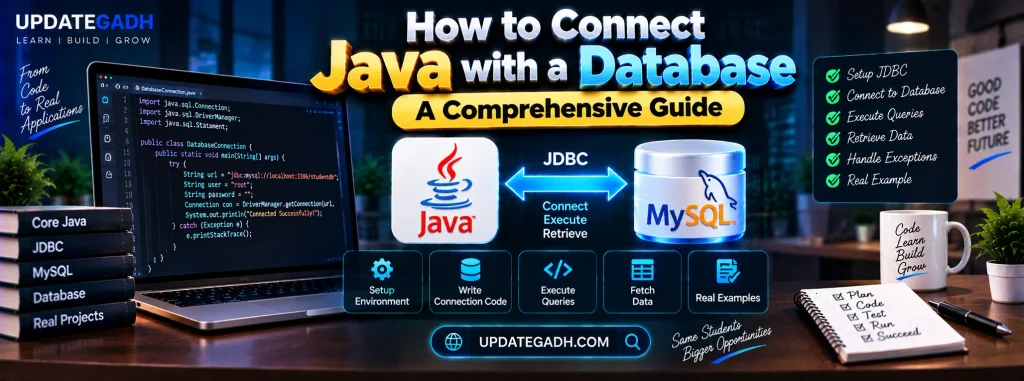
To connect Java with a database, you’ll use JDBC, which provides a standard API for Java applications to interact with databases. Heres a step-by-step approach to making this project:
- Set Up Your Development Environment: Install Java Development Kit (JDK) and set up your IDE (Integrated Development Environment), such as Eclipse or IntelliJ IDEA.
- Choose Your Database: For this guide, we’ll use MySQL, but JDBC supports various databases like PostgreSQL, Oracle, and SQL Server.
- Download JDBC Driver: Obtain the JDBC driver for your database from the official website or repository.
Essential Features
The project will include the following essential features:
Establish Database Connection
Create a connection to your database using JDBC.
Execute SQL Queries
Run SQL queries to perform operations such as retrieving, inserting, updating, and deleting records.
Handle Result Sets
Process the results returned from queries to display or manipulate data.
Close Resources
Properly close the database connection and other resources to prevent memory leaks.
Required Software and Tools
To complete this Connect Java with a Database , you’ll need:
- Java Development Kit (JDK): Install the latest version from the official website.
- IDE: Use an IDE like Eclipse, IntelliJ IDEA, or NetBeans.
- Database: MySQL (or any other database you prefer).
- JDBC Driver: Download the JDBC driver for your database.
Running the Project
Sample Code
Heres a simple example of how to Connect Java with a Database to a MySQL database using JDBC:
import java.sql.Connection;
import java.sql.DriverManager;
import java.sql.ResultSet;
import java.sql.SQLException;
import java.sql.Statement;

public class DatabaseConnectionExample {
    public static void main(String[] args) {
        // Database URL, username, and password
        String url = "jdbc:mysql://localhost:3306/mydatabase";
        String user = "root";
        String password = "password";

        Connection connection = null;
        Statement statement = null;
        ResultSet resultSet = null;

        try {
            // Load the JDBC driver
            Class.forName("com.mysql.cj.jdbc.Driver");

            // Establish the connection
            connection = DriverManager.getConnection(url, user, password);

            // Create a statement
            statement = connection.createStatement();

            // Execute a query
            String sql = "SELECT * FROM mytable";
            resultSet = statement.executeQuery(sql);

            // Process the result set
            while (resultSet.next()) {
                int id = resultSet.getInt("id");
                String name = resultSet.getString("name");
                System.out.println("ID: " + id + ", Name: " + name);
            }
        } catch (ClassNotFoundException e) {
            e.printStackTrace();
        } catch (SQLException e) {
            e.printStackTrace();
        } finally {
            // Close the resources
            try {
                if (resultSet != null) resultSet.close();
                if (statement != null) statement.close();
                if (connection != null) connection.close();
            } catch (SQLException e) {
                e.printStackTrace();
            }
        }
    }
}
Steps to Run the Project
- Install MySQL: Ensure MySQL is installed and running on your machine.
- Create Database and Table: Create a database and a table using MySQL Workbench or command line.
- Add JDBC Driver: Add the JDBC driver JAR file to your project’s build path.
- Compile and Run: Compile and run the Java application from your IDE or command line.
Conclusion
Connect Java with a Database is a crucial skill for developers. With JDBC, you can efficiently interact with your database to perform various operations. By following the steps outlined in this guide and using the sample code provided, you’ll be able to establish a connection, execute queries, and handle results effectively.
Tags
- Java Database Connectivity (JDBC)
- Java Database Connection
- MySQL JDBC Example
- Java SQL Queries
- JDBC Tutorial
- Java Programming
- Database Integration