Skip to content
  • SiteMap
  • Our Services
  • Frequently Asked Questions (FAQ)
  • Support
  • About Us

UpdateGadh

Update Your Skills.

  • Home
  • Projects
    • Β Blockchain projects
    • Python Project
    • Data Science
    • Β Ai projects
    • Machine Learning
    • PHP Project
    • React Projects
    • Java Project
    • SpringBoot
    • JSP Projects
    • Java Script Projects
    • Code Snippet
    • Free Projects
  • Tutorials
    • Ai
    • Machine Learning
    • Advance Python
    • Advance SQL
    • DBMS Tutorial
    • Data Analyst
    • Deep Learning Tutorial
    • Data Science
    • Nodejs Tutorial
  • Blog
  • Contact us
  • Toggle search form
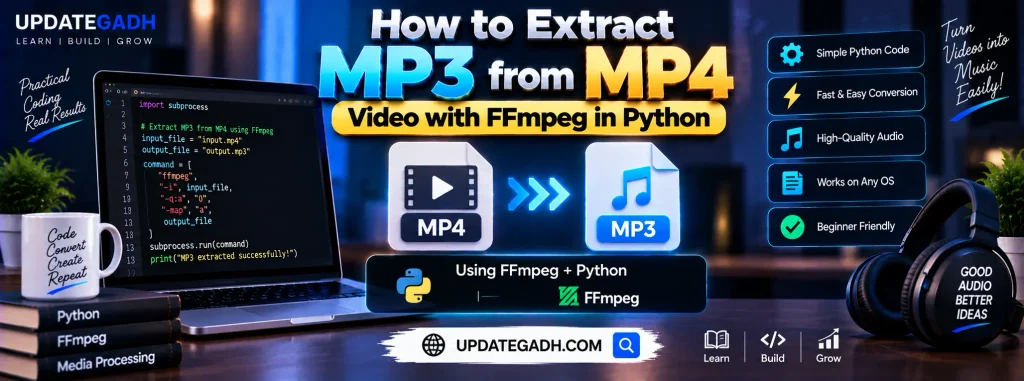
How to Extract MP3 from MP4 Video with FFmpeg in Python

How to Extract MP3 from MP4 Video with FFmpeg in Python 🎡

Posted on August 10, 2024August 10, 2024 By Updategadh No Comments on How to Extract MP3 from MP4 Video with FFmpeg in Python 🎡

How to Extract MP3 from MP4 Video with FFmpeg in Python

Extracting audio from video files is a common task, whether you’re working on a podcast, a music video, or any other multimedia project. FFmpeg, a powerful multimedia framework, makes this process straightforward. In this blog post, we’ll walk through how to extract MP3 audio from an MP4 video file using FFmpeg in Python.

Table of Contents

  • How to Extract MP3 from MP4 Video with FFmpeg in Python
    • Why FFmpeg?
    • Prerequisites
    • Setting Up FFmpeg
    • Python Code to Extract MP3 from MP4
    • Step-by-Step Breakdown
    • Conclusion
    • Tags

Why FFmpeg?

FFmpeg is an open-source tool that can handle almost any multimedia data, including audio, video, and even subtitles. It’s widely used for video and audio processing because of its versatility and efficiency.

Top 10 Final year project ideas using Java and MySQL

Prerequisites

Before we dive into the code, ensure you have the following installed on your system:

  1. Python: Version 3.6 or later.
  2. FFmpeg: Ensure FFmpeg is installed and added to your system’s PATH.
  3. ffmpeg-python: A Python wrapper for FFmpeg that allows you to use FFmpeg commands in Python.

You can install ffmpeg-python using pip:

pip install ffmpeg-python
https://updategadh.com/python/variables-and-data-types-in-python/

Setting Up FFmpeg

  1. Download FFmpeg:
  • Visit the FFmpeg official website.
  • Download the appropriate version for your operating system.
  • Extract the files and add the bin directory to your system’s PATH.
  1. Verify Installation:
  • Open your command prompt or terminal and type:
    bash ffmpeg -version
  • You should see the FFmpeg version details if it’s installed correctly.
https://updategadh.com/python/pip-in-python/

Python Code to Extract MP3 from MP4

Now, let’s write the Python code to extract MP3 from an MP4 video using FFmpeg:

import ffmpeg

def extract_audio(video_file, output_audio_file):
    try:
        (
            ffmpeg
            .input(video_file)
            .output(output_audio_file, format='mp3', acodec='libmp3lame')
            .run(overwrite_output=True)
        )
        print(f"Successfully extracted audio to {output_audio_file}")
    except ffmpeg.Error as e:
        print(f"An error occurred: {e.stderr.decode()}")

if __name__ == "__main__":
    video_file = 'input_video.mp4'  # Replace with your input video file
    output_audio_file = 'output_audio.mp3'  # Replace with your desired output audio file
    extract_audio(video_file, output_audio_file)
  • Complete Python Course : Click here
  • Free Notes :- Click here
  • New Project :-https://www.youtube.com/@Decodeit2
  • How to setup this Project Complete video – Click here

Step-by-Step Breakdown

  1. Importing FFmpeg:
    • We import the ffmpeg module to interact with FFmpeg via Python.
  2. Defining the Function:
    • The extract_audio function takes two parameters: video_file and output_audio_file.
    • We use the input method to specify the input video file and the output method to define the output file format (MP3) and codec (libmp3lame).
    • The run method executes the FFmpeg command, and the overwrite_output=True argument ensures that any existing output file will be overwritten.
  3. Running the Script:
    • The script can be run from the command line or an IDE. Make sure to replace input_video.mp4 with your actual video file and output_audio.mp3 with the desired output file name.
  4. Error Handling:
    • We include a try-except block to catch and print any errors that may occur during the extraction process.
https://updategadh.com/java-project/final-year-project/

Conclusion

By following these steps, you can easily extract MP3 audio from MP4 video files using FFmpeg and Python. This method is efficient and leverages the power of FFmpeg, making it ideal for various multimedia processing tasks.

Tags

  • Python Programming
  • FFmpeg
  • Audio Extraction
  • Multimedia Processing
  • Coding Tutorial
  • Video to Audio Conversion
  • Python Script
  • MP3 Extraction
  • Python and FFmpeg
  • IT Skills

Post Views: 635
How to Tags:Audio Extraction, Coding Tutorial, FFmpeg, IT Skills, MP3 Extraction, Multimedia Processing, Python and FFmpeg, python programming, Python Script, Video to Audio Conversion

Post navigation

Previous Post: Chapter 4: Variables and Data Types in Python
Next Post: Most Asked Programming Interview Questions: A Comprehensive Guide

More Related Articles

Integrating AI and Machine into Your College Project Integrating AI and Machine into Your College Project : Comprehensive Guide How to
9 Mind-Blowing Mini Projects in Java How to Java web project configuration How to
How to Learn AI: A Beginner's Guide to Ai How to Learn AI: A Beginner’s Guide to Ai How to

Leave a Reply Cancel reply

Your email address will not be published. Required fields are marked *

You may also like

  1. Backend Developer Roadmap 2024: A Comprehensive Guide
  2. Integrating AI and Machine into Your College Project : Comprehensive Guide
  3. The Impact of Automation on IT Jobs: Navigating the Future of Work
  4. How to Use LeetCode and HackerRank for Interview Preparation
  5. What is an API and How to Build API
  6. What is SQL? How to use for Data

Most Viewed Posts

  1. Top Large Language Models in 2025
  2. Online Shopping System using PHP, MySQL with Free Source Code
  3. login form in php and mysql , Step-by-Step with Free Source Code
  4. Flipkart Clone using PHP And MYSQL Free Source Code
  5. News Portal Project in PHP and MySql Free Source Code
  6. User Login & Registration System Using PHP and MySQL Free Code
  7. Top 10 Final Year Project Ideas in Python
  8. Blog Site In PHP And MYSQL With Source Code || Best Project
  9. Online Bike Rental Management System Using PHP and MySQL
  10. E learning Website in php with Free source code
  • AI
  • ASP.NET
  • Blockchain
  • ChatCPT
  • code Snippets
  • Collage Projects
  • Data Science Project
  • Data Science Tutorial
  • DBMS Tutorial
  • Deep Learning Tutorial
  • Final Year Projects
  • Free Projects
  • How to
  • html
  • Interview Question
  • Java Notes
  • Java Project
  • Java Script Notes
  • JAVASCRIPT
  • Javascript Project
  • JSP JAVA(J2EE)
  • Machine Learning Project
  • Machine Learning Tutorial
  • MySQL Tutorial
  • Node.js Tutorial
  • PHP Project
  • Portfolio
  • Python
  • Python Interview Question
  • Python Projects
  • PythonFreeProject
  • React Free Project
  • React Projects
  • Spring boot
  • SQL Tutorial
  • TOP 10
  • Uncategorized
  • Real-Time Medical Queue & Appointment System with Django
  • Online Examination System in PHP with Source Code
  • AI Chatbot for College and Hospital
  • Job Portal Web Application in PHP MySQL
  • Online Tutorial Portal Site in PHP MySQL β€” Full Project with Source Code

Most Viewed Posts

  • Top Large Language Models in 2025 (8,616)
  • Online Shopping System using PHP, MySQL with Free Source Code (5,225)
  • login form in php and mysql , Step-by-Step with Free Source Code (4,875)

Copyright Β© 2026 UpdateGadh.

Powered by PressBook Green WordPress theme