House Rental Portal Using Java JSP, Servlet, J2EE and MySQL
Introduction
Finding suitable rental accommodation can be challenging for tenants, while homeowners need an effective way to advertise their properties and manage inquiries. A House Rental Portal provides an online platform where property owners can list rental properties and potential tenants can explore available options.
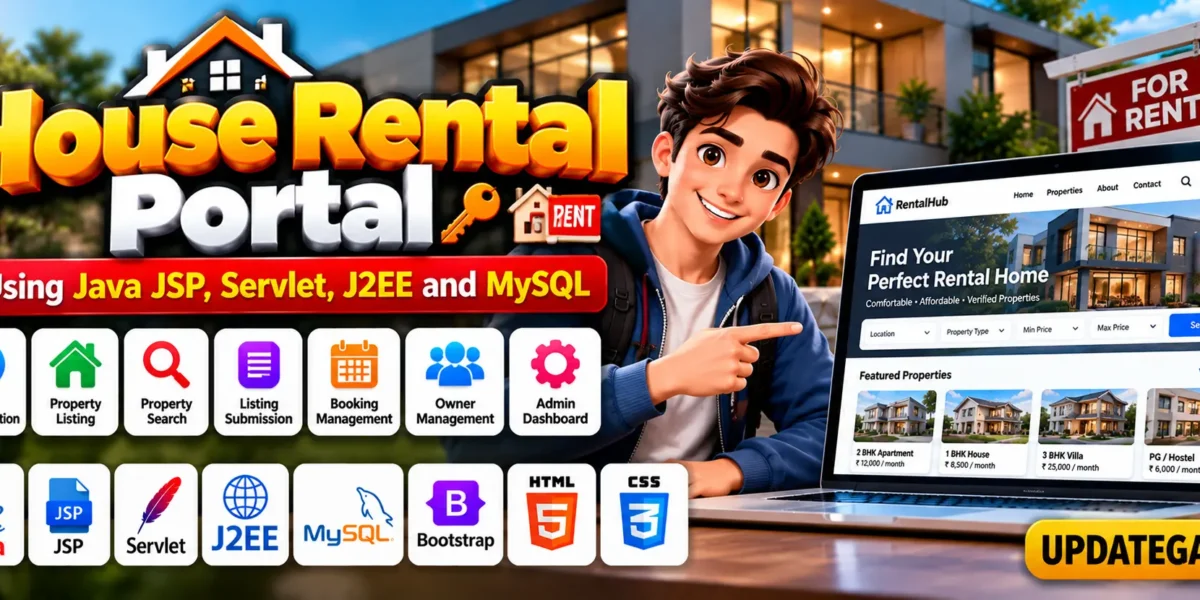
The House Rental Portal using Java JSP, Servlet, J2EE and MySQL is a web-based project designed to simplify communication between homeowners and people looking for rental accommodation. It uses Java for application logic, JSP for dynamic web pages, Servlets for request processing, and MySQL for database management.
Complete Advance AI Topics: Click Here
Real Time Projects on YouTube:- DecodeIT
Project Overview
The House Rental Portal provides separate functionality for property owners, customers, and administrators. Owners can submit property details, customers can search for available rentals, and administrators can manage registrations and user account statuses.
| Project Detail | Description |
|---|---|
| Project Name | House Rental Portal |
| Programming Language | Java |
| Technologies Used | JSP, Servlet, J2EE |
| Frontend | HTML, CSS, JavaScript, JSP, Bootstrap |
| Backend | Java |
| Database | MySQL |
| IDE | Eclipse Neon |
| Server | Apache Tomcat |
| Project Type | Web Application |
What Is a House Rental Portal?
Advance Employee Management System Using PHP and MySQL :- Click Here
A House Rental Portal is an online application that connects property owners with people searching for rental accommodation. It allows owners to publish property information and helps customers explore listings according to their preferences.
This project demonstrates how Java, JSP, Servlets, and MySQL can work together to build a property listing platform. It also provides an example of managing different user roles within a database-driven web application.
How to Make the House Rental Portal?
To develop this project, create a Java web application using Eclipse IDE or IntelliJ IDEA. Organize the project files into appropriate directories for JSP pages, Servlets, Java classes, and required libraries.
Follow these development steps:
- Create the Project: Set up a Java web application in your preferred IDE.
- Develop the Interface: Use JSP, HTML, CSS, and Bootstrap to build the website pages.
- Implement Application Logic: Use Java and Servlets to process requests and manage application operations.
- Configure MySQL: Prepare the database for storing user and property information.
- Connect the Database: Configure JDBC and the MySQL Connector/J library.
- Deploy the Application: Configure Apache Tomcat and test the available features.
A structured project makes the source code easier to organize, maintain, and understand.
What Are the Essential Features of This Project?
The House Rental Portal includes functionality for property owners, customers, and administrators. These features help organize property listings, user registrations, and rental searches.
GYM Management System in MERN Stack:- Click Here
What Can Property Owners Manage?
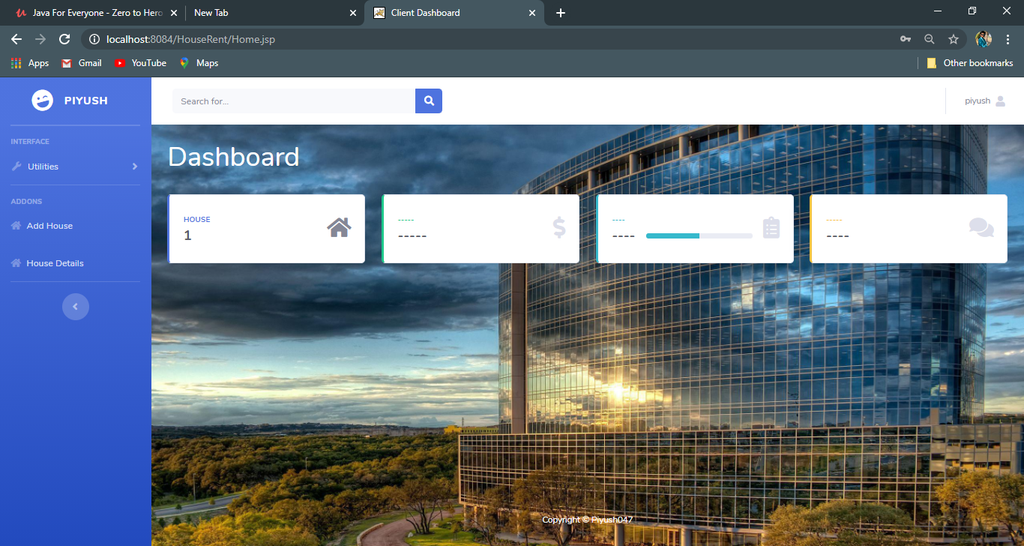
- Owner Registration: Owners can register with the application, subject to the authorization process.
- Property Details: Owners can submit property information, including room specifications, pictures, location, and rental prices.
- Property Listings: Owners can view their existing properties and add new listings.
What Can Customers Do on the Portal?
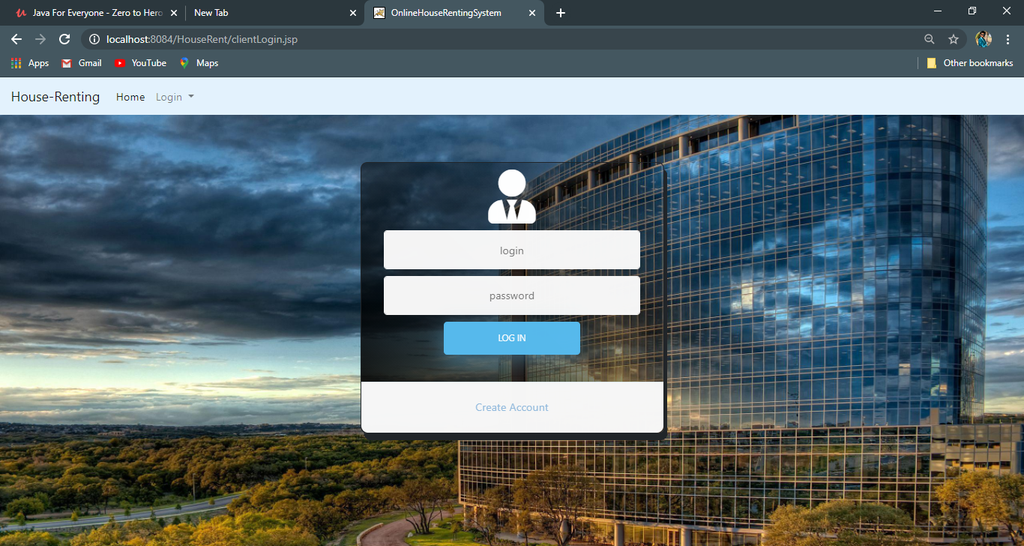
- Customer Registration: Customers can register as users looking for rental accommodation.
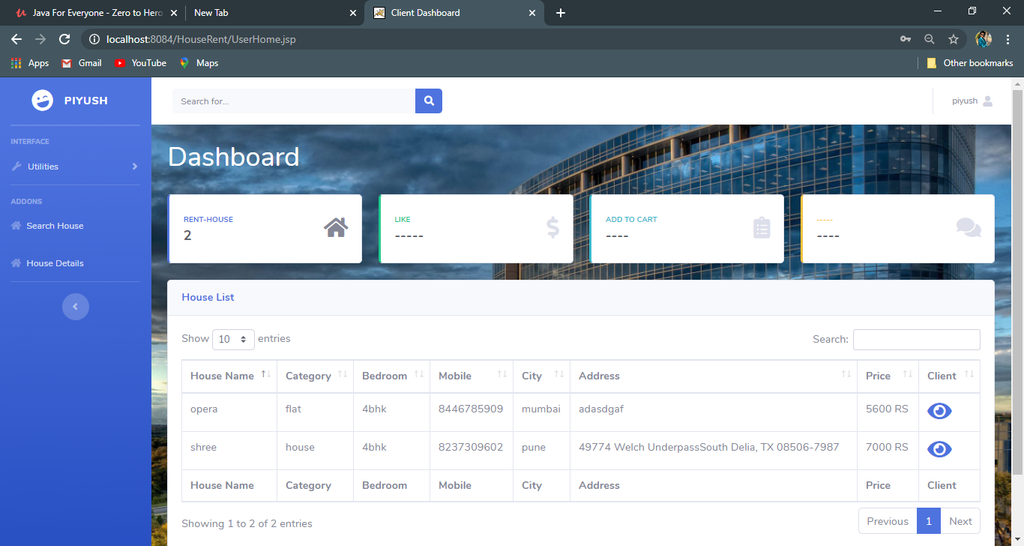
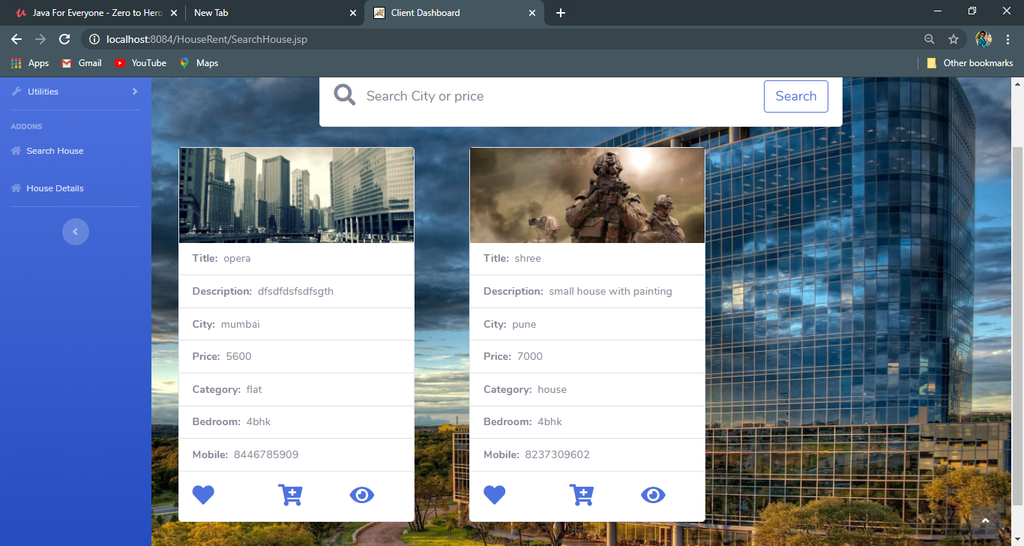
- Property Search: Activated customers can search for rental properties based on their preferences.
- Rental Information: Customers can view detailed information about available properties to help them make informed decisions.
How Does the Administrator Manage Users?
The administrator oversees user registration and account status management. The client management module provides administrative control over registered owners and customers.
- User Registration Management: Review and manage registered users.
- Account Activation: Activate user accounts when authorized.
- Account Deactivation: Deactivate owner or customer accounts when required.
- User Status Control: Maintain control over account status through the administrative module.
Apartment Rental Management System in PHP and MySQL :- Click Here
Which Software and Tools Are Required?
The project requires Java development tools, a database, and a web server to build and run the application.
- Java Development Kit (JDK): Provides the tools needed to compile and run Java applications.
- Eclipse IDE or IntelliJ IDEA: Used to develop, organize, and test the source code.
- Apache Tomcat: Runs the JSP and Servlet-based web application.
- MySQL: Stores user details, property information, and other application records.
- JDBC: Connects the Java application to the MySQL database.
- JSP and Servlets: Support dynamic page generation and server-side request processing.
- HTML and CSS: Define the structure and appearance of web pages.
- Bootstrap: Helps create responsive website layouts.
- JavaScript: Supports client-side interactions.
What Are the Hardware and Software Requirements?
The original project description lists the following hardware and software specifications.
Hardware Requirements
| Component | Requirement |
|---|---|
| Processor | Pentium IV |
| Hard Disk | 40 GB |
| RAM | 512 MB or more |
Software Requirements
| Component | Requirement |
|---|---|
| Operating System | Windows 7, Windows 10, Windows 11, or Linux |
| User Interface | HTML and CSS |
| Client-Side Scripting | JavaScript |
| Programming Language | Java |
| Web Technologies | JDBC, Servlets, JSP |
| Database | MySQL |
| Server Deployment | Tomcat 5.0, as listed in the original requirements |
These specifications are taken from the supplied project description. Verify compatibility with the actual project configuration before selecting a Java or Tomcat version.
How to Download
The complete package is available so you can run, study, and submit it with confidence. It includes:
- Full Source Code
- Project Report
- Synopsis
- PPT Presentation
Demo Video
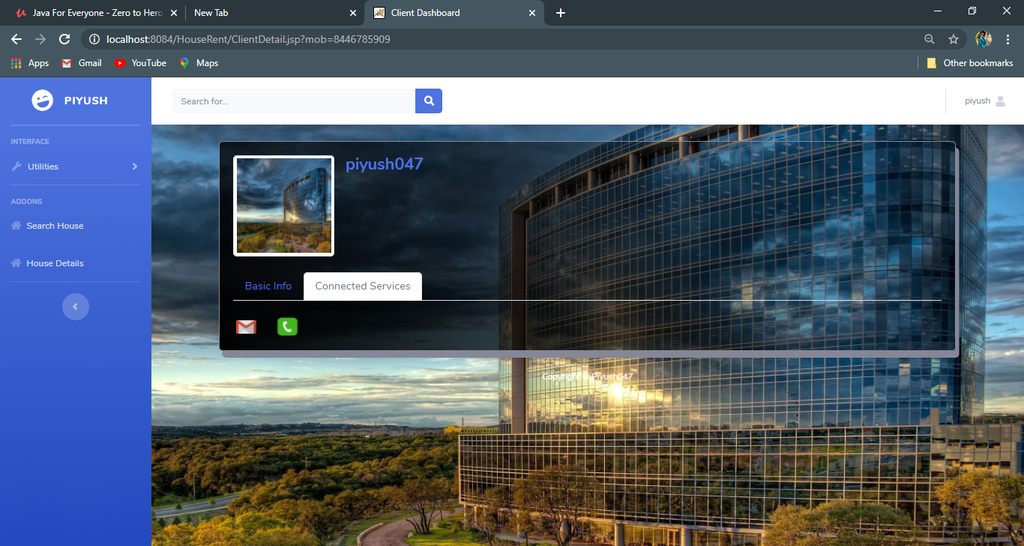
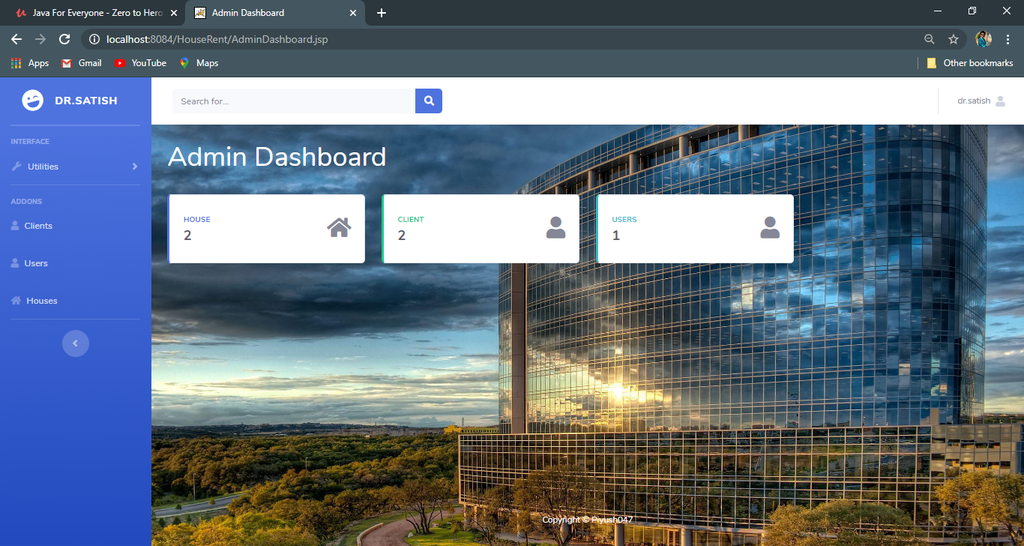
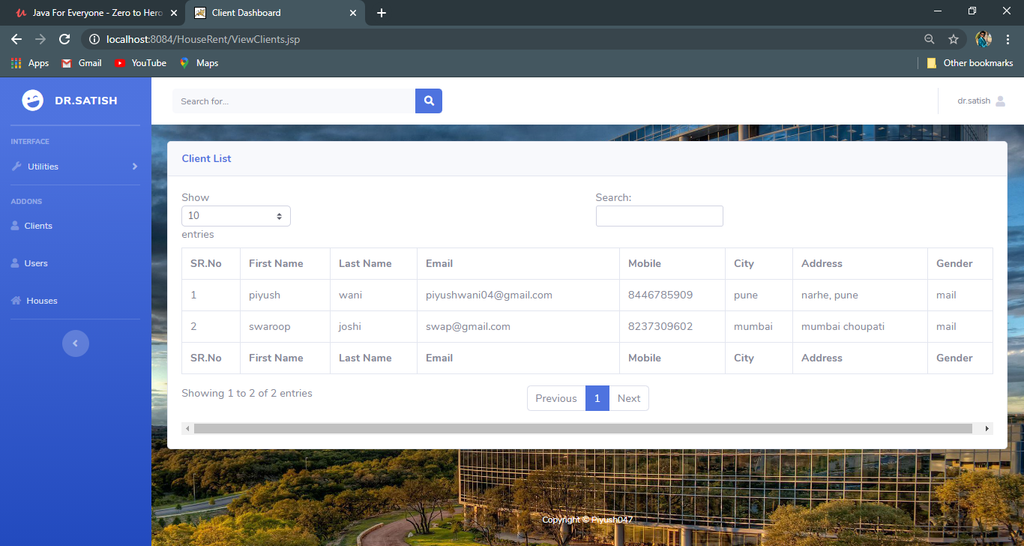
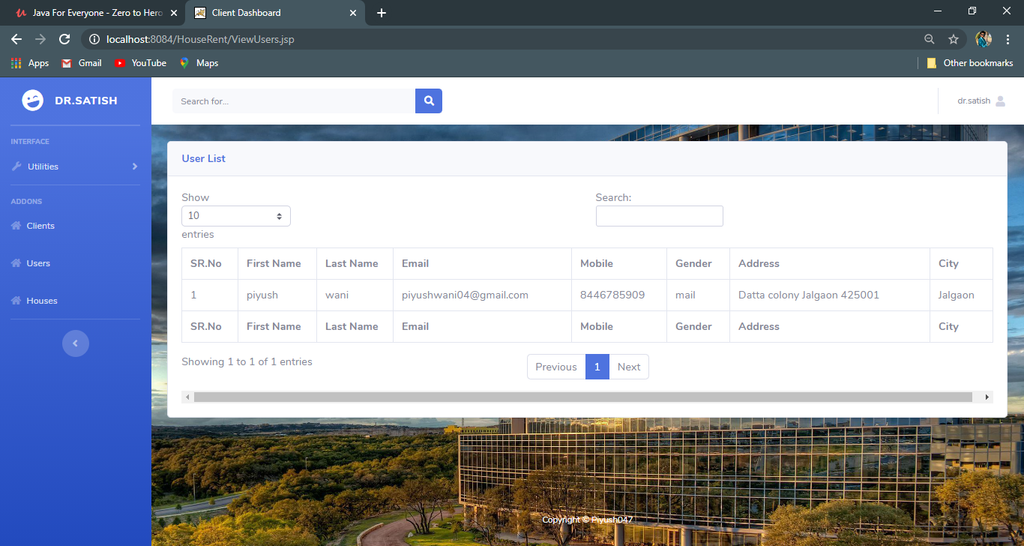
Screenshot
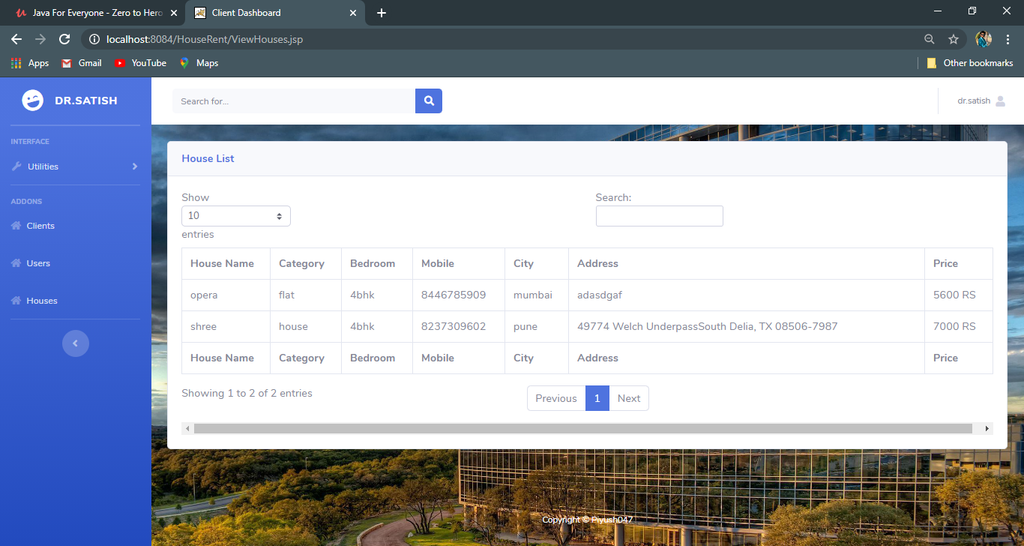
How to Run the House Rental Portal?
To run the House Rental Portal, configure the Java development environment, prepare the MySQL database, and deploy the application using Apache Tomcat.
- Download and Extract Files: Extract the project ZIP file into a suitable folder on your computer.
- Start XAMPP: If your setup uses XAMPP for MySQL, start the required services.
- Import the Database: Open
http://localhost/phpmyadmin/in your browser and import the database file supplied with the project. - Import the Project into Eclipse: Open Eclipse and navigate to File, Import, General, and Existing Projects into Workspace. Select the extracted project directory and finish the import.
- Add MySQL Connector: Add the compatible MySQL Connector/J JAR file to the project’s configured library location.
- Configure Tomcat: Add the Tomcat installation in Eclipse under Server and Runtime Environments.
- Run the Application: Right-click the project, select Run As, then Run on Server, and choose the configured Tomcat server.
- Open the Website: After deployment, open the local application URL provided by Eclipse.
The database name, connection credentials, and final application URL depend on the supplied source code and configuration.
Frequently Asked Questions (FAQs)
1. Which programming language is used in the House Rental Portal?
Java is used with JSP and Servlets to develop the web application.
2. Which database is used in this project?
MySQL is used to store and manage user information, property details, and related application records.
3. What are the main features of the House Rental Portal?
The listed features include owner registration, property listings, customer registration, rental property searches, property details, and administrator-controlled user activation and deactivation.
4. Which IDE can be used to develop this project?
Eclipse IDE or IntelliJ IDEA can be used. The original project details specifically mention Eclipse Neon.
5. Which server is required to run the application?
Apache Tomcat is used to deploy and run the JSP and Servlet-based application. Choose a version compatible with the project’s configuration.
6. Is the House Rental Portal suitable for students?
Yes, it is suitable for students learning Java web development, JSP, Servlets, JDBC, MySQL, and database-driven application development.
Conclusion
The House Rental Portal using Java JSP, Servlet, J2EE, and MySQL is a useful academic project for students interested in property listing systems and web application development. It demonstrates how property owners can submit rental details, customers can search for properties, and administrators can manage registered user accounts.
House Rental Portal, House Rental Portal Using Java, House Rental Portal in JSP, House Rental Portal Project in Java, Java JSP Servlet Project, J2EE Project, MySQL Database Project, House Rental Management System, Online House Rental Portal, Property Listing System, Rental Property Website, House Rental Portal Source Code, Java Web Application, JDBC Project.