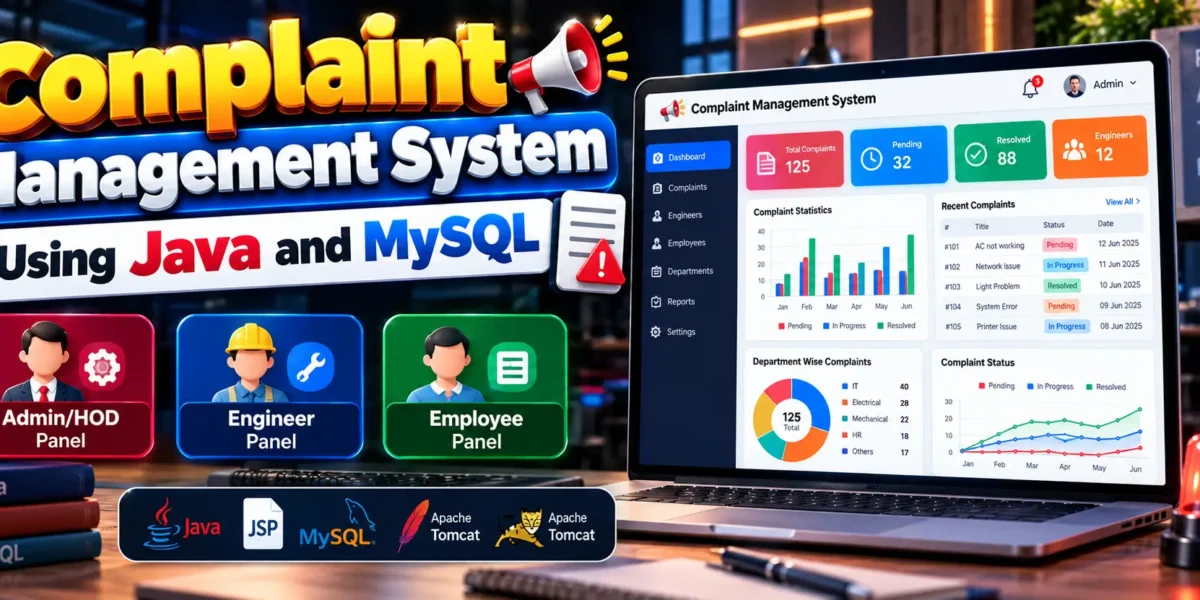
Complaint Management System Using Java and MySQL
The Complaint Management System is a web-based application developed to help organizations handle employee complaints in a systematic and organized manner. The project uses Java, JSP, Java Servlets, JDBC, MySQL, HTML, CSS, and Apache Tomcat 9.0 to provide a platform for submitting complaints, assigning engineers, updating complaint statuses, and monitoring resolution progress.
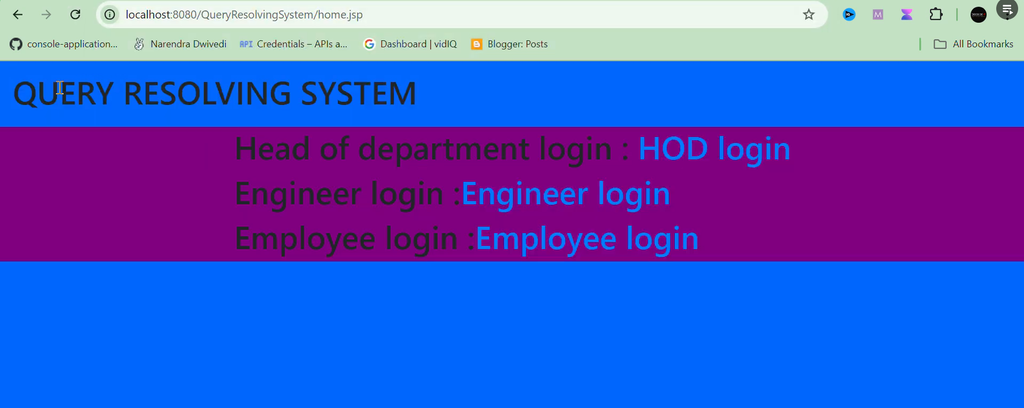
The system includes three primary user roles: Admin/HOD, Engineer, and Employee. Employees can register, log in, and submit complaints, while administrators manage complaint records and assign engineers. Engineers can view their assigned complaints and update their progress. This role-based approach helps organizations maintain complaint records and coordinate the resolution process efficiently.
Complete Advance AI Topics: Click Here
Real Time Projects on YouTube:- DecodeIT
Project Overview
The Complaint Management System provides separate panels for different users. Each panel offers functionality according to the user’s responsibilities, helping maintain an organized complaint-handling workflow.
| Project Detail | Description |
|---|---|
| Project Name | Complaint Management System |
| Programming Language | Java |
| Frontend | JSP, HTML, CSS |
| Backend | Java Servlets, JDBC |
| Database | MySQL |
| Web Server | Apache Tomcat 9.0 |
| User Roles | Admin/HOD, Engineer, Employee |
| Project Type | Web-Based Application |
What Are the Key Features of the Complaint Management System?
The project includes complaint submission, engineer assignment, complaint tracking, and user management features. Its functionality is divided into three main panels to support the different responsibilities involved in resolving complaints.
1. Admin/HOD Panel
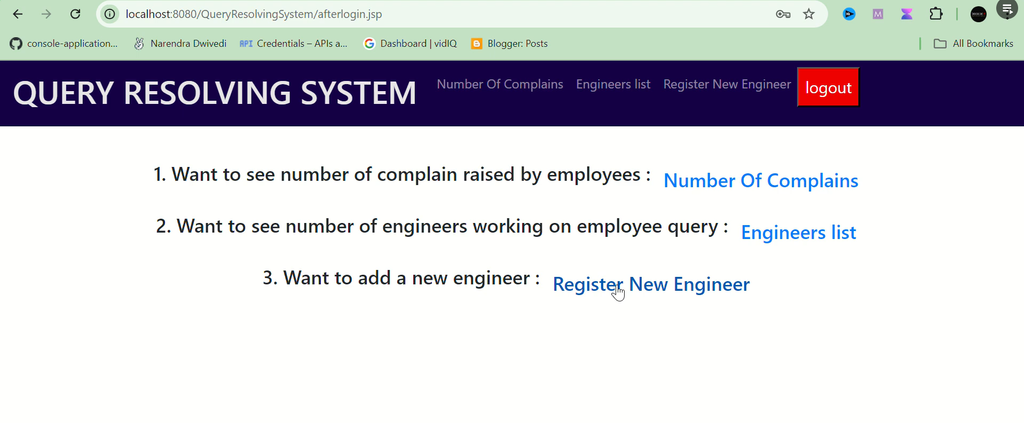
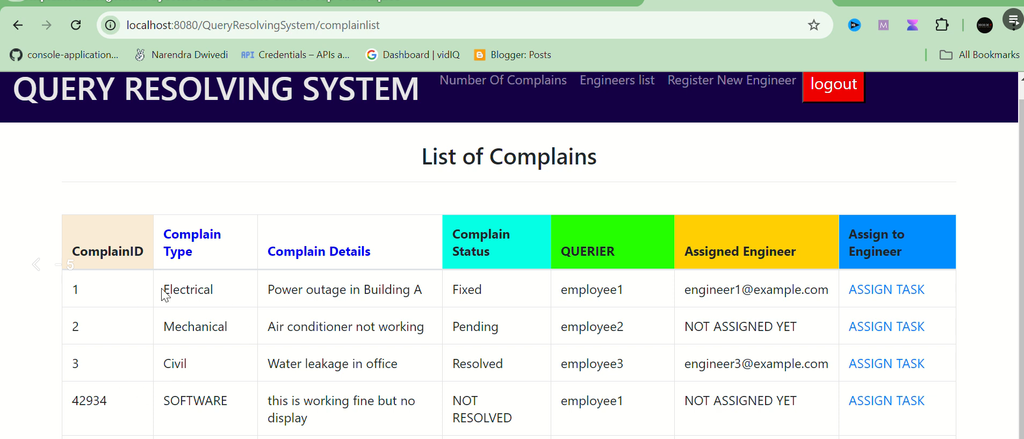
The Admin/HOD panel provides centralized control over complaints and engineer records. Administrators can monitor reported issues and assign the appropriate engineers to handle them.
- Secure Login: Administrators can access the management panel using their login credentials.
- Complaint Management: View and monitor complaints submitted by employees.
- Engineer Assignment: Assign engineers to specific complaints for investigation and resolution.
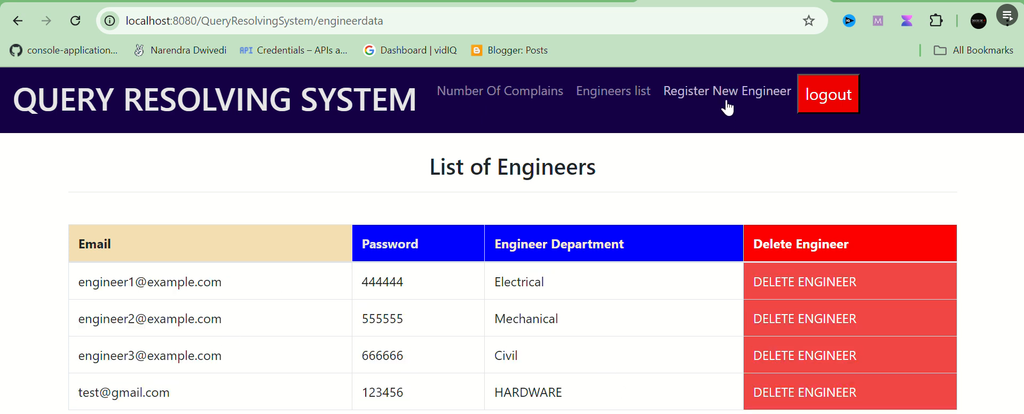
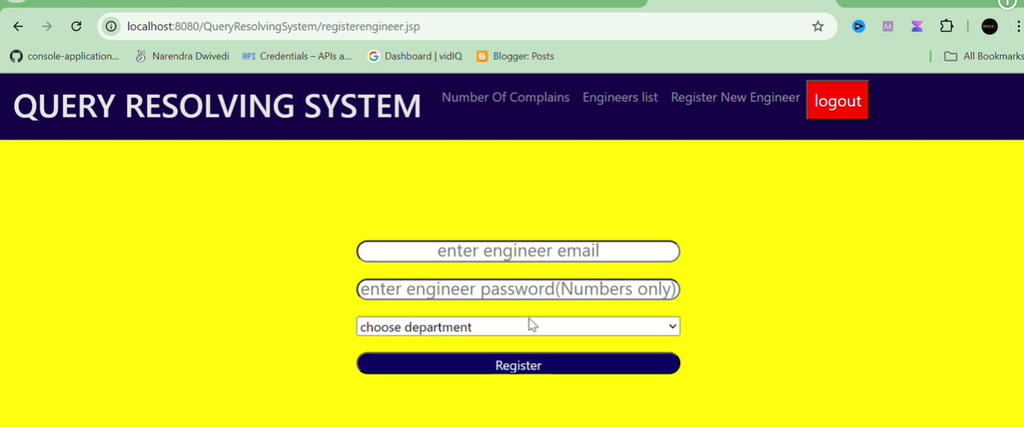
- Engineer Management: Add, update, and remove engineer information.
- Department Management: Categorize engineers according to their departments and manage available personnel.
These features help administrators maintain an overview of reported complaints and coordinate the work of engineers responsible for handling them.
2. Employee Panel
The Employee panel allows employees to report problems and follow the progress of their complaints without depending entirely on manual communication.
- User Registration: Employees can register for access to the application.
- Login System: Registered employees can sign in using their credentials.
- Complaint Filing: Submit complaints with relevant information about the issue.
- Complaint Tracking: Check the current status of submitted complaints.
- Password Management: Change account passwords when required.
By providing complaint tracking, the system helps employees understand whether their reported issues are being processed or have been resolved.
3. Engineer Panel
The Engineer panel enables engineers to manage complaints assigned to them and record progress throughout the resolution process.
- Assigned Complaints: View complaints assigned by the Admin/HOD.
- Status Updates: Update complaint statuses, including in-progress and resolved.
- Resolved Complaint Records: Review previously resolved complaints.
- Password Management: Change account passwords when necessary.
These features help engineers organize their assigned work and maintain records of completed complaints.
How Does the Complaint Management System Work?
The system follows a structured workflow in which employees submit complaints, administrators assign engineers, and engineers update the status of assigned issues.
- Employee Registration and Login: Employees register or sign in to access the employee panel.
- Complaint Submission: The employee files a complaint with the relevant details of the problem.
- Administrator Review: The Admin/HOD reviews the submitted complaint and assigns an engineer to handle it.
- Engineer Processing: The assigned engineer reviews the complaint and updates its status while working on the issue.
- Complaint Resolution: Once the issue is addressed, the engineer marks the complaint as resolved.
- Status Tracking: Employees can check the status of their complaints, while administrators oversee complaint records and engineer assignments.
This workflow creates a clear process for complaint handling and helps each user understand their responsibilities.
Which Technologies Are Used in This Project?
The application combines Java web technologies with a relational database to process user requests, display dynamic pages, and store complaint information.
- Java: Provides the primary programming language for application logic.
- Java Servlets: Process incoming requests and handle application operations.
- JSP: Generates dynamic web pages for the application’s user interface.
- JDBC: Enables communication between Java application components and the MySQL database.
- MySQL: Stores application records, including user and complaint information.
- HTML: Defines the structure of web pages.
- CSS: Controls the appearance and layout of the interface.
- Apache Tomcat 9.0: Provides the server environment for running JSP and Servlet components.
How to Download
The complete package is available so you can run, study, and submit it with confidence. It includes:
- Full Source Code
- Project Report
- Synopsis
- PPT Presentation
Demo Video
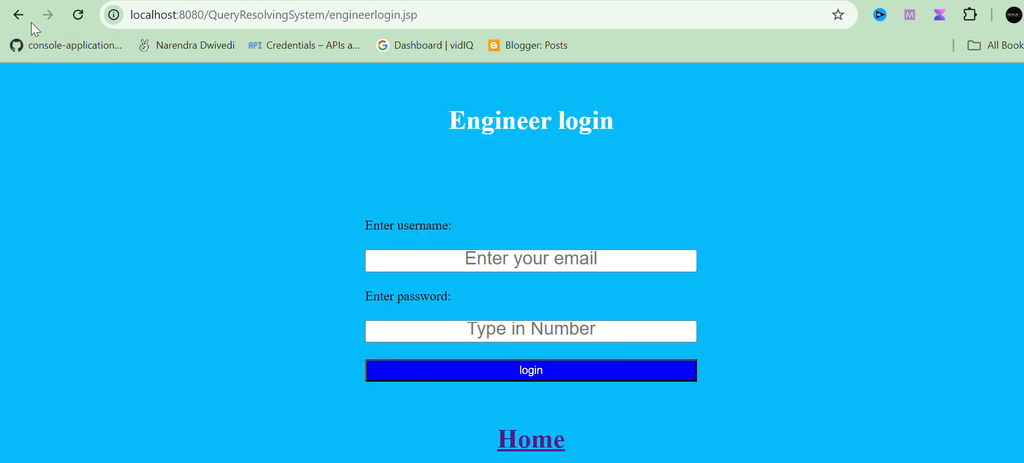
Screenshot
How to Install and Run the Complaint Management System?
To run the project locally, prepare the required Java and database environment, configure the application, and deploy it on Apache Tomcat. The exact commands and database configuration depend on the supplied project files.
- Install Java: Install a compatible Java Development Kit and configure the Java environment.
- Install MySQL: Set up MySQL Server and ensure that the database service is running.
- Install Apache Tomcat: Configure Apache Tomcat 9.0 for running the JSP and Servlet application.
- Open the Project: Extract the project files and open the source code in a suitable editor, such as Visual Studio Code or an appropriate Java IDE.
- Create the Database: Create the required MySQL database and import the supplied SQL file if one is included in the project.
- Configure JDBC: Update the database connection settings with the correct database name, username, password, and connection details.
- Deploy the Application: Configure the project for Tomcat and deploy the application according to its structure.
- Start the Services: Start MySQL and Tomcat, then open the application using the correct localhost URL and context path.
- Log In: Use the relevant Admin/HOD, Employee, or Engineer login page with the credentials provided in the project documentation.
Important: The original project information does not specify the exact database name, default usernames, passwords, or deployment URL. Check the supplied source code and documentation for these details instead of assuming default credentials.
What Are the Advantages of This Project?
The Complaint Management System demonstrates how a web application can organize complaint-related activities through separate user roles and a centralized database.
- Provides a structured process for submitting and managing complaints.
- Allows administrators to assign complaints to engineers.
- Enables employees to track complaint statuses.
- Helps engineers maintain records of assigned and resolved complaints.
- Separates administrative, employee, and engineering responsibilities.
- Demonstrates practical implementation of Java, JSP, JDBC, Servlets, and MySQL.
Frequently Asked Questions
1. What is a Complaint Management System?
It is a web-based application that helps organizations register, assign, track, and resolve complaints through a defined workflow.
2. Which programming language is used?
Java is the primary programming language. JSP, Java Servlets, and JDBC support the web application and database connectivity.
3. Which database does the project use?
The project uses MySQL to store its application data.
4. What are the main user roles?
The three primary roles are Admin/HOD, Engineer, and Employee.
5. Which server is required to run the application?
Apache Tomcat 9.0 is specified as the web server for running the JSP and Servlet components.
Final Thoughts
From a student’s perspective, the Complaint Management System using Java and MySQL is a useful academic project for understanding Java-based web application development. It demonstrates how separate user panels, database connectivity, complaint assignment, and status updates work together in a practical application.