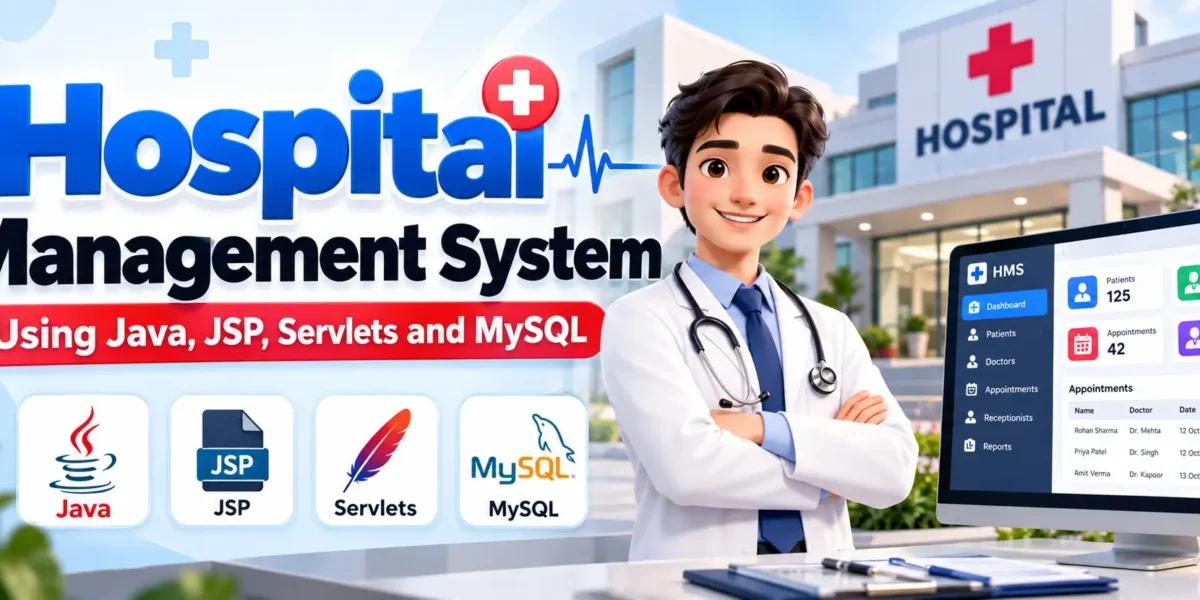
Hospital Management System Using Java, JSP, Servlets, and MySQL
The Hospital Management System Using Java is a web-based application designed to help hospitals organize patient records, doctor information, appointments, and administrative activities. Managing hospital information manually can become time-consuming as the number of patients and appointments increases. A digital system helps organize these activities and makes important records easier to access.
This project is developed using Java, JSP, Servlets, and MySQL. It can be developed in Eclipse IDE and deployed on Apache Tomcat 8.5. The application follows the Model-View-Controller (MVC) architecture, which separates the data layer, user interface, and request-processing logic. Maven is used for dependency management in the project.
Complete Advance AI Topics: Click Here
Real Time Projects on YouTube:- DecodeIT
Project Overview
The Hospital Management System provides a centralized platform for managing essential hospital information. Its role-based modules help organize administrative work, patient records, and appointment-related activities.
| Project Detail | Description |
|---|---|
| Project Name | Hospital Management System |
| Programming Language | Java |
| Frontend | JSP, HTML, CSS, JavaScript |
| Backend | Java Servlets |
| Database | MySQL |
| Web Server | Apache Tomcat 8.5 |
| Development Environment | Eclipse IDE |
| Dependency Management | Maven |
| Architecture | Model-View-Controller (MVC) |
| Project Type | Web-Based Application |
What Are the Objectives of the Hospital Management System?
The primary objective of the Hospital Management System is to provide an organized digital platform for managing hospital activities. It aims to reduce repetitive manual work, improve the accessibility of records, and support efficient coordination between hospital staff.
- Centralized Records: Maintain patient, doctor, and receptionist information in a structured database.
- Appointment Management: Organize appointment records through the receptionist module.
- Role-Based Access: Provide different functionality to administrators, doctors, and receptionists.
- Reduced Manual Work: Simplify routine record-management activities.
- Data Accessibility: Make relevant information available to authorized users.
- Learning and Development: Demonstrate Java web development, MVC architecture, and database connectivity.
What Are the Main User Roles?
The application contains three main actors. Each user role is responsible for specific hospital management tasks.
1. Admin
The Admin manages the application’s primary user records and maintains important hospital information. This role provides centralized control over doctor, receptionist, and patient records.
2. Doctor
The Doctor module allows doctors to view the patient list associated with their work. It provides access to patient information available through the application.
3. Receptionist
The Receptionist manages front-office activities, including patient appointments and patient records. This role helps maintain organized information for routine hospital operations.
What Are the Key Features of the Hospital Management System?
The system organizes its available functionality into three modules. Each module supports the responsibilities of its respective user role.
1. Admin Module
The Admin module provides management functionality for doctors, receptionists, and patients. It helps maintain user information and supports centralized administration.
- Manage Doctors: Add, update, delete, and view doctor information.
- Manage Receptionists: Add, update, delete, and view receptionist details.
- Manage Patients: Add, update, delete, and view patient records.
These functions allow administrators to maintain records in an organized manner. Keeping the information updated also helps other authorized users access relevant records when required.
2. Doctor Module
The Doctor module focuses on accessing patient information. Doctors can view the patient list available through the application, helping them review relevant records.
- Patient List: View the list of patients under the doctor’s care.
The information available to doctors depends on the patient records maintained within the system.
3. Receptionist Module
The Receptionist module supports front-office tasks by providing options for maintaining appointment and patient information.
- Appointment Management: Add, edit, and view appointments.
- Patient Record Management: Add, edit, and view patient information.
These features help receptionists organize appointment details and maintain patient records without managing the application’s administrative user accounts.
Which Technologies Are Used in This Project?
The Hospital Management System combines Java web technologies with MySQL to build dynamic pages, process requests, and store application data.
- Java: The primary programming language used to implement application logic.
- JSP: Creates dynamic web pages that display information to users.
- Java Servlets: Process HTTP requests and coordinate application operations.
- JDBC: Provides connectivity between Java components and the MySQL database.
- MySQL: Stores patient records, doctor details, receptionist information, and appointment data.
- HTML: Defines the structure of application pages.
- CSS: Controls the appearance and layout of the interface.
- JavaScript: Supports client-side interactions where implemented.
- Apache Tomcat 8.5: Runs the JSP and Servlet-based web application.
- Eclipse IDE: Provides an environment for developing and debugging the project.
- Maven: Manages project dependencies and build configuration.
How to Download
The complete package is available so you can run, study, and submit it with confidence. It includes:
- Full Source Code
- Project Report
- Synopsis
- PPT Presentation
Demo Video
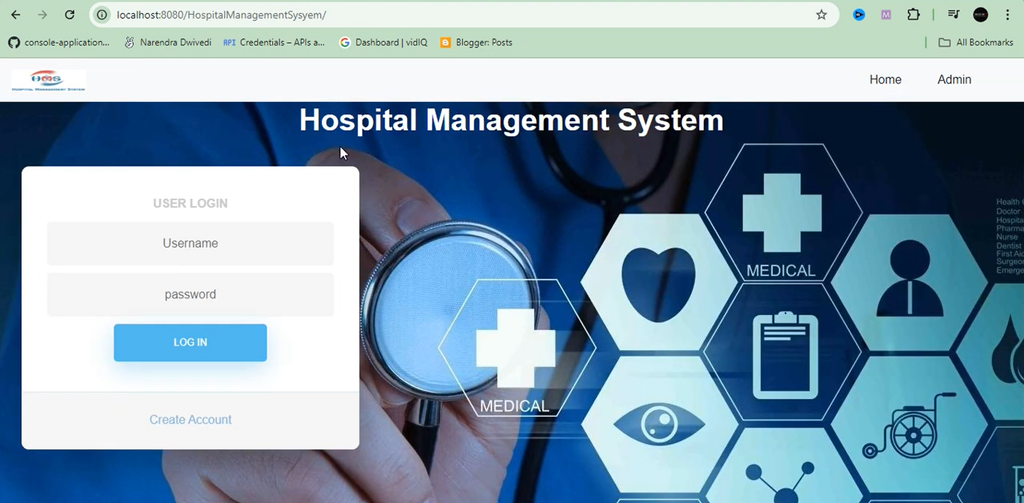
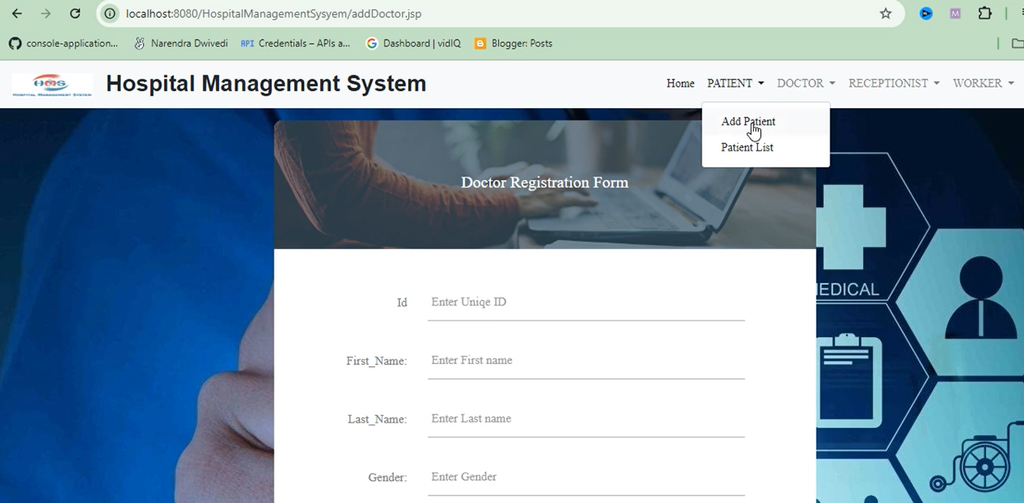
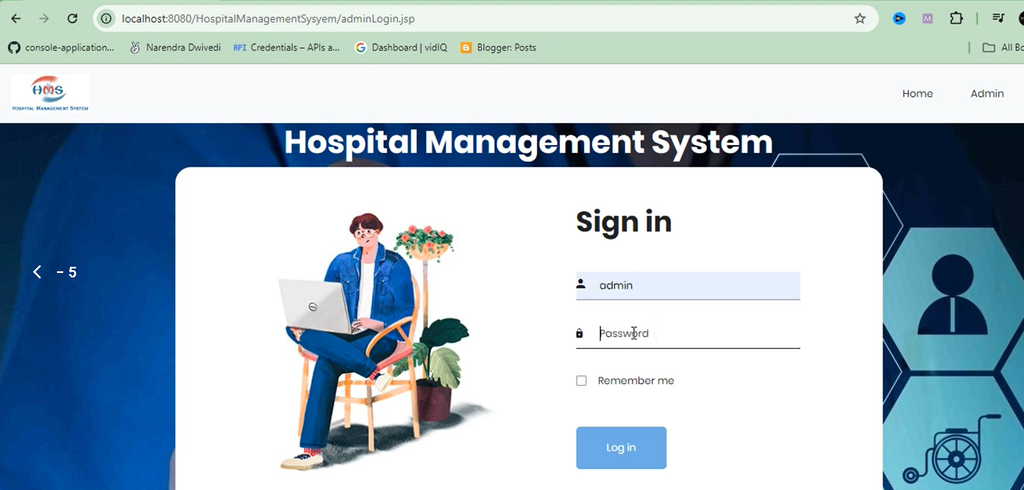
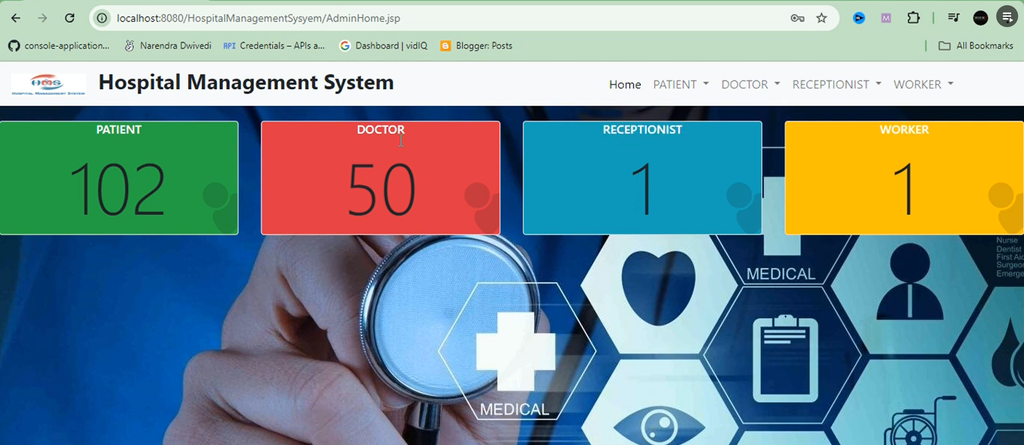
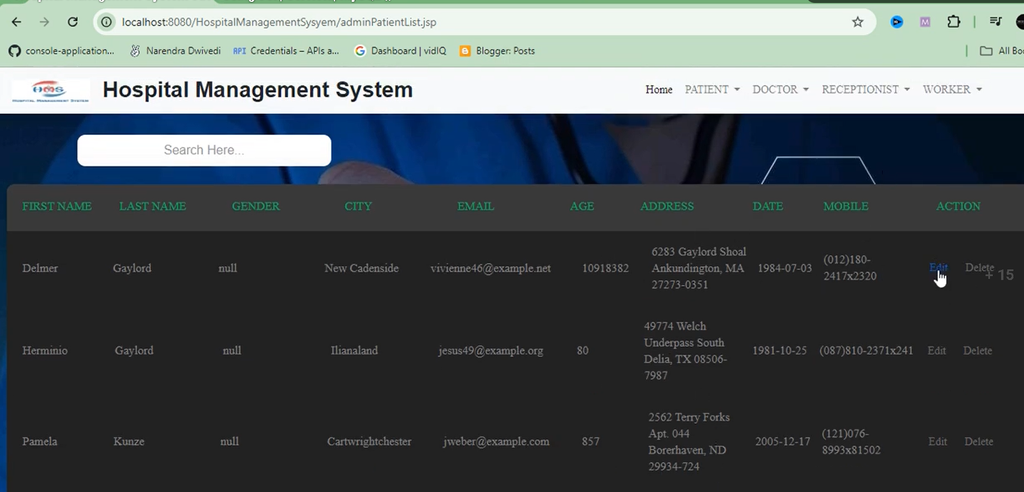
Screenshot
How Does MVC Architecture Work in This Project?
The application follows the Model-View-Controller architecture. MVC separates data handling, page presentation, and request processing, making the application structure easier to understand and maintain.
Model
The Model represents the application’s data layer. Java classes handle data-related operations and interact with MySQL through JDBC. This layer manages information such as patient records, doctor details, receptionist data, and appointments.
View
The View presents information to users through web pages. JSP generates dynamic content, while HTML and CSS define the page structure and appearance. JavaScript can support interactive elements where required.
Controller
The Controller receives user requests and coordinates the interaction between the Model and View. Java Servlets process HTTP requests and responses, call the relevant data operations, and determine which page or result should be returned.
Separating these responsibilities helps developers understand individual application components and makes future maintenance more manageable.
How to Set Up the Hospital Management System?
To run the project locally, prepare the Java development environment, configure MySQL, import the source code into Eclipse, and deploy the application on Apache Tomcat 8.5.
- Install Java: Install a compatible Java Development Kit and configure it on your computer.
- Install Eclipse IDE: Set up Eclipse with support for Java web application development.
- Configure Apache Tomcat: Add Apache Tomcat 8.5 to Eclipse and verify the server configuration.
- Install MySQL: Start the MySQL database service and prepare the database required by the application.
- Import the Project: Import the project into Eclipse. If the source contains a Maven
pom.xmlfile, import it as an existing Maven project. - Configure Database Connectivity: Update the database name, username, password, and connection settings according to the project configuration.
- Prepare Database Tables: Create or import the required tables using the SQL file or database setup instructions supplied with the project.
- Resolve Dependencies: Allow Maven to download the required dependencies if the project uses Maven.
- Deploy the Application: Add the project to the configured Tomcat server in Eclipse.
- Run and Test: Start Tomcat and open the application’s configured localhost URL in a browser.
Important: The provided project description does not specify the exact database name, default login credentials, or application context path. Check the project files and documentation for these details rather than assuming default values.
How Can You Test the Application?
After deploying the project, test each user module to check that the available functions work as expected.
- Verify that the Admin can add, edit, view, and delete doctor records.
- Check that receptionist records can be maintained correctly.
- Test patient record creation and editing.
- Verify that appointments can be added, edited, and viewed.
- Check database connectivity and confirm that records are stored correctly.
- Review application logs if database connection or deployment errors occur.
Use test data rather than real patient information during development. Any real-world deployment should include appropriate access controls, secure database configuration, and protection of sensitive medical information.
Frequently Asked Questions
1. What is a Hospital Management System?
A Hospital Management System is a web-based application that helps manage hospital information, including patient records, doctor details, and appointments.
2. Which programming language is used in this project?
Java is the primary programming language, supported by JSP, Java Servlets, and JDBC for web development and database connectivity.
3. Which database does the project use?
The project uses MySQL to store hospital-related records.
4. What are the main modules?
The three main modules are Admin, Doctor, and Receptionist. Each module provides functionality according to the user’s responsibilities.
5. Why is MVC architecture used?
MVC separates the data layer, user interface, and request-processing logic. This organization makes the application easier to understand and maintain.
6. Which server is required?
The project specifies Apache Tomcat 8.5 for running its JSP and Servlet components.
7. Can beginners use this project for learning?
Yes. It can help students understand Java web application structure, JSP pages, Servlet controllers, JDBC connectivity, MySQL databases, and MVC architecture.
Conclusion
The Hospital Management System Using Java, JSP, Servlets, and MySQL is a useful academic project for students interested in Java web development. Its Admin, Doctor, and Receptionist modules demonstrate how hospital records and appointment-related activities can be organized through a centralized application.