How to Set Up and Run the Day Management App: A Step-by-Step Guide
Are you looking to explore or utilize a simple yet effective Day Management App? Follow this guide to set up and run the application with ease. Lets get started!
Introduction
The Day Management App is a project designed to help you manage tasks, alarms, and other day-to-day activities efficiently. It is built with modern web technologies and leverages Node.js for easy setup and execution. This blog will walk you through the process of setting up the app, running it locally, and understanding its core structure.
Step 1: Prerequisites
Before you begin, ensure the following tools are installed on your system:
-
Node.js (comes with npm):
- Download and install from the official Node.js website.
-
Code Editor (Optional):
- Tools like Visual Studio Code are great for inspecting or editing the code.
-
Web Browser:
- Use a modern browser like Google Chrome or Mozilla Firefox to access the application.
Step 2: Download and Extract the Project
- Download the
day-management-app.zipfile if not already provided. - Extract the zip file to a directory of your choice.
- After extraction, you should see a folder named
day-management-appcontaining the project files.
Step 3: Install Dependencies
- Open your terminal or command prompt.
- Navigate to the project directory:
cd /path/to/day-management-app - Install all required dependencies:
npm installThis command reads the
package.jsonfile and installs the necessary Node.js packages.
Step 4: Run the Application
-
Start the application with the following command:
npm start -
The terminal will display the server URL, typically
. -
Open this URL in your web browser to access the app.
Step 5: Explore the Application
Once the app is running, you can explore its features, such as:
- Task Management: Add, edit, or remove daily tasks.
- Alarms: Manage alarms using the
alarm.mp3file. - Custom Features: Explore functionalities implemented in the JavaScript files (
main.js,script.js,preload.js).
Step 6: Customize the App
To modify or enhance the application:
- Open the project folder in your code editor.
- Update the following files as needed:
- HTML (
index.html): Structure and layout. - CSS (
styles.css): Styling and appearance. - JavaScript (
main.js,script.js): Core functionality.
- HTML (
Step 7: Optional – Package the App
If you want to distribute the app as a standalone desktop application, use a tool like electron-builder:
-
Install
electron-builder:npm install electron-builder --save-dev -
Build the app:
npm run buildThe packaged application will be available in the
distfolder.
Step 8: Troubleshooting Tips
If you encounter any issues:
-
Check Dependencies:
- Run
npm installagain to ensure all packages are installed.
- Run
-
Verify Node.js Version:
- Ensure youre using a compatible version of Node.js.
-
Debug Errors:
- Inspect the terminal or browser console for error messages and resolve them accordingly.
Understanding the Project Structure
Heres a quick overview of the project files:
-
HTML and CSS:
index.html: Main user interface.styles.css: Stylesheet for the app.
-
JavaScript:
main.js,script.js,preload.js: Provide functionality like task management and alarms.
-
Assets:
alarm.mp3,app_logo.ico,logo.ico,page.png: Media files used in the app.
-
Configuration:
package.json: Defines dependencies and scripts
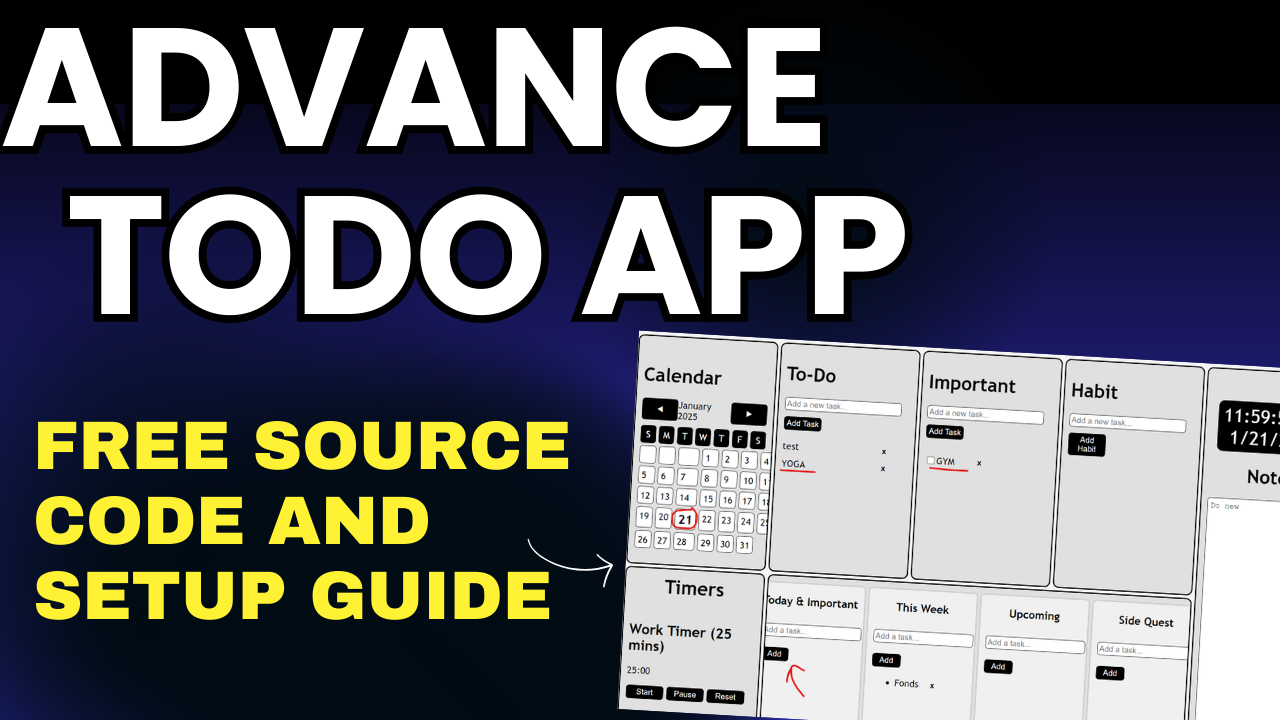
– **Calendar**: Integrated calendar view.
– **To-Do List**: Organize your tasks with to-do list.
– **Important List**: Track important tasks.
– **Habit Tracker**: Develop and maintain positive habits by tracking.
– **Notes**: Keep all your thoughts, ideas, and information in one place.
– **Pomodoro Timer**: Boost your productivity with the Pomodoro technique.
– **Work tracker**: Prioritize your tasks using the work tracker.