NotebookLM Tutorial for BCA and MCA Students
Introduction
Artificial Intelligence is changing how students learn, research, and prepare for examinations. For BCA and MCA students, understanding technical subjects, reviewing lecture notes, preparing assignments, and exploring AI concepts can take considerable time. NotebookLM is an AI-powered research and learning tool that helps students work with their own study materials and organize information more effectively.
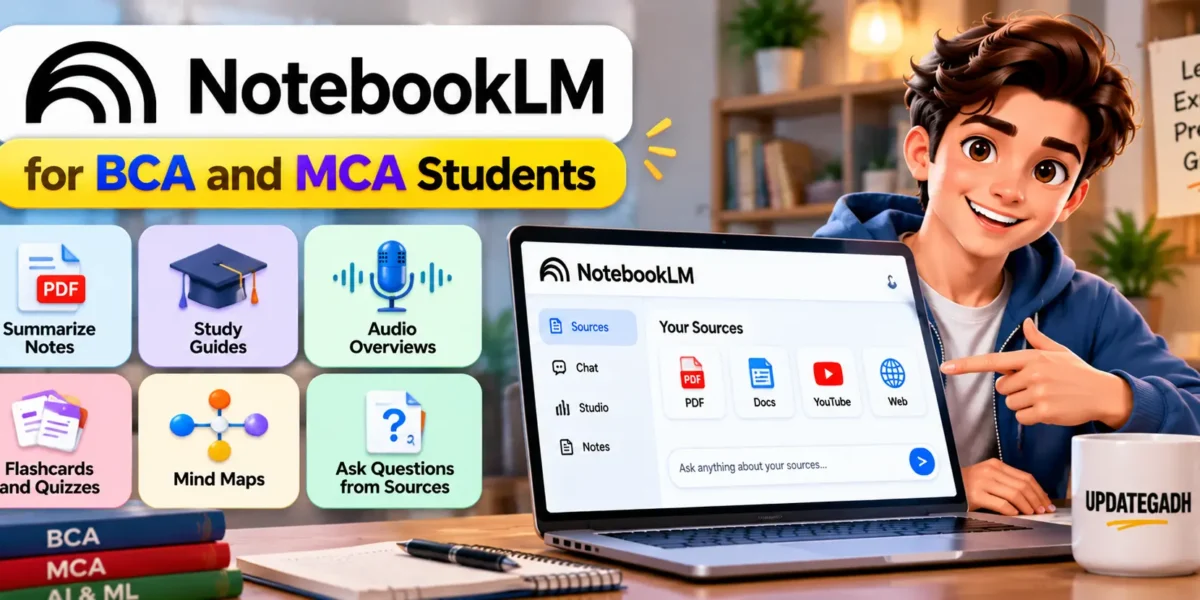
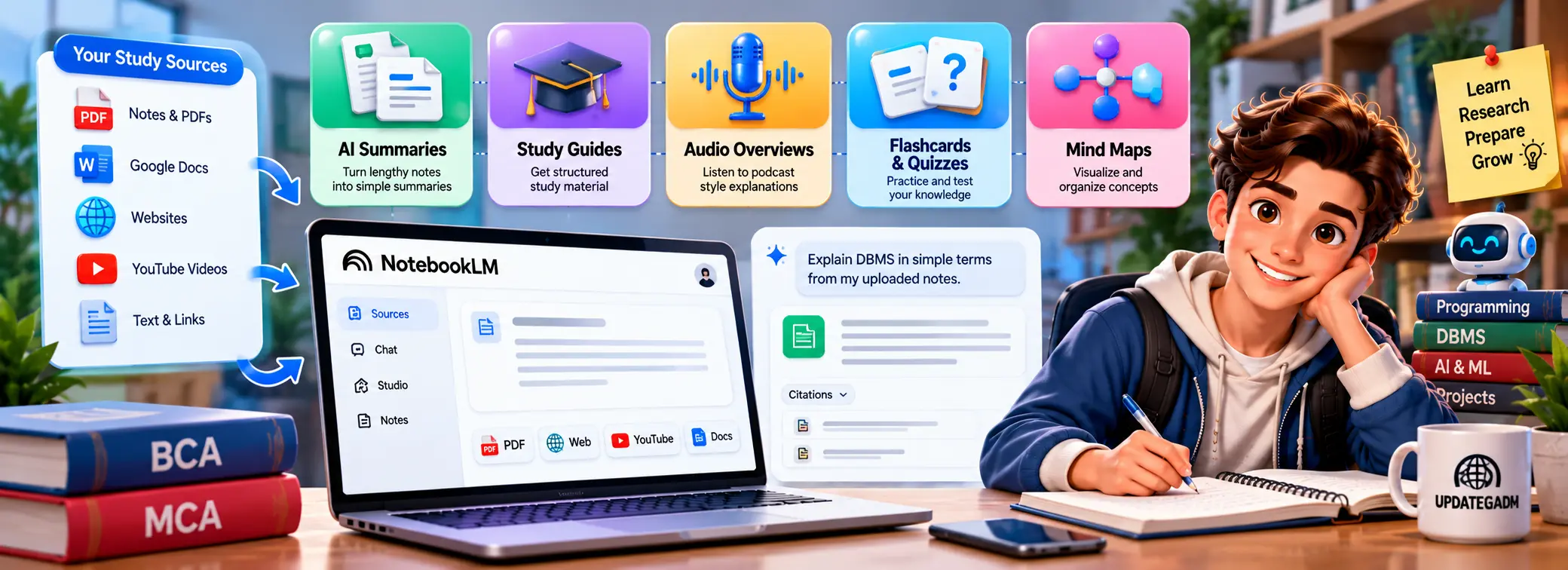
The NotebookLM Tutorial for BCA and MCA Students explains how to use NotebookLM for academic learning, programming concepts, research, revision, and project preparation. Students can add supported sources such as PDFs, Google Docs, websites, and public YouTube videos, then ask questions and generate summaries based on those materials.
Complete Advance AI Topics: Click Here
Real Time Projects on YouTube:- DecodeIT
What Is NotebookLM?
NotebookLM is an AI-powered research assistant that helps users understand information from selected sources. Instead of relying only on general answers, it uses the materials added to a notebook to generate responses, summaries, and study resources with citations that help users verify the information.
For BCA and MCA students, this can be useful when studying programming languages, database management systems, computer networks, software engineering, artificial intelligence, and other technical subjects.
Students can create separate notebooks for different subjects, upload relevant study materials, and ask questions about specific topics. This makes it easier to organize learning resources and revisit important concepts during exam preparation.
Why Should BCA and MCA Students Use NotebookLM?
NotebookLM can help students understand lengthy study materials, prepare revision notes, and explore difficult topics using their own sources. It can also reduce the effort required to organize information from multiple documents.
Some useful academic applications include:
- Subject Learning: Summarize lecture notes and understand important concepts.
- Exam Preparation: Create revision materials, practice questions, and flashcards.
- Research Work: Review academic papers, reports, and reference documents.
- Programming Studies: Understand technical documentation and compare programming concepts.
- Project Preparation: Organize requirements, research notes, and project documentation.
- Presentation Preparation: Turn source materials into structured outlines and presentation content.
AI Visual Reasoning vs Object Recognition :- Click Here
What Are the Main Features of NotebookLM?
NotebookLM provides several features that help students understand and revise information from their selected sources.
1. Source-Based Questions and Answers
Students can ask questions about uploaded documents and receive answers grounded in the available sources. Citations help them return to the relevant material and check the explanation.
2. Document Summarization
NotebookLM can summarize lengthy documents into more manageable explanations. This is useful when reviewing lecture notes, research papers, technical documentation, and course material.
3. Audio Overviews
Audio Overviews turn source material into podcast-style discussions. Students can listen to these summaries when revising a topic or reviewing key ideas away from their computer.
4. Study Guides and Flashcards
Students can generate study guides, flashcards, and quizzes from their sources. These resources help with active recall and exam preparation.
5. Mind Maps and Visual Learning
Visual learning tools can help students understand relationships between concepts and organize complex information into a more understandable structure.
6. Video Overviews and Presentations
Depending on feature availability, NotebookLM can transform source material into visual overviews and slide decks. These outputs can help students review topics and plan academic presentations.
How to Get Started with NotebookLM?
Getting started with NotebookLM involves creating a notebook, adding study sources, and asking questions about the material.
- Open NotebookLM: Visit the official NotebookLM website and sign in with your Google account.
- Create a Notebook: Start a new notebook for a subject, assignment, or research topic.
- Add Sources: Upload supported documents or add suitable web sources and public YouTube videos.
- Wait for Processing: Allow the tool to process the selected material.
- Ask Questions: Enter questions about definitions, examples, important concepts, or difficult topics.
- Generate Study Resources: Use the available features to create summaries, study guides, quizzes, or audio overviews.
- Verify the Results: Check the citations and compare important answers with the original source material.
Students should create separate notebooks for different subjects to keep their sources organized and make revision easier.
How Can BCA Students Use NotebookLM for Programming?
BCA students can use NotebookLM to understand programming fundamentals, review class notes, and organize technical documentation. For example, a student learning Java can add course notes and ask for explanations of object-oriented programming, inheritance, interfaces, exception handling, and collections.
NotebookLM can support learning, but students should still practise coding independently, execute programs, and verify technical explanations against trusted documentation.
Multi-Object Tracking vs Object Detection :- Click Here
How Can MCA Students Use NotebookLM for Research?
MCA students often work on advanced coursework, literature reviews, dissertations, technical reports, and software projects. NotebookLM can help them organize research documents and identify important ideas across their selected sources.
Useful applications include:
- Summarizing research papers and technical reports.
- Comparing definitions and approaches across different documents.
- Preparing literature review notes.
- Creating research questions and revision materials.
- Organizing project requirements and documentation.
How Can Students Use NotebookLM for AI and Data Science?
Students studying AI and data science can use NotebookLM to organize technical explanations, review research documents, and prepare notes on machine learning concepts. It is particularly useful when students have several sources to compare and need to identify common ideas.
NotebookLM helps organize and explain information, but it does not replace practical experimentation, statistical analysis, or testing machine learning models with real data.
AI Forecasting Models and Their Applications :- Click Here
What Are the Best Tips for Using NotebookLM Effectively?
Students can improve their learning experience by following a few practical guidelines.
- Use Relevant Sources: Add reliable course notes, official documentation, and appropriate reference material.
- Ask Specific Questions: Ask about one concept at a time instead of using vague prompts.
- Request Simple Explanations: Ask for beginner-friendly explanations when studying difficult subjects.
- Generate Practice Questions: Use quizzes and flashcards to test your understanding.
- Verify Important Facts: Check citations and compare answers with original materials.
- Organize Notebooks: Maintain separate notebooks for subjects, assignments, and projects.
- Protect Private Information: Avoid uploading confidential college records, passwords, or personal information without proper authorization.
AI-generated content can contain errors or omit important details. Students should use it as a learning assistant rather than treating every response as automatically correct.
Frequently Asked Questions (FAQs)
1. What is NotebookLM used for?
NotebookLM helps users research and understand selected sources by generating summaries, answering questions, and creating study resources.
2. Is NotebookLM useful for BCA students?
Yes, BCA students can use it to review programming concepts, summarize lecture notes, prepare quizzes, and organize technical study materials.
3. Can MCA students use NotebookLM for research?
Yes, MCA students can use it to organize research papers, summarize technical documents, and prepare literature review notes, while verifying claims against original sources.
4. Can NotebookLM summarize PDF files?
Yes, supported PDF files can be added as sources and used for summaries, questions, and other available study features.
5. Can NotebookLM help with exam preparation?
Yes, students can use their study materials to generate revision guides, flashcards, quizzes, and audio summaries.
6. Does NotebookLM replace practical programming?
No, it supports learning and research but does not replace coding practice, testing, debugging, or independent problem-solving.
Conclusion
NotebookLM is a useful AI learning tool for BCA and MCA students who want to organize study materials, understand technical topics, and prepare for examinations. Its source-based answers, summaries, audio overviews, and study resources can help students work more effectively with their course materials.