Online Book Store in PHP
The Online Book Store in PHP MySQL with PAYTM Integration is a web-based bookstore management system developed using PHP, MySQL, HTML, CSS, JavaScript, and the PAYTM Payment Gateway. It allows customers to browse books, search for products, add books to their shopping cart, manage wishlists, place orders, and make online payments.
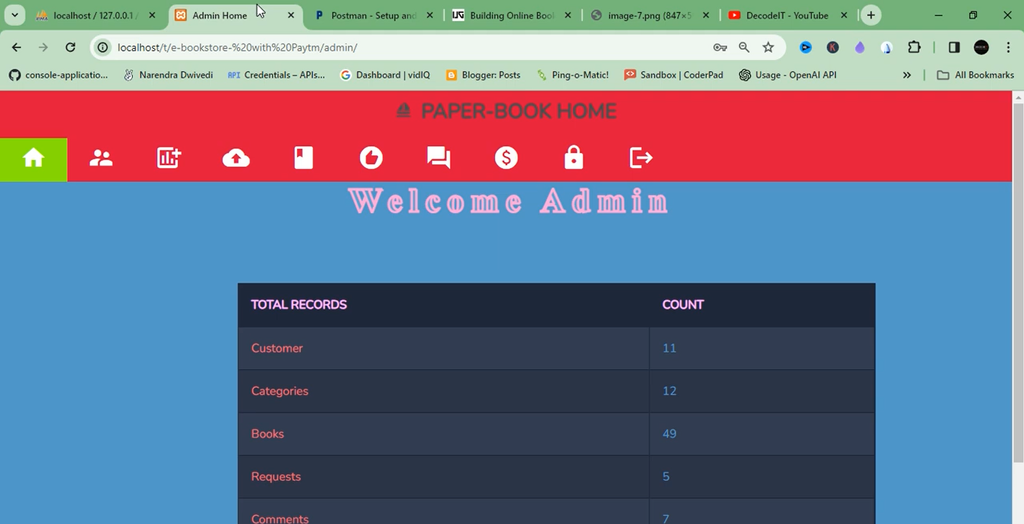
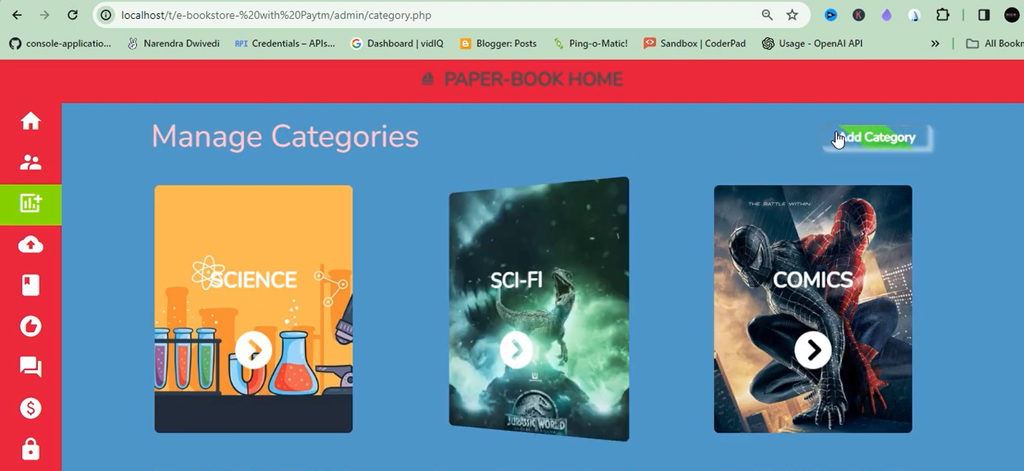
The application also provides an administrator dashboard for managing books, categories, customer requests, transactions, inventory, and website content. It is a practical project for students interested in PHP, MySQL, and eCommerce application development.
Real Time Projects on YouTube:- DecodeIT
Project Overview
Online Book Store Project Using MERN Stack :- Click Here
| Project Details | Information |
|---|---|
| Project Name | Online Book Store in PHP MySQL |
| Language/s Used | PHP, HTML, CSS, JavaScript |
| Database | MySQL |
| Payment Gateway | PAYTM |
| Project Type | Web-Based Application |
What Is an Online Book Store Project?
The Online Book Store Management System provides a digital platform for buying and selling books. Customers can create accounts, browse books by category, search for books, add products to their cart, and place orders.
The system also includes wishlist functionality, book comments, customer requests, and PAYTM payment integration. Administrators can manage book information, categories, transactions, customer requests, and inventory through the admin panel.
What Are the Main Features of the Online Book Store?
1. User Module
- User Registration and Login: Users can register and log in to their accounts.
- Profile Management: Users can manage their profiles.
- Browse Books by Category: Explore books according to categories.
- Book Search: Search for available books.
- Shopping Cart: Add or remove books from the cart.
- Wishlist: Save books for later.
- Book Reviews and Comments: Submit comments on books.
- Book Request System: Submit book requests.
- PAYTM Payment Integration: Make online payments using PAYTM.
2. Admin Module
- Admin Login: Access the administration section.
- Book Management: Add, edit, and delete books.
- Category Management: Add and update book categories.
- Transaction Monitoring: Monitor transactions.
- Customer Request Management: Handle customer requests.
- Dynamic Website Updates: Update website content.
- Inventory Management: Manage book inventory.
Technology Stack
Frontend Technologies
| Technology | Purpose |
|---|---|
| HTML5 | Structure of web pages |
| CSS3 | Styling and layout |
| Bootstrap | Responsive design |
| JavaScript | Interactive features |
Backend Technologies
| Technology | Purpose |
|---|---|
| PHP | Server-side logic |
| MySQL | Database management |
Project Modules
| Module | Description |
|---|---|
| Authentication | User Registration and Login |
| Book Management | Manage Books and Inventory |
| Category Management | Organize Books |
| Shopping Cart | Add and Remove Books |
| Wishlist | Save Books for Later |
| Payment Gateway | PAYTM Integration |
| Order Management | Track Purchases |
| Comments and Reviews | User Interaction |
| Admin Dashboard | Complete Control Panel |
Book Recommendation System Using KNN :- Click Here
How to Download
The complete package is available so you can run, study, and submit it with confidence. It includes:
- Full Source Code
- Project Report
- Synopsis
- PPT Presentation
Demo Video
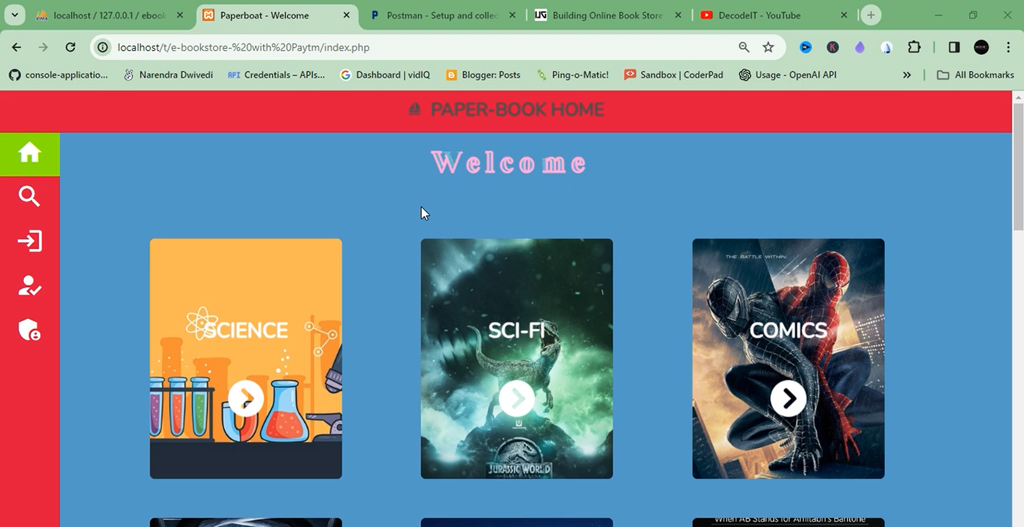
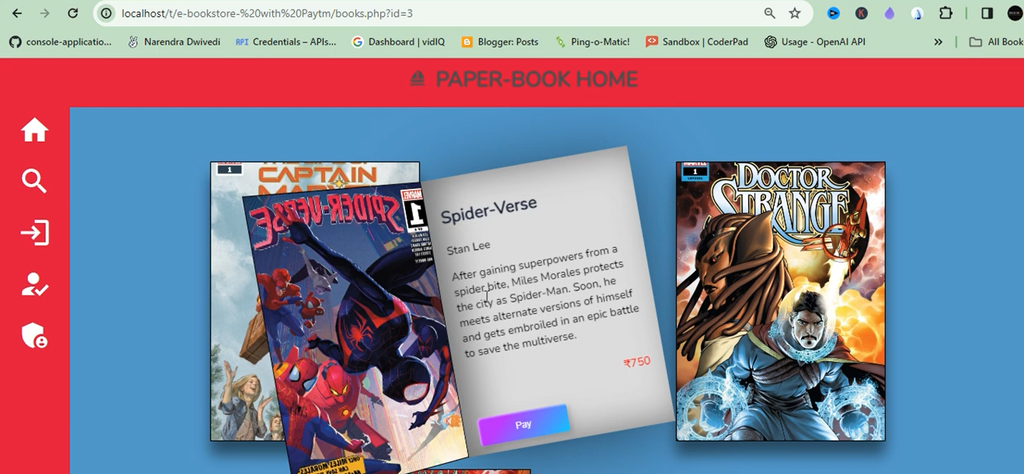
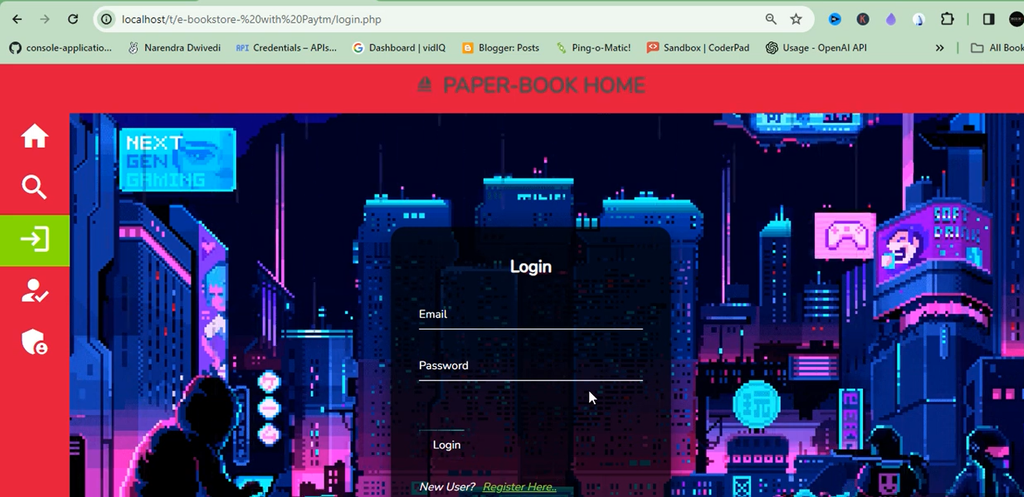
Screenshot
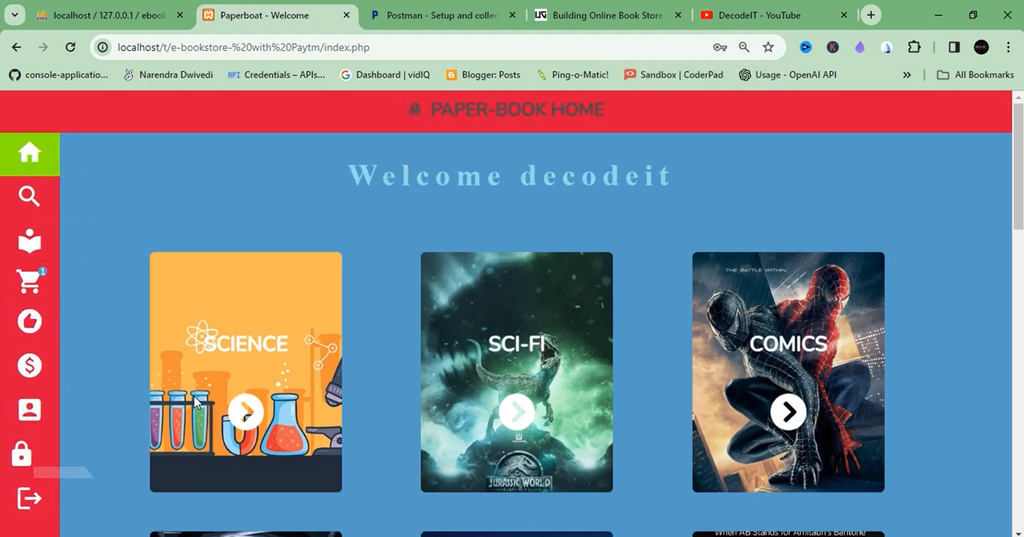
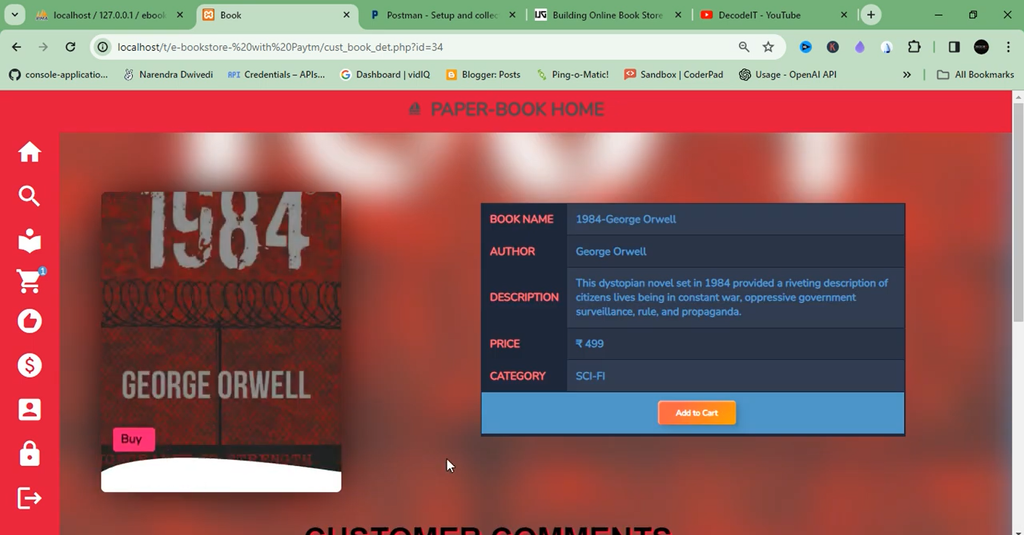
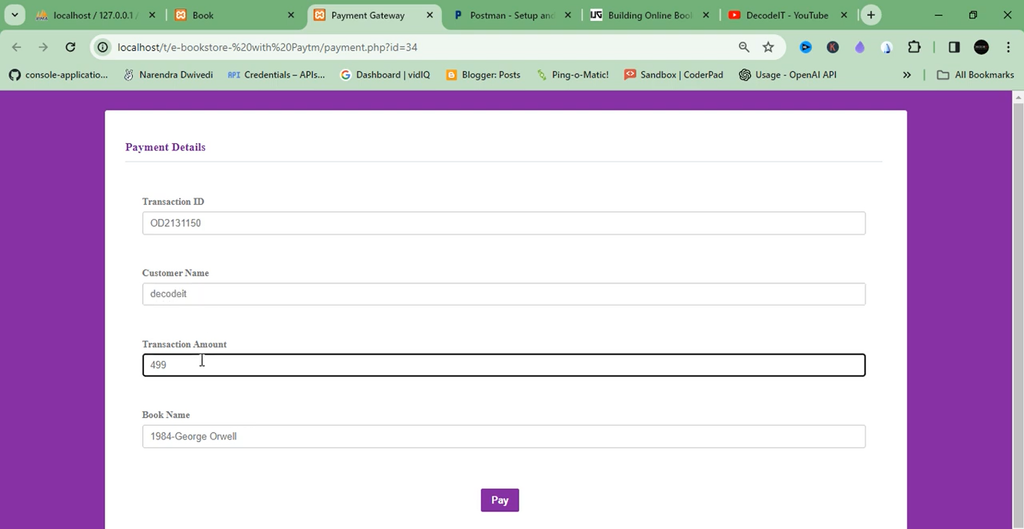
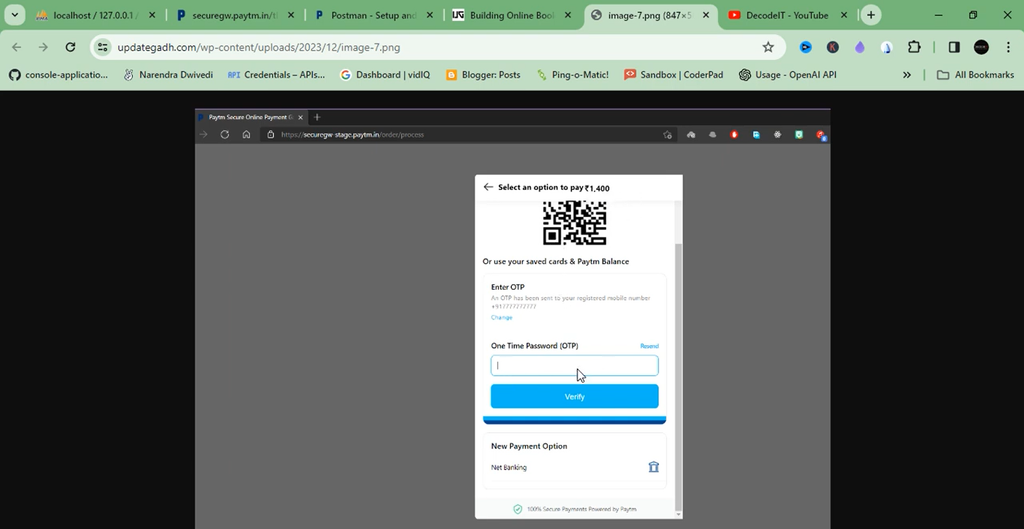
How to Set Up the Online Book Store Database?
Step 1: Open MySQL
Launch MySQL Workbench, phpMyAdmin, or the MySQL Command Line Client.
Step 2: Show Existing Databases
Execute the following SQL command:
SHOW DATABASES;Step 3: Create Database
Create the project database using:
CREATE DATABASE www_project;Step 4: Import Database
Import the provided SQL file into the newly created www_project database.
Admin Login Details
| Username | Password |
|---|---|
| admin | admin |
System Requirements
| Requirement | Version |
|---|---|
| PHP | 7.x or Higher |
| MySQL | 5.x or Higher |
| Browser | Chrome, Firefox, Edge |
| RAM | Minimum 4 GB |
| Storage | 500 MB Free Space |
What Will Students Learn from This Project?
Students can understand the following web development concepts by studying this project:
- PHP Programming
- MySQL Database Design
- CRUD Operations
- Session Management
- Authentication Systems
- Shopping Cart Development
- Payment Gateway Integration
- Responsive Web Design
- MVC Concepts
- Web Application Security Basics
Final Thoughts
The Online Book Store in PHP MySQL with PAYTM Integration is a useful academic project for students learning PHP and MySQL development. It combines book management, customer accounts, shopping cart functionality, wishlists, order management, and online payment integration.
Frequently Asked Questions (FAQs)
1. What is an Online Book Store Project in PHP and MySQL?
It is a web-based bookstore management application that allows customers to browse books, add products to their cart, manage wishlists, place orders, and make online payments.
2. Which technologies are used in this Online Book Store project?
The project uses PHP, MySQL, HTML, CSS, JavaScript, and Bootstrap. It also includes PAYTM Payment Gateway Integration.
3. Does the Online Book Store support online payments?
Yes. The project includes PAYTM Payment Gateway Integration for online payments.
4. What features are available for users?
Users can register, log in, manage profiles, browse and search books, use the shopping cart, maintain wishlists, submit comments, and request books.
5. What can the administrator manage?
The administrator can manage books, categories, transactions, customer requests, website content, and inventory.
6. Which database is used in this project?
MySQL is used for database management. The database name provided in the setup instructions is www_project.
7. What are the default admin login credentials?
Username: admin
Password: admin
8. Is this project suitable for BCA and MCA students?
Yes. It is suitable for BCA, MCA, and B.Tech students as an academic PHP and MySQL project.
9. Which server environments are mentioned for this project?
The project overview mentions XAMPP, WAMP, MAMP, and LAMP.
10. Where can I watch the Online Book Store project demo?
The project demonstration is available on the Decodeit2 YouTube channel.