IN vs EXISTS in SQL
When writing SQL queries for filtering data, developers often compare the IN and EXISTS clauses. Both can be used to filter results, but they work in different ways.
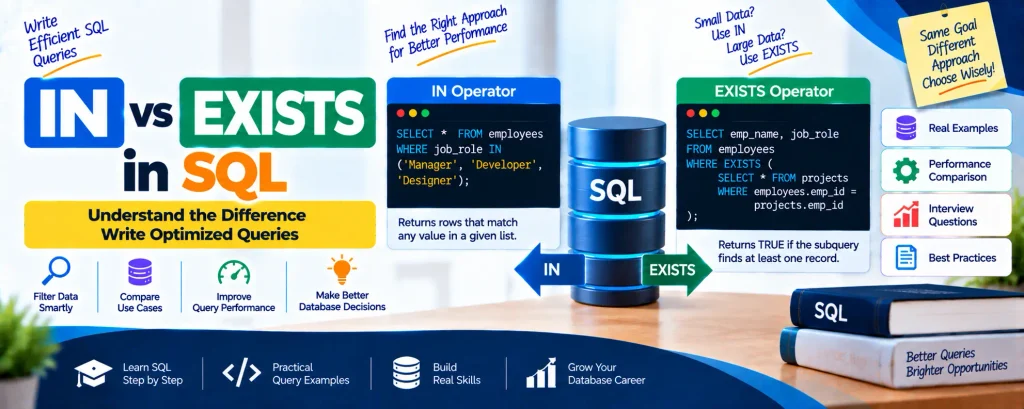
The IN clause checks whether a value matches any value from a specified list, while EXISTS checks whether a subquery returns a result and produces a TRUE or FALSE outcome.
In this article, we will understand both SQL operators and then compare their key differences.
Table of Contents
Complete Advance AI Topics: Click Here
SQL Tutorial: Click Here
Understanding the IN Operator
The IN operator is used to retrieve records when a column matches one of the values provided in a specified list. It works as a shorter alternative to writing multiple OR conditions.
The IN operator can be used with SELECT, INSERT, UPDATE, and DELETE statements.
Syntax of the IN Operator
SELECT column_name(s)
FROM table_name
WHERE column_name IN (value1, value2, value3, ...);
Example of IN Operator
Suppose we have a table named employees. If we want to retrieve employees whose job role is either Manager, Developer, or Designer, we can use:
SELECT * FROM employees
WHERE job_role IN ('Manager', 'Developer', 'Designer');
This query filters the required records without having to write several OR conditions separately.
Understanding the EXISTS Operator
The EXISTS operator is a Boolean operator that checks whether a subquery produces any results.
If the subquery returns at least one record, EXISTS evaluates to TRUE. If the subquery does not return any record, it evaluates to FALSE.
Unlike IN, EXISTS is optimized for large datasets because it can stop checking once it finds a matching record.
Syntax of the EXISTS Operator
SELECT column_names
FROM table_name
WHERE [NOT] EXISTS (
    SELECT column_names
    FROM another_table
    WHERE condition
);
Example of EXISTS Operator
Suppose we have two tables named employees and projects. We want to find employees who have worked on at least one project.
SELECT emp_name, job_role FROM employees
WHERE EXISTS (
    SELECT * FROM projects
    WHERE employees.emp_id = projects.emp_id
);
This query returns the employee name and job role only when the employee has at least one project assigned.
Key Differences Between IN and EXISTS
| SN | IN Operator | EXISTS Operator |
|---|---|---|
| 1 | Helps reduce multiple OR conditions. | Checks whether data exists in a subquery. |
| 2 | Compares values between the parent query and subquery. | Does not compare values; it checks whether a result exists. |
| 3 | Scans the values inside the IN block. | Can stop execution after finding the first matching record. |
| 4 | Can return TRUE, FALSE, or NULL. | Returns only TRUE or FALSE. |
| 5 | Works with subqueries as well as static values. | Works with subqueries. |
| 6 | Can be faster when the subquery returns fewer records. | Can be faster when working with large datasets. |
| 7 | Syntax: WHERE col_name IN (subquery); | Syntax: WHERE EXISTS (subquery); |
Download New Real Time Projects :- Click here
Conclusion
Both IN and EXISTS can be used for filtering data in SQL, but their working methods are different. Choosing between them depends on the size of the data and the performance requirements of the query.
- Use IN when working with a small list of known values.
- Use EXISTS when working with large datasets and subqueries.
Understanding the difference between these operators can help developers write more optimized SQL queries and improve database performance. When dealing with large amounts of data, EXISTS is often considered the better option.
SEO Keywords
difference between in and exists in sql with example, in vs exists sql performance, difference between in and exists in oracle in vs exists in sql, not exists in sql, in vs exists in sql example, in vs exists oracle performance, exists in sql server, in vs exists in sql vs join, in vs exists in sql server, in vs exists in sql w3schools, in vs exists in sql oracle, in vs exists in sql, not in vs not exists in sql, difference between in and exists in sql, in vs exists in sql oracle, in vs exist