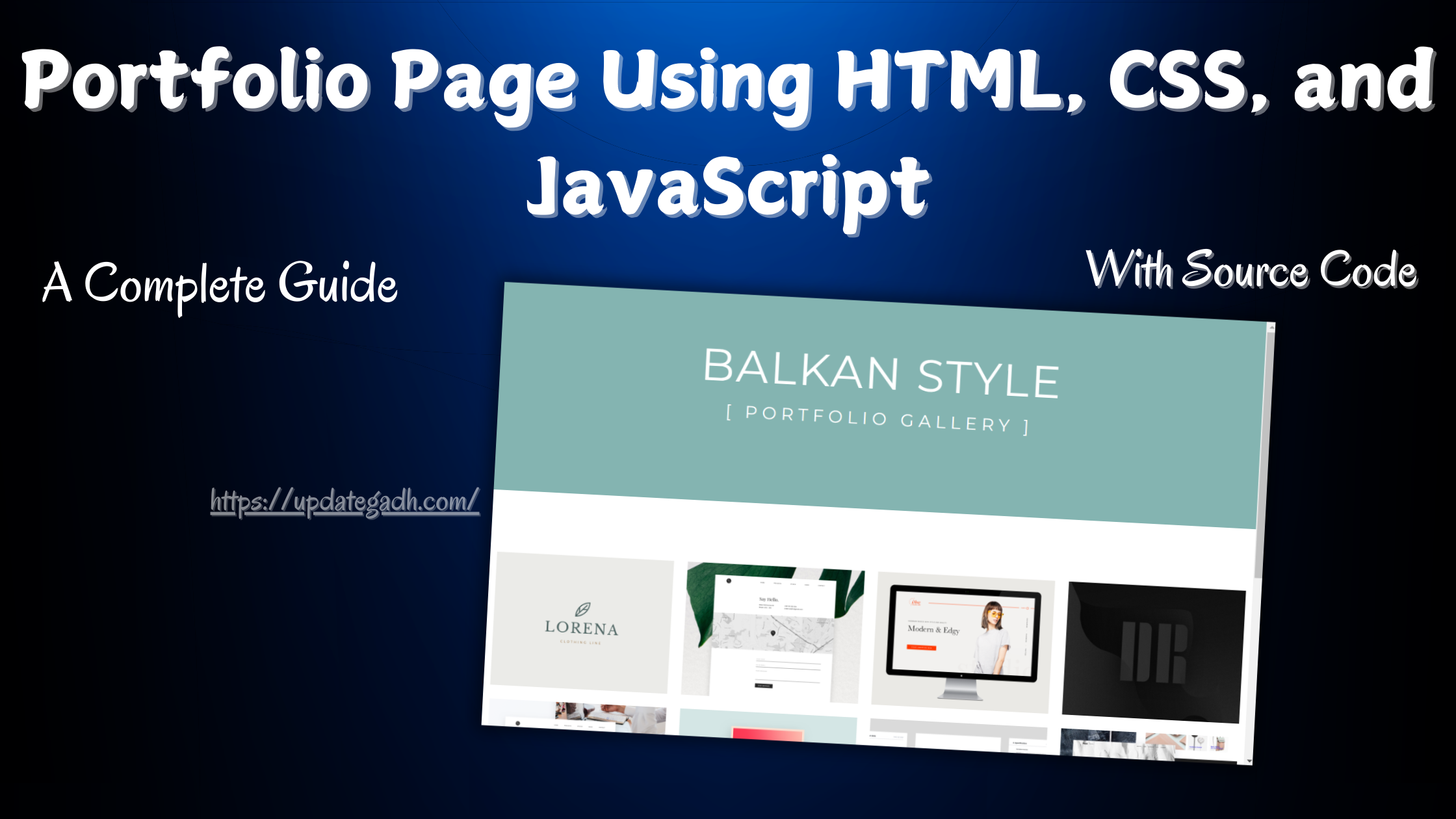
Portfolio Page Using HTML , CSS
Table of Contents
Key Elements
For a professional portfolio page, consider including the following essential sections:
Download New Real Time Projects :-Click here
HTML Code
<header>
  <h1>
                Navigation Animations
            </h1>
  <span>
                Inspirational page for navigation animations
            </span>
</header>
<div class="container red topBotomBordersOut">
  <a>HOME</a>
  <a>ARTICLES</a>
  <a>PORTFOLIO</a>
  <a>ABOUT</a>
  <a>CONTACT</a>
</div>

<div class="container purple topBotomBordersIn">
  <a>HOME</a>
  <a>ARTICLES</a>
  <a>PORTFOLIO</a>
  <a>ABOUT</a>
  <a>CONTACT</a>
</div>

<div class="container indigo topLeftBorders">
  <a>HOME</a>
  <a>ARTICLES</a>
  <a>PORTFOLIO</a>
  <a>ABOUT</a>
  <a>CONTACT</a>
</div>

<div class="container blue circleBehind">
  <a>HOME</a>
  <a>ARTICLES</a>
  <a>PORTFOLIO</a>
  <a>ABOUT</a>
  <a>CONTACT</a>
</div>

<div class="container cyan brackets">
  <a>HOME</a>
  <a>ARTICLES</a>
  <a>PORTFOLIO</a>
  <a>ABOUT</a>
  <a>CONTACT</a>
</div>

<div class="container teal borderYtoX">
  <a>HOME</a>
  <a>ARTICLES</a>
  <a>PORTFOLIO</a>
  <a>ABOUT</a>
  <a>CONTACT</a>
</div>

<div class="container green borderXwidth">
  <a>HOME</a>
  <a>ARTICLES</a>
  <a>PORTFOLIO</a>
  <a>ABOUT</a>
  <a>CONTACT</a>
</div>

<div class="container lightGreen pullDown">
  <a>HOME</a>
  <a>ARTICLES</a>
  <a>PORTFOLIO</a>
  <a>ABOUT</a>
  <a>CONTACT</a>
</div>

<div class="container lime pullUp">
  <a>HOME</a>
  <a>ARTICLES</a>
  <a>PORTFOLIO</a>
  <a>ABOUT</a>
  <a>CONTACT</a>
</div>

<div class="container yellow pullRight">
  <a>HOME</a>
  <a>ARTICLES</a>
  <a>PORTFOLIO</a>
  <a>ABOUT</a>
  <a>CONTACT</a>
</div>

<div class="container amber pullLeft">
  <a>HOME</a>
  <a>ARTICLES</a>
  <a>PORTFOLIO</a>
  <a>ABOUT</a>
  <a>CONTACT</a>
</div>

<div class="container orange pullUpDown">
  <a>HOME</a>
  <a>ARTICLES</a>
  <a>PORTFOLIO</a>
  <a>ABOUT</a>
  <a>CONTACT</a>
</div>

<div class="container deepOrange pullRightLeft">
  <a>HOME</a>
  <a>ARTICLES</a>
  <a>PORTFOLIO</a>
  <a>ABOUT</a>
  <a>CONTACT</a>
</div>

<div class="container brown highlightTextOut">
  <a alt="HOME">HOME</a>
  <a alt="ARTICLES">ARTICLES</a>
  <a alt="PORTFOLIO">PORTFOLIO</a>
  <a alt="ABOUT">ABOUT</a>
  <a alt="CONTACT">CONTACT</a>
</div>

<div class="container gray highlightTextIn">
  <a alt="HOME">HOME</a>
  <a alt="ARTICLES">ARTICLES</a>
  <a alt="PORTFOLIO">PORTFOLIO</a>
  <a alt="ABOUT">ABOUT</a>
  <a alt="CONTACT">CONTACT</a>
</div>

<footer>
  <span>StyleShit (C) All rights Reserved</span>
</footer>
CSS Code
html, body
{
    margin: 0px;
}

header, footer
{
    font-family: Raleway;
    margin: 0 auto;
	padding: 5em 3em;
	text-align: center;
    background: #555;
}

header h1
{
    color: #AAA;
    font-size: 40px;
    font-weight: lighter;
    margin-bottom: 5px;
}

header span
{
    color: #222;
}

footer span
{
  color: #AAA;
}

div.container
{
    font-family: Raleway;
    margin: 0 auto;
	padding: 10em 3em;
	text-align: center;
}

div.container a
{
    color: #FFF;
    text-decoration: none;
    font: 20px Raleway;
    margin: 0px 10px;
    padding: 10px 10px;
    position: relative;
    z-index: 0;
    cursor: pointer;
}

.red
{
    background: #f44336;
}

.purple
{
    background: #673ab7;
}

.indigo
{
    background: #3f51b5;
}

.blue
{
    background: #2196f3;
}

.cyan
{
    background: #00bcd4;
}

.teal
{
    background: #009688;
}

.green
{
    background: #4caf50;
}

.lightGreen
{
    background: #8bc34a;
}

.lime
{
    background: #c0ca33;
}

.yellow
{
    background: #fdd835;
}

.amber
{
    background: #ffc107;
}

.orange
{
    background: #ff9800
}

.deepOrange
{
    background: #ff5722;
}

.brown
{
    background: #795548;
}

.gray
{
    background: #9e9e9e;
}

/* Top and Bottom borders go out */
div.topBotomBordersOut a:before, div.topBotomBordersOut a:after
{
    position: absolute;
    left: 0px;
    width: 100%;
    height: 2px;
    background: #FFF;
    content: "";
    opacity: 0;
    transition: all 0.3s;
}

div.topBotomBordersOut a:before
{
    top: 0px;
    transform: translateY(10px);
}

div.topBotomBordersOut a:after
{
    bottom: 0px;
    transform: translateY(-10px);
}

div.topBotomBordersOut a:hover:before, div.topBotomBordersOut a:hover:after
{
    opacity: 1;
    transform: translateY(0px);
}

/* Top and Bottom borders come in */
div.topBotomBordersIn a:before, div.topBotomBordersIn a:after
{
    position: absolute;
    left: 0px;
    width: 100%;
    height: 2px;
    background: #FFF;
    content: "";
    opacity: 0;
    transition: all 0.3s;
}

div.topBotomBordersIn a:before
{
    top: 0px;
    transform: translateY(-10px);
}

div.topBotomBordersIn a:after
{
    bottom: 0px;
    transform: translateY(10px);
}

div.topBotomBordersIn a:hover:before, div.topBotomBordersIn a:hover:after
{
    opacity: 1;
    transform: translateY(0px);
}

/* Top border go down and Left border appears */
div.topLeftBorders a:before
{
    position: absolute;
    top: 0px;
    left: 0px;
    width: 2px;
    height: 0px;
    background: #FFF;
    content: "";
    opacity: 1;
    transition: all 0.3s;
}

div.topLeftBorders a:after
{
    position: absolute;
    top: 0px;
    left: 0px;
    width: 100%;
    height: 2px;
    background: #FFF;
    content: "";
    opacity: 1;
    transition: all 0.3s;
}

div.topLeftBorders a:hover:before
{
    height: 100%;
}

div.topLeftBorders a:hover:after
{
    opacity: 0;
    top: 100%;
}

/* Circle behind */
div.circleBehind a:before, div.circleBehind a:after
{
    position: absolute;
    top: 22px;
    left: 50%;
    width: 50px;
    height: 50px;
    border: 4px solid #0277bd;
    transform: translateX(-50%) translateY(-50%) scale(0.8);
    border-radius: 50%;
    background: transparent;
    content: "";
    opacity: 0;
    transition: all 0.3s;
    z-index: -1;
}

div.circleBehind a:after
{
    border-width: 2px;
    transition: all 0.4s;
}

div.circleBehind a:hover:before
{
    opacity: 1;
    transform: translateX(-50%) translateY(-50%) scale(1);
}

div.circleBehind a:hover:after
{
    opacity: 1;
    transform: translateX(-50%) translateY(-50%) scale(1.3);
}

/* Brackets go out */
div.brackets a:before, div.brackets a:after
{
    position: absolute;
    opacity: 0;
    font-size: 35px;
    top: 0px;
    transition: all 0.3s;
}

div.brackets a:before
{
    content: '(';
    left: 0px;
    transform: translateX(10px);
}

div.brackets a:after
{
    content: ')';
    right: 0px;
    transform: translateX(-10px);
}

div.brackets a:hover:before, div.brackets a:hover:after
{
    opacity: 1;
    transform: translateX(0px);
}

/* Border from Y to X  */
div.borderYtoX a:before, div.borderYtoX a:after
{
    position: absolute;
    opacity: 0.5;
    height: 100%;
    width: 2px;
    content: '';
    background: #FFF;
    transition: all 0.3s;
}

div.borderYtoX a:before
{
    left: 0px;
    top: 0px;
}

div.borderYtoX a:after
{
    right: 0px;
    bottom: 0px;
}

div.borderYtoX a:hover:before, div.borderYtoX a:hover:after
{
    opacity: 1;
    height: 2px;
    width: 100%;
}

/* Border X get width  */
div.borderXwidth a:before, div.borderXwidth a:after
{
    position: absolute;
    opacity: 0;
    width: 0%;
    height: 2px;
    content: '';
    background: #FFF;
    transition: all 0.3s;
}

div.borderXwidth a:before
{
    left: 0px;
    top: 0px;
}

div.borderXwidth a:after
{
    right: 0px;
    bottom: 0px;
}

div.borderXwidth a:hover:before, div.borderXwidth a:hover:after
{
    opacity: 1;
    width: 100%;
}

/* Pull down  */
div.pullDown a:before
{
    position: absolute;
    width: 100%;
    height: 2px;
    left: 0px;
    top: 0px;
    content: '';
    background: #FFF;
    opacity: 0.3;
    transition: all 0.3s;
}

div.pullDown a:hover:before
{
    height: 100%;
}

/* Pull up  */
div.pullUp a:before
{
    position: absolute;
    width: 100%;
    height: 2px;
    left: 0px;
    bottom: 0px;
    content: '';
    background: #FFF;
    opacity: 0.3;
    transition: all 0.3s;
}

div.pullUp a:hover:before
{
    height: 100%;
}

/* Pull right  */
div.pullRight a:before
{
    position: absolute;
    width: 2px;
    height: 100%;
    left: 0px;
    top: 0px;
    content: '';
    background: #FFF;
    opacity: 0.3;
    transition: all 0.3s;
}

div.pullRight a:hover:before
{
    width: 100%;
}

/* Pull left  */
div.pullLeft a:before
{
    position: absolute;
    width: 2px;
    height: 100%;
    right: 0px;
    top: 0px;
    content: '';
    background: #FFF;
    opacity: 0.3;
    transition: all 0.3s;
}

div.pullLeft a:hover:before
{
    width: 100%;
}

/* Pull up and down  */
div.pullUpDown a:before, div.pullUpDown a:after
{
    position: absolute;
    width: 100%;
    height: 2px;
    left: 0px;
    content: '';
    background: #FFF;
    opacity: 0.3;
    transition: all 0.3s;
}

div.pullUpDown a:before
{
    top: 0px;
}

div.pullUpDown a:after
{
    bottom: 0px;
}

div.pullUpDown a:hover:before, div.pullUpDown a:hover:after
{
    height: 100%;
}

/* Pull right and left  */
div.pullRightLeft a:before, div.pullRightLeft a:after
{
    position: absolute;
    width: 2px;
    height: 100%;
    top: 0px;
    content: '';
    background: #FFF;
    opacity: 0.3;
    transition: all 0.3s;
}

div.pullRightLeft a:before
{
    left: 0px;
}

div.pullRightLeft a:after
{
    right: 0px;
}

div.pullRightLeft a:hover:before, div.pullRightLeft a:hover:after
{
    width: 100%;
}

/* Highlight text out  */
div.highlightTextOut a
{
    color: rgba(255, 255, 255, 0.3);
}

div.highlightTextOut a:before, div.highlightTextIn a:before
{
    position: absolute;
    color: #FFF;
    top: 0px;
    left: 0px;
    padding: 10px;
    overflow: hidden;
    content: attr(alt);
    transition: all 0.3s;
    transform: scale(0.8);
    opacity: 0;
}

div.highlightTextOut a:hover:before, div.highlightTextIn a:hover:before
{
    transform: scale(1);
    opacity: 1;
}

/* Highlight text in  */
div.highlightTextIn a
{
    color: rgba(0, 0, 0, 0.4);
}

div.highlightTextIn a:before
{
    transform: scale(1.2);
} - free portfolio html css code
- portfolio page using html css w3schools
- personal portfolio page using html css
- portfolio page using html css example
- personal website using html and css source code
- personal portfolio html code
- portfolio-website using html and css source code github
- html portfolio examples