Health Insurance Management System Using PHP and MySQL
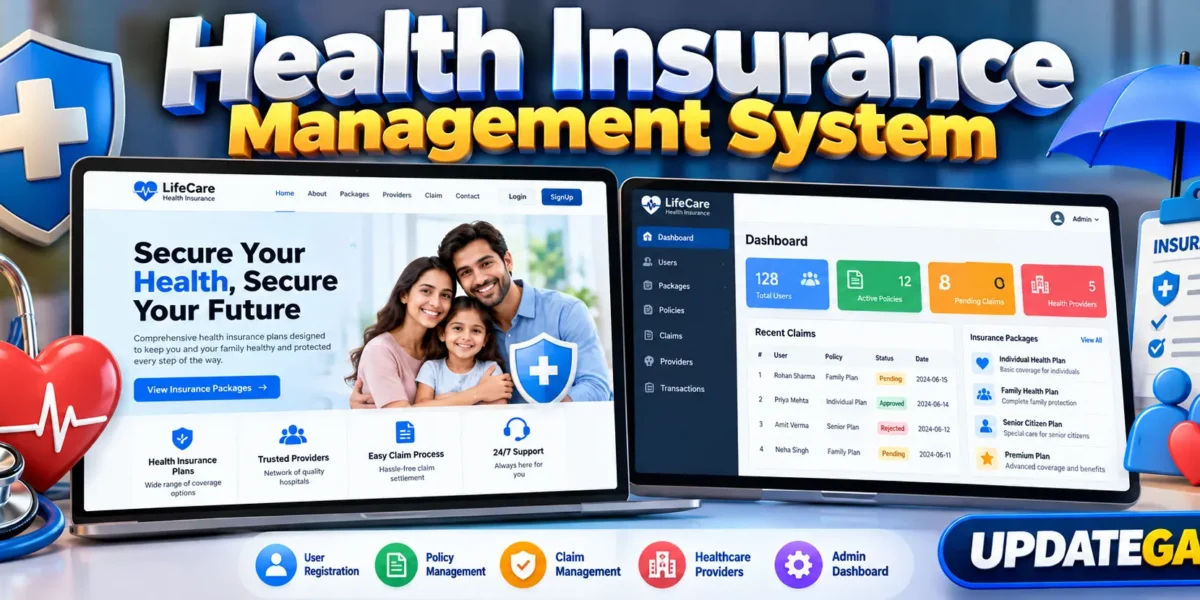
The Health Insurance Management System is a practical web application designed to organize common health insurance activities through a single, easy-to-use interface. Built with PHP, MySQL, HTML, CSS, and JavaScript, the project covers the main workflow required for a medium-level college project: customer registration, insurance package browsing, policy creation, healthcare provider information, claim submission, and administrative management.
The system is structured around two main roles: customers and administrators. Customers can create an account, sign in, explore available insurance packages, activate a policy, review their policy information, find healthcare providers, and submit a claim. Administrators have a separate management area for controlling users, packages, healthcare providers, policies, and claims.
Complete Advance AI Topics: Click Here
Real Time Projects on YouTube:- DecodeIT
Project Overview
| Project Name | Technology / Details |
|---|---|
| Project Name | Health Insurance Management System |
| Language/s Used | PHP, HTML, CSS, JavaScript |
| PHP Version | 5.6.3, 7.4.12 |
| Database | MySQL using phpMyAdmin |
Project Introduction
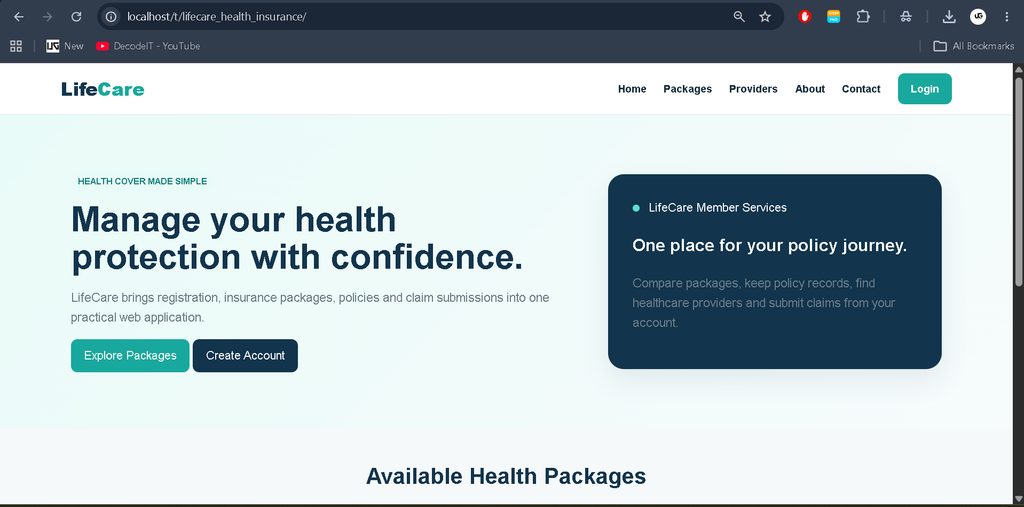
Managing health insurance records manually can make it difficult to keep customer information, policy details, package records, and claims organized. LifeCare provides a centralized environment where these records can be stored and managed through database-backed pages. The project is intentionally kept at a medium level so that students can understand the flow without dealing with an unnecessarily complex architecture.
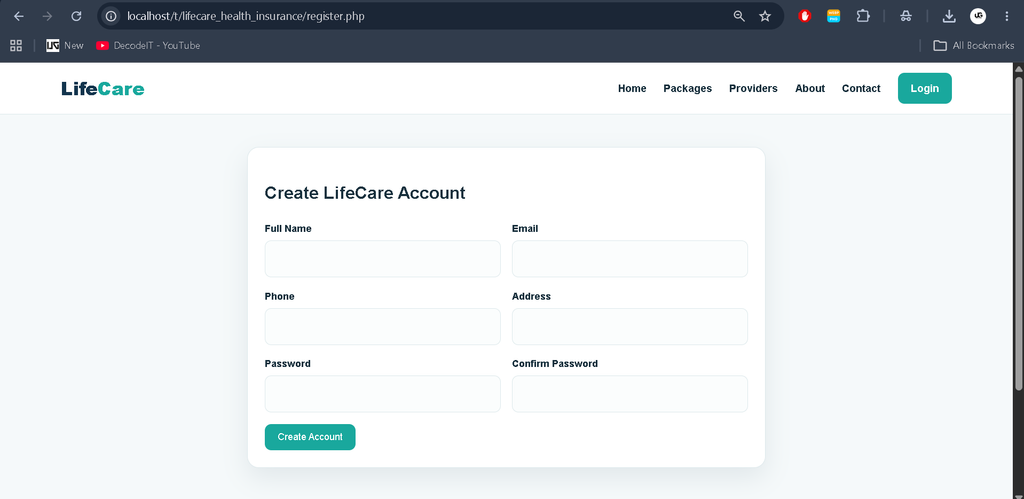
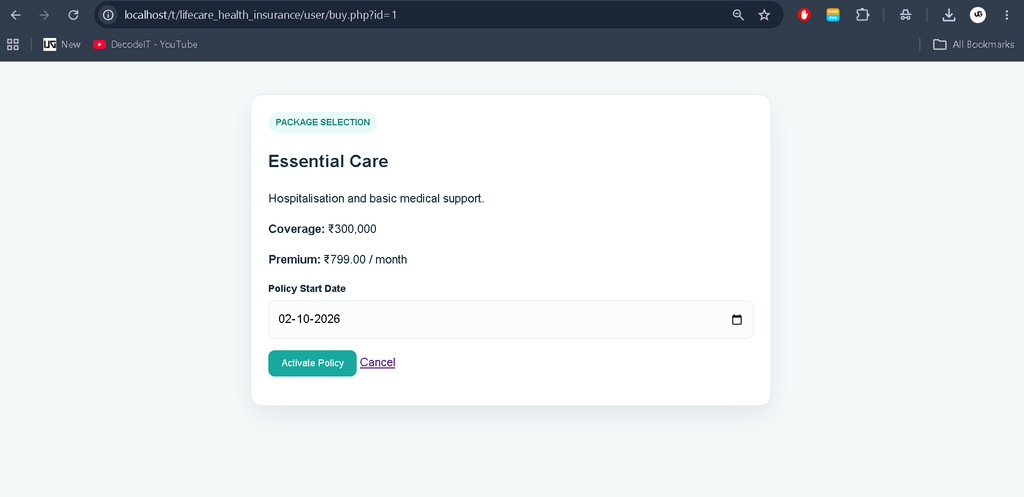
The customer workflow begins with account creation and login. After authentication, a member can view the insurance packages available in the system. When a package is selected, a policy record is created with a policy number, start date, end date, package reference, and status. The same account can then be used to review policies and submit claims against an active policy.
Key Features
Customer Features
- Home page with a clear introduction to LifeCare.
- Account creation and secure password-based login.
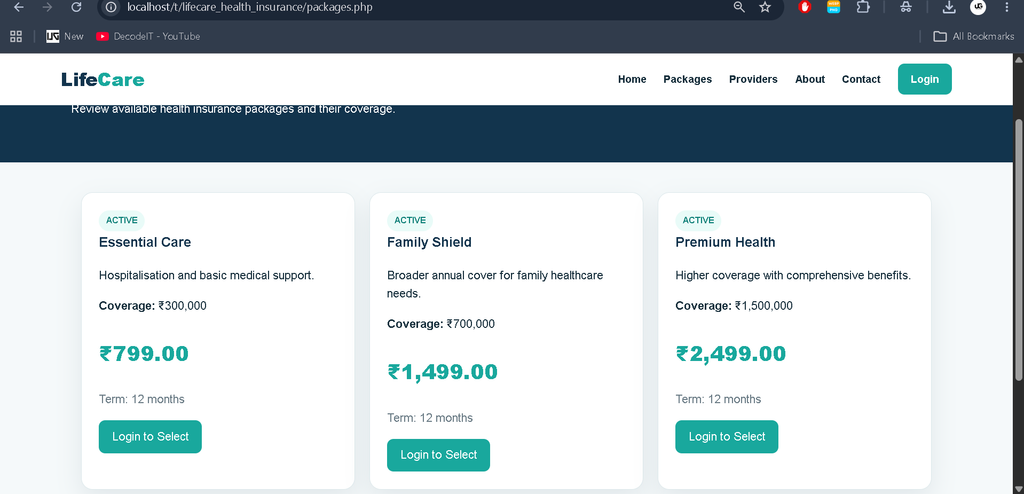
- Insurance package listing with coverage, premium, and term information.
- Policy selection and activation for registered members.
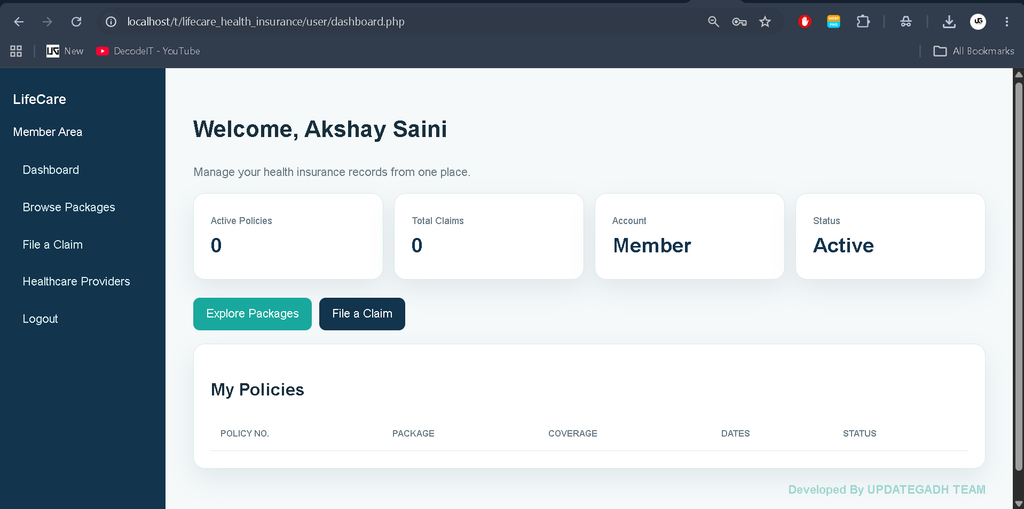
- Member dashboard for viewing policy records.
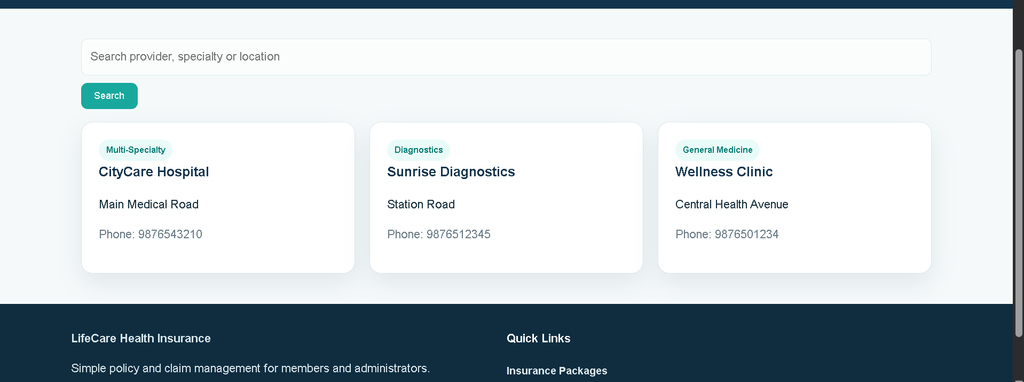
- Healthcare provider listing with search support.
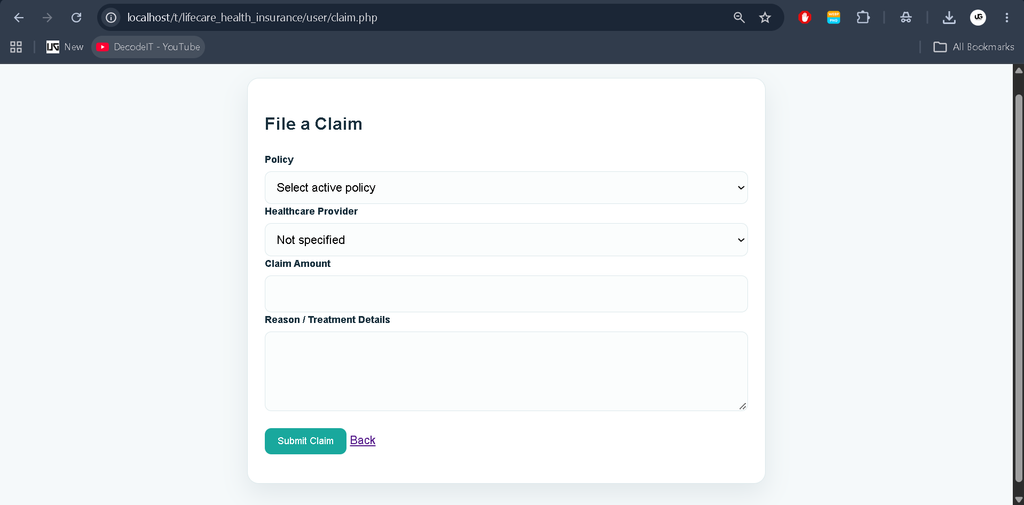
- Claim submission using an active policy.
- Provider selection while filing a claim.
- About, contact, FAQ, and account navigation pages.
Administrator Features
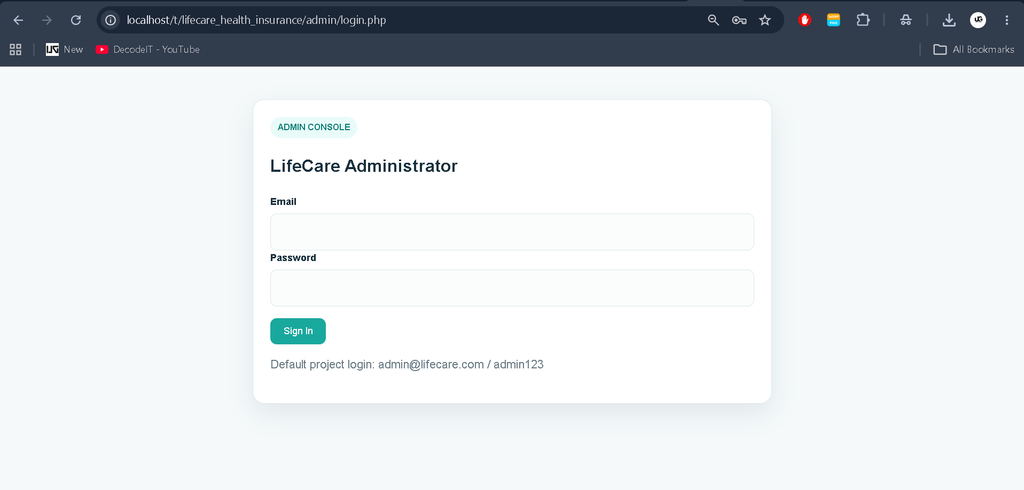
- Dedicated administrator login.
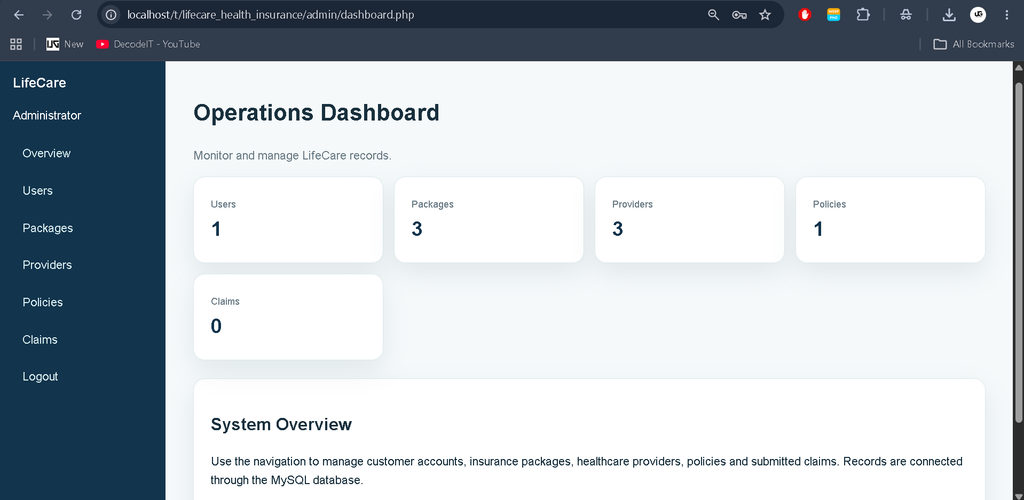
- Dashboard with record statistics.
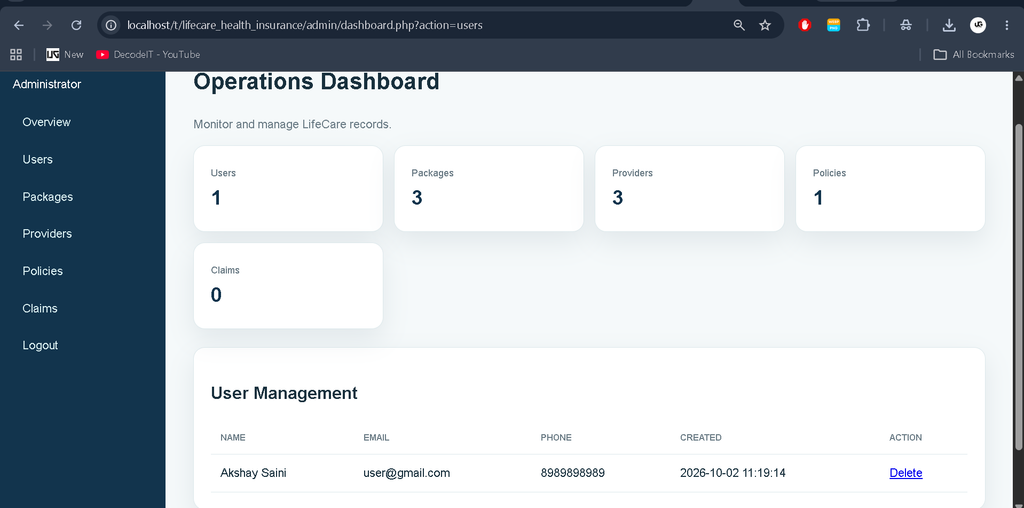
- User management with delete functionality.
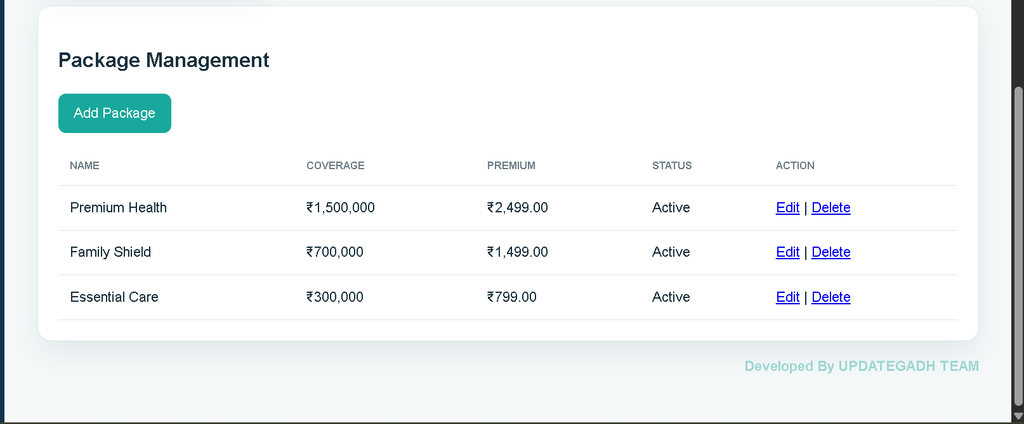
- Insurance package management with create, edit, and delete operations.
- Healthcare provider management with create, edit, and delete operations.
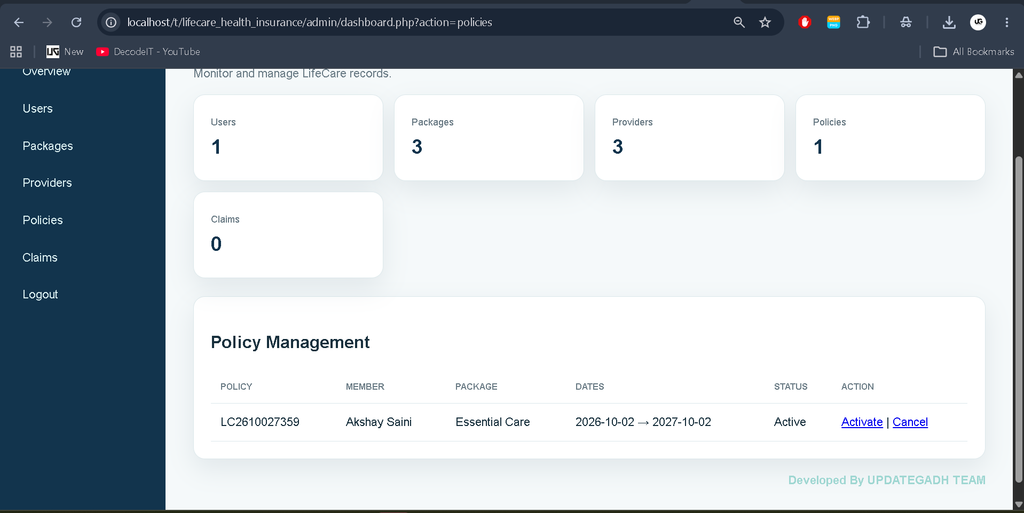
- Policy management with status controls.
- Claims management with approval and rejection controls.
- Connected records using MySQL relationships.
User Roles
Customer: A customer can register, log in, browse packages, activate a policy, view policy information, search healthcare providers, and submit claims. The member dashboard keeps the customer’s insurance activity in one place.
Administrator: The administrator maintains the operational data of the application. The admin dashboard provides access to users, packages, providers, policies, and claims. Claim records can be approved or rejected, while policy records can be activated or cancelled.
Project Modules
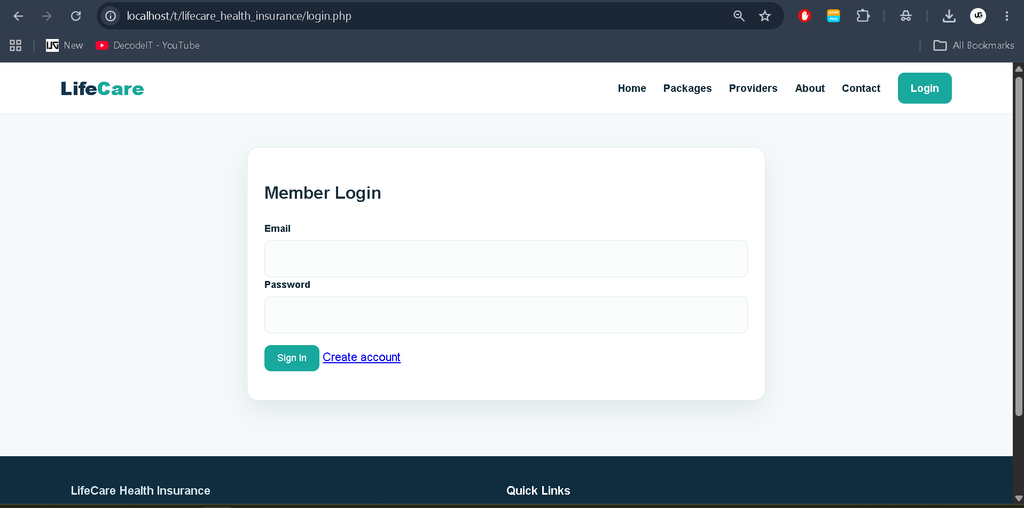
The Authentication Module handles customer registration, login, logout, and administrator authentication. Customer passwords are stored using PHP password hashing, while the supplied project administrator uses the configured demo credentials.
The Package Module stores insurance package name, description, coverage amount, premium, term, and status. Active packages are shown to customers, while administrators can maintain the package records.
The Policy Module connects users with packages. A policy contains a unique policy number, start date, end date, and status. This relationship allows the system to identify which package belongs to each member.
The Claim Module connects a member, policy, and optional healthcare provider. A customer enters the claim amount and treatment reason, after which the administrator can review and update its status.
The Healthcare Provider Module maintains provider name, specialty, phone number, address, and active status. Customers can search active providers from the public provider page.
From a student perspective, the project also provides a clear demonstration of database relationships and role-based workflows. The tables are connected through user, package, policy, provider, and claim records, making it easier to understand how information moves between different modules. The responsive interface further helps the application remain usable on common desktop and mobile screen sizes.
Download complete source code
Screenshot
Technology Stack
- Frontend: HTML5, CSS3, and JavaScript provide the page structure, responsive interface, forms, tables, buttons, status badges, and client-side interactions.
- Backend: PHP handles authentication, database queries, form processing, policy creation, claims, and administrative operations.
- Database: MySQL stores users, administrators, packages, healthcare providers, policies, and claims.
- Development Environment: XAMPP can be used to run Apache, PHP, and MySQL locally, with phpMyAdmin used to import and inspect the database.
Installation and Setup
- Install XAMPP on the computer.
- Copy the extracted LifeCare project folder into
C:\xampp\htdocs. - Open XAMPP and start Apache and MySQL.
- Open phpMyAdmin in the browser.
- Create or import the
lifecare_insurancedatabase using the suppliedsql/lifecare_insurance.sqlfile. - Check the database settings in
config/db.php. The default local configuration uses the MySQL root account with an empty password. - Open the project through the local Apache server and use the registration page to create a customer account.
- For the administrator area, use the demo administrator credentials supplied with the project and change them before any real deployment.
Usage
After installation, a new customer can open the registration page and create an account. Once logged in, the customer can browse packages and select an active package. The system creates a policy linked to that user and package. From the member dashboard, the customer can review the policy and access the claim form.
When submitting a claim, the customer selects an active policy, optionally selects a healthcare provider, enters the claim amount, and provides the reason or treatment details. The claim initially receives a pending status. The administrator can then review the record from the Claims section and change its status to approved or rejected.
Administrators can also add or update insurance packages and healthcare providers. This means that the public pages and customer workflow can use current records from the database rather than disconnected demonstration content.
Frequently Asked Questions
What is the main purpose of this project?
It provides a centralized PHP and MySQL application for managing customers, insurance packages, policies, healthcare providers, and claims.
Which database is used?
The project uses MySQL, and the supplied SQL file can be imported through phpMyAdmin.
Can customers submit claims?
Yes. A logged-in customer can submit a claim against an active policy and provide the required claim details.
Can administrators manage claims?
Yes. Administrators can review claims and update their status to approved or rejected.
Is the project suitable for a college submission?
The project is designed as a medium-level college web application, with practical modules, database relationships, authentication, CRUD operations, and a connected user-to-admin workflow.
Future Scope
- Integrate a real online payment gateway for premium payments.
- Add email or SMS notifications for policy and claim status changes.
- Add document uploads for supporting claim records.
- Introduce richer policy reports and downloadable statements.
- Add stronger administrator security and password management.
- Expand provider records with locations and additional service information.
Conclusion
The LifeCare Health Insurance Management System demonstrates how PHP and MySQL can be combined to build a useful database-driven insurance application. Instead of limiting the project to simple static pages, it connects authentication, packages, policies, providers, claims, and administration into a single workflow. The project is therefore suitable for students who want to understand how a real-world management system can be divided into practical modules while keeping the implementation understandable and maintainable.
Keywords:
Insurance Management System
Insurance Management System – Google Search
insurance management system project
insurance management system project in java
insurance management system github
insurance management system post office
insurance management system er diagram
insurance management system ims
what is insurance management services
what is insurance management
insurance management system pdf