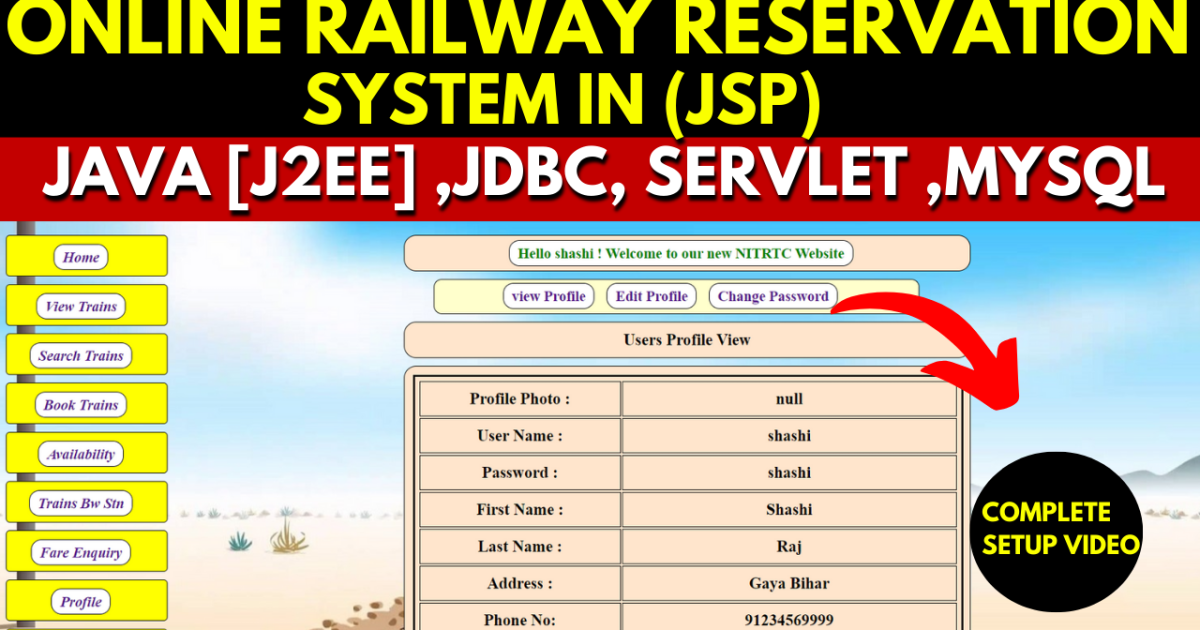
Online Railway Reservation System in (JSP)
Building an end-to-end train ticket booking platform is one of the most complete and impressive projects a Java student can submit for their final year. The Online Railway Reservation System built with JSP, Java Servlets, and MySQL covers everything a real-world booking portal needs — from searching trains and checking seat availability to online payment integration, booking history, and a full admin panel for managing train records. Deployed on Apache Tomcat and built on the J2EE architecture, this project is perfectly suited for BCA, MCA, and B.Tech CS/IT students who want to submit a Java web application that stands apart from every other project in the room during viva in.
Project Overview
| Project Name | Online Railway Reservation System |
| Platform | JSP (JavaServer Pages) |
| Programming Language | Java (Servlet / JSP) |
| Frontend | HTML, CSS, JavaScript, JSP, Bootstrap |
| Backend | Java, MySQL (JDBC) |
| IDE | Eclipse Neon |
| Database | MySQL |
| Application Server | Apache Tomcat 5.0+ |
| Architecture | J2EE (Java 2 Enterprise Edition) |
| Best For | BCA, MCA, B.Tech CS/IT Final Year Students Globally |
Key Features
- Train schedule and search — users view the complete list of available trains and search for specific trains based on destination, date, class, and other criteria
- Real-time seat availability — the system queries the database live to show exactly which seats are available for any train before a booking is confirmed
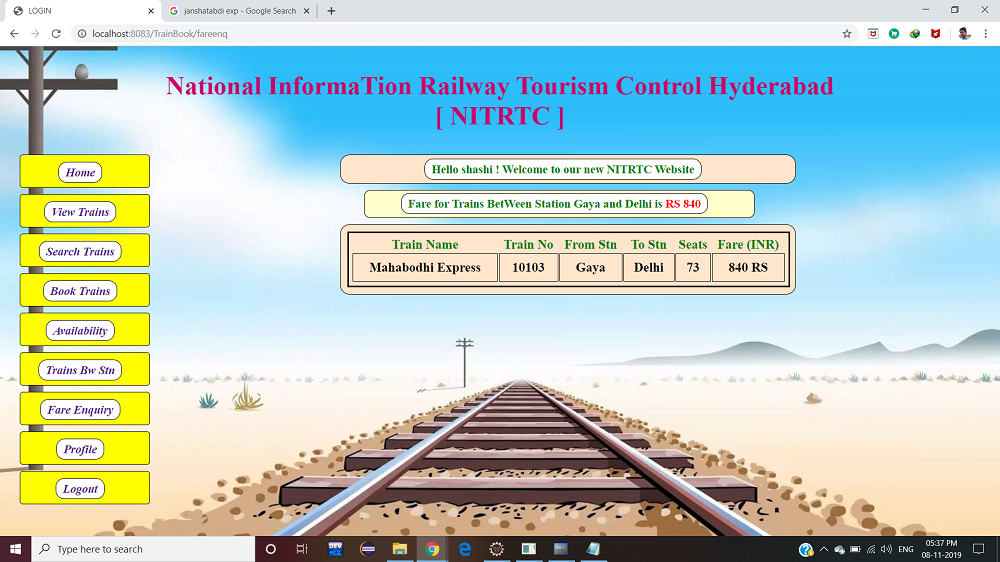
- Fare enquiry — users check the fare for their desired train route before deciding to book, with class-wise pricing displayed clearly
- Trains between stations — a dedicated search finds all trains that operate between two specified stations, making route planning fast and easy
- Online seat booking with payment gateway — users complete ticket bookings through the web interface with a secure payment gateway integration for online transactions
- Booking history — users view their complete history of past ticket bookings from the profile dashboard at any time
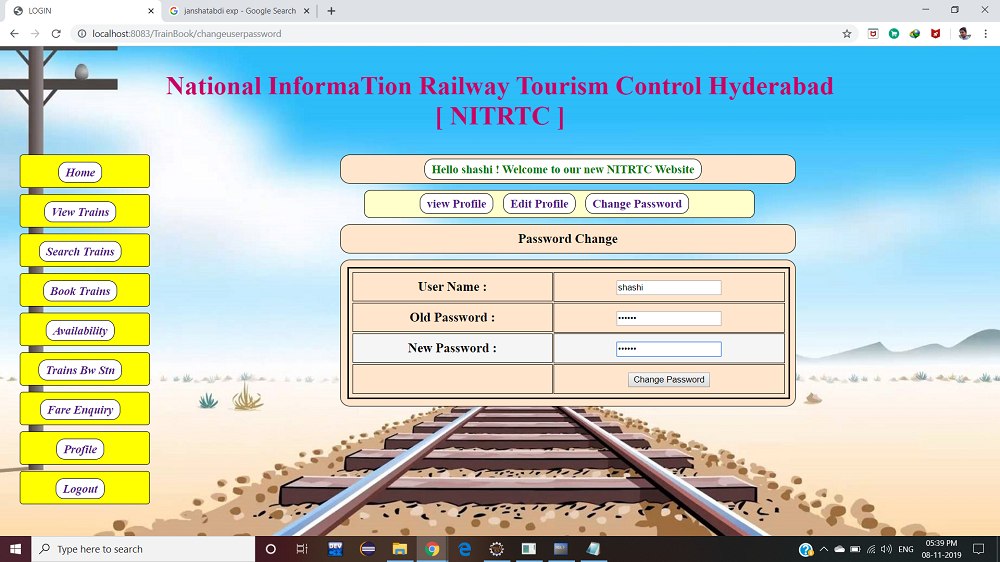
- Secure login, logout, and password change — both user and admin accounts are protected with proper session-based authentication and the ability to change passwords
- Full admin train management — admins add new trains, update existing records, cancel or remove train services, and view all trains from the admin panel
🎬 Watch the Full Project Tutorial on YouTube!
We’ve built this project step by step on our YouTube channel. Watch the full video, like, and subscribe for daily project tutorials.
Technologies Used
| Layer | Technology | Purpose |
|---|---|---|
| Presentation | JSP + Bootstrap + HTML/CSS/JS | Dynamic web pages, responsive layout, and UI components |
| Business Logic | Java Servlets (J2EE) | Handle all HTTP requests, form processing, and session management |
| Database | MySQL + JDBC | Store trains, users, bookings, seat data, and admin records |
| Application Server | Apache Tomcat 5.0+ | Deploy and serve the Java EE web application |
| IDE | Eclipse Neon | Import, develop, and run the project |
| Architecture | J2EE (Java 2 Enterprise Edition) | Enterprise-level web application structure |
| Client-side | JavaScript | Form validation and interactive UI elements |
System Requirements
| Category | Requirement |
|---|---|
| Operating System | Windows 7 / 10 / 11 or Linux |
| Processor | Pentium IV or higher |
| RAM | 512 MB or more (1 GB+ recommended) |
| Hard Disk | 40 GB or more |
| Programming Language | Java (JDK 8+) |
| Web Application | JDBC, Servlets, JSP |
| Database | MySQL |
| Server | Apache Tomcat 5.0+ |
| IDE | Eclipse Neon (Java EE Developers edition) |
Get This Project
This is a complete, ready-to-run paid project. It includes the full JSP and Servlet source code, all frontend pages, the MySQL database file, Eclipse project configuration, project report and documentation, and remote setup support from our team.
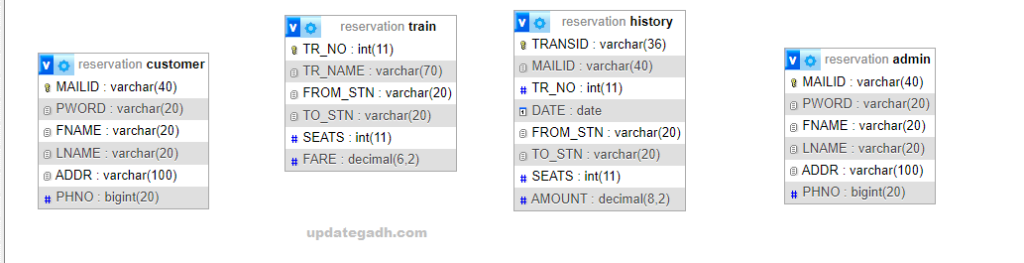
How to Run This Project
Step 1 — Install prerequisites
1. Java JDK 8+         → https://www.oracle.com/java/downloads/
2. Apache Tomcat 5.0+  → https://tomcat.apache.org/
3. MySQL Server        → https://dev.mysql.com/downloads/mysql/
4. Eclipse Neon        → https://www.eclipse.org/downloads/
   (Java EE Developers edition)
Step 2 — Import the database
# Start XAMPP or MySQL server
# Open phpMyAdmin: localhost/phpmyadmin

# Create a new database for the project
# Then import the SQL file provided in the project folder:
(phpMyAdmin → select database → Import → choose SQL file → Go)
Step 3 — Import the project into Eclipse
Eclipse → File → Import → General → Existing Projects into Workspace
Browse to the extracted project folder → Click Finish
Step 4 — Configure Tomcat in Eclipse
Window → Preferences → Server → Runtime Environments
Click Add → Apache Tomcat → point to your Tomcat folder → Finish
Step 5 — Run the project
# In Eclipse:
Right-click project → Run As → Run on Server → Select Tomcat → Finish
User and Admin Access Modules
User Access
| Feature | Description |
|---|---|
| Register | Create a new user account with name, email, and password |
| Login / Logout | Secure session-based login and logout for all users |
| View Trains | Browse the complete list of available trains |
| Search Trains | Find trains by destination, date, class, or route criteria |
| Check Seat Availability | Verify real-time seat availability for any selected train |
| Fare Enquiry | Check class-wise fare for any train route before booking |
| Trains Between Stations | Find all trains operating between two specified stations |
| Book Tickets | Complete ticket reservation with online payment gateway |
| View Booking History | Access all past reservations from the user dashboard |
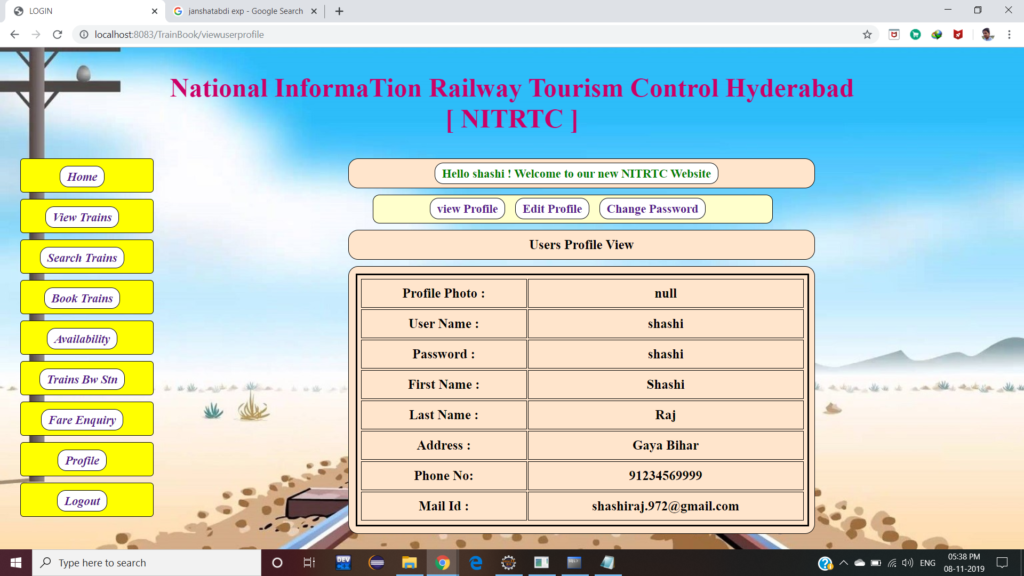
| View and Update Profile | See and edit personal account details |
| Change Password | Update account password securely from profile settings |
Admin Access
| Feature | Description |
|---|---|
| Admin Login / Logout | Secure admin authentication with session management |
| Add Trains | Add new train records with route, timing, and seat details |
| Update Trains | Modify existing train information as schedules change |
| Remove or Cancel Trains | Delete or cancel train services when needed |
| View All Trains | Comprehensive view of every train in the system |
| Edit Admin Profile | Update admin account name, email, and contact details |
How It Works
Train search and booking flow
- User registers an account and logs in — the Servlet validates credentials against the database and creates a session
- User opens Search Trains, enters source station, destination, and travel date — the Servlet queries the MySQL database and returns matching trains
- User selects a train and clicks Check Seat Availability — the system queries live seat data and displays available classes and seats
- User checks the fare for their class, confirms the booking, and is redirected to the payment gateway for secure online payment
- On successful payment, the booking is saved to the database and the user sees a confirmation with booking details that also appears in their booking history
Admin train management flow
- Admin logs in through the admin login page — a separate session attribute identifies admin access from regular user access
- Admin opens Add Train and enters train number, name, source, destination, departure time, arrival time, available seats, and fare details
- The Servlet validates the input and inserts the new train record into the MySQL database — the train immediately appears in the user-facing search
- Admin can update any train’s details or cancel a service from the View Trains panel — changes reflect instantly for all users
Why This is a Great Final Year Project
- J2EE architecture on Apache Tomcat is a core part of every university Java curriculum — building a complete project on it proves real enterprise web development skills
- Payment gateway integration is a feature almost no student project includes — having it in your system immediately impresses examiners and interviewers
- Trains between stations search with live database queries demonstrates complex SQL joins and dynamic JSP rendering — directly tested in Java placement interviews
- Dual-role architecture (User + Admin) with separate session management shows proper role-based access control, one of the most common interview discussion topics
- Real-time seat availability requires understanding of concurrent database reads — explaining this in viva shows you understand real-world system design
- Booking history with proper relational database design across user, train, and booking tables demonstrates strong database normalisation skills
- Complete feature set — 11 user features and 6 admin features mean every possible viva question has a live demo answer waiting in the application
You Might Also Like:
- Online Railway Reservation System in JSP — Source Code
- Railway Reservation System in Java and MySQL
- Railway Reservation System using PHP and MySQL
- Real Estate Management System using Java JSP and MySQL
- Online Examination System in Java Servlet and JSP
- All JSP and Servlet Projects with Source Code — UpdateGadh
Online Railway Reservation System in (JSP)
This project revolves around the Train Ticket Reservation System, designed to facilitate users in accessing train schedules, searching for trains, checking seat availability, and obtaining information about train timings. Additionally, the system allows users to inquire about the fare for different trains and discover details about trains traveling between specific stations. A significant feature is the ability to seamlessly book seats online, ensuring a secure and reliable seat reservation process for users.
The system allows users to browse and reserve train tickets based on various criteria such as destination, date, and class. It provides real-time information on train schedules, seat availability, and fare details. The platform ensures a smooth and secure transaction process, enabling users to make online payments for their reservations.
Online Railway Reservation System in JSP Abstract
The Online Railway Reservation System in JSP is designed on a robust Java2EE architecture, seamlessly integrated with an Oracle database. This web-based platform serves as an efficient and user-friendly system for railway ticket booking, catering to the needs of passengers and travelers.
Additionally, the Online Railway Reservation System in JSP provides a platform for customer support and query resolution. Users can submit their inquiries through the system, and these queries are directed to specific customer support representatives. The information pages on the system are dynamic, allowing administrators to update content related to train schedules, policies, and other relevant details.
The Online Train Information and Reservation System in JSP strives to streamline the entire train reservation process, providing users with the ability to manage their bookings, view relevant train details, and ensure a secure and efficient experience. Administrators have the necessary tools to maintain and update the system’s database of trains, ensuring accurate and up-to-date information is readily available to users. The implementation of secure login and authentication mechanisms enhances the overall reliability of the system.
- uml diagrams for online railway reservation system
- class diagram of online railway reservation system
- online railway reservation system project ppt free download
- online railway reservation system project report pdf
- online railway reservation system ppt
- online railway reservation system pdf
- online railway reservation system er diagram
- online railway reservation system
- online railway reservation system project in java code
- case study on online railway reservation system
- online railway reservation system srs
- download online railway reservation system project in php
- online railway reservation system uml diagrams
- case study of online railway reservation system
- online railway reservation system project synopsis
- scope of online railway reservation system
- online railway reservation system project pdf
- functional requirements of online railway reservation system
- online railway reservation system use case diagram
🎓 Need Complete Final Year Project?
Get Source Code + Report + PPT + Viva Questions (Instant Access)
🛒 Visit UpdateGadh Store →