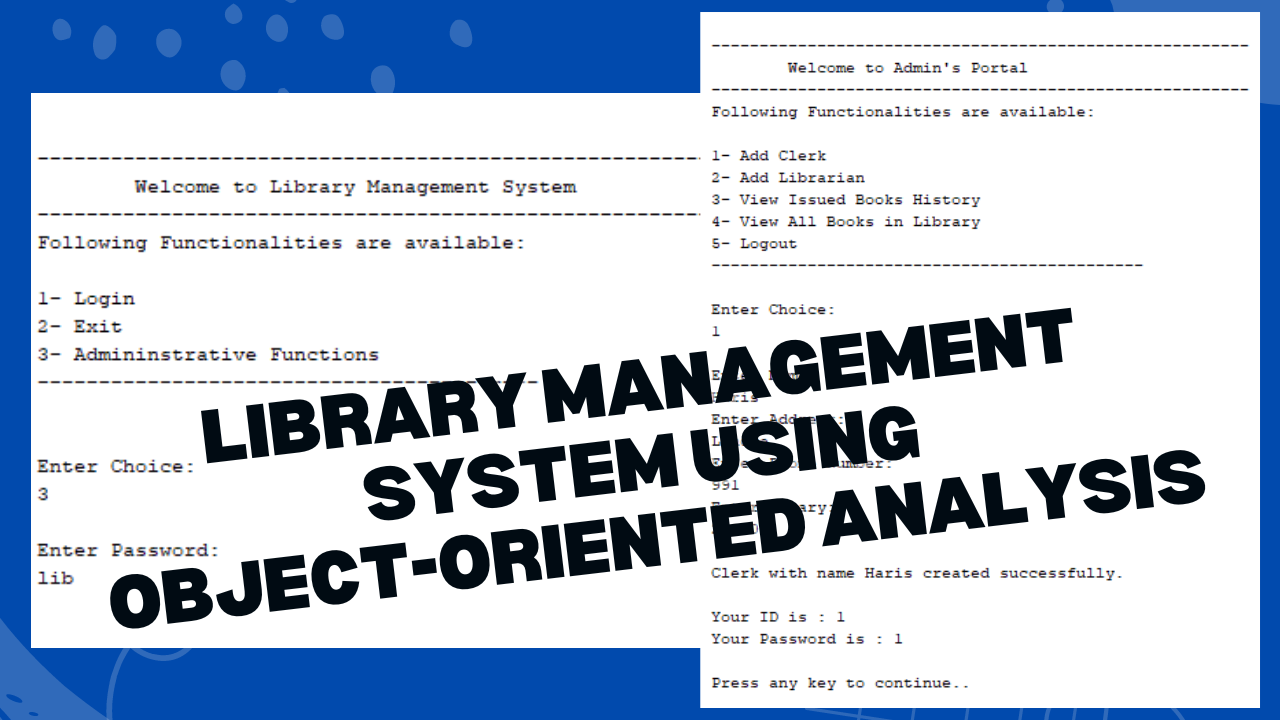
Building a Library Management System Using Object-Oriented Analysis and Design
The development of a Library Management System using Object-Oriented Analysis and Design (OOAD) principles ensures a robust, scalable, and efficient system. This approach emphasizes minimal code in the GUI and well-decoupled entities, making the system easier to maintain and extend.
System and Their Roles
In a Library Management System, different users interact with the system, each with specific roles and responsibilities. The primary actors include:
- Borrower
- Checkout Clerk
- Librarian
- Administrator
Each actor interacts with the system to perform various tasks, known as use cases. Let’s explore the use cases associated with each actor.
Borrower Use Cases
The Borrower is a member of the library who interacts with the system to manage their book borrowing activities. The key use cases for a Borrower are:
- Search for Items: A Borrower can search for books by title, author, or subject.
- Place a Book on Hold: If a desired book is currently loaned out, the Borrower can place a hold on it.
- View Personal Information: The Borrower can check their personal details and view the list of books they currently have on loan.
Checkout Clerk Use Cases
The Checkout Clerk manages the borrowing and returning of books. This role includes all the Borrowers use cases, plus additional tasks:
- Check Out an Item: The Clerk can check out a book to a Borrower.
- Check In an Item: The Clerk records the return of a borrowed book.
- Renew an Item: The Clerk can renew a book loan for a Borrower.
- Record Fine Payments: The Clerk records payments for overdue books.
- Manage Borrowers: The Clerk can add new Borrowers and update their personal information.
Librarian Use Cases
The Librarian oversees the entire library collection and has broader responsibilities, including all the use cases of the Borrower and Checkout Clerk:
- Add New Items: The Librarian can add new books to the librarys collection.
- Delete Items: The Librarian can remove books from the collection.
- Update Item Information: The Librarian can modify the details of any book in the system.
Administrator Use Cases
The Administrator handles the overall management of the system. Their responsibilities include:
- Add/Manage Staff: The Administrator can add new Checkout Clerks and Librarians to the system.
- View Issued Books History: The Administrator can view the history of all issued books.
- View All Books: The Administrator has access to a comprehensive list of all books in the library.
System Design and Implementation
In designing this Library Management System, the OOAD approach ensures that the system is modular and maintainable. The primary focus is on creating classes for each entity (e.g., Book, Borrower, Clerk) and defining the interactions between these classes.
Decoupling and Minimal GUI Code
The system architecture follows the Model-View-Controller (MVC) pattern, where:
- Model: Manages the systems data and business logic.
- View: Handles the user interface with minimal code, ensuring that the GUI is lightweight and responsive.
- Controller: Acts as an intermediary between the Model and View, processing user inputs and updating the model as necessary.
By decoupling entities, each component can be developed, tested, and maintained independently. This approach also facilitates easier future enhancements, such as adding new features or supporting additional user roles.
How to Run the System
To set up and run the Library Management System, follow these steps:
- Install Java SE Development Kit 8 (JDK 8)
- Download and install JDK 8 from the Oracle website.
- Install NetBeans IDE
- After installing JDK 8, download and install NetBeans IDE from the .
- Load the Project
- Open NetBeans IDE.
- Click on
File -> Open Project, browse to the downloaded project folder, and select it. This will load the project in NetBeans.
- Set Up the Database
- The system uses Java DB (Derby) Database, which comes with NetBeans. Follow these steps to set it up:
- In NetBeans, navigate to
Services -> Databases. - Right-click on
Java DBand selectStart Server. - Once the server is running, right-click on
Java DBagain and chooseCreate Database. - Enter the necessary details and create the database.
- Ensure that the database connection is active and linked to the project.
- In NetBeans, navigate to
- Run the Project
- Once everything is set up, right-click on the project in the NetBeans IDE and select
Run. The system should now be up and running, ready to manage library operations.
Screenshots
Database Code
CREATE TABLE PERSON
(
	"ID" INTEGER not null PRIMARY KEY,
	"PNAME" VARCHAR(30) not null,
	"PASSWORD" VARCHAR(10) not null,
	"ADDRESS" VARCHAR(30) not null,
	"PHONE_NO" INTEGER not null
);
CREATE TABLE BOOK
(
	"ID" INTEGER not null PRIMARY KEY,
	"TITLE" VARCHAR(30) not null,
	"AUTHOR" VARCHAR(20) not null,
	"SUBJECT" VARCHAR(20) not null,
	"IS_ISSUED" BOOLEAN not null
);
CREATE TABLE STAFF
(
    "S_ID" INTEGER not null PRIMARY KEY,
    "TYPE" VARCHAR(10) not null,
    "SALARY" DOUBLE
);
CREATE TABLE CLERK
(
	"C_ID" INTEGER not null PRIMARY KEY,
	"DESK_NO" INTEGER not null
);
CREATE TABLE LIBRARIAN
(
	"L_ID" INTEGER not null PRIMARY KEY,
	"OFFICE_NO" INTEGER not null
);
CREATE TABLE BORROWER
(
	"B_ID" INTEGER not null PRIMARY KEY
);
CREATE TABLE BORROWED_BOOK
(
	"BOOK" INTEGER not null PRIMARY KEY,
	"BORROWER" INTEGER not null
);
CREATE TABLE LOAN
(
	"L_ID" INTEGER not null PRIMARY KEY,
	"BORROWER" INTEGER not null,
	"BOOK" 	INTEGER not null,
	"ISSUER" INTEGER not null,
	"ISS_DATE" TIMESTAMP not null,
	"RECEIVER" INTEGER ,
	"RET_DATE" TIMESTAMP ,
	"FINE_PAID" BOOLEAN
);
CREATE TABLE ON_HOLD_BOOK
(
	"REQ_ID" INTEGER not null PRIMARY KEY,
	"BOOK" INTEGER not null,
	"BORROWER" INTEGER not null,
	"REQ_DATE" DATE not null
);
----------------------------------------FOREIGN KEY CONSTRAINTS----------------------------
ALTER TABLE BORROWED_BOOK
ADD
FOREIGN KEY (BORROWER)REFERENCES BORROWER(B_ID);
ALTER TABLE LOAN
ADD
FOREIGN KEY (BORROWER)REFERENCES BORROWER(B_ID);
ALTER TABLE LOAN
ADD
FOREIGN KEY (ISSUER)REFERENCES STAFF(S_ID);
ALTER TABLE LOAN
ADD
FOREIGN KEY (RECEIVER)REFERENCES STAFF(S_ID);
ALTER TABLE ON_HOLD_BOOK
ADD
FOREIGN KEY (BORROWER)REFERENCES BORROWER(B_ID);
ALTER TABLE LIBRARIAN
ADD
FOREIGN KEY (L_ID)REFERENCES STAFF(S_ID);
ALTER TABLE CLERK
ADD
FOREIGN KEY (C_ID)REFERENCES STAFF(S_ID);
ALTER TABLE STAFF
ADD
FOREIGN KEY (S_ID)REFERENCES PERSON(ID);
ALTER TABLE BORROWER
ADD
FOREIGN KEY (B_ID)REFERENCES PERSON(ID);
Download Library Management System Using Object-Oriented Free
Conclusion
Building a Library Management System Using Object-Oriented using OOAD principles ensures a well-structured and maintainable solution. By focusing on minimal GUI code and decoupling entities, this approach provides a flexible and efficient system that can easily adapt to future needs.