Skip to content
  • SiteMap
  • Our Services
  • Frequently Asked Questions (FAQ)
  • Support
  • About Us

UpdateGadh

Update Your Skills.

  • Home
  • Projects
    •  Blockchain projects
    • Python Project
    • Data Science
    •  Ai projects
    • Machine Learning
    • PHP Project
    • React Projects
    • Java Project
    • SpringBoot
    • JSP Projects
    • Java Script Projects
    • Code Snippet
    • Free Projects
  • Tutorials
    • Ai
    • Machine Learning
    • Advance Python
    • Advance SQL
    • DBMS Tutorial
    • Data Analyst
    • Deep Learning Tutorial
    • Data Science
    • Nodejs Tutorial
  • Blog
  • Contact us
  • Toggle search form
Movie Ticket Booking System Project in Java - Movie Ticket Booking System Project in Java

Movie Ticket Booking System Project in Java

Posted on November 16, 2024January 13, 2026 By Rishabh saini No Comments on Movie Ticket Booking System Project in Java

Movie Ticket Booking System

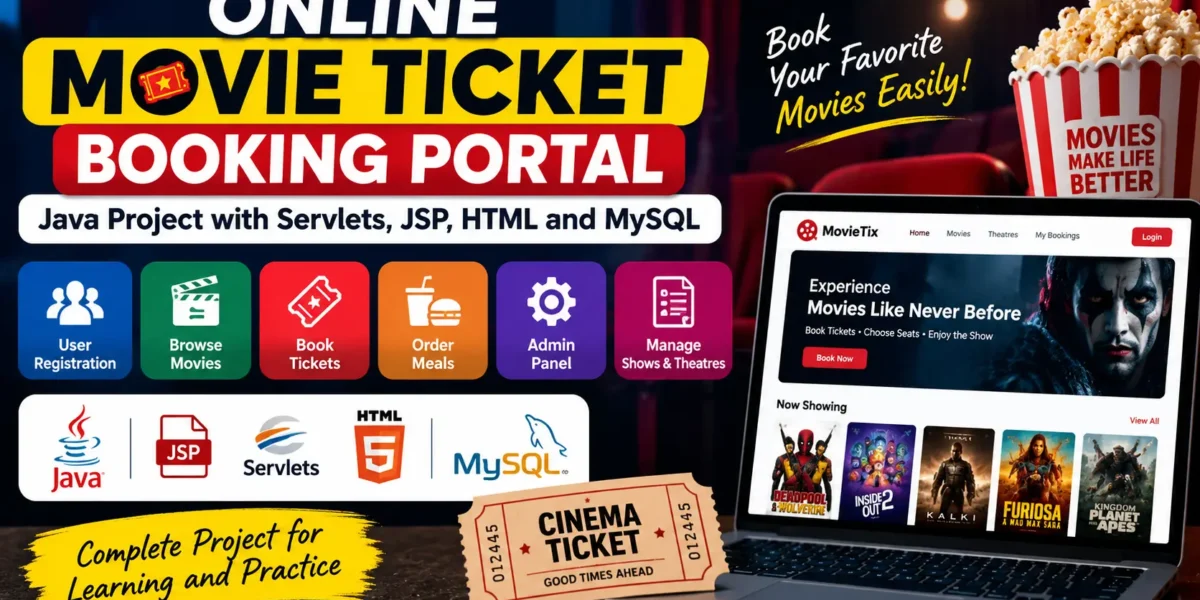
In today’s world where everything is online, a Movie Ticket Booking System is not just a simple project — it’s a useful real-life solution. Using Java, we can build a system that helps users book movie tickets, check showtimes, and enjoy an easy booking experience.In this blog, we’ll go through the main steps to make a Movie Ticket Booking System using Java. We’ll explain everything step by step in a simple and practical way, just like how it’s used in the real world.

Project Overview

The Movie Ticket Booking System is an application built to streamline the process of reserving seats for movies. With this system, users can:

  • View available movies and showtimes
  • Check seat availability
  • Select seats for a particular show
  • Book and manage reservations

The system is designed for simplicity, reliability, and efficiency to handle real-time demands. Here, we will walk through the main features and how they can be implemented effectively.

Download New Real Time Projects :-Click here

Key Features of a Movie Ticket Booking System

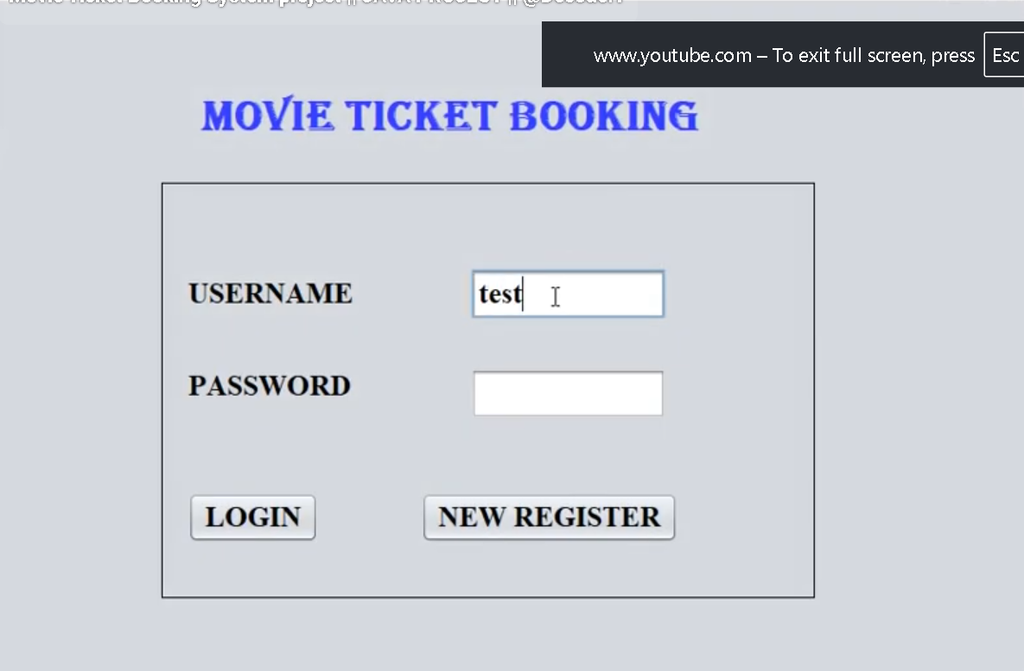
  • User Registration and Login

  • Allow users to create accounts and sign in securely.
  • Enable password-protected access to protect personal booking details.

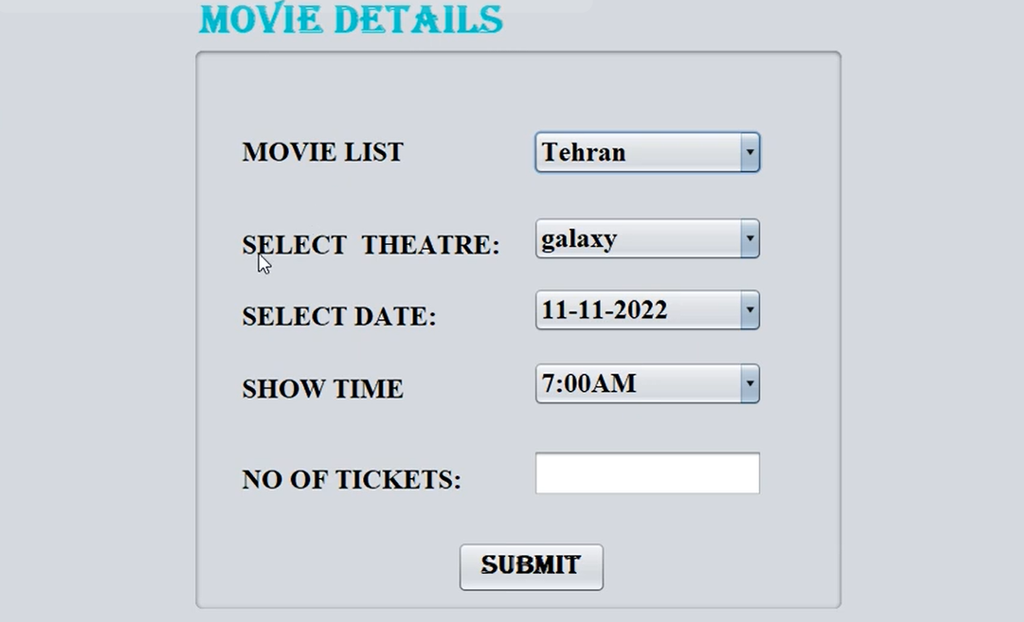
  • Movie Selection and Showtime Management

  • Display a catalog of movies, complete with showtimes, duration, and language.
  • Offer filtering options for movie genres and showtimes to personalize the user experience.

  • Seat Selection

  • Provide a visual layout of available seats to make the selection process easy.
  • Display booked, available, and premium seating options with real-time updates.

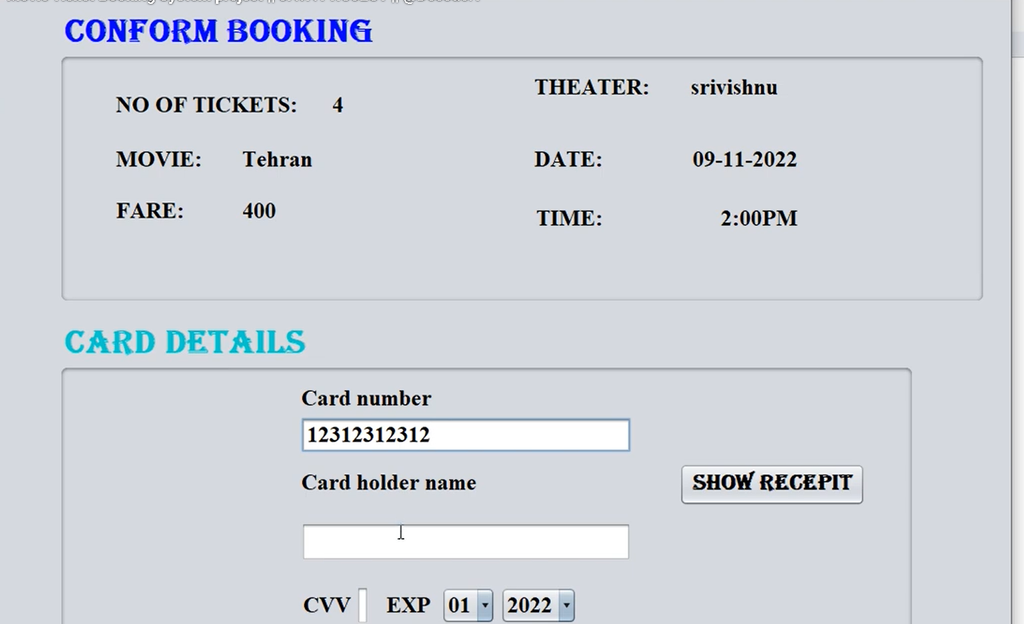
  • Booking Confirmation and Payment

  • Generate booking confirmation after seat selection.
  • Integrate payment options like credit cards or third-party APIs (for an advanced version) for secure transactions.

  • Admin Panel

  • Admins can add, update, or remove movies and manage showtimes.
  • A dashboard for viewing ticket sales, tracking bookings, and managing users.

Step-by-Step Implementation

Let’s break down each step in creating this system, from setting up the environment to testing it in action.

Setting Up Your Java Environment

Begin by ensuring that you have the latest Java Development Kit (JDK) and an Integrated Development Environment (IDE) like Eclipse or IntelliJ IDEA installed. These will be essential for coding, debugging, and running the system.

  1. Install JDK: Download the latest JDK from the Oracle website and set up the environment variables.
  2. Install an IDE: Choose a preferred IDE (Eclipse, IntelliJ IDEA) for efficient development.

 Designing the Database

A solid database structure is crucial for any booking system. We will use MySQL to store user information, movie details, seat availability, and booking records. Here’s a suggested schema:

  • Users: To store user details (userID, name, email, password).
  • Movies: To store movie details (movieID, title, genre, duration).
  • Showtimes: To store movie schedules (showID, movieID, date, time, hall).
  • Bookings: To store user bookings (bookingID, userID, showID, seatID).
  • Seats: To track seat availability per showtime (seatID, showID, status).

Use SQL commands to create the tables, set primary keys, and establish relationships between them.

https://updategadh.com/category/php-project

Developing the Core Functionality in Java

This step involves coding the main modules of the application, which include the user interface, the seat selection logic, and the booking confirmation process.

  1. User Registration and Login: Create methods for user signup and authentication. Use Java classes with appropriate data handling for secure login sessions.
  2. Movie and Showtime Display: Create a Movie class to retrieve and display available movies and showtimes.
  3. Seat Selection Logic: Develop a SeatManager class that updates seat availability in real time and communicates the seating layout to the user interface.
  4. Booking Confirmation: Once a user selects their seats, process the booking by storing the booking information in the database. A Booking class can handle the reservation logic.

Creating the User Interface

For simplicity, you could create a basic graphical user interface (GUI) using Java Swing. Here’s how:

  1. Design a Homepage: Display available movies and allow users to navigate through different options.
  2. Build a Seat Layout Panel: Show the seating arrangement for selected showtimes with clickable seats.
  3. Payment Confirmation Page: After selecting seats, guide users through payment steps (with dummy payment simulation in this example).

Use Swing components like JFrame, JPanel, JButton, and JLabel to structure the GUI elements.

 Implementing the Admin Panel

For this system to function fully, there needs to be an admin portal where new movies, schedules, and user management can be handled.

  1. Create Admin Login: Implement a separate login page for admins with restricted access.
  2. Dashboard for Movie and Schedule Management: Use simple forms to add, edit, or remove movie and schedule entries.

Testing the System

Thorough testing is crucial for a booking system that handles real-time requests. Conduct the following types of testing:

  • Unit Testing: Test each individual function, such as the booking module, login verification, and seat selection.
  • Integration Testing: Ensure that all modules work together without issues. Check that the database updates accurately based on user actions.
  • User Acceptance Testing (UAT): Simulate a real user experience to confirm that the system is intuitive and meets functional requirements.

Deployment and Maintenance

After successful testing, deploy the system on a local server for small-scale usage or an enterprise server for larger audiences. This may involve setting up a Tomcat or GlassFish server, depending on your environment. Remember that regular maintenance is key to ensuring a smooth booking experience.

Challenges and Tips

  1. Managing Real-Time Data: Seat selection requires frequent database access to reflect real-time availability. Use Java Database Connectivity (JDBC) and transaction management to avoid concurrency issues.
  2. UI Optimization: While Java Swing is robust, it may lack advanced styling. For a more polished look, consider JavaFX or a web-based frontend like JSP or AngularJS for larger projects.
  3. Scalability: A real-world booking system should be scalable. Consider cloud solutions for large deployments or adding caching mechanisms for high-demand shows.

Movie Ticket Booking System Project in Java

Movie Ticket Booking System Project in Java

Movie Ticket Booking System Project in Java

Movie Ticket Booking System Project in Java

Movie Ticket Booking System Project in Java

Contact Us to Get the Source Code:

If you need the source code for the Movie Ticket Booking System Java Project , feel free to reach out through any of the provided contact methods.

  • Remotely Setup Project.
  • The Full project files
  • Database.
  • Step-by-step configuration tutorial.

BUY NOW

movie-ticket-booking system github movie ticket booking system design online movie ticket booking system project source code online movie ticket booking system project report pdf movie ticket booking system er diagram movie ticket booking system lld movie ticket booking system c++ online movie ticket booking system project free download movie ticket booking movie ticket booking system pdf free movie ticket booking system

Post Views: 2,173
Java Project Tags:movie booking system, movie ticket booking project in java, movie ticket booking system, movie ticket booking system in django, movie ticket booking system in java, movie ticket booking system java, movie ticket booking system project, movie ticket booking system project in java, online movie ticket booking project in java, online movie ticket booking system, system design onine movie ticket booking, ticket booking system

Post navigation

Previous Post: Ice Cream Shop Java Project With Source Code
Next Post: Human Resource Management System in Java

More Related Articles

Hotel Management System in Java - Hotel Management System in Java Hotel Management System in Java Java Project
Library Management System Using Object-Oriented Analysis Library Management System Using Object-Oriented Analysis and Design Java Project
Medical Stock Management System in Java A Complete Guide - Medical Stock Management System in Java A Complete Guide Medical Stock Management System in Java A Complete Guide Java Project

Leave a Reply Cancel reply

Your email address will not be published. Required fields are marked *

You may also like

  1. E-learning Platform Project in java and MySQL
  2. Railway Reservation System In JAVA and MYSQL
  3. Online Movie Ticket Booking in Java and MySQL
  4. Gym Management System in Java
  5. Online Quiz Management System in Java + MySQL
  6. Payroll Management System in Java

Most Viewed Posts

  1. Top Large Language Models in 2025
  2. Online Shopping System using PHP, MySQL with Free Source Code
  3. login form in php and mysql , Step-by-Step with Free Source Code
  4. Flipkart Clone using PHP And MYSQL Free Source Code
  5. News Portal Project in PHP and MySql Free Source Code
  6. User Login & Registration System Using PHP and MySQL Free Code
  7. Top 10 Final Year Project Ideas in Python
  8. Blog Site In PHP And MYSQL With Source Code || Best Project
  9. Online Bike Rental Management System Using PHP and MySQL
  10. E learning Website in php with Free source code
  • AI
  • ASP.NET
  • Blockchain
  • ChatCPT
  • code Snippets
  • Collage Projects
  • Data Science Project
  • Data Science Tutorial
  • DBMS Tutorial
  • Deep Learning Tutorial
  • Final Year Projects
  • Free Projects
  • How to
  • html
  • Interview Question
  • Java Notes
  • Java Project
  • Java Script Notes
  • JAVASCRIPT
  • Javascript Project
  • JSP JAVA(J2EE)
  • Machine Learning Project
  • Machine Learning Tutorial
  • MySQL Tutorial
  • Node.js Tutorial
  • PHP Project
  • Portfolio
  • Python
  • Python Interview Question
  • Python Projects
  • PythonFreeProject
  • React Free Project
  • React Projects
  • Spring boot
  • SQL Tutorial
  • TOP 10
  • Uncategorized
  • Real-Time Medical Queue & Appointment System with Django
  • Online Examination System in PHP with Source Code
  • AI Chatbot for College and Hospital
  • Job Portal Web Application in PHP MySQL
  • Online Tutorial Portal Site in PHP MySQL — Full Project with Source Code

Most Viewed Posts

  • Top Large Language Models in 2025 (8,616)
  • Online Shopping System using PHP, MySQL with Free Source Code (5,226)
  • login form in php and mysql , Step-by-Step with Free Source Code (4,875)

Copyright © 2026 UpdateGadh.

Powered by PressBook Green WordPress theme