
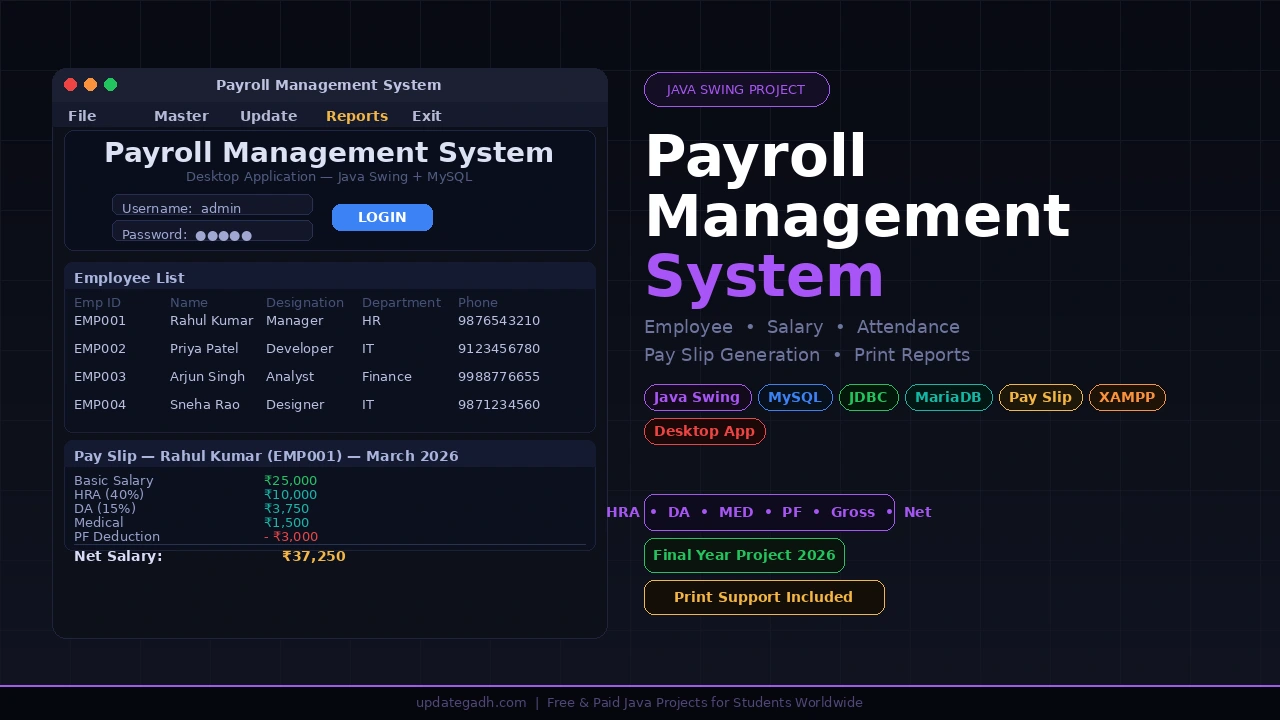
A payroll management system in Java is one of the strongest final year projects you can submit, because salary processing is a problem every examiner already understands. This desktop application handles employees, salary components, daily attendance, statutory deductions and printable pay slips, with a live dashboard on the home screen. Below you get the demo, the full feature list, setup steps, and the download link for the complete source code with report, synopsis and PPT.
Project At a Glance
| Detail | Description |
|---|---|
| Project Name | Payroll Management System |
| Language | Java (Swing, JDK 8+) |
| Database | MySQL / MariaDB |
| Project Type | Desktop Application |
| Difficulty | Intermediate |
| Best For | BCA, MCA, B.Tech CS/IT, Diploma |
| Developer | Updategadh |
Get This Project
The package includes the complete source code, database script, project report, college synopsis and presentation slides.
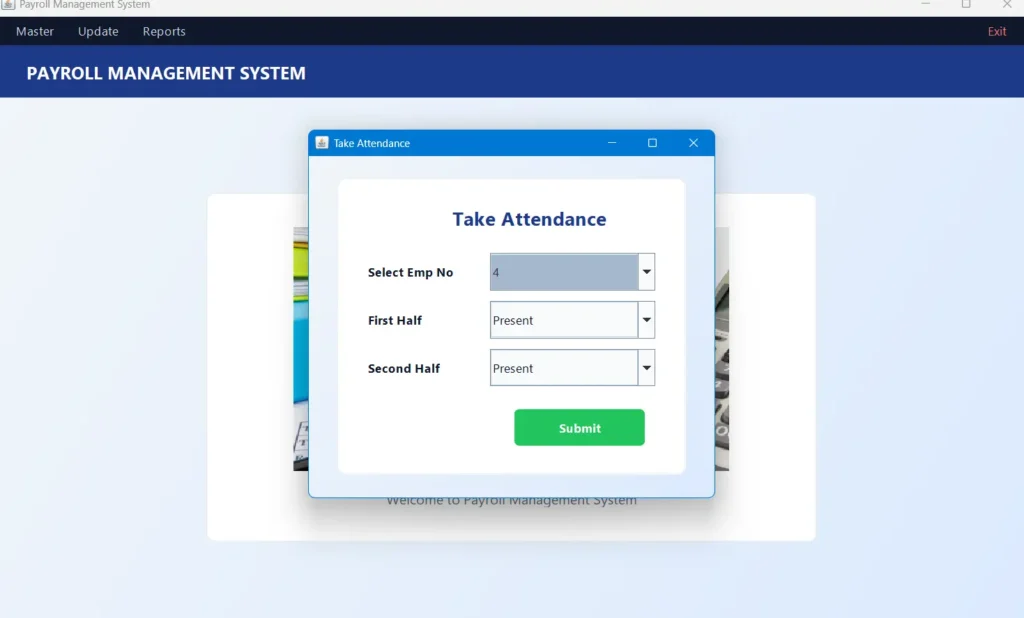
Screenshots
What This Project Does
Most small organisations still run payroll across scattered spreadsheets — one for employee details, another for attendance, a third for salary components, and someone typing EPF, ESI and tax figures by hand every month. The result is mismatched records, wrong net salary, and no single place to see what payroll is actually costing.
This project replaces that with one Java desktop application backed by a normalised MySQL database. Employees, salaries and attendance all live in linked tables, and a dedicated calculator class applies every statutory deduction automatically before generating the pay slip.
Dashboard and Login
- Secure Login: Admin authentication with parameterized queries, so the login screen is not vulnerable to SQL injection.
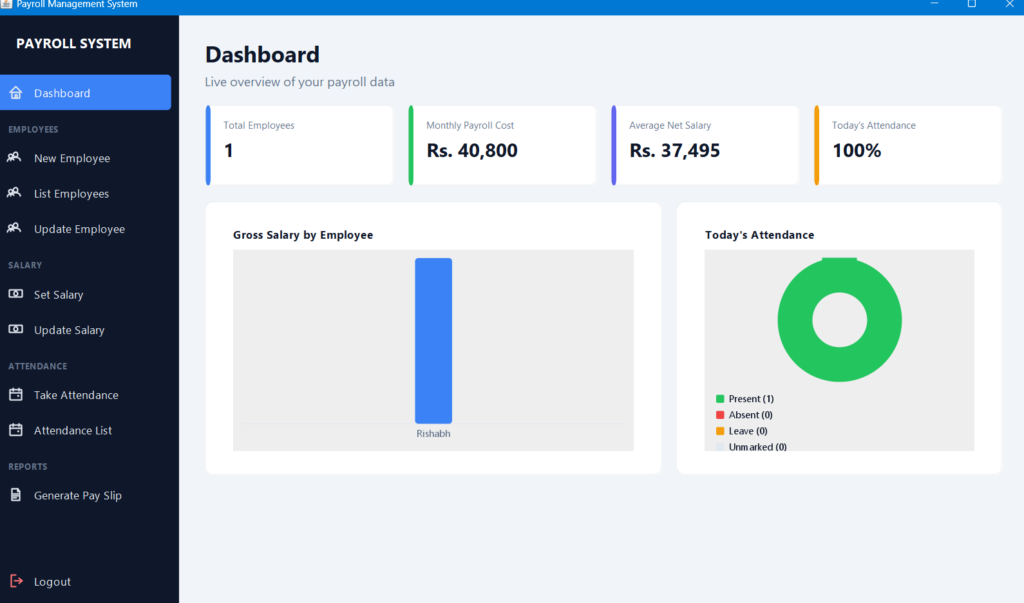
- Live KPI Cards: Total employees, monthly payroll cost, average net salary and today’s attendance percentage, all pulled live from the database.
- Built-in Charts: A gross-salary bar chart and an attendance donut chart drawn with Java2D, with no external charting library required.
- Sidebar Navigation: Every module grouped into one window instead of scattered frames.
Employee, Salary and Payroll
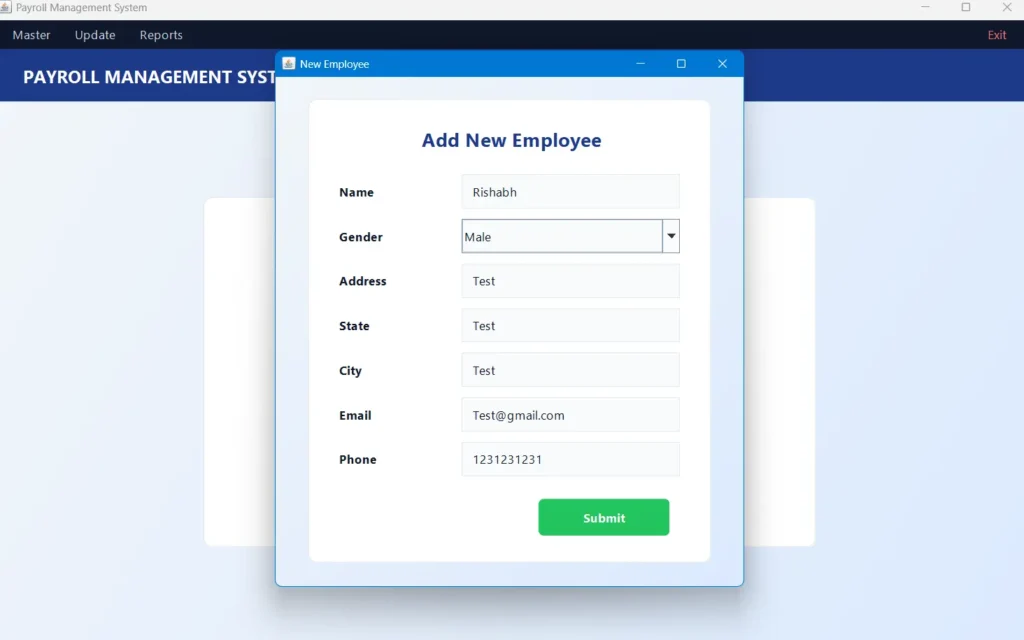
- Employee Management: Add, update, delete and list employee records.
- Salary Configuration: Assign Basic Salary, HRA, DA, Medical Allowance and PF per employee.
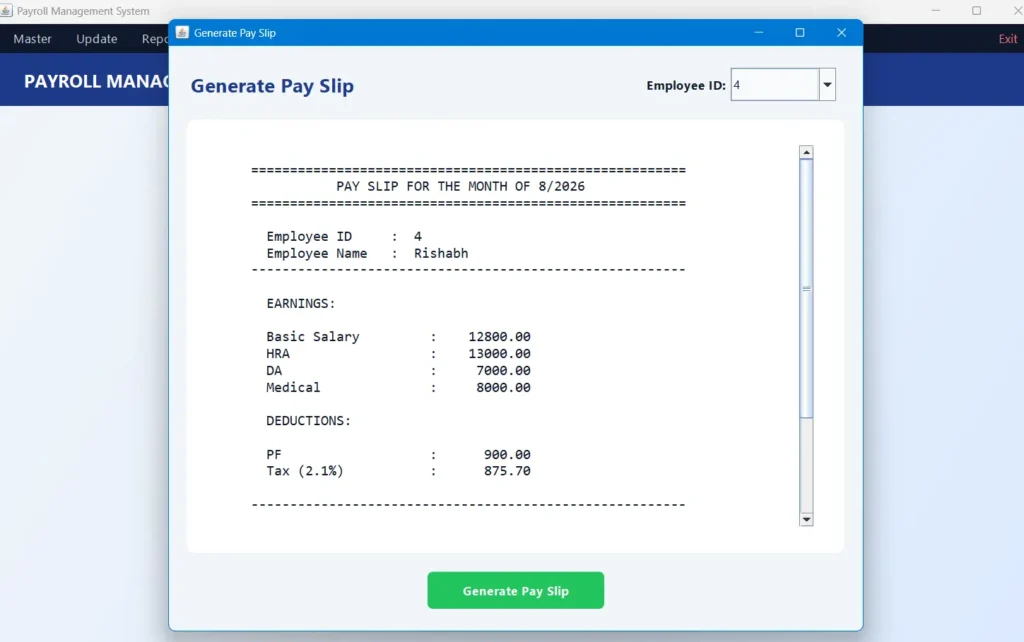
- Statutory Deduction Engine: Automatically calculates EPF, ESI where the employee is eligible, Professional Tax by slab, and monthly income tax from annualised gross minus the standard deduction.
- Pay Slip Generation: Produces a complete earnings-versus-deductions breakdown ending in the final net salary.
Attendance and Reports
- Daily Attendance: Marked separately for First Half and Second Half of the working day.
- Attendance List: View all recorded entries in a sortable table.
- Print Support: Print the employee list and attendance reports directly from the app.
Technologies Used
- Interface: Java Swing — windows, forms, tables, dialogs and sidebar navigation
- Graphics: Java2D — custom bar chart, donut chart and vector navigation icons
- Logic: Core Java, JDK 8 or above — business rules and the deduction calculator
- Database: MySQL or MariaDB — employee, salary, attendance and login tables
- Connectivity: JDBC with MySQL Connector/J — links the application to the database
- Server: XAMPP or a standalone MySQL install — local database for development and demo
How to Run This Project
Step 1 — Prerequisites
Install Java JDK 8 or above (JDK 21 recommended) and MySQL or MariaDB, easiest through XAMPP. Place the MySQL Connector/J JAR inside the lib/ folder.
Step 2 — Import the Database
Start MySQL from the XAMPP control panel, then run the included script to create the database and tables.
mysql -u root -p < payroll.sqlStep 3 — Configure the Connection
Open src/conn.java and update the credentials if your setup differs. A stock XAMPP install has an empty root password.
DriverManager.getConnection("jdbc:mysql://localhost:3306/payroll", "root", "");Step 4 — Compile
The UTF-8 flag is required because the dashboard uses non-ASCII characters in its chart labels.
javac -encoding UTF-8 -cp "lib/mysql-connector-j-8.3.0.jar" -d build/classes src/*.javaStep 5 — Run
On Linux and macOS, replace the semicolon with a colon. Log in with username admin and password admin.
java -cp "lib/mysql-connector-j-8.3.0.jar;build/classes" splashWhy This Is a Great Final Year Project
- Real business domain. Payroll is a genuine enterprise problem, so examiners take the submission seriously from the first slide.
- Wide core Java coverage. Swing, event handling, Java2D, JDBC and OOP design in one project — excellent revision for placement interviews.
- Explainable logic. The EPF, ESI, Professional Tax and income tax slab calculations give you concrete code to walk through in a viva instead of only describing screens.
- Security talking point. Parameterized queries and SQL injection prevention are an easy, impressive answer when security comes up.
- Zero demo risk. Everything runs locally with XAMPP, so there is no hosting or internet dependency on presentation day.
Get This Project
Download the complete package with source code, database script, project report, synopsis, PPT and setup guide.
For customisation or setup support, message us directly.
WhatsApp: +91 79834 34684
Frequently Asked Questions
Which technologies does this payroll management system use?
Core Java with Swing for the interface, Java2D for the dashboard charts, and MySQL or MariaDB as the database, connected through JDBC using the MySQL Connector/J driver.
Is it suitable for BCA, MCA and B.Tech students?
Yes. The difficulty is intermediate, which suits BCA, MCA, B.Tech CS/IT, M.Tech and Diploma submissions. The code is organised into separate classes per module, so it is readable enough to explain confidently in a viva.
Does it need an internet connection?
No. It is a desktop application running against a local MySQL server, so it works completely offline once the database is imported.
Does the package include the report, synopsis and PPT?
Yes. Along with the full source code and database script you receive the project report, college synopsis, presentation slides and a setup guide.
Possible Extensions
- Move attendance to a proper DATE column for backdated entries and month-wise reporting
- Add a Reports screen with payroll and attendance summaries plus CSV export
- Export pay slips as PDF instead of print-only output
- Store each employee’s state so the correct Professional Tax slab is applied
- Add role-based logins for HR, Accounts and Employees
- Email pay slips to employees automatically each month
For full project walkthroughs, setup tutorials and source code explanations, subscribe to our channel.
Subscribe to DecodeIT2 on YouTube


Very clear and helpful