Vehicle Parking Management System Project in Java (JSP + Servlets + MySQL)
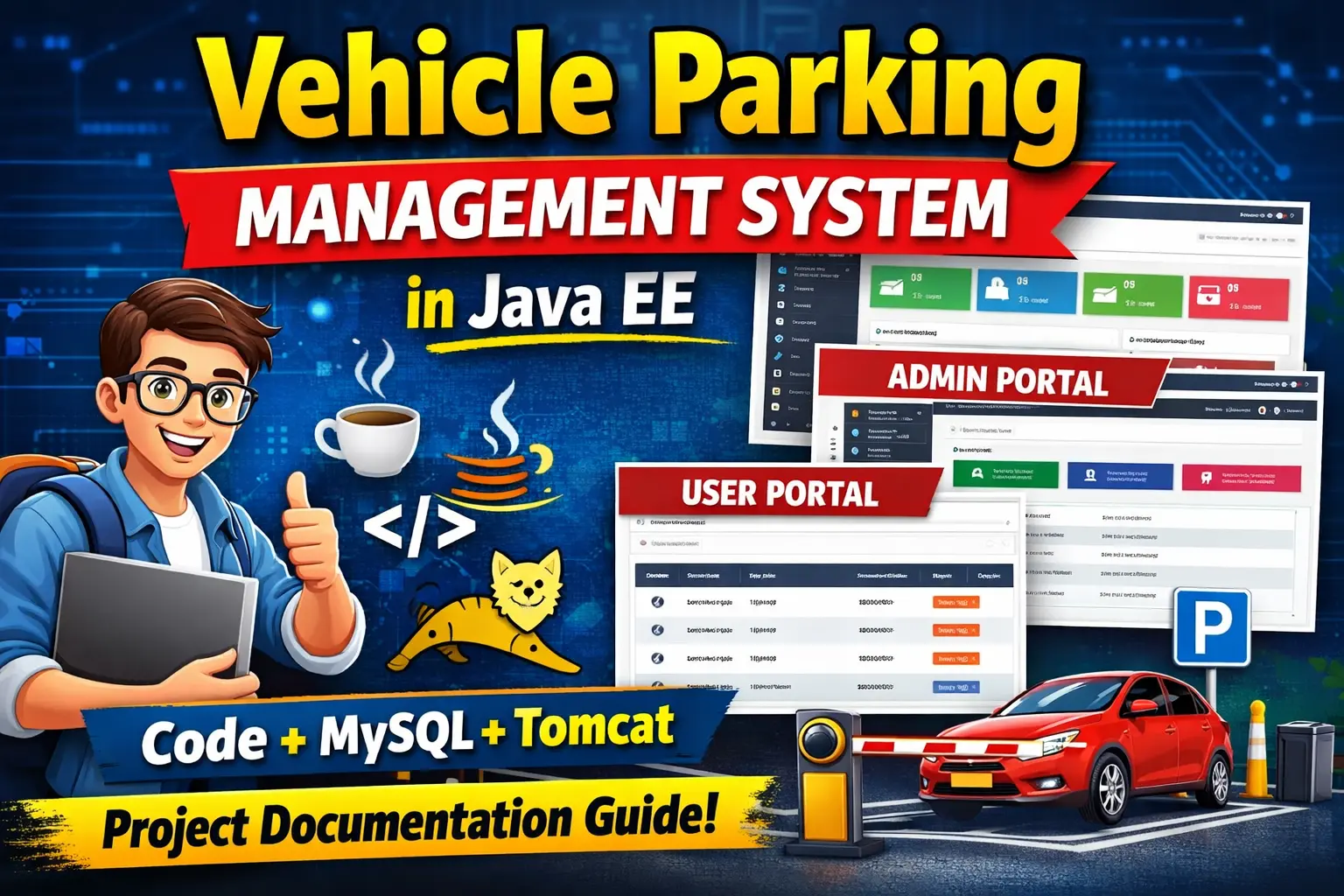
The Vehicle Parking Management System (VPMS) is a complete Java web application designed to manage parking operations efficiently. The system allows administrators and registered users to handle vehicle parking, monitor incoming and outgoing vehicles, manage vehicle categories, and generate reports.
This project is developed using Java Servlets, JSP, MySQL, Bootstrap, and Apache Tomcat. It demonstrates how a real-world parking lot system can be automated using a web-based dashboard.
This project is ideal for BCA, MCA, B.Tech, and MSc IT students looking for a final year project related to Java web development and database management.
1. Project Overview
The Vehicle Parking Management System helps manage parking spaces, vehicle entries, and exits. It provides separate modules for administrators and registered users.
| Module | Description |
|---|---|
| Admin Portal | Manage vehicles, categories, parking slots, and reports |
| User Portal | Users can park vehicles, check parking history, and manage profiles |
| Parking Management | Tracks incoming and outgoing vehicles automatically |
| Reports | Generate reports based on date ranges |
2. Technology Stack Used
| Layer | Technology |
|---|---|
| Programming Language | Java |
| Web Framework | JSP and Servlets |
| Server | Apache Tomcat |
| Database | MySQL |
| Frontend | HTML, CSS, Bootstrap, JavaScript |
| Libraries | JDBC, Apache Commons DBCP |
3. Key Features of the System
| Feature | Admin | User |
|---|---|---|
| Login System | Yes | Yes |
| Dashboard | Yes | Yes |
| Add Vehicle | Yes | Yes |
| Manage Vehicle Categories | Yes | No |
| Parking Reports | Yes | No |
| Parking History | Yes | Yes |
| Change Password | Yes | Yes |
4. System Modules
Admin Module
The admin has full control over the system and can manage all parking operations.
- Admin Login
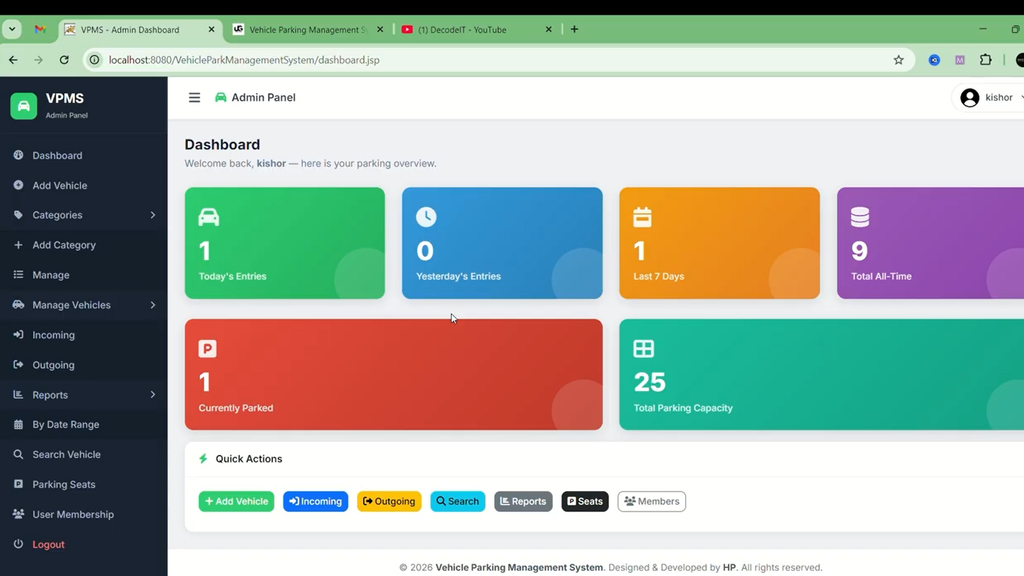
- Dashboard with parking statistics
- Add and manage vehicle categories
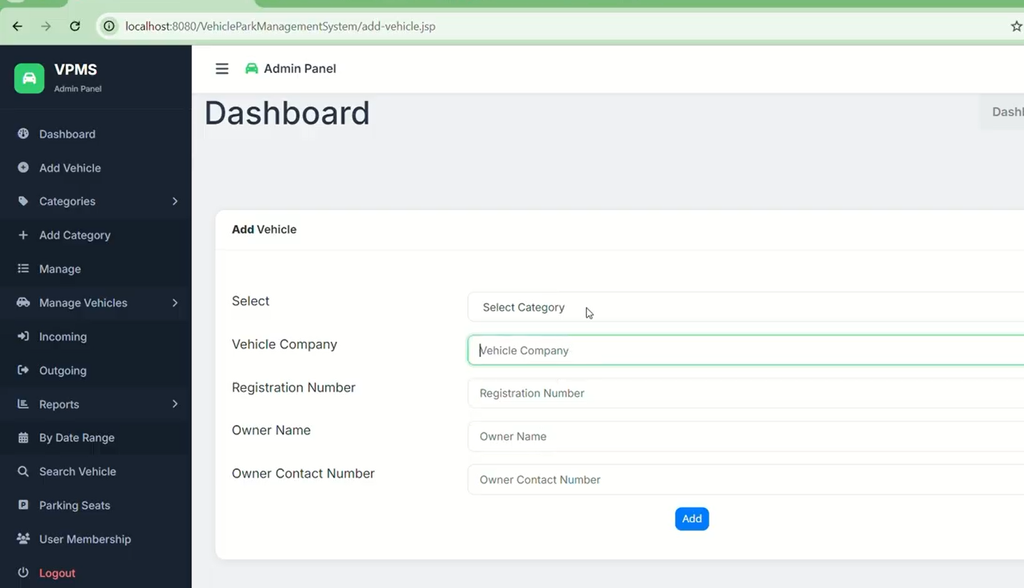
- Add vehicles to parking
- View incoming vehicles
- Check-out vehicles
- Search vehicles using registration number
- Generate date-wise reports
- Configure parking slot capacity
- Update profile and password
User Module
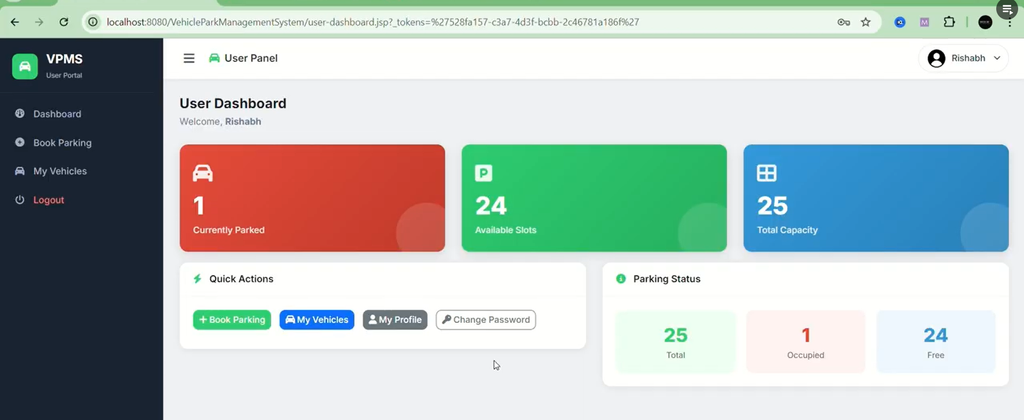
The user module allows registered users to manage their own vehicle parking activities.
- User registration and login
- Add own vehicle to parking
- View parking history
- Check-out parked vehicles
- View vehicle details
- Change password
How to Download
Get This Project
The complete package is available so you can run, study, and submit it with confidence. It includes:
- Full Source Code
- Project Report
- Synopsis
- PPT Presentation
For any queries or a quick response, reach out on WhatsApp: +91 79834 34684
Screenshots and Demo Video
Admin
User
5. Database Design
The system uses a MySQL database named vpmsdb. It contains several tables that store parking data.
| Table Name | Description |
|---|---|
| tbladmin | Stores admin account information |
| tbluser | Stores registered user details |
| tblvehicle | Stores parked vehicle information |
| tblcategory | Vehicle category list |
| tblparkingseatcapacity | Total parking slot capacity |
6. Parking Charge Logic
The system calculates parking charges automatically based on the vehicle category and total parking time.
| Vehicle Category | Less than 8 Hours | 816 Hours | 1624 Hours | More than 24 Hours |
|---|---|---|---|---|
| Six Wheeler | 40 | 60 | 100 | 150 |
| Four Wheeler | 30 | 50 | 80 | 120 |
| Two Wheeler | 15 | 20 | 25 | 45 |
| Bicycle | 2 | 5 | 10 | 12 |
7. How to Run the Project
Step 1: Install Required Tools
- Java JDK 8 or above
- Apache Tomcat 9
- MySQL Server
- Eclipse IDE (optional)
Step 2: Import Database
Create a database named vpmsdb and import the SQL file.
mysql -u root -p

CREATE DATABASE vpmsdb;

USE vpmsdb;

SOURCE vpmsdb.sql;
Step 3: Configure Database Connection
Update the database credentials in the following file:
DatabaseConnection.java
jdbc:mysql://localhost:3306/vpmsdb
Step 4: Deploy the Project
- Compile the project
- Create a WAR file
- Copy the WAR file into the Tomcat webapps folder
- Start the Tomcat server
Step 5: Run the Application
8. Default Login Credentials
Admin Login
| Username | Password |
|---|---|
| kishor | java@1991 |
User Login
| Username | Password |
|---|---|
| sagar | sagar@123 |
| arun | arun@123 |
| govind | 12345 |
9. Why This Project is Good for College Students
- Demonstrates real-world parking management automation
- Uses Java web technologies like JSP and Servlets
- Includes database integration with MySQL
- Implements CRUD operations and session management
- Helps students understand full-stack Java web development
10. Advantages of the System
- Automates parking management
- Reduces manual work
- Generates reports quickly
- Maintains parking history records
- Supports multiple vehicle categories
11. Viva Questions and Answers
1. What is a Vehicle Parking Management System?
A Vehicle Parking Management System is a software application used to manage vehicle parking operations such as vehicle entry, exit, parking charges, and parking slot availability.
2. Which technologies are used in this project?
This project uses Java Servlets, JSP, MySQL database, Apache Tomcat server, and Bootstrap for the user interface.
3. How does the system calculate parking charges?
The system calculates charges based on vehicle category and total hours parked. Different vehicle types have different pricing rules.
12. Related Project
If you are looking for more Java projects, check this:
Conclusion
The Vehicle Parking Management System is a practical Java web application that demonstrates how parking operations can be managed digitally. It includes multiple modules, database integration, and real-time parking charge calculation. This project is very useful for students who want to learn Java web development and build real-world applications.
Keywords
Vehicle Parking Management System Project, Vehicle Parking Management System, Parking Management System Project, Vehicle Parking System, Parking Management Software, Online Parking Management System, Car Parking Management System, Parking Slot Management System, Vehicle Management System, Smart Parking System, Parking Slot Booking System, Parking Reservation System, Parking Management Project, Parking System Project, Parking Management System Source Code, Parking Management System for Students, College Project, Final Year Project