StyleGAN
Introduction
In 2014, Ian Goodfellow introduced Generative Adversarial Networks (GANs), a groundbreaking approach that changed the way artificial intelligence could create content. GANs made it possible for computers to generate realistic images, sounds, videos, and other types of content.
As GAN research progressed, developers focused heavily on improving the discriminator—the component responsible for determining whether generated content is real or fake. However, the generator, which actually creates the content, needed more attention and greater control.
This led to the development of StyleGAN, a powerful framework created by NVIDIA. Unlike traditional GAN architectures, StyleGAN introduced a new approach that provides fine-grained control over the image-generation process.
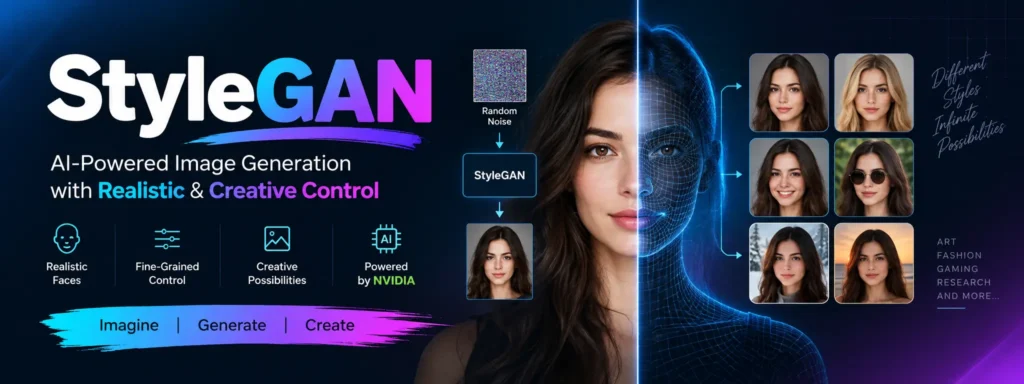
With StyleGAN, different visual characteristics such as hairstyle, facial structure, background, pose, and expression can be manipulated. The technology became particularly well known for generating highly realistic human faces of people who do not actually exist.
Table of Contents
Complete Advance AI Topics: Click Here
SQL Tutorial: Click Here
StyleGAN Architecture: How It Works
StyleGAN introduced several important architectural improvements that changed how GAN-based image generation works. Its design separates different aspects of image creation, allowing the generated output to be controlled at multiple levels.
1. Progressive Growing GAN (PGGAN)
StyleGAN uses the concept of Progressive Growing GAN (PGGAN). Instead of immediately generating high-resolution images, training begins with low-resolution images such as 4×4 pixels.
The network gradually increases the image resolution during training until it can generate high-resolution outputs such as 1024×1024 pixels or higher.
This progressive approach allows the generator and discriminator to learn increasingly complex features in stages, helping produce detailed and stable results.
2. Bilinear Sampling for Upsampling
For increasing image resolution, StyleGAN uses bilinear sampling. Compared with basic nearest-neighbor upsampling, bilinear interpolation produces smoother transitions between pixels.
This helps reduce unwanted visual artifacts and contributes to smoother and more visually pleasing generated images.
3. Style Mapping Network
The style mapping network is one of StyleGAN’s most important innovations.
Instead of sending a random noise vector directly into the generator, StyleGAN passes the input through an 8-layer neural network. This network transforms the input into an intermediate style vector.
This separation between the input representation and the visual style gives the generator greater control over different characteristics of the generated image, including facial structure, colors, and other visual attributes.
4. Adaptive Instance Normalization (AdaIN)
Adaptive Instance Normalization (AdaIN) is used to inject style information into different layers of the generator.
AdaIN normalizes feature maps and then adjusts them according to the style vector. Because style information can be introduced at different stages of generation, individual visual characteristics can be manipulated more independently.
For example, changes to the background or hair can potentially be made without significantly changing other characteristics of the generated face.
5. Noise Injection
StyleGAN also introduces random noise into individual generator layers. This noise helps create small-scale details and natural variations in generated images.
Examples include realistic skin pores, hair strands, and subtle textures. These details prevent generated images from appearing unnaturally perfect and help create more realistic results.
6. Mixing Regularization
Mixing regularization helps prevent the generator from depending too heavily on a single style vector.
During training, StyleGAN can use two different latent vectors and combine their styles. This encourages the network to learn how different visual characteristics can be controlled and blended.
The result is greater diversity and flexibility when generating images.
How to Use StyleGAN
StyleGAN can be explored by AI developers, researchers, digital artists, and anyone interested in generative image technology. The general workflow includes the following steps.
1. Set Up Your Environment
Start by preparing a suitable development environment. StyleGAN models require significant computational resources, particularly when training high-resolution models.
A powerful GPU, such as an NVIDIA RTX-series GPU, can be useful. You may also need Python and the appropriate deep learning framework depending on the StyleGAN implementation you are using.
2. Download a Pre-trained Model or Train Your Own
There are two common approaches:
- Use a pre-trained StyleGAN model to generate images without training a model from scratch.
- Train a custom StyleGAN model using your own dataset.
Custom datasets can contain subjects such as flowers, animals, illustrations, or other image categories.
3. Prepare Your Dataset
If you plan to train your own model, prepare a suitable image dataset. Images should generally be processed into a consistent format and resolution.
A larger and more diverse dataset can help the model learn the visual patterns and structures present in the target category.
4. Train the Model
During training, the generator learns to produce images while the discriminator learns to distinguish generated images from real examples.
Training can require substantial computational resources and may take anywhere from hours to days depending on the hardware, dataset, image resolution, and training configuration.
5. Generate Images
After training, StyleGAN can generate images from latent representations. Different latent inputs can produce different visual results.
The style-based architecture also makes it possible to explore changes to characteristics such as facial appearance, hair, colors, and other visual features.
6. Style Mixing and Transfer
One of StyleGAN’s creative capabilities is style mixing. Different latent representations can be combined to experiment with multiple visual characteristics.
This makes StyleGAN useful for creative exploration and experimentation with generated images.
7. Save, Edit, and Share
Generated images can be exported and further edited using image-editing software. They can also be incorporated into digital projects such as games, applications, illustrations, and other creative work.
8. Use StyleGAN Responsibly
Generative AI should be used responsibly. Because StyleGAN can create highly realistic images, it is important to avoid creating misleading content, harmful deepfakes, or material that violates another person’s privacy or rights.
Applications of StyleGAN
StyleGAN has applications across several creative and research-oriented fields.
| Industry | Application |
|---|---|
| Art & Design | Creating abstract, experimental, and surreal visuals. |
| Fashion | Exploring new clothing designs, styles, and accessories. |
| Gaming | Generating characters, visual assets, and environments. |
| Research | Studying image synthesis, facial recognition, and synthetic data. |
| Media | Creating avatars, illustrations, and other generated visual content. |
YT:- DecodeIT
Conclusion
StyleGAN represents an important milestone in the development of generative AI. Its style-based architecture provides greater control over image generation than traditional GAN approaches.
From generating realistic faces of fictional people to experimenting with visual styles, StyleGAN provides creators and researchers with a powerful way to explore AI-generated imagery.
Its combination of style mapping, adaptive normalization, noise injection, progressive training, and style mixing demonstrates how architectural improvements can make generative models more controllable and flexible.
As generative AI continues to evolve, StyleGAN remains an important example of how machine learning can combine technical innovation with creative possibilities.
Keywords
stylegan ai, stylegan online, stylegan generator, stylegan github, stylegan free, stylegan 3, stylegan download, stylegan paper, deepdream, cyclegan, stylegan pytorch, stylegan meaning