Skip to content
  • SiteMap
  • Our Services
  • Frequently Asked Questions (FAQ)
  • Support
  • About Us

UpdateGadh

Update Your Skills.

  • Home
  • Projects
    •  Blockchain projects
    • Python Project
    • Data Science
    •  Ai projects
    • Machine Learning
    • PHP Project
    • React Projects
    • Java Project
    • SpringBoot
    • JSP Projects
    • Java Script Projects
    • Code Snippet
    • Free Projects
  • Tutorials
    • Ai
    • Machine Learning
    • Advance Python
    • Advance SQL
    • DBMS Tutorial
    • Data Analyst
    • Deep Learning Tutorial
    • Data Science
    • Nodejs Tutorial
  • Blog
  • Contact us
  • Toggle search form
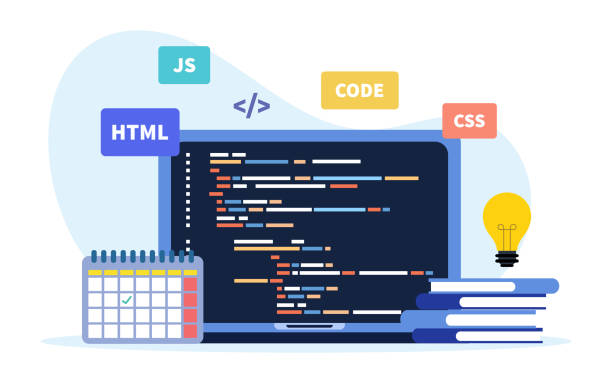
Introduction to Web Development - Web development and coding. programming languages. CSS, HTML, JS. program code on scre

Introduction to Web Development

Posted on August 29, 2024August 29, 2024 By Rishabh saini No Comments on Introduction to Web Development

Introduction to Web Development

In the digital age, having a presence on the web is essential, whether you’re showcasing a personal portfolio, starting a business, or sharing your passions with the world. Web development is the process of creating and maintaining websites, and it’s an exciting field that combines creativity with technical skills. If you’re new to this area, building your first website can be a rewarding and educational experience. To get you started, here’s a step-by-step guide.

Table of Contents

  1. Introduction to Web Development
    1. What is Web Development?
    2. Step 2: Study the Fundamentals of HTML and CSS
    3. Step 2: Get a Basic Understanding of HTML and CSS
    4. Step 3: Write Your First HTML and CSS Code
    5. Step 4: Test Your Website
    6. Step 5: Publish Your Website

What is Web Development?

Web development encompasses everything involved in creating a website, from designing its layout to coding its functionality. It generally falls into two main categories:

  1. Front-End Development: This involves everything users see and interact with on a website. It includes designing the layout, structure, and visual elements.
  2. Back-End Development: This deals with the server-side operations that users don’t see but are crucial for the website’s functionality. It entails front-end component integration, server logic, and database management.

Step 1: Plan Your Website

It’s crucial to plan your website before you start developing.. Consider the following:

  • Purpose: What is your website’s main objective? Is it a blog, an e-commerce site, a portfolio, or something else entirely?
  • Audience: Who will be visiting your site? Understanding your audience will help guide your design and content decisions.
  • Content: What content will your site include? Prepare text, images, and other media that you want to feature.

Step 2: Get a Basic Understanding of HTML and CSS

Introduction to Web Development

HTML (Hyper Text Markup Language) is the foundation of your webpage.It describes the elements and content of web pages.. You’ll need the following fundamental HTML elements:

  • <html>: the HTML page’s root element.
  • <head>: Contains meta-information about the document.
  • <title>:determines the page’s title.
  • <body>: Contains the content of the page.
  • <h1>, <p>, <a>, and <img>: Elements for headings, paragraphs, links, and images, respectively.

Web page design and layout are accomplished with the use of CSS (Cascading Style Sheets) It regulates how HTML components appear. Key concepts include:

  • Selectors: Apply styles to particular HTML elements.
  • Properties: Define what aspect of the element you’re styling, such as color, font, or margin.
  • Responsive Design: Ensures your website looks good on various devices by using media queries and flexible layouts.
  • Complete Python Course : Click here
  • Free Notes :- Click here
  • New Project :-https://www.youtube.com/@Decodeit2
  • Java Projects – Click here

Step 3: Write Your First HTML and CSS Code

Introduction to Web Development

Start by creating a basic HTML file. Open a text editor (like Notepad or VS Code) and save the file with a .html extension. Here’s a simple example:

<!DOCTYPE html>
<html lang="en">
<head>
    <meta charset="UTF-8">
    <meta name="viewport" content="width=device-width, initial-scale=1.0">
    <title>My First Website</title>
    <link rel="stylesheet" href="styles.css">
</head>
<body>
    <header>
        <h1>Welcome to My Website</h1>
    </header>
    <main>
        <p>This is a paragraph of text on my first website.</p>
        <a href="#">Learn More</a>
    </main>
    <footer>
        <p>&copy; 2024 My Website</p>
    </footer>
</body>
</html>

Next, create a CSS file (save it as styles.css in the same directory) to style your page:

body {
    font-family: Arial, sans-serif;
    line-height: 1.6;
    margin: 0;
    padding: 0;
    background-color: #f4f4f4;
}

header {
    background: #333;
    color: #fff;
    padding: 10px 0;
    text-align: center;
}

main {
    padding: 20px;
    text-align: center;
}

footer {
    background: #333;
    color: #fff;
    padding: 10px 0;
    text-align: center;
    position: fixed;
    bottom: 0;
    width: 100%;
}

Step 4: Test Your Website

Open your HTML file in a web browser to see your website. You can make changes to the HTML or CSS files and refresh the browser to see updates. Testing your site on different browsers and devices will help ensure compatibility and responsiveness.

Step 5: Publish Your Website

Introduction to Web Development

Once you’re happy with your website, you’ll need to publish it so others can view it online. You can use web hosting services like GitHub Pages, Netlify, or paid hosting providers. These services typically provide instructions for uploading your files and getting your site live.

Building your first website is a fantastic way to dip your toes into web development. By learning HTML and CSS, you gain foundational skills that will serve as a stepping stone to more advanced topics like JavaScript, server-side programming, and web frameworks. As you grow more comfortable with these basics, you’ll be able to explore additional technologies and techniques to enhance your web development journey. Happy coding!

Post Views: 469
html Tags:Css, Html, introduction to web development course, introduction to web development coursera, introduction to web development notes, introduction to web development pdf, introduction to web development ppt, introduction to web development w3schools, introduction to web development with html, javascript coursera answers, what is web development

Post navigation

Previous Post: College Management System In PHP With Source Code
Next Post: How to Become a Front-End Developer

More Related Articles

Student System Free Source Code Student Record In HTML ,JS With Free Source Code html
Build a Quiz Application with HTML, CSS, and JavaScript Free Source Code :Build a Quiz Application with HTML, CSS, and JavaScript Free Projects
Login and Registration Form Using HTML , CSS & JavaScript(Source Code) Just 3 Steps wow ! " - Image 40 Login and Registration Form Using HTML , CSS & JavaScript(Source Code) Just 3 Steps wow ! “ html

Leave a Reply Cancel reply

Your email address will not be published. Required fields are marked *

You may also like

  1. Login and Registration Form Using HTML , CSS & JavaScript(Source Code) Just 3 Steps wow ! “
  2. How to Build Library Management System Using HTML, CSS, and JavaScript (Source Code) Just 3 Simple Steps! 💥”
  3. Free Source Code :Build a Quiz Application with HTML, CSS, and JavaScript
  4. 5 Steps to Learn Front-End Development 🚀
  5. Student Record In HTML ,JS With Free Source Code
  6. Event Website Using HTML, CSS, jQuery, and Bootstrap

Most Viewed Posts

  1. Top Large Language Models in 2025
  2. Online Shopping System using PHP, MySQL with Free Source Code
  3. login form in php and mysql , Step-by-Step with Free Source Code
  4. Flipkart Clone using PHP And MYSQL Free Source Code
  5. News Portal Project in PHP and MySql Free Source Code
  6. User Login & Registration System Using PHP and MySQL Free Code
  7. Top 10 Final Year Project Ideas in Python
  8. Blog Site In PHP And MYSQL With Source Code || Best Project
  9. Online Bike Rental Management System Using PHP and MySQL
  10. E learning Website in php with Free source code
  • AI
  • ASP.NET
  • Blockchain
  • ChatCPT
  • code Snippets
  • Collage Projects
  • Data Science Project
  • Data Science Tutorial
  • DBMS Tutorial
  • Deep Learning Tutorial
  • Final Year Projects
  • Free Projects
  • How to
  • html
  • Interview Question
  • Java Notes
  • Java Project
  • Java Script Notes
  • JAVASCRIPT
  • Javascript Project
  • JSP JAVA(J2EE)
  • Machine Learning Project
  • Machine Learning Tutorial
  • MySQL Tutorial
  • Node.js Tutorial
  • PHP Project
  • Portfolio
  • Python
  • Python Interview Question
  • Python Projects
  • PythonFreeProject
  • React Free Project
  • React Projects
  • Spring boot
  • SQL Tutorial
  • TOP 10
  • Uncategorized
  • Agentic RAG AI System Using Python – Complete Final Year Project Guide
  • AI-Powered Online Examination System with Face Detection Using PHP & MySQL
  • Real-Time Medical Queue & Appointment System with Django
  • Online Examination System in PHP with Source Code
  • AI Chatbot for College and Hospital

Most Viewed Posts

  • Top Large Language Models in 2025 (8,630)
  • Online Shopping System using PHP, MySQL with Free Source Code (5,248)
  • login form in php and mysql , Step-by-Step with Free Source Code (4,911)

Copyright © 2026 UpdateGadh.

Powered by PressBook Green WordPress theme